
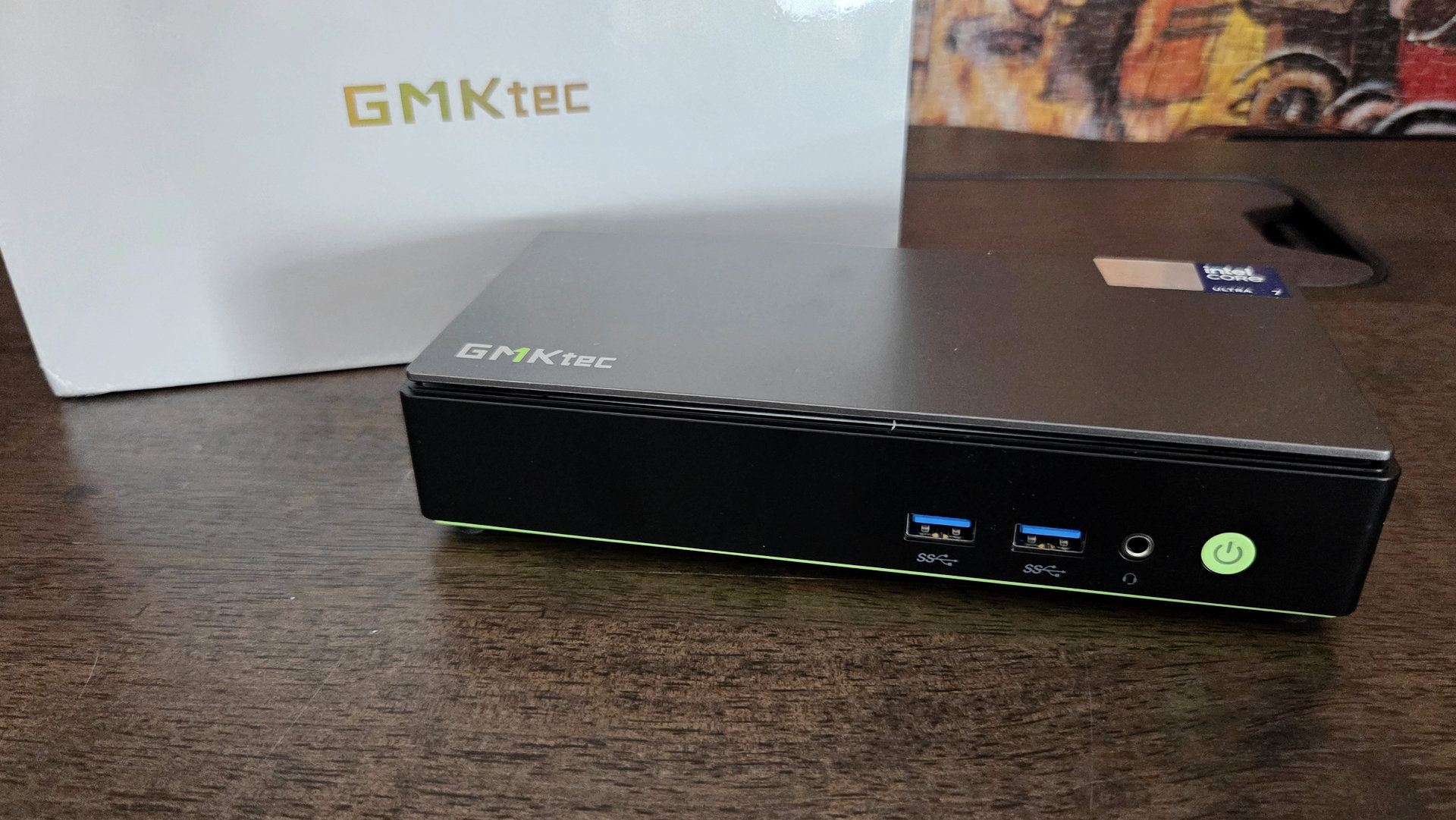
Only a few days after testing the powerful Geekom A9 Max and its AMD Ryzen AI 9 HX 470, we take a step aside to examine a new Intel option: the Lunar Lake Core Ultra 7 256V processor is indeed at the heart of the GMKtec NucBox K13. Is Intel returning to versatile mini-PCs with a powerful GPU?
8 / 10
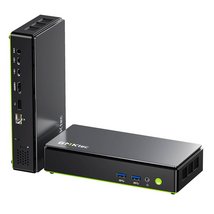
- Compact and highly practical
- Power of the Core Ultra 7 256V
- Versatility: CPU, GPU, NPU
- Remarkable energy efficiency
- Easy access to SSDs, an M.2 free
- Réseau Ethernet 5 GbE
- 16 welded, non-upgradable
- Missing OCuLink on the ports
- Fan becomes noisy quickly
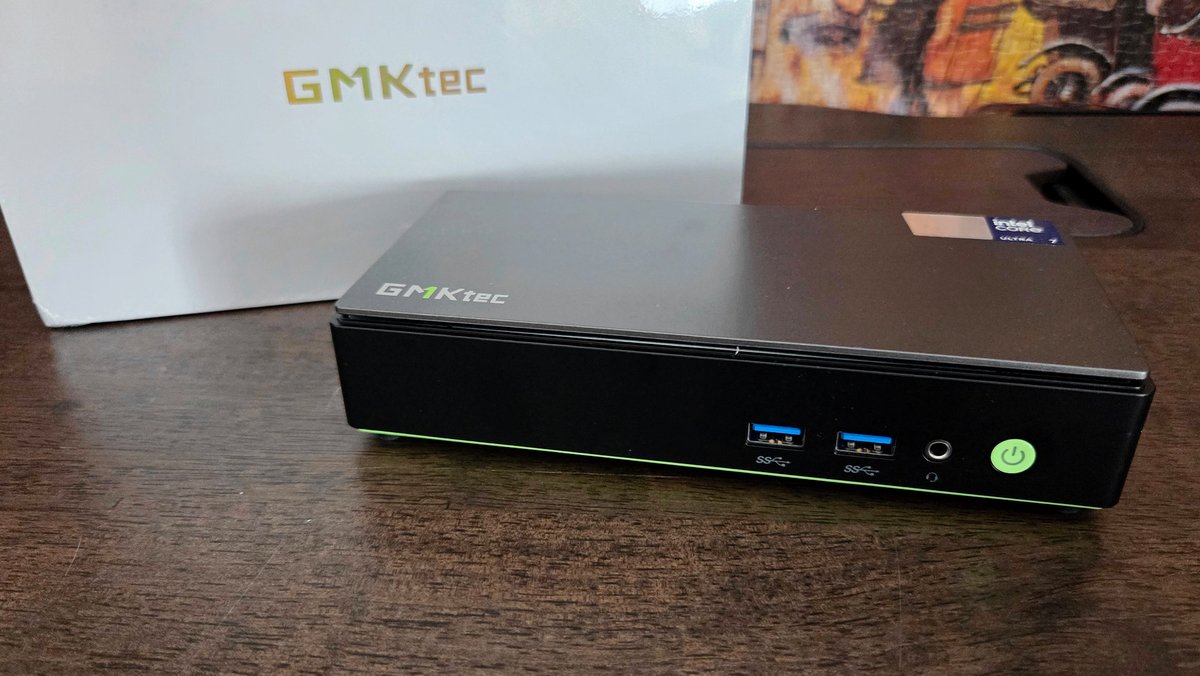
Unconventional format, well thought out
While we are used to mini PCs sharing a fairly similar blueprint, GMKtec shakes up the format with its NucBox K line. The K13 is the first of this kind to land in our hands, and indeed the longer, slender form factor isn’t displeasing. To start with, it’s worth noting that compactness remains a priority: with a total volume under 0.7 liters, it sits below many competitors, starting with the Geekom A9 Max.
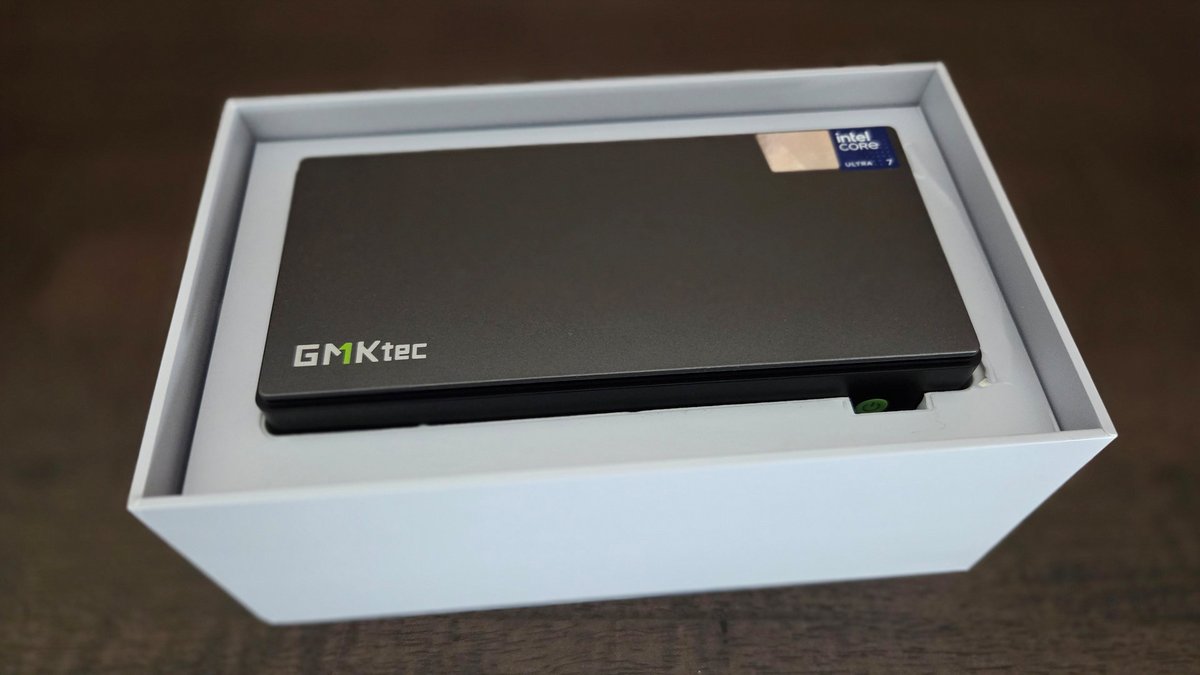
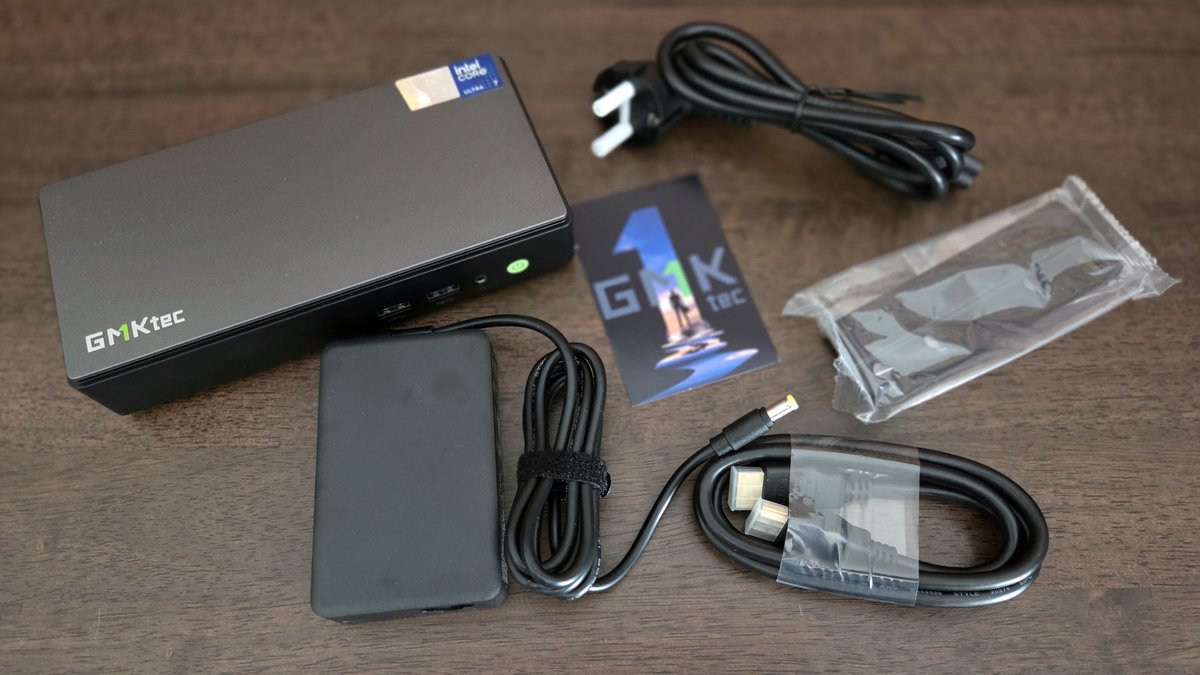
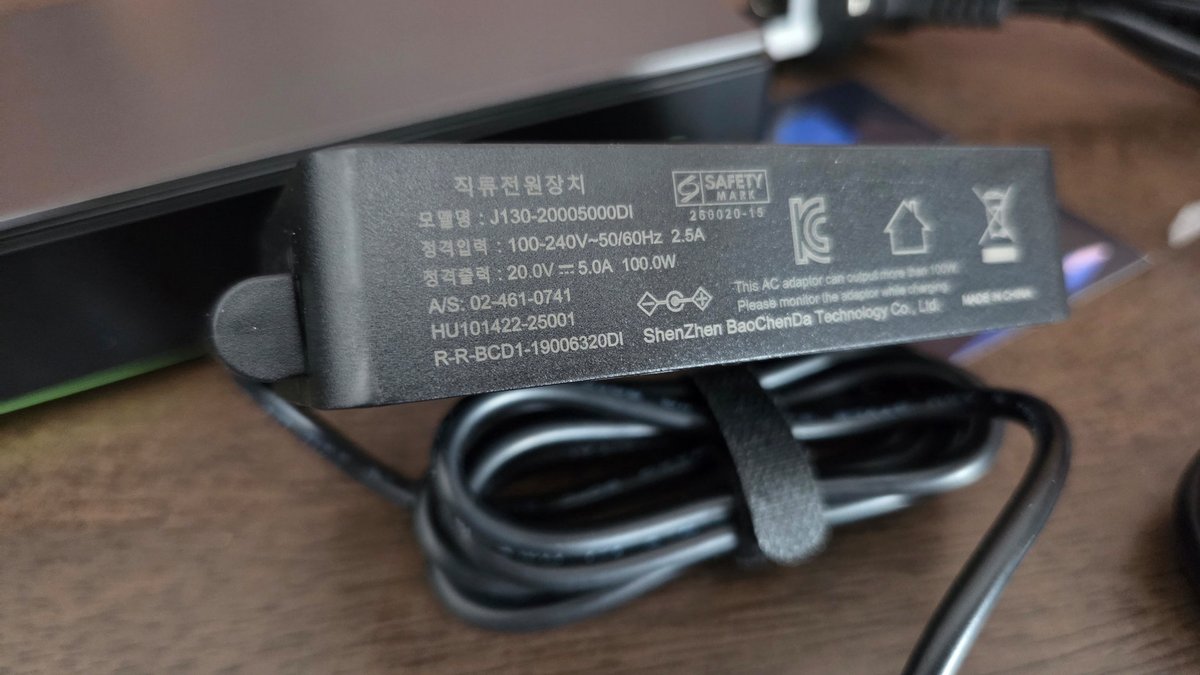
The K13 adopts a distinctly different footprint: it measures 187 mm in length, a mere 88 mm in width, and 42 mm in thickness. It thus takes the shape of a “brick” — not at all a pejorative here. The weight is fairly modest, with the unit tipping the scales at 540 grams. Add to this the external power brick, which measures 100 x 65 x 26 mm and weighs about 250 g.
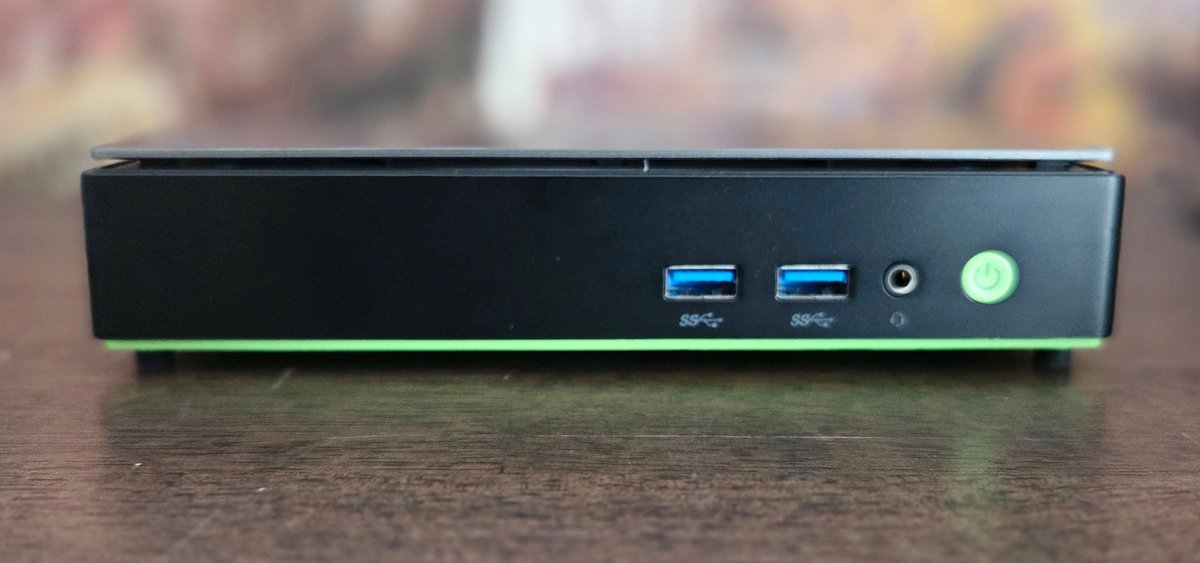
An external power brick is specified at 100 watts, which naturally aligns with the chosen processor, and we’ll come back to that. Note that, as usual, the front panel is comparatively sparse relative to the rear: there are two USB Type-A 3.2 Gen 2 (10 Gbps) ports and a combo headphone/mic jack. Naturally, a power button with an indicator LED is present, but that’s about it.
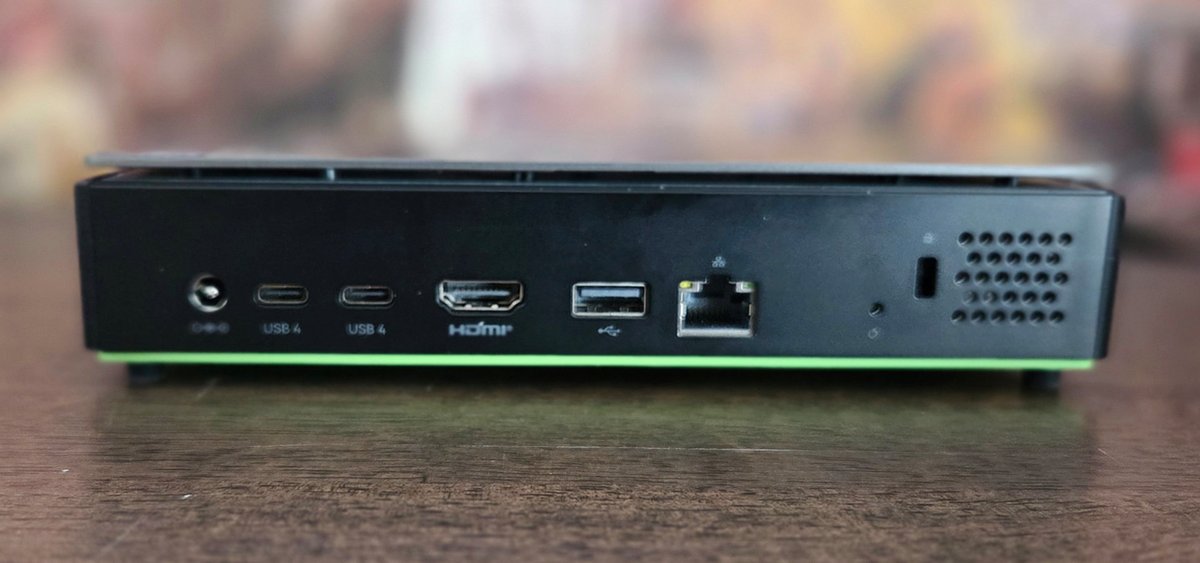
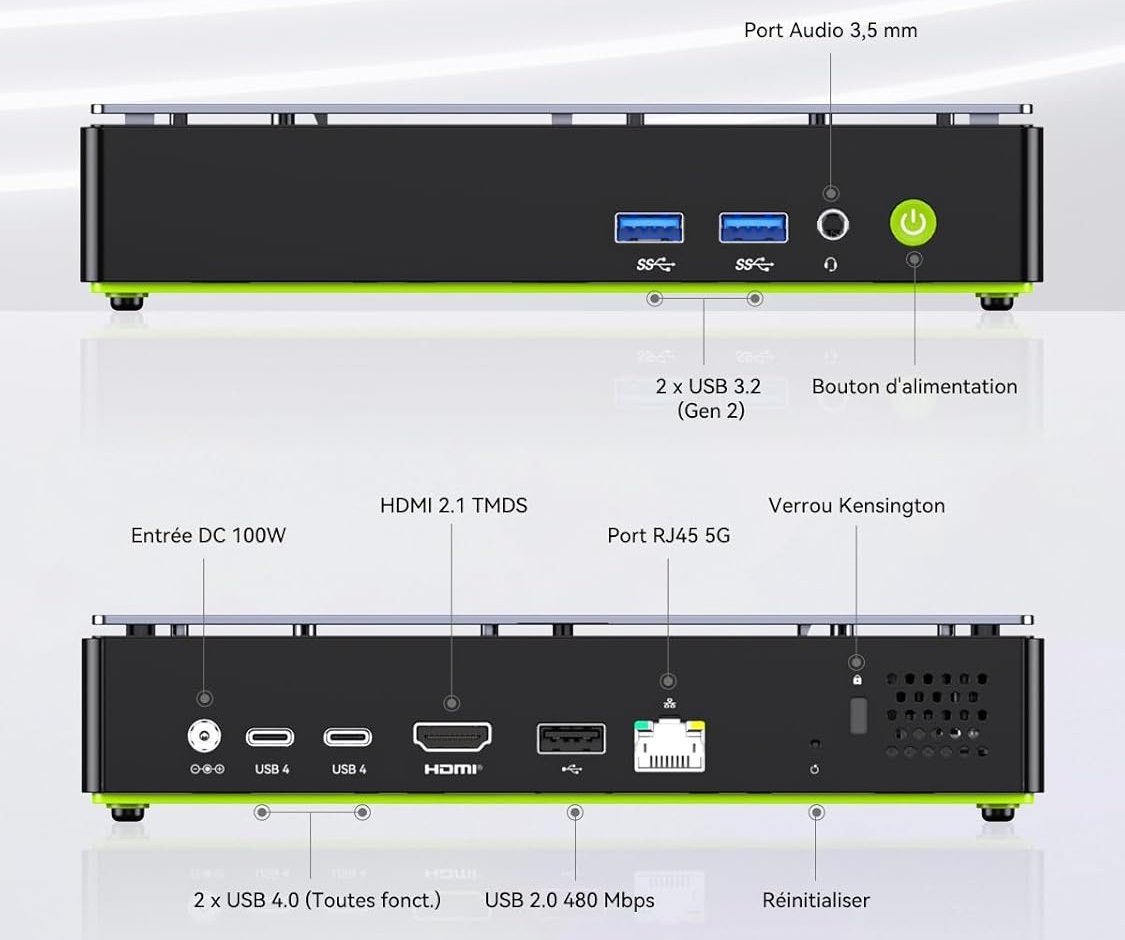
For richer connectivity, the rear is where it happens, with two USB4 ports, of course Type-C: these are used for data (40 Gbps) as well as power delivery (Power Delivery 3.0 up to 100 W) or display (DisplayPort 1.4, 4K at 60 Hz). They are complemented by an HDMI 2.1 (4K at 60 Hz), a USB-A 2.0 (480 Mbps) and a 5 GbE Ethernet RJ45. Finally, a Kensington lock and a reset button are present.
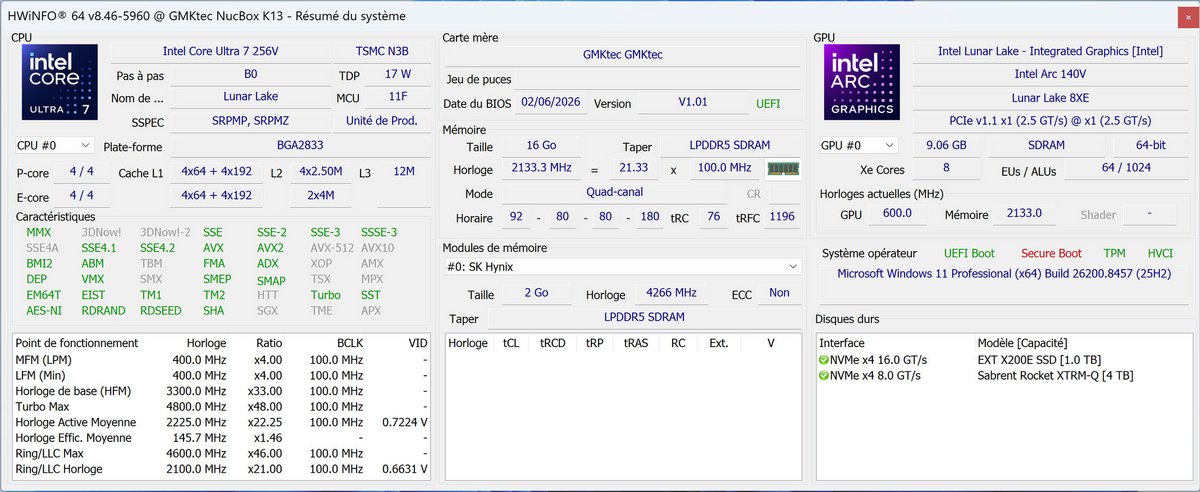
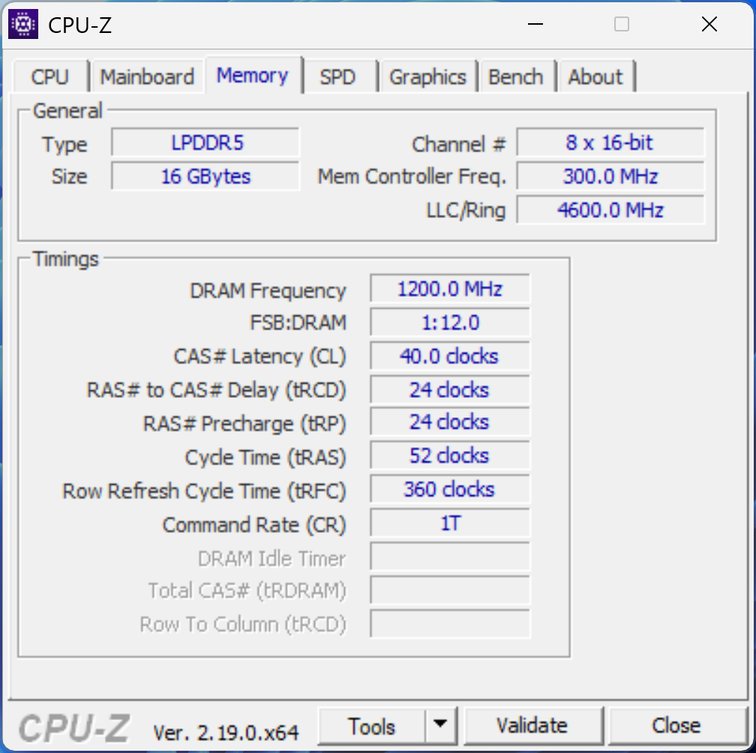
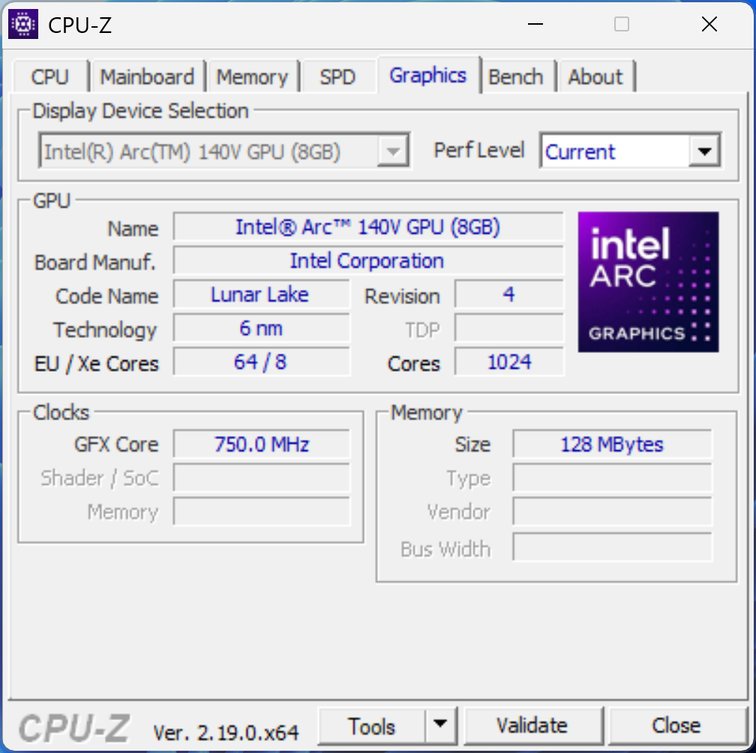
The Core Ultra 7 256V also features an iGPU Arc 140V, based on 8 Xe2 Battlemage cores. Intel has moved on to the Xe3, but they should still provide reasonably decent graphics performance—provided the 16 GB of RAM don’t become a bottleneck. Like any iGPU, the Arc 140V must borrow RAM, and at GMKtec it’s fixed at 9 GB, neither adjustable nor expandable.
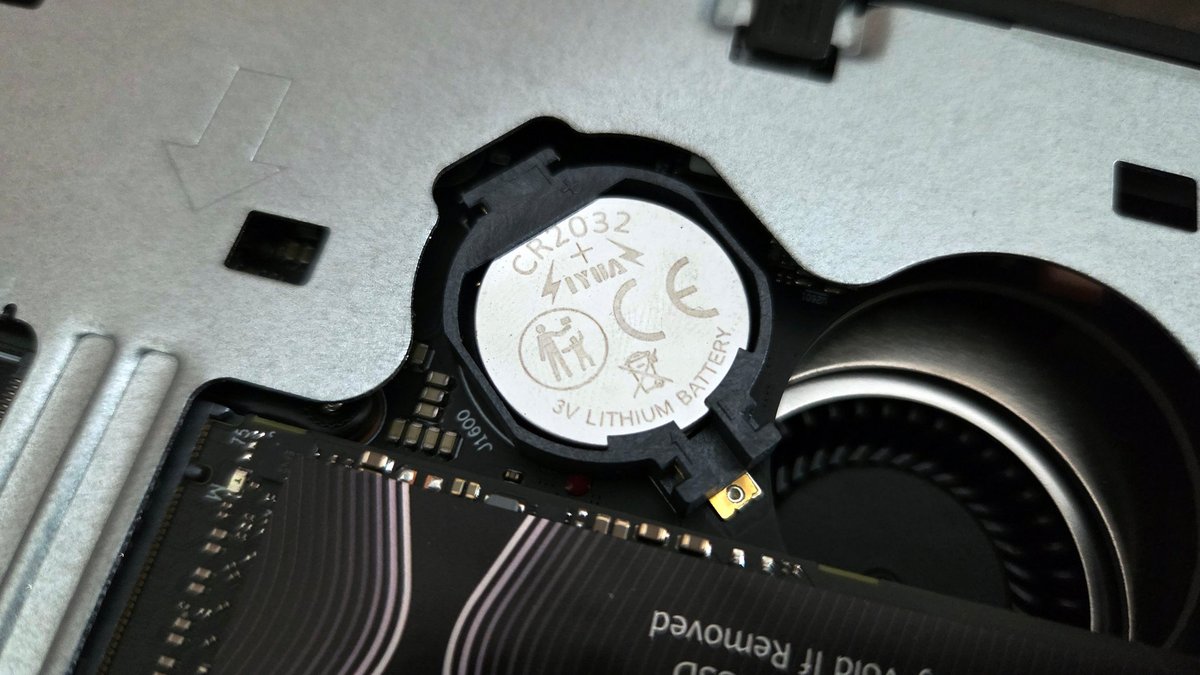
Storage is open on the NucBox K13. An M.2 slot is occupied by a Huawei SSD, and a second M.2 slot is available for an additional 2280 SSD. In total, you can reach up to 16 TB of storage. Not bad. A third M.2 is present, but it’s taken by the wireless card (Wi‑Fi/Bluetooth). Finally, note how easy it is to access the CR2032 battery to preserve BIOS settings. Well thought out.
And what about performance?
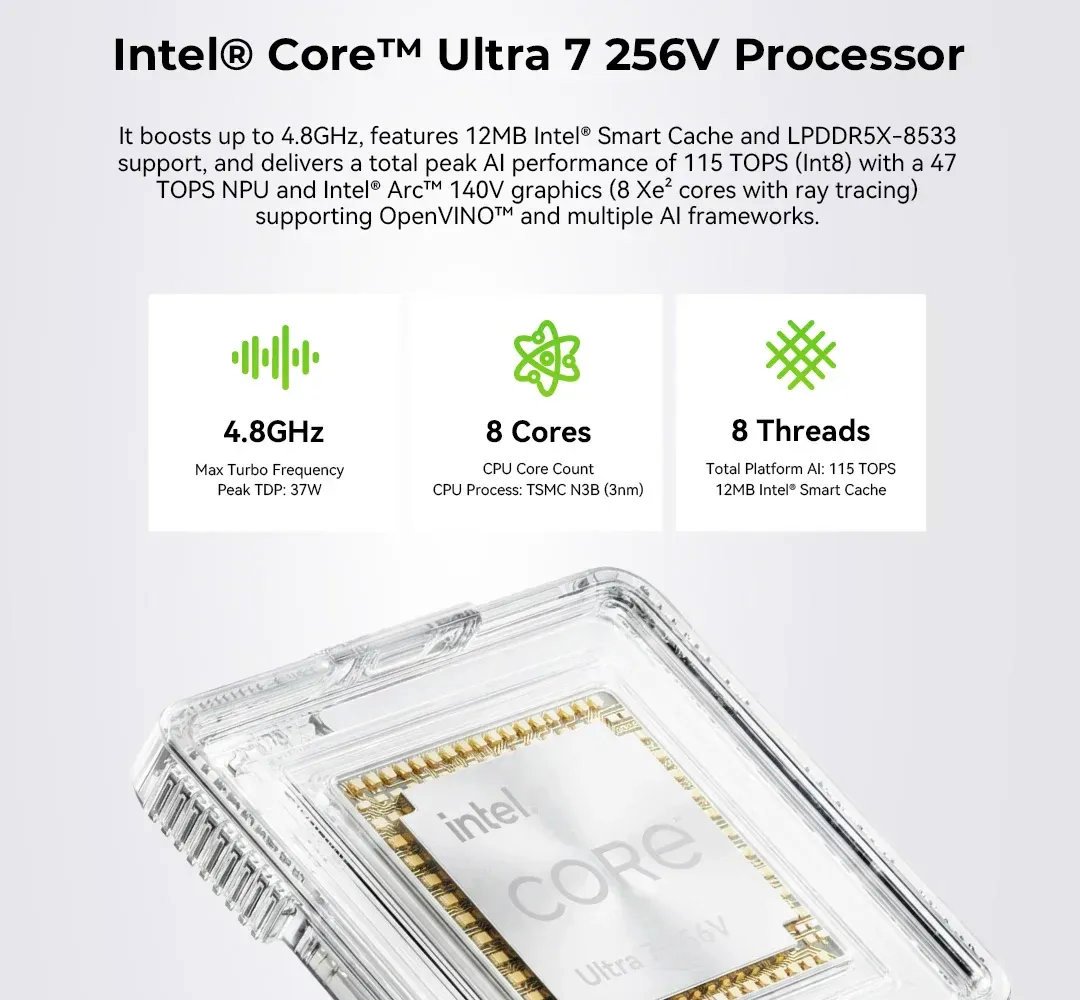
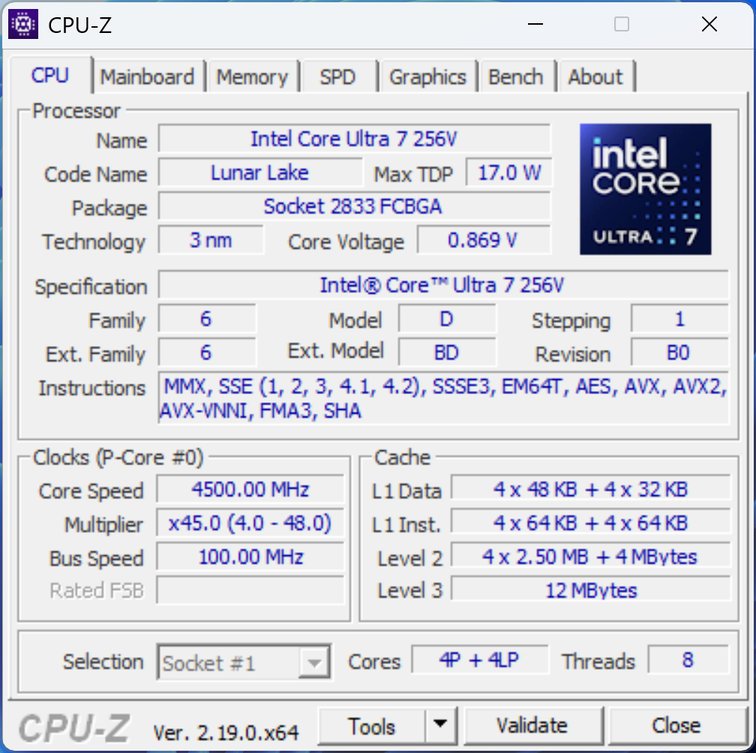
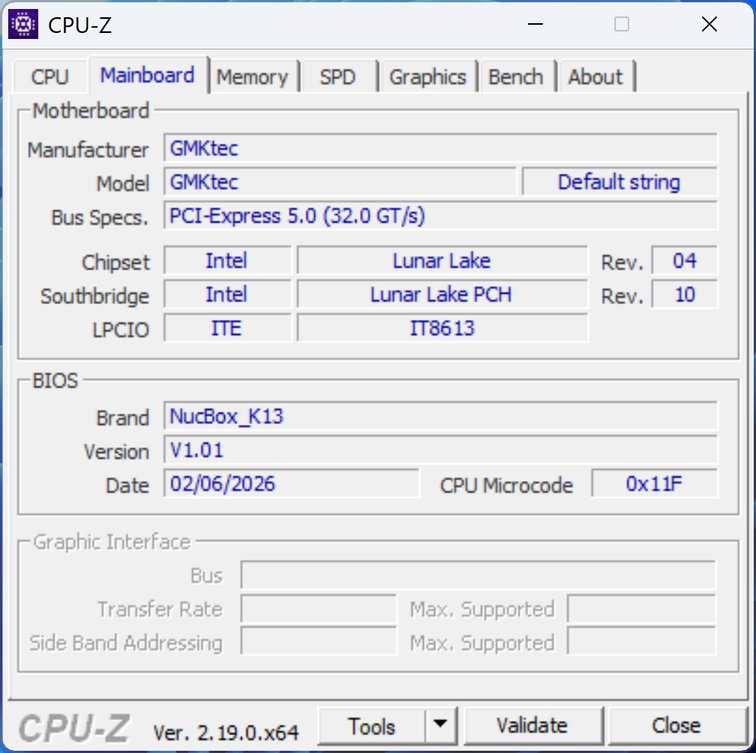
If the Core Ultra 7 256V isn’t the most powerful on paper, it does present several strong points. Its eight cores, fast RAM, and a relatively capable iGPU should deliver good performance, while Intel highlights its thermal/energy efficiency. Let’s see how it performs.
For richer connectivity, the back is where it’s at with two USB4 ports, always Type-C: they handle data (40 Gbps), power (Power Delivery 3.0 up to 100 W) and display (DisplayPort 1.4, 4K@60 Hz). They are complemented by an HDMI 2.1 (4K@60 Hz), a USB-A 2.0 (480 Mbps) and an Ethernet RJ45 at 5 GbE. Finally, a Kensington lock and a reset button are present.
The 16 GB of memory are shared with the iGPU, and, unlike the GeForce/AMD setups, they aren’t easily expandable. However, the 115 TOPS of the Procyon AI suite are impressive to see in action, confirming Intel’s push into AI performance with this platform.
And the AI side of things?
We’ll conclude with our usual quick look at the AI side. With only 16 GB of shared memory, the NucBox K13 won’t shine in every scenario, but Intel touts the chip’s total 115 TOPS…
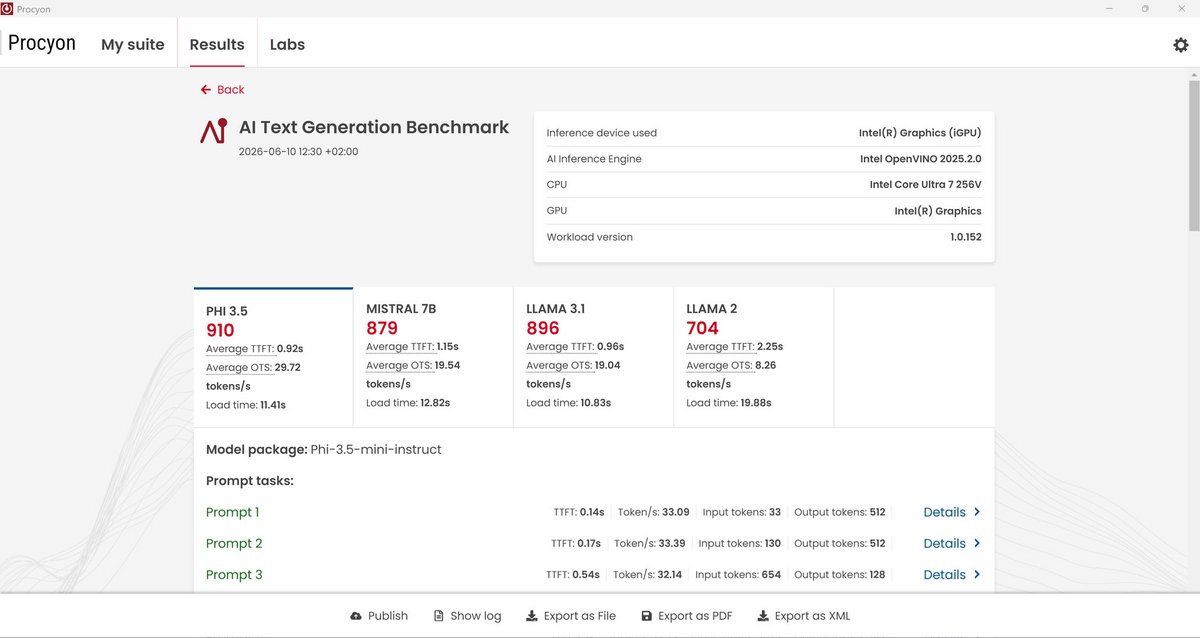
To verify this, we didn’t run dozens of tests; we focus on two Procyon modules from UL, the creators of 3DMark and PCMark.
First, we tried the text-generation tool with four popular models (Llama 2, Llama-3.1, Mitral-7B, and Phi-3.5). At 702, 896, 879, and 910 points respectively, the Core Ultra 7 256V clearly outperforms the Ryzen AI 9 HX 470, which is not at all suited for AI tasks.
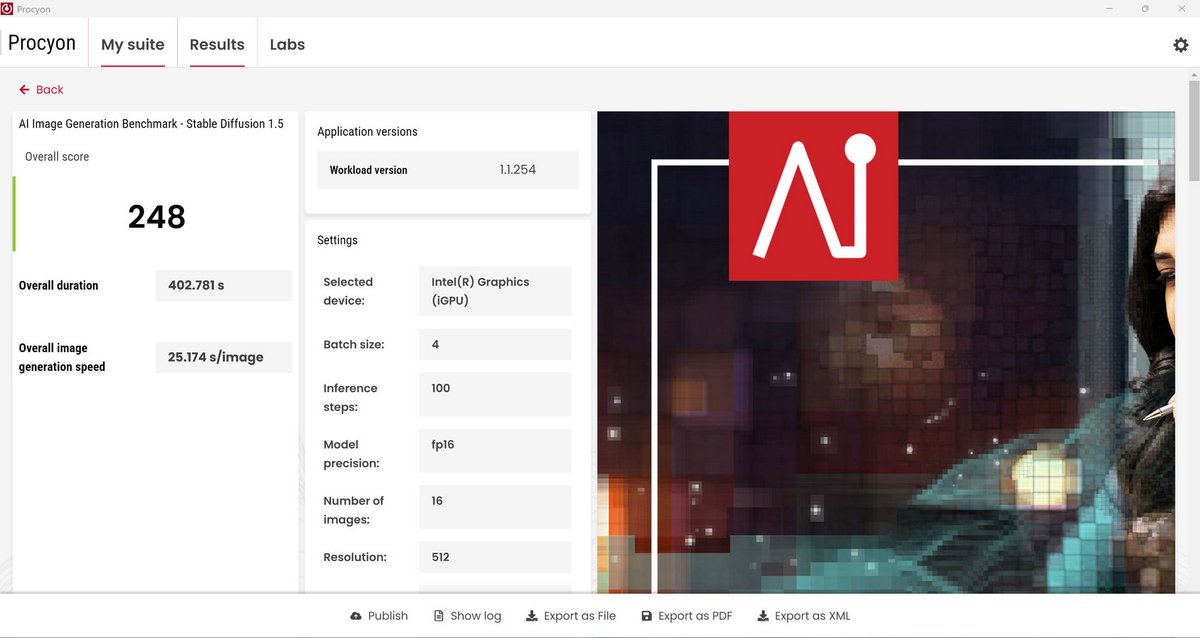
On the second module, dedicated to image generation, the 16 GB limit can be a more noticeable handicap. Remember that only 9 GB can be allocated to VRAM: Stable Diffusion 1.5 will feel squeezed. Yet, at 248 points, we’re still well above what the A9 Max and its Ryzen AI 9 HX 470 offered (179 points). It proves that RAM quantity matters, but a processor designed for AI matters even more. However, remember that the 16 GB RAM is not expandable. A pity, as the CPU had more to give.
Power consumption, temperature, and noise
The slightly unusual form factor naturally raises questions: can the NucBox K13 cool its components properly? And with the Core Ultra 7 256V, a stated 17 W base TDP and 37 W “Turbo max,” is it truly that hard on heat?
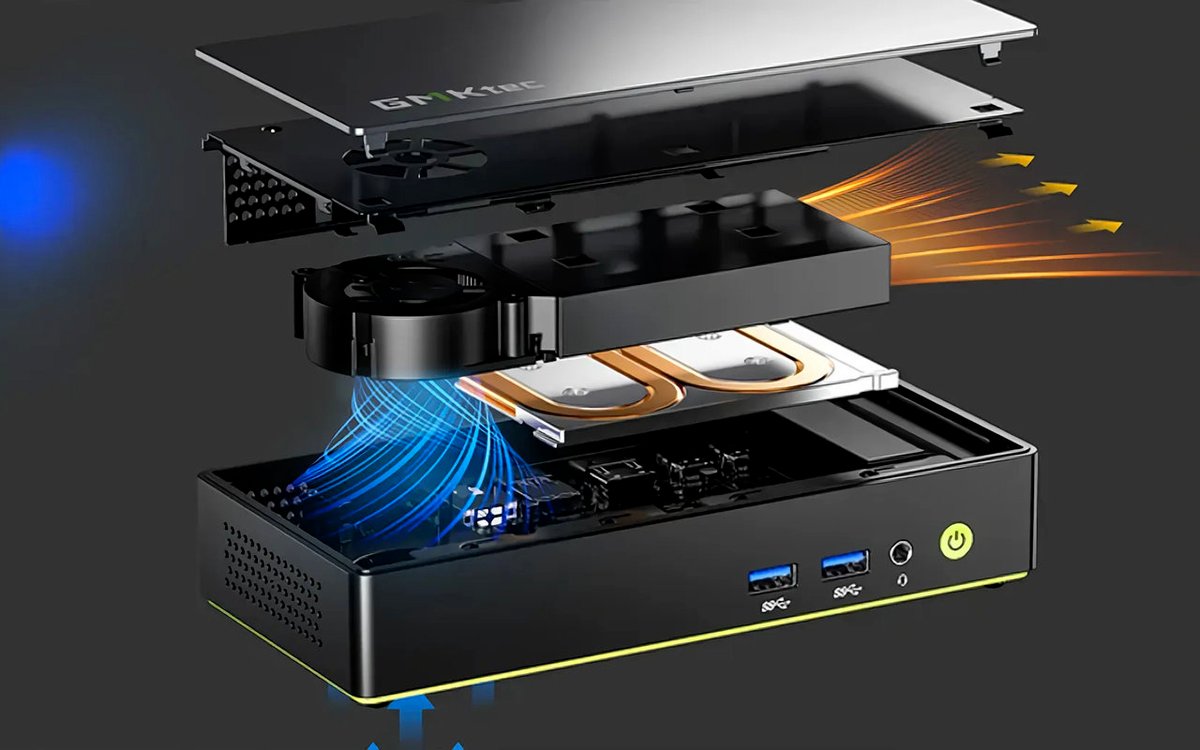
First observation: under full, sustained load, the mini-PC struggles. It’s not shocking, but worth noting. Intel claims a maximum operating temperature of 100 °C, yet we hit a peak of 85.8 °C. When the load drops a bit, the temperature falls noticeably to around 75 °C. Worse, this heat doesn’t spread to other components: the SSD never exceeds 48 °C.
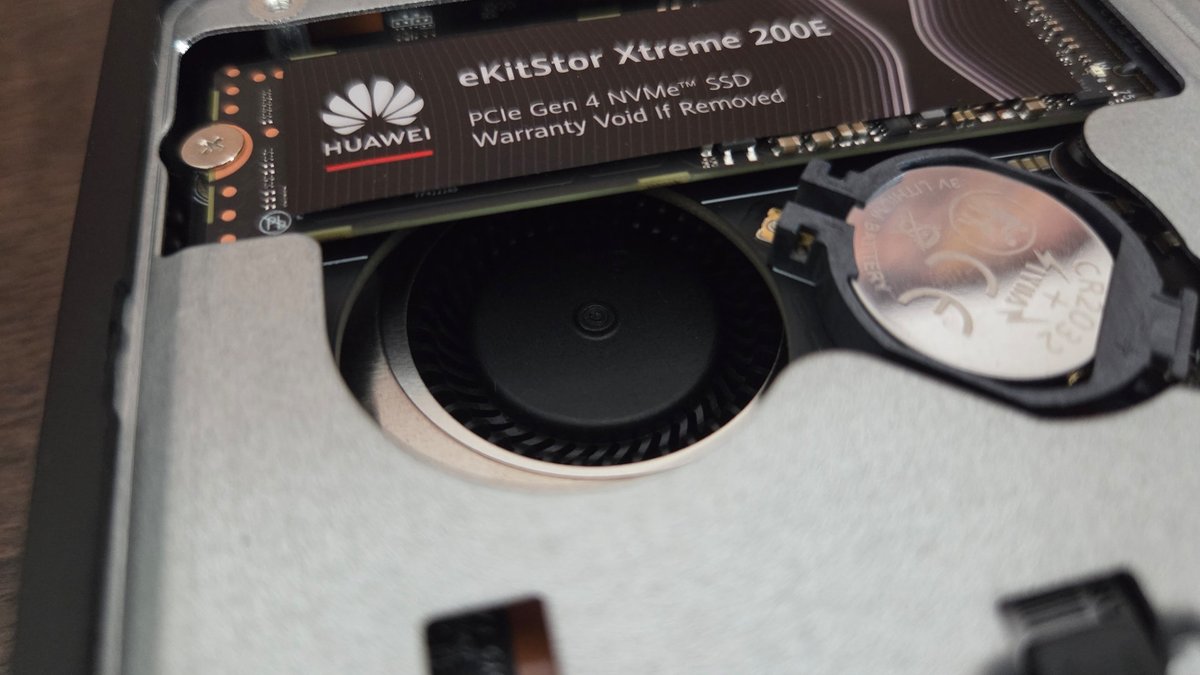
However, to exhaust that heat, the cooling system is pushed hard, and the fan makes its presence known. In medium load you hear only a soft hum, but at full load, cooling becomes loud (45 dB or even 48 dB) and the high-pitched noise is rather unpleasant.

GMKtec compensates with remarkably low power consumption. Remember the nearly 100 W drawn by the A9 Max for better results but not overwhelming. Here, we top out at 33.5 W. Yes, just over a third of the A9 Max’s consumption. Energy efficiency strongly favors the Intel chip, and thus GMKtec.
GMKtec NucBox K13: Clubic’s verdict
If not for the 16 GB RAM limit and the occasionally distracting fan noise, GMKtec could have boasted near-perfection. Alas, these flaws exist and must be weighed against the positives.
16 GB of RAM, given current prices, is quite fair. One can assume prices won’t stay high forever, and in that case the NucBox K13 misses a certain latitude. We’d also have liked to see how it performs with a bit more RAM available for the GPU. The RAM upgrade option isn’t there. Still, the CPU’s potential remains evident.
That said, such power and, above all, such energy efficiency at a price that remains relatively reasonable on today’s market will attract many. The NucBox K13 offers an attractive compact format, modern connectivity, and surprisingly low consumption. Under 800 euros, it’s a PC worth considering.
- Compact form factor and highly practical
- Power of the Core Ultra 7 256V
- CPU/GPU/NPU versatility
- 16 Go soudés, non évolutifs
- Lack of OCuLink on the outlets
- Ventilateur vite bruyant
GMKtec NucBox K13: Alternatives
- Elegant design, good finishing
- Ryzen 7 H 255 high performance
- iGPU Radeon 780M capable of gaming
- Total Ryzen power
- Rich connectivity (2x USB4…)
- Metal chassis, good design

Daniel Brooks
I cover everyday products with a practical eye, from kitchen tools and home essentials to smart gadgets and consumer trends. My goal is to help readers understand what is genuinely useful, what is worth the price, and what deserves a second look before buying.