
Built into Internxt Drive, Internxt Cleaner promises to rid your computer of unnecessary files in just a few clicks. A seemingly handy bonus, which, in practice, delivered a few surprises, and not the best ones.
Beyond its encrypted storage service, Internxt is gradually building a European ecosystem focused on privacy and digital sovereignty. After the VPN and the antivirus, the Spanish publisher has also slipped a cleaner into Drive’s settings. Caches, logs, temporary files: the module quickly reveals plenty to tidy up. However, you must know precisely what you are deleting, because there is no undo here. Tested on Windows and macOS, Internxt Cleaner reminded us that a single “Clean” button isn’t enough to make a good tool.
Internxt Cleaner: installation and getting started
As with Internxt Antivirus and Internxt VPN, Internxt Cleaner isn’t a standalone program. The module sits in the settings of the Internxt Drive client, alongside the synchronization, backup, and account options. Once you’ve found the right menu, you just start a scan to get an estimate of the space that could be freed.
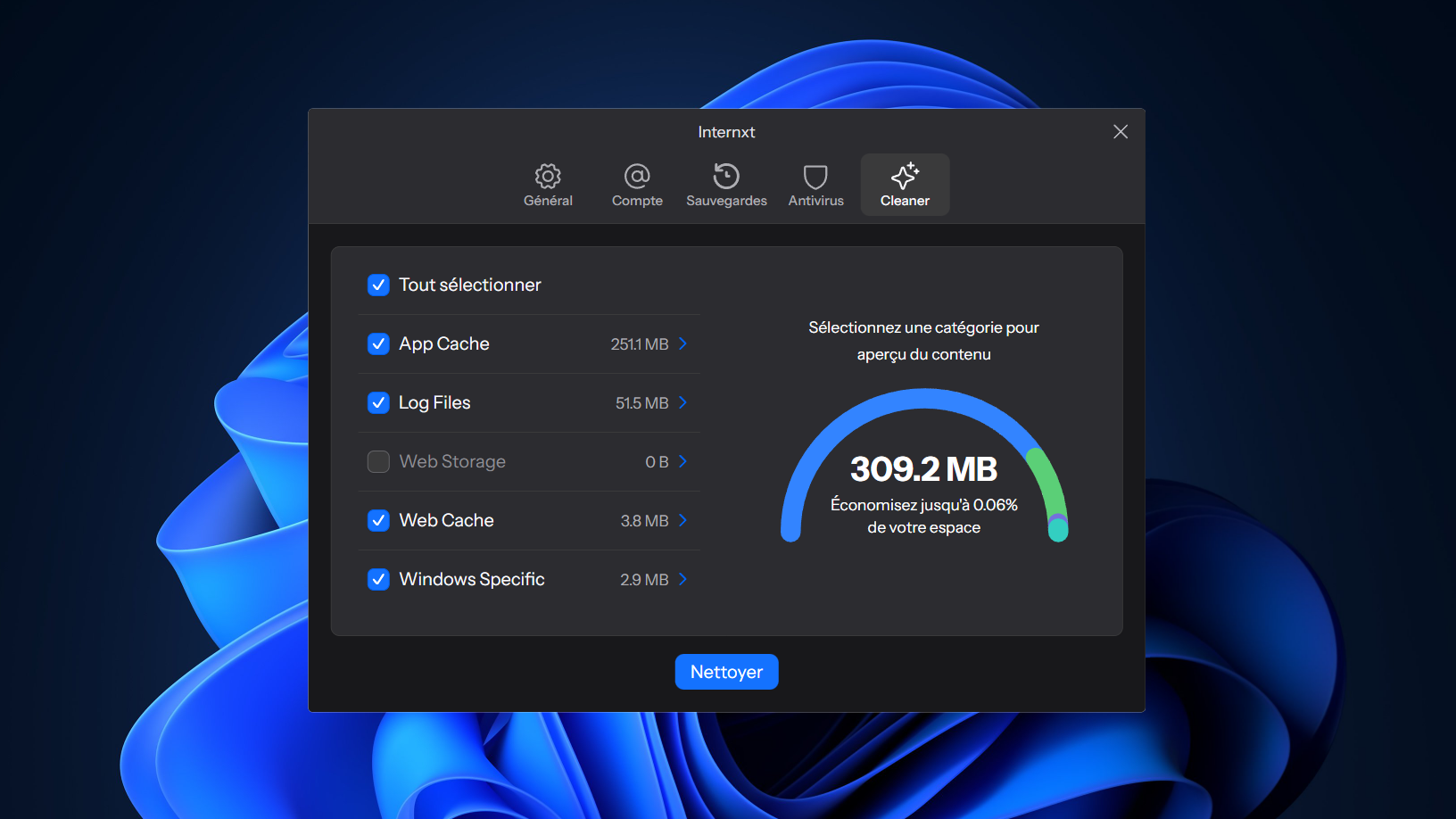
The cleaner groups detected items into several categories. On Windows, you’ll find application caches, log files, web storage, and web cache, plus a section dedicated to system-specific data. All are checked by default.
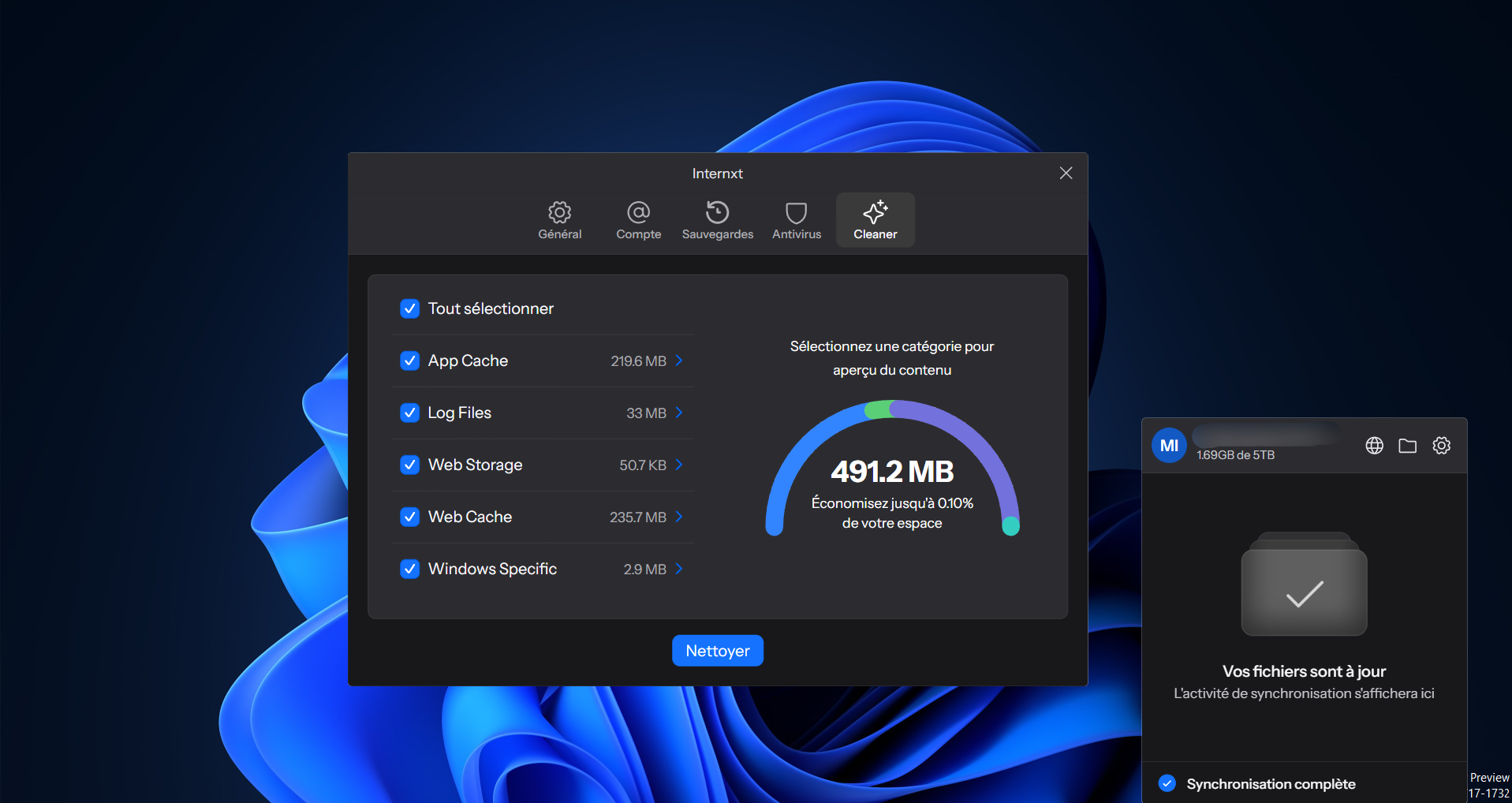
The behavior differs on macOS, where only application and web caches are preselected, while logs, the trash, and web storage remain disabled. Internxt does not explain this difference in handling between the two systems.
The interface appears simple at first glance, but quickly proves impractical once you try to control the cleaning, as we found to our cost.
Internxt Cleaner: results analysis
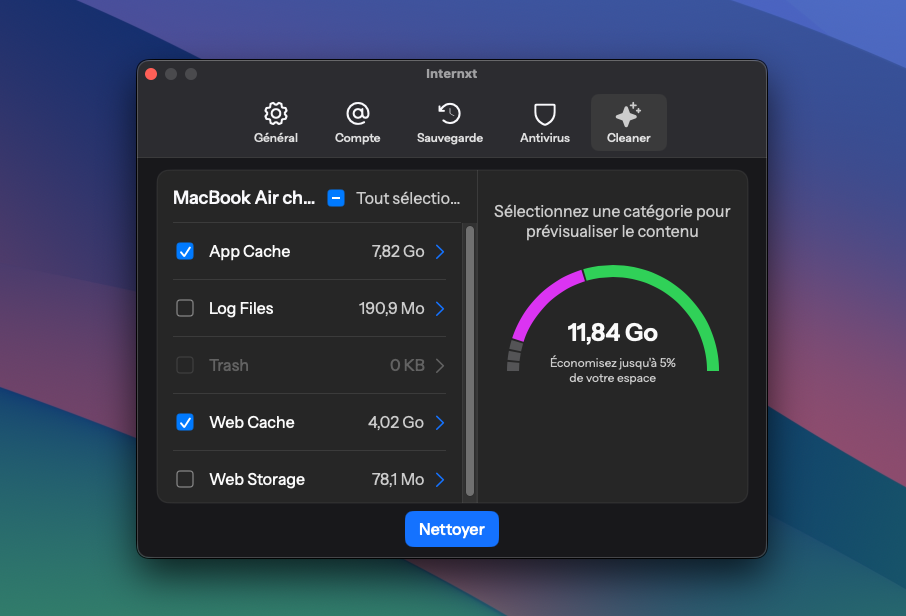
At the end of the scan, Internxt Cleaner shows the total recoverable amount, then lets you drill into each category to inspect its contents. However, the level of detail remains quite limited. On Windows and macOS alike, the results appear as a sequence of file names, extensions, logs, and technical identifiers that will mean little to most users.
Moreover, the cleaner does not indicate either the full path of items, the application they belong to, their function, or why deletion is recommended. The longest labels are truncated in a window that cannot be enlarged, which not only prevents reading their full name but also identifying their format, and thus understanding what type of file it is. There is no indicator to distinguish a harmless cache from data whose deletion could cause a disconnect, loss of history, or reset of a setting.
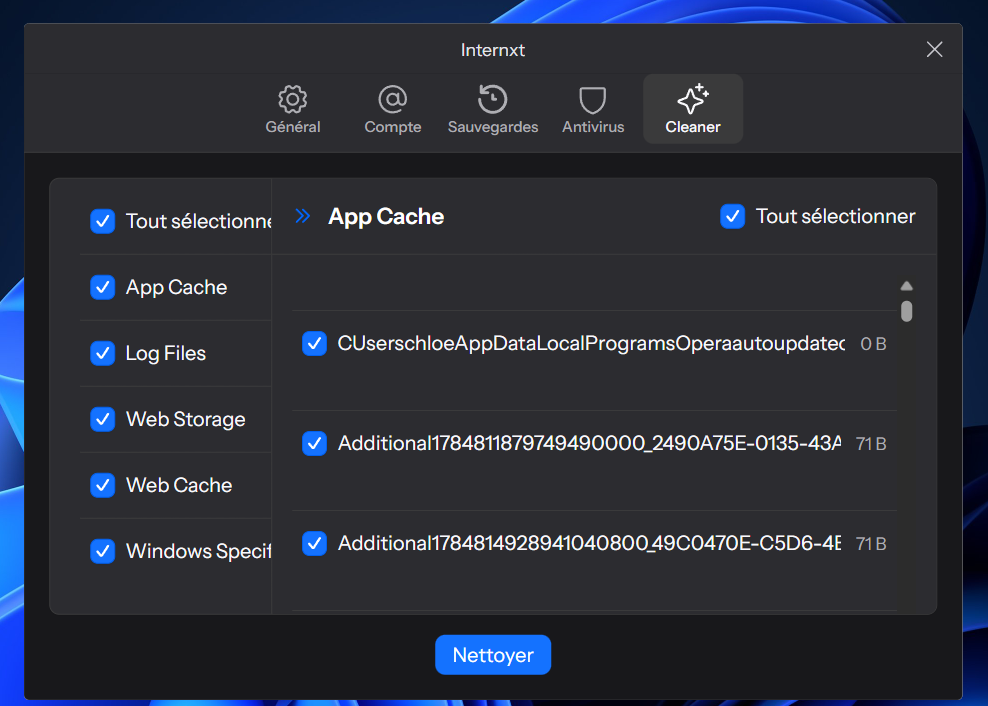
The overall visual presentation isn’t much more informative. A colored dial represents the selected categories and evolves as you check or uncheck different sections. In the absence of a legend, you have to guess what each segment represents. The visualization ends up repeating volumes already shown in the list, without helping determine what can be safely deleted.
Internxt Cleaner: selection and cleaning
At least Internxt Cleaner lets you deselect each item individually. This flexibility, however, remains hard to leverage due to insufficient information. Consequently, the interface’s layout makes verification even more difficult. Once a category is opened, its contents occupy nearly all the space, and the workflow naturally nudges you to start cleaning after you’ve completed your selection in that section. The other checked categories are still considered, without anything explicitly reminding you of it.
We ran into this during our Windows test. After keeping a single temporary file in the opened category, we continued the process without realizing that the other sections were still selected. Internxt Cleaner then deleted 130 files, about 14.2 MB. No major impact on our test machine, but this error could be far more troublesome on a computer used daily.
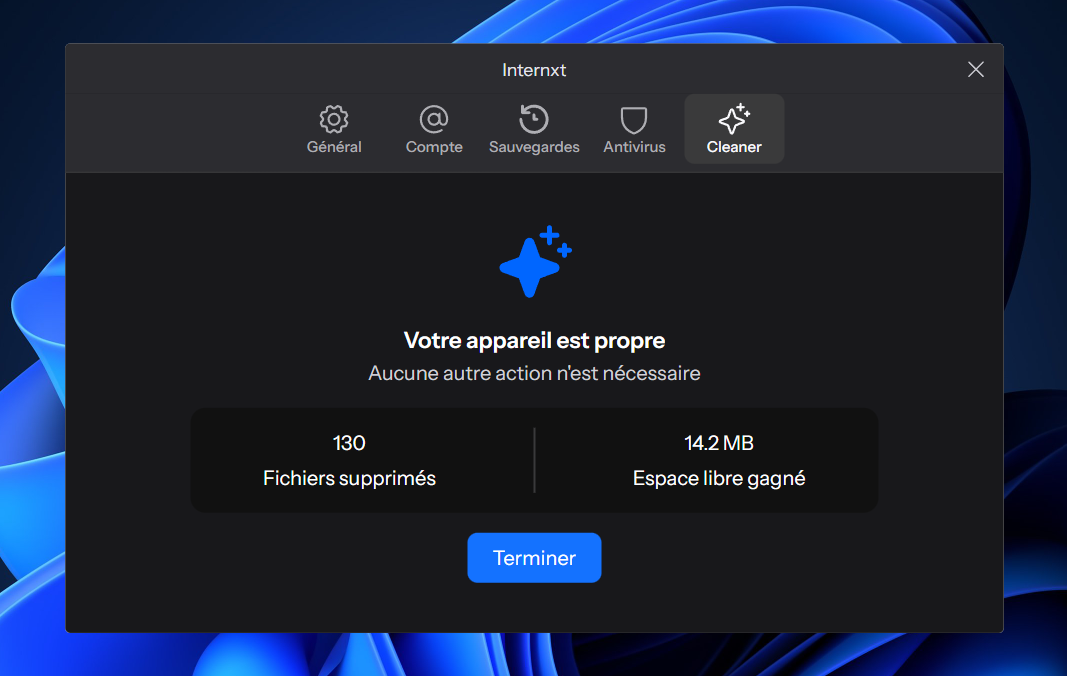
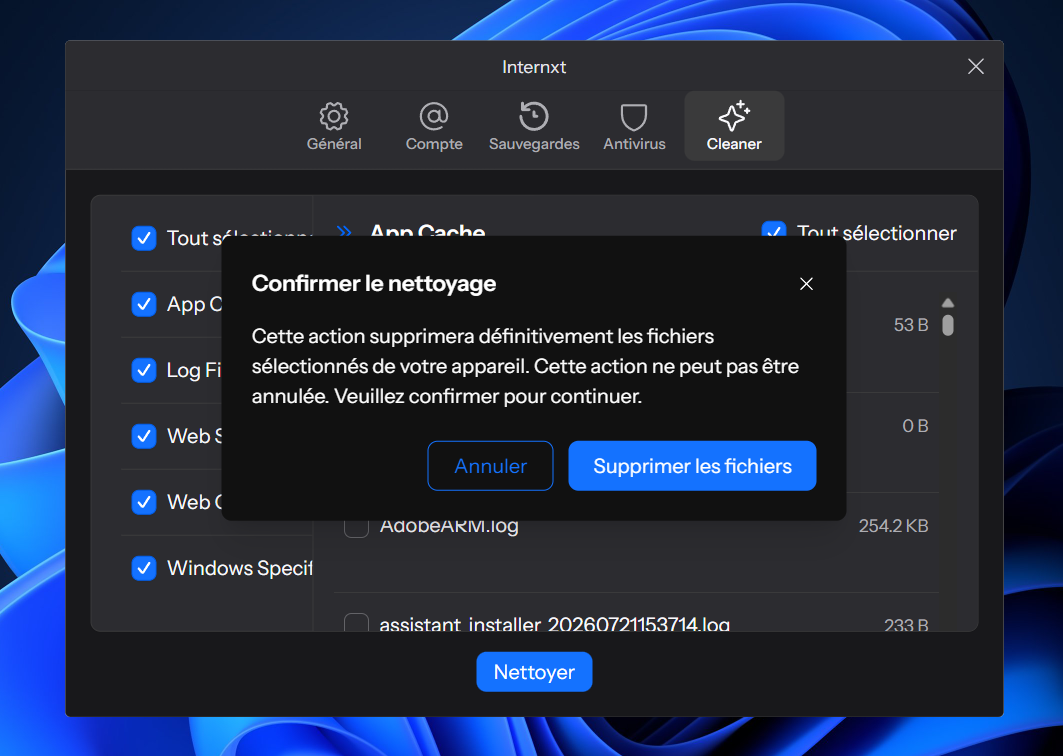
The confirmation dialog, however, clearly warns that deletion is permanent and cannot be undone. It does not specify which categories are affected, nor the number of files, nor the amount that will be erased. No restore point, no trash or other recovery option is offered. In hindsight, the summary only lists the number of files removed and the space freed, without indicating which items disappeared. A lack of safeguards problematic for an irreversible operation, especially when the interface itself encourages selection mistakes.
What does Internxt Cleaner do that Windows and macOS built-in tools don’t?
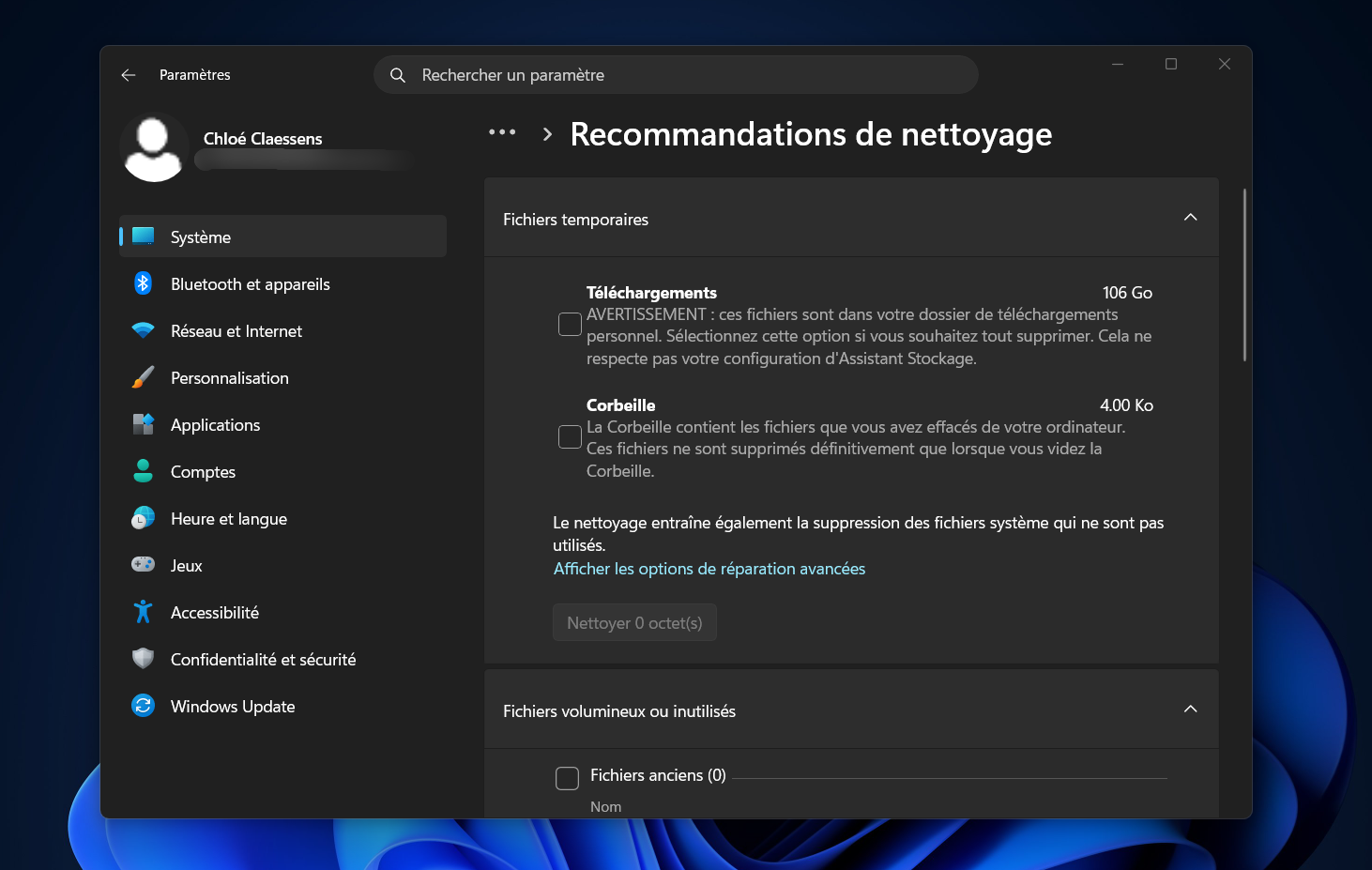
Comparing with Windows’ built-in cleanup recommendations does not favor Internxt Cleaner. Since the scopes are hard to compare and the two tools don’t search for the same files, their ways of presenting results are radically different.
During our tests, Windows didn’t preselect any of the suggested items, described the consequences of each deletion, and provided, for personal files, their path, size, and sometimes last opened date. Downloads, the Recycle Bin, and cloud-synced files were also subject to explicit warnings.
On macOS, the parallel is less direct; the system does not allow manual selection of system and app caches. Its storage settings nonetheless categorize files and help identify large or unused items. macOS also auto-clears histories and caches deemed safe to remove when space runs low.
As things stand, it’s hard to pinpoint what Internxt Cleaner adds beyond what the built-in tools already offer—tools that are more cautious and more instructional.
On macOS, the parallel is less direct; the system does not allow manual selection of system and app caches. Its storage options still categorize files and help identify bulky or unused items. macOS also automatically clears histories and caches considered safe to delete when space is tight.
Given the current state, it’s hard to see what Internxt Cleaner adds beyond the already present tools on both systems, which are more prudent and more educational.
Internxt Cleaner: privacy and transparency
The Internxt Drive client, which includes the cleaning module, is open source, which in theory allows inspecting its operation.
However, the documentation dedicated to Internxt Cleaner is rather sparse. It explains how to run a scan and delete the detected items, but does not specify whether file names and paths, scan results, or cleaning history can be stored or transmitted with the client’s diagnostics. Internxt does keep local logs in Drive, but those logs mix activities from different modules and do not form a usable report for the user.
Internxt Cleaner appears to operate locally, which reassures about the fate of analyzed files. The publisher remains vague about the technical data recorded or transmitted with diagnostics. There’s no explicit privacy problem established, but transparency leaves something to be desired.
Internxt Cleaner: pricing
As with the antivirus and the VPN, you can’t purchase Internxt Cleaner without subscribing to Internxt Drive. The module is available only on Premium and Ultimate plans, offered from €19.99 excluding tax per month for 3 TB of encrypted storage, billed annually.
Our editors’ take on Internxt Cleaner
Internxt Cleaner does identify caches, logs, and other temporary files, then allows you to deselect them individually before deletion. Its apparently local operation and integration with an open-source client work in its favor. Still, these strengths are not enough to offset obscure results, truncated labels, and a lack of explanations that prevent knowing exactly what you’re about to erase.
The main problem stems from the interface, which invites mistakes while the cleaning is irreversible. Preselected categories, no pre-deletion recap, no restoration option, and a final tally that’s too vague after the fact: Internxt Cleaner asks you to confirm almost blindly an irreversible operation, with no safety net if something goes wrong. Compared to Windows and macOS built-in tools, which are clearer and better guided, this rudimentary bonus fails to justify a subscription to Internxt Drive. It also isn’t a decisive factor if you’re choosing between Internxt Drive and another storage solution.

Internxt Cleaner analyzes caches, logs, and temporary files from the Internxt Drive client, then lets you pick which items to delete one by one. The tool works, but its unclear interface, hard-to-interpret results, and the absence of a summary or restore option make the cleaning risky. In the face of Windows and macOS’s built-in functions, which are clearer and better guided, this rudimentary bonus struggles to justify a Premium or Ultimate plan on its own.
- Locally analyzed
- File-by-file selection
- Open-source Internxt Drive client
- Conservative defaults on macOS
- Integrated directly into Internxt Drive
- All categories preselected on Windows
- Obscure, truncated results lacking context
- Interface prone to selection errors
- No precise recap before deletion
- Irreversible cleaning with no restoration
- Vague final report after operation
- Limited relevance compared to Windows and macOS tools
- Reserved for Premium and Ultimate plans

Daniel Brooks
I cover everyday products with a practical eye, from kitchen tools and home essentials to smart gadgets and consumer trends. My goal is to help readers understand what is genuinely useful, what is worth the price, and what deserves a second look before buying.