
Xiaomi G34WQi Curved Gaming Monitor Review: Affordable Ultrawide Is Improving
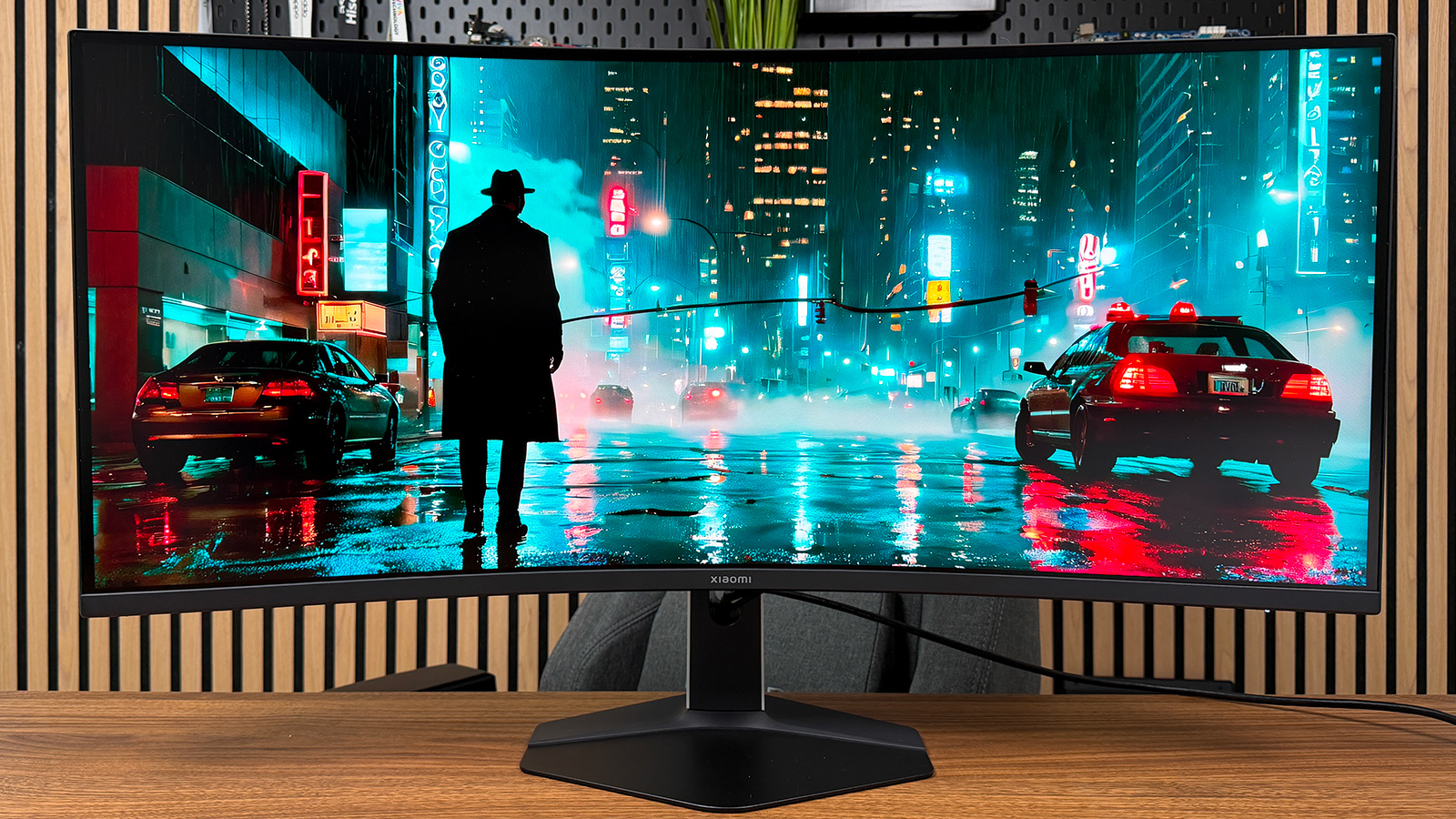
Xiaomi makes a rare appearance in the gaming monitor space, but it returns where you might not expect. With the Curved Gaming Monitor G34WQi, Xiaomi refreshes its 34-inch ultrawide gaming panel. This 2026 version retains a curved UWQHD VA panel, yet raises its refresh rate to 180 Hz.
Xiaomi Curved Gaming Monitor G34WQi (2026)
7 / 10
Best prices
amazon.fr
309,00 €
The pros
- Smoothness at 180 Hz
- Extensive P3 color space coverage
- Two DisplayPort inputs
- Clear and intuitive on-screen display
- Moderate power consumption
The cons
- Slow dark transitions at times
- Occasional reverse ghosting spikes
- No USB-C port and no USB hub
- Unwieldy base assembly
- Bottom glow is slightly noticeable
Read the conclusion
If the gaming monitor market is already well stocked with makers like Asus, MSI, Acer, LG, or Philips, Xiaomi intends to grab its slice of the pie. The manufacturer offers a 34-inch, 21:9 monitor around 300 euros, with a curved VA panel and a 180 Hz refresh rate. It could appeal to gamers seeking comfort and performance at a lower price.
The question remains whether this accessible package delivers a convincing trade-off between immersion, fluidity, and image quality. We spent two weeks with the Curved Gaming Monitor G34WQi; here is our verdict.
Our measurements on the Xiaomi Curved Gaming Monitor G34WQi
Performance
The Xiaomi Curved Gaming Monitor G34WQi delivers satisfactory results in latency. We measured a display latency of 3 ms at 180 Hz. This result aligns with the positioning of this ultrawide monitor, which prioritizes immersion and the comfort of the 21:9 format over pure competitive responsiveness.
The input lag on the Xiaomi Curved Gaming Monitor G34WQi
| Input lag | Value |
| Average* | 16.7 ms |
| Minimum | 14 ms |
| Maximum | 19.6 ms |
| Display-only | 3 ms |
*Average calculated over 200 measurements.
The click-to-photon measurement thus averages 16.7 ms, ranging from 14 to 19.6 ms. The latency stays low enough not to hinder most players, even in fast-paced titles. Jumping to 180 Hz yields a noticeable smoothness in movement and camera panning, though the G34WQi cannot claim the rapidity of OLED monitors at 240 or 360 Hz.
Response time on the Xiaomi Curved Gaming Monitor G34WQi
| GtG measurement | Value |
| Average response time | 3.3 ms |
| Max response time | 10.4 ms |
| Average overshoot | 3.8 % |
| Max overshoot | 44.2 % |
| Transitions < 1 ms | 1.4 % |
The average overshoot stays at 3.8%, indicating generally clean behavior for most transitions. However, the results are less uniform in detail. Some transitions between light grays produce higher overshoots, with a positive maximum of 34.5% and a negative maximum of 44.2%.
Image quality
The Xiaomi Curved Gaming Monitor G34WQi relies on a 34-inch VA panel in UWQHD 3440 × 1440, offering a comfortable display surface and enough pixel density for gaming and office tasks. VA technology gives native contrast higher than IPS panels, though viewing angles and dark-tone response remain more limited.
Click here to view our SDR measurements
In SDR, the color accuracy is a little off straight out of the box. We measured a Delta E average of 3.55, with a maximum of 6.09. The deviations are not prohibitive for gaming or multimedia, but some shades drift noticeably from their targets.
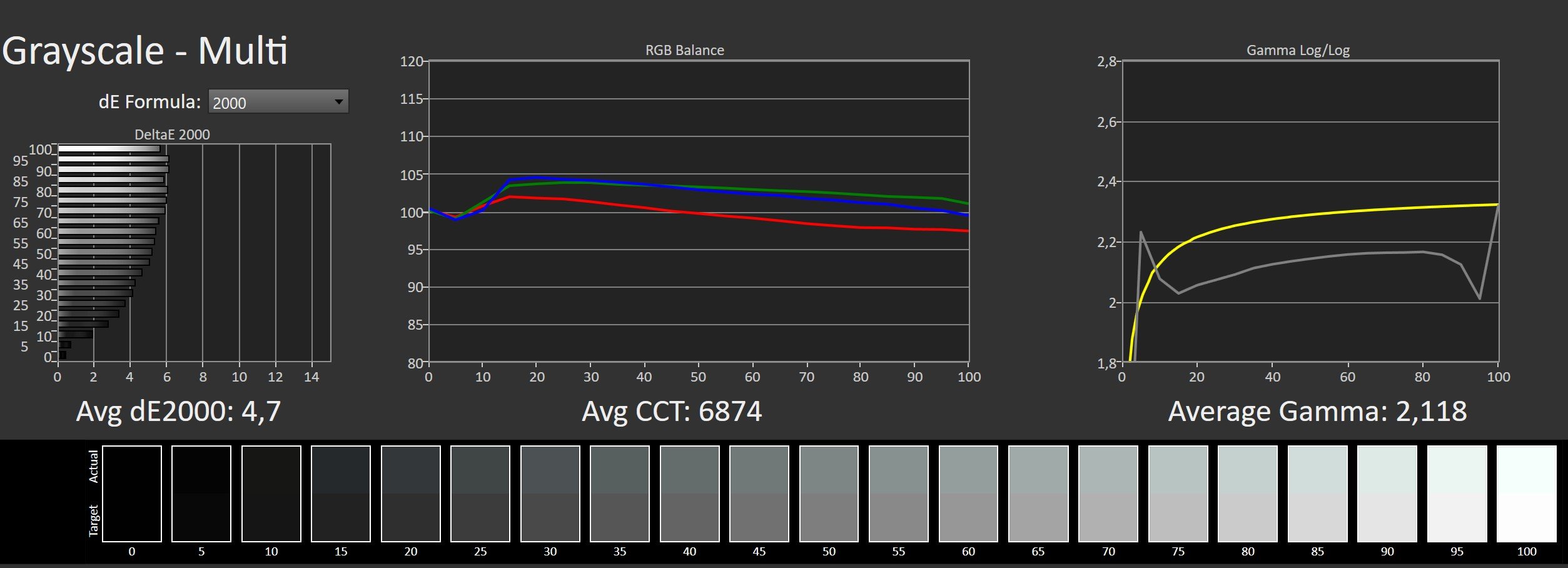
The grayscale confirms this tendency. The average Delta E reaches 4.7, while the color temperature sits at 6,874 K. The image thus appears a touch cooler than the 6,500 K reference, with a red component gradually diminishing in the brightest grays.
The mean gamma is measured at 2.118, staying close to the 2.2 target, but the curve lacks consistency. Some midtones are displayed a touch too bright, potentially reducing perceived depth in certain scenes.
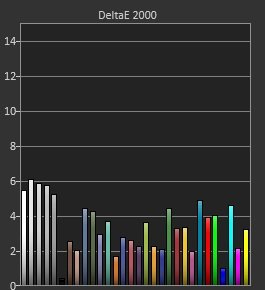
The SDR performance remains acceptable for a gaming monitor in this price range. The image isn’t perfectly color-accurate out of the box and the display isn’t aimed at demanding color-work, but the deviations remain tolerable for gaming, office work, and media consumption.
The HDR measurements
In HDR, the Xiaomi Curved Gaming Monitor G34WQi delivers reasonable results for a VA panel in this tier, though it doesn’t mask the limits of its backlight.
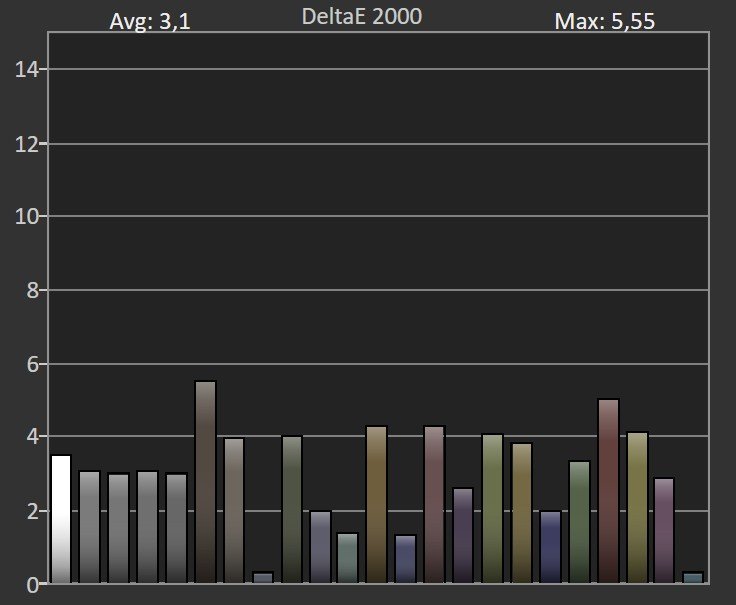
Côté colorimétrie, we measured an average Delta E 2000 of 3.1, with a maximum of 5.55. The result remains slightly above the 3 threshold typically used to deem deviations perceptible, but the HDR rendering remains broadly coherent for games and HDR content.
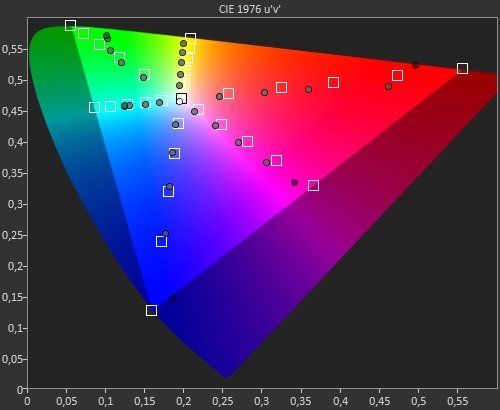
Colorimetric coverage is one of the G34WQi’s strong points. We recorded 96.05% of the DCI-P3 space and 70.78% of BT.2020. The monitor thus nearly fully covers P3, enabling a broad palette for compatible content. BT.2020 remains more partially covered, as is common on this type of panel.
The HDR assessment remains nuanced. The ample color coverage and a peak brightness above 500 cd/m² are welcome at this price level. In the absence of local dimming, the display cannot finely adjust luminance across different image zones. HDR thus improves intensity and color richness but does not deliver the contrast or impact of a MiniLED or OLED display.
The overall impression remains coherent with the monitor’s price point. Essential adjustments are present, even if the most demanding users will find the customization options somewhat limited.
Our impressions on image rendering
The Xiaomi Curved Gaming Monitor G34WQi uses a 34-inch VA panel with a 1500R curve. The 3440 × 1440 resolution provides a comfortable display density for both gaming and office tasks. At normal viewing distance, the pixel rendering remains subtle enough for the pixel grid to stay discreet.
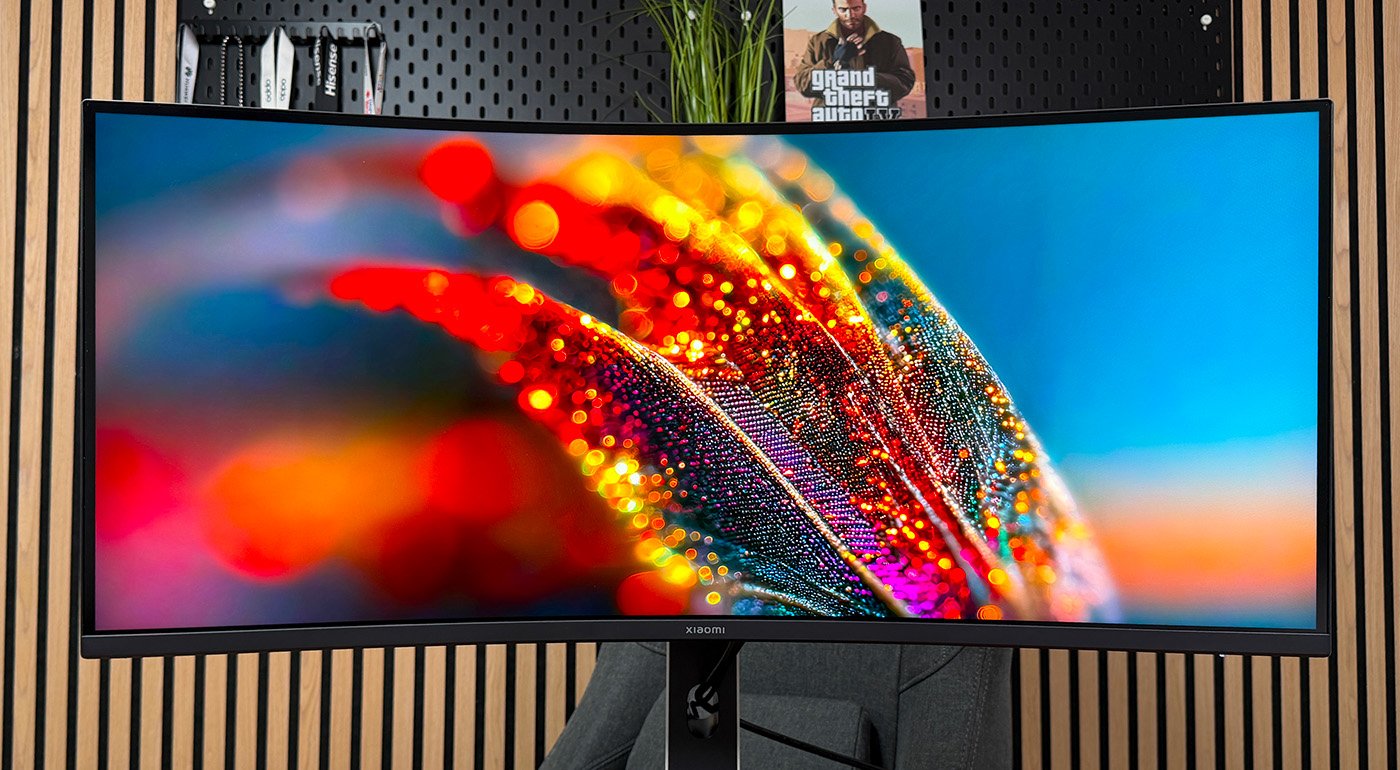
As expected from a VA panel, blacks cannot match OLED levels, but they’re still more convincing than most IPS panels. Xiaomi handles dark tones well, delivering convincing shadows and better contrast than many standard IPS panels we’ve tested.
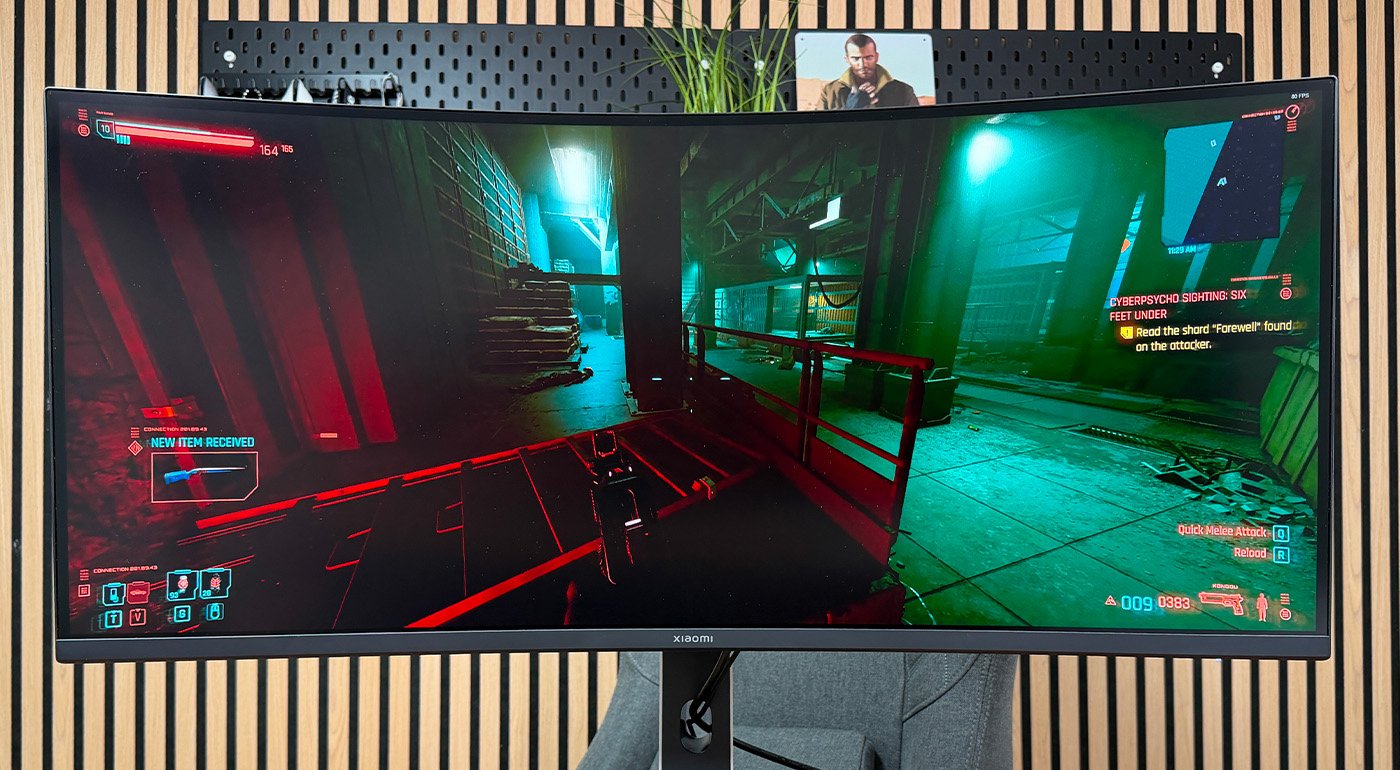
If the colors are satisfactory for the price, HDR remains limited, underscoring the difference between a VA panel and a high-end MiniLED panel. Indeed, the colors aren’t the brightest we’ve seen on a gaming monitor.
The 180 Hz refresh rate provides ample fluidity for the vast majority of games. We managed to play Cyberpunk 2077 and Alan Wake II with a good sense of smoothness, particularly during movement and camera pans.
Across the various test targets used, we observed a very slight light bleed at the bottom edge. Very subtle, this bleed is hard to notice in normal use, whether gaming or office work.
Daily experience
Audio
The G34WQi does not include built-in speakers. Xiaomi provides a 3.5 mm headphone jack for plugging in a headset, earphones, or external speakers.
Interface and features
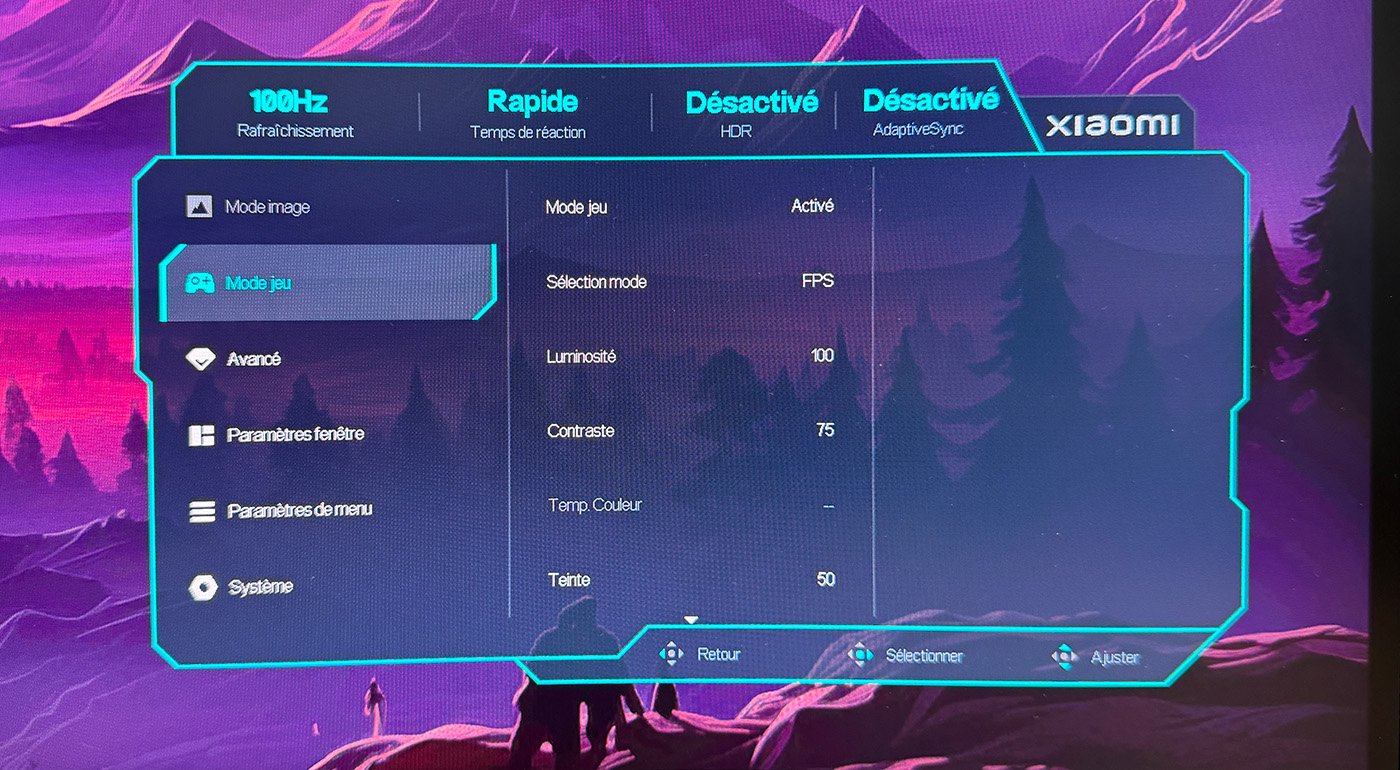
The Xiaomi Curved Gaming Monitor G34WQi adopts a clear and straightforward OSD. It avoids the overly flashy “gaming” effects seen on some Asus gaming screens, and instead sticks to essential controls organized in a clean layout, with settings easy to locate.

The default gaming image mode (not accessible when the game mode is active) lets you adjust brightness, contrast, color temperature, as well as hue and saturation.
The default SDR color rendering is adequate for gaming at this price point. The SDR color balance remains acceptable for gaming, general use, and media consumption.
Display
In HDR, the brightness and color depth are supported, but the overall HDR performance is limited by the backlight array rather than the panel itself.
The HDR rendering is generous, with a bright peak surpassing 500 cd/m², but the backlighting limits the overall HDR contrast. The display can deliver a bold HDR image, yet it cannot match higher-end HDR implementations in brightness uniformity and local dimming.
In short, HDR improves image punch and color richness at this price, but the performance is limited compared to MiniLED or OLED displays.
Our impressions on image rendering
The Xiaomi Curved Gaming Monitor G34WQi features a 34-inch VA panel with a 1500R curve. The 3,440 × 1,440 resolution provides comfortable image density for both gaming and office work. At normal viewing distance, the display’s fine detail is sufficient for the pixel grid to stay discreet.
The viewing angles stay adequate when you sit directly in front of the screen, but color accuracy and contrast degrade off-axis, which is typical for VA panels.
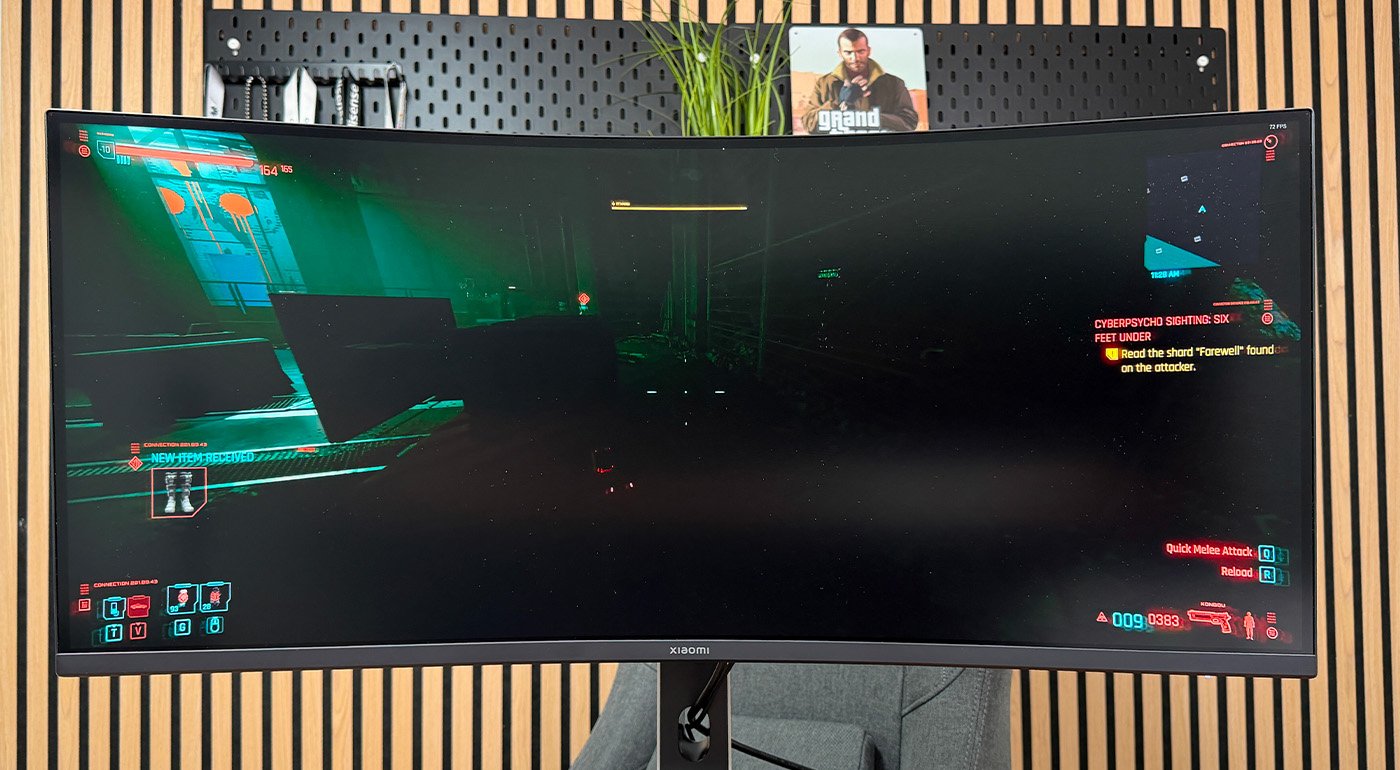
The HDR performance is limited, underscoring the difference between a VA panel and a top-tier MiniLED display. The colors aren’t as vibrant as those on the best gaming monitors we’ve seen.
The 180 Hz refresh rate provides sufficient fluidity for the vast majority of games. We enjoyed some sessions of Cyberpunk 2077 and Alan Wake II with a good sense of motion, especially during movement and camera pans.
Across several test targets, we observed a very slight light bleed at the bottom edge. Very subtle and hardly noticeable in typical use, whether gaming or productivity.
Daily experience
Audio
The G34WQi does not include built-in speakers. Xiaomi only provides a 3.5 mm jack for connecting headphones, earbuds, or external speakers.
Interface and features
The Xiaomi Curved Gaming Monitor G34WQi features a clear and simple OSD. It’s far from the over-the-top “gaming” visuals seen on some other gaming screens; the interface focuses on essentials, with a straightforward layout and easy-to-find settings.

The “Game mode” presents the various features of this mode, with display presets like FPS, RPG, or MOBA. Xiaomi seems to favor simplicity. You can adjust brightness and contrast for each mode independently.
The mode options includeAdaptiveSync, HDR, and a center crosshair, among other things.
Finally, among several interesting features, there is PIP/PBP. This mode lays out the picture-in-picture and picture-by-picture options clearly. Xiaomi earns points for this OSD menu that, while modest, provides meaningful adjustments.
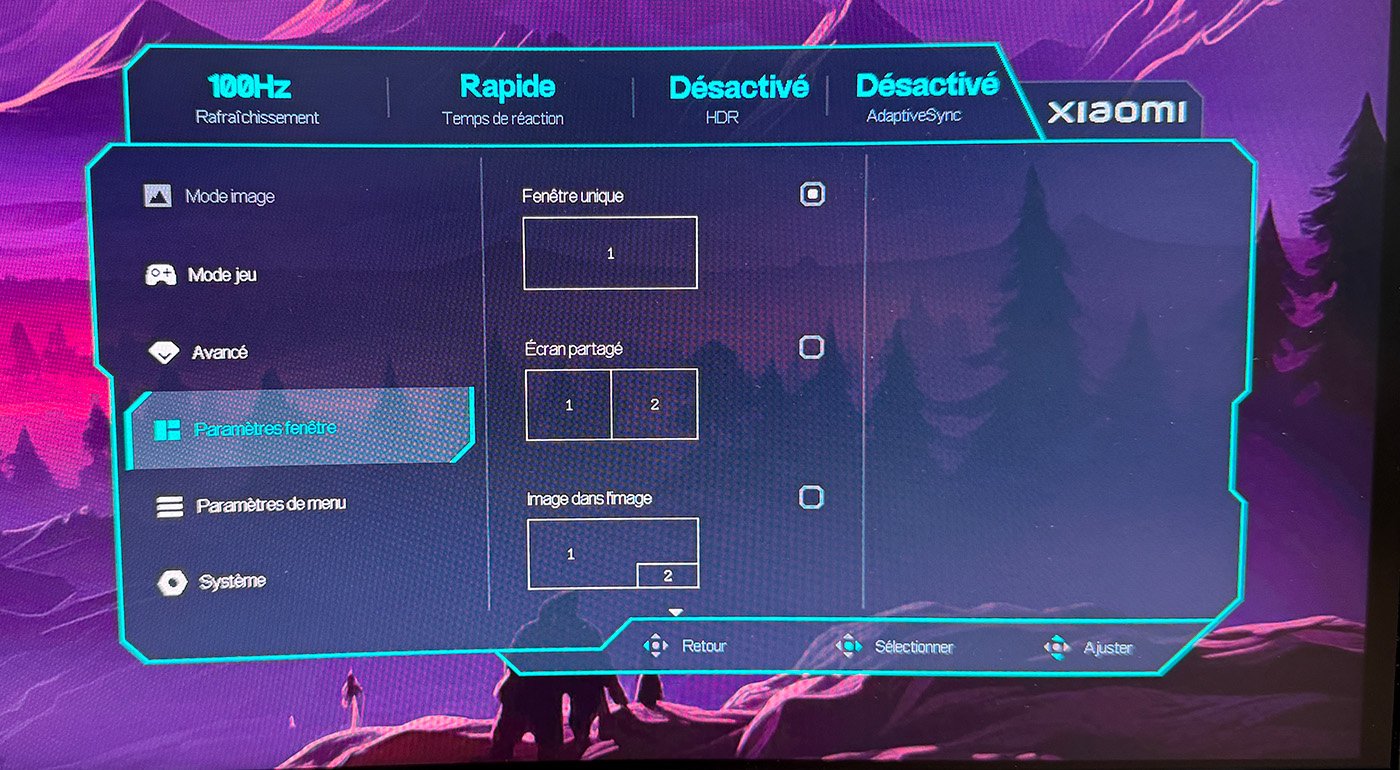
The overall aesthetic remains consistent with the monitor’s price class. Essential controls are present, though the most demanding users may find the customization options somewhat limited.
Power consumption
With a relatively modest consumption of 80.7 W/m² at 150 cd/m², the G34WQi remains fairly efficient for a 34-inch ultrawide monitor.
Design and connectivity
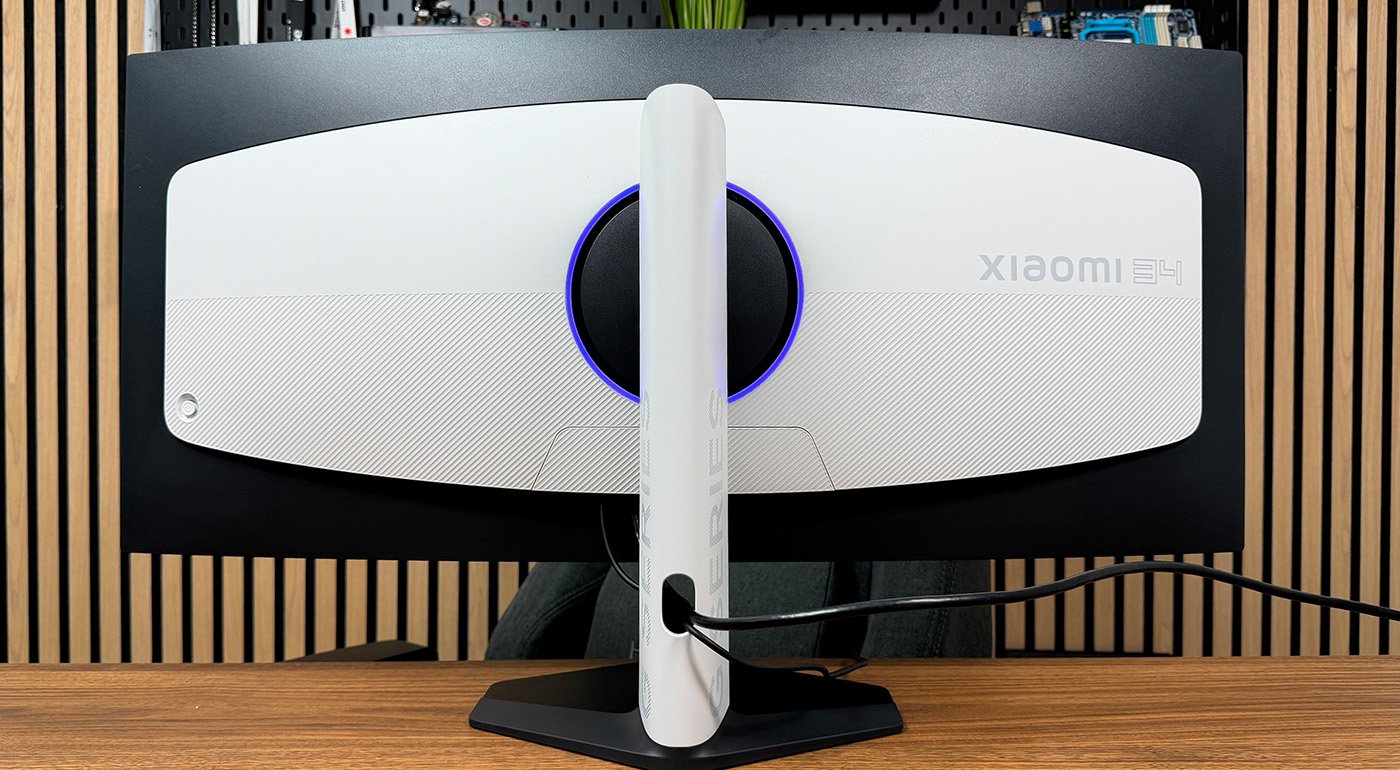
Aesthetically, the G34WQi features a tidy design with a compact base and a white shell that sets it apart from many gaming displays. The front edge of the base remains slim enough to slide a keyboard over it when the screen isn’t in use. Assembly still requires four small screws, whereas many competitors now offer tool-free assembly.
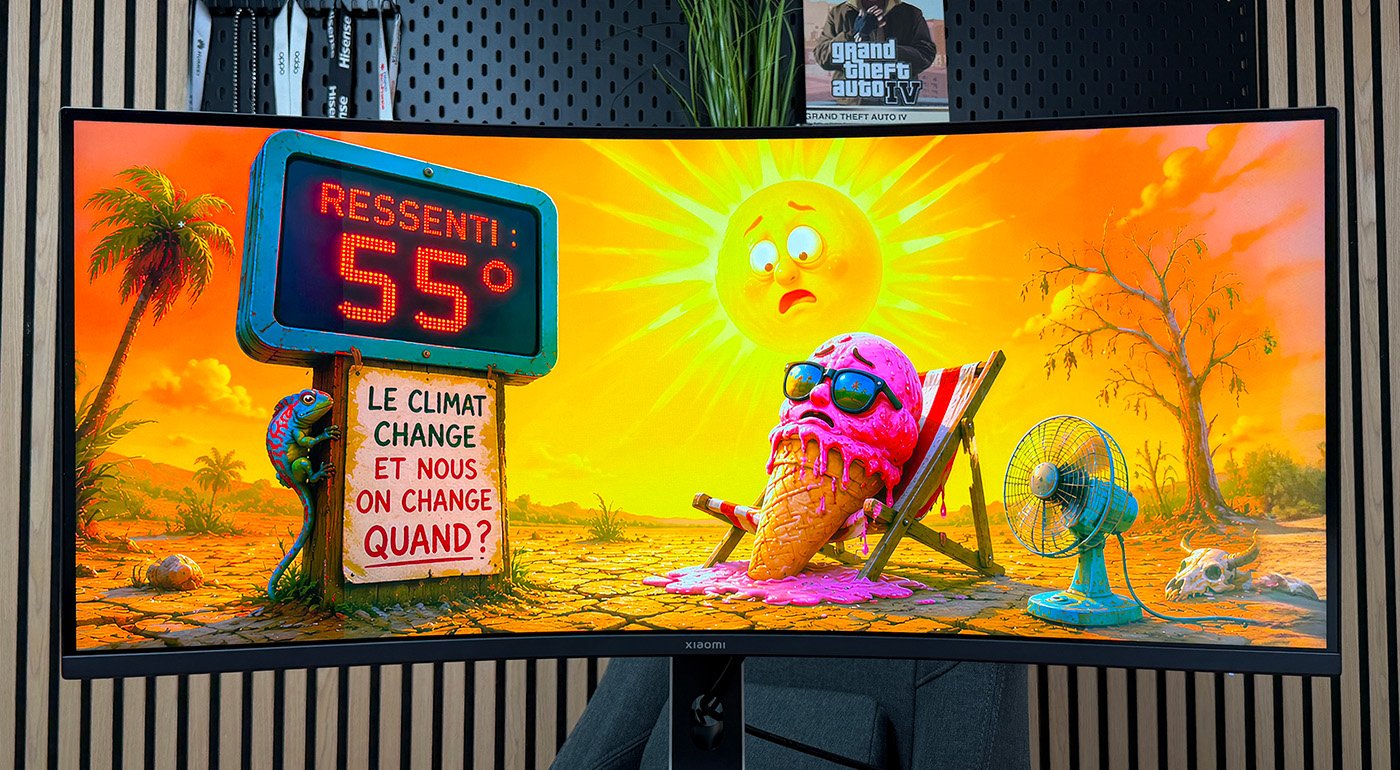
The stand is stylish and the build is neat, with a white shell on the sides and back, adorned with “G SERIES” lettering. A cable management pass-through is available, as is common on gaming displays.
The back of the screen features ambient edge lighting that traces the border around the panel’s frame. It adds a certain ambience but its low intensity makes it unsuitable for creating a real ambient glow behind the screen.
The connectivity includes two HDMI inputs, two DisplayPorts, and a 3.5 mm headphone output. The absence of a USB hub and USB-C port limits the monitor’s versatility, particularly for connecting a laptop with a single cable.
Xiaomi Curved Gaming Monitor G34WQi review: Clubic’s verdict
Conclusion
General note
7 / 10
Xiaomi’s 2026 G34WQI hits most of the boxes expected from an affordable ultrawide. Its 34-inch VA curved panel at 3440 × 1440 offers satisfying daily image quality with better contrast than standard IPS panels and convincing dark tones. The inclusion of two DisplayPort ports and the PIP/PBP mode are nice touches at this price point.
However, the monitor reveals the limits of a VA panel at this price. HDR remains behind, color accuracy dips off-axis, USB connectivity is absent, and the foot mounting is a bit fiddly. These are concessions Xiaomi makes to keep the price accessible. For regular gamers, office work, and media consumption, the device remains a solid value, but buyers should be aware of these trade-offs.
In the end, the G34WQI 2026 fulfills its role: a large, affordable ultrawide monitor tailored for gamers who value space and smoothness over absolute color precision or top-tier HDR.

Daniel Brooks
I cover everyday products with a practical eye, from kitchen tools and home essentials to smart gadgets and consumer trends. My goal is to help readers understand what is genuinely useful, what is worth the price, and what deserves a second look before buying.