
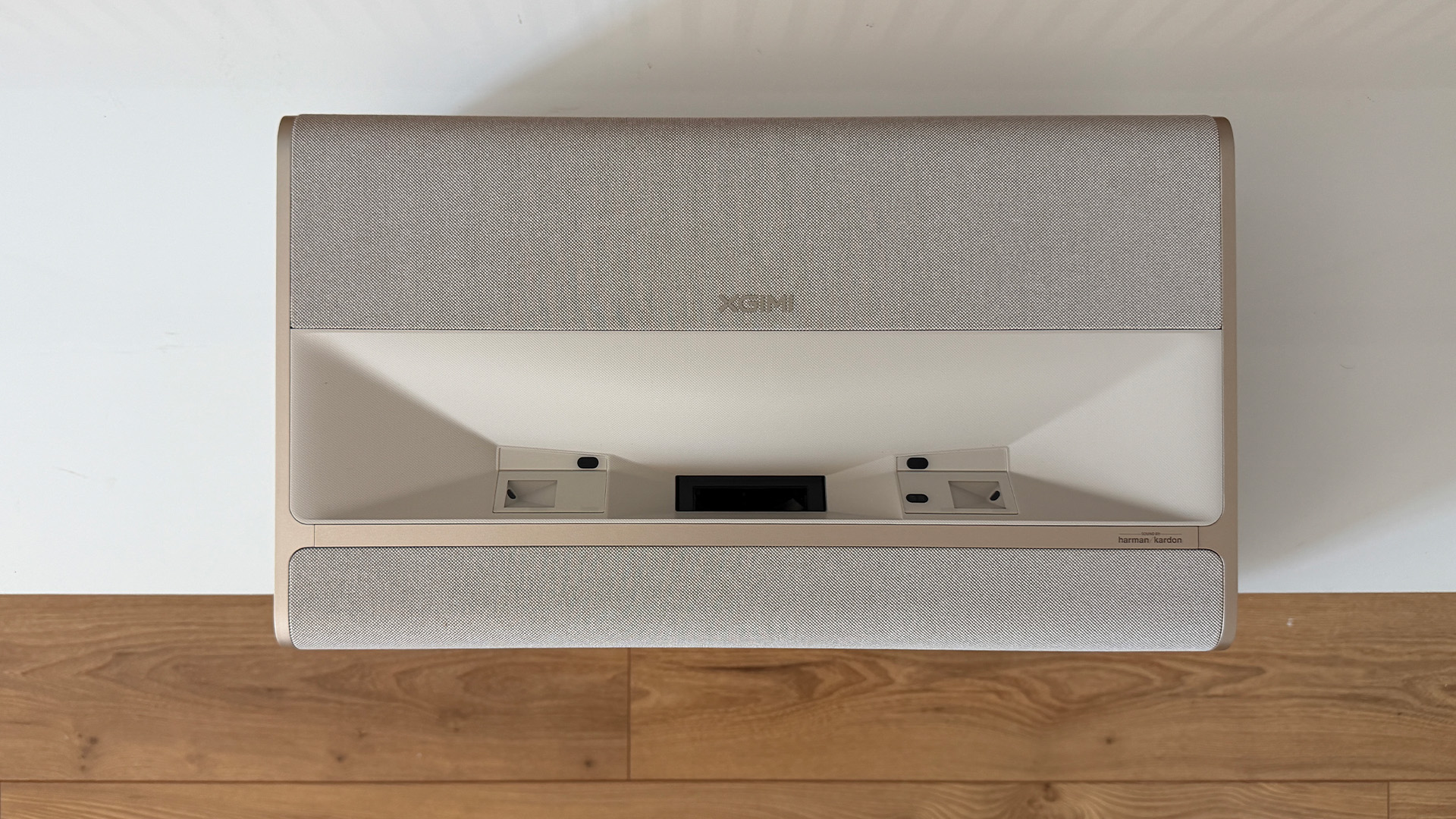
Following its Aura lineup, XGIMI launches Mira, a new range of ultra-short-throw projectors that aims to be more affordable. The Mira emphasizes 4K UHD image quality, the triple RGB laser, Dolby Vision and a gaming mode at 240 Hz. But this more accessible price tag comes with some trade-offs.
Make ultra-short-throw projectors more affordable: that is XGIMI’s bet with the Mira lineup. But does making this technology more accessible necessarily entail some concessions?
UST projectors remain generally expensive, especially when offering 4K UHD resolution. On high-end 4K UST models, the bill frequently exceeds 2,000 euros. This is notably the case with the Awol Vision Aetherion Max or the Formovie Theater Premium. At €1,699, the Mira sits well below many high-end 4K UST models. On paper, XGIMI does not skimp on the core features, with a 4K UHD image, HDR10+, Dolby Vision and a 36 W Harman/Kardon audio system. We tested the Mira for two weeks.
8 / 10
Best prices
amazon.fr
Fnac
Fnac
Son-Vidéo
See more prices
- Clean and elegant design
- Generous connectivity
- Excellent HDR rendering in our tests
- Strong HDR performance in our tests
- Intuitive Google TV interface
- Responsive 1080p/240 Hz gaming mode
- Lower price than many competitors
- Audio performance lags behind
- Sometimes overly saturated at full brightness
- Remote control only partially backlit
- … but requires an expensive projection surface
Unboxing and First Impressions
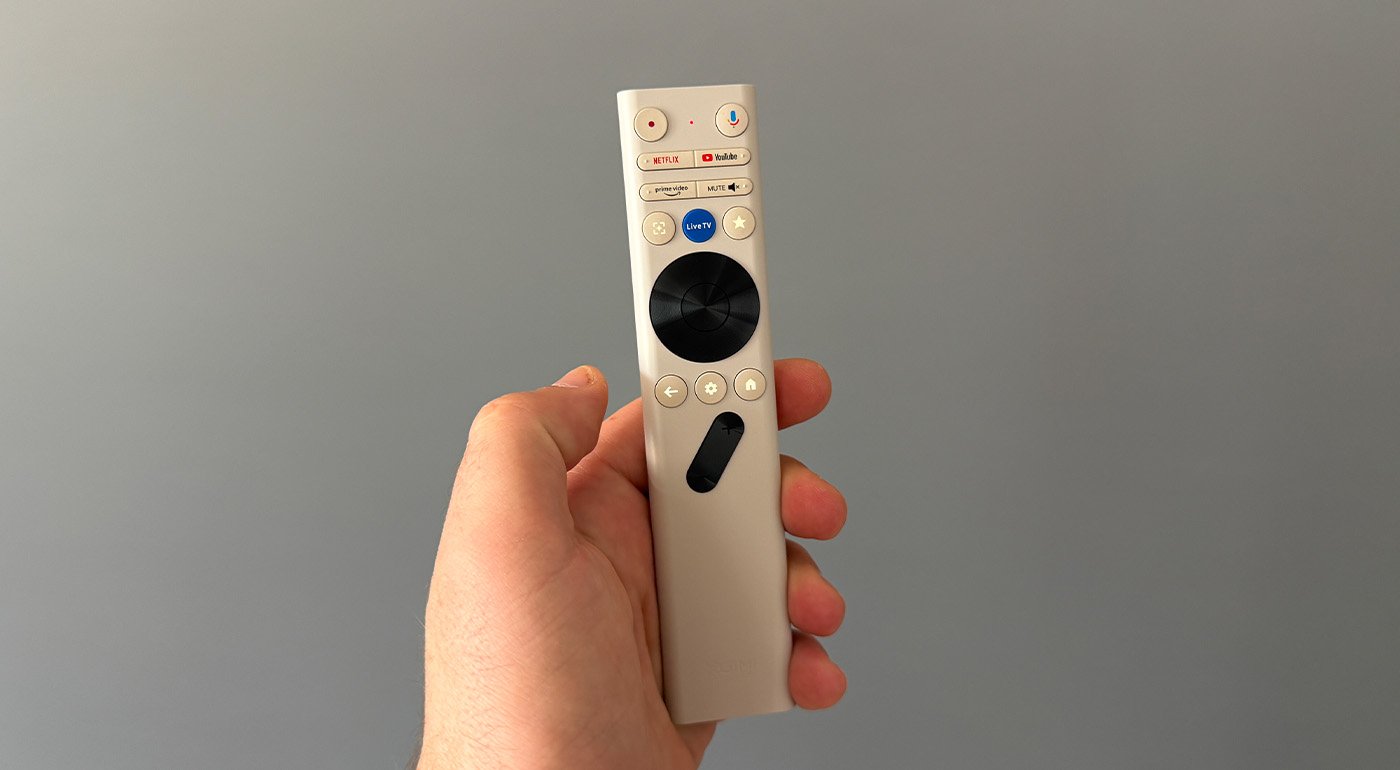
The box contents are pared down to the essentials: the Mira, its Bluetooth remote and its external power supply. The latter includes a fairly sizable transformer that you’ll want to conceal behind the TV stand.
The remote is elegant and light, but it is only partly backlit, which can complicate use in a dark room.
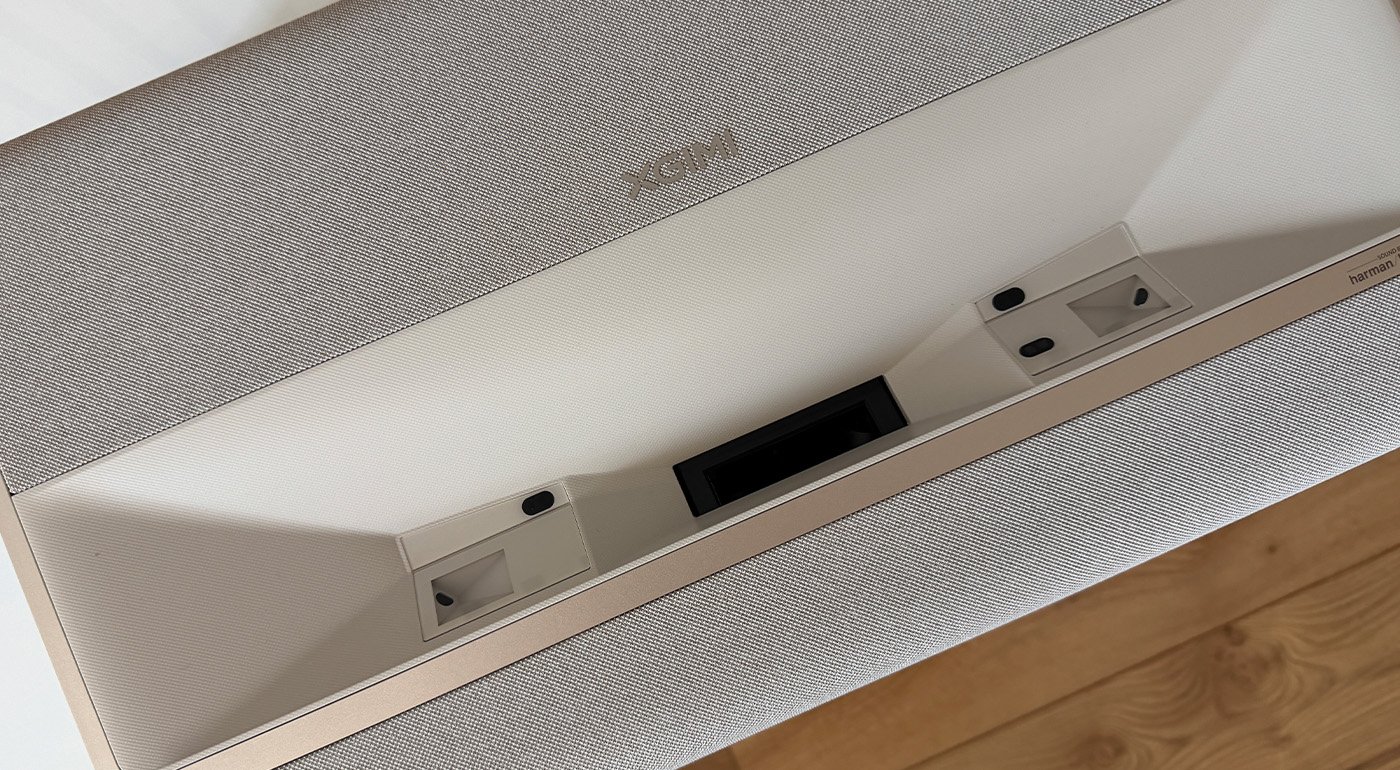
From the very first moments, the Mira is a beautiful object with a build quality that inspires confidence. It is slightly more compact than the Aura, with dimensions of 464 × 268 × 122 mm, i.e., 4.6 cm narrower, 2 mm shallower and 2.2 cm shorter. One notable difference from the Aura is that the Mira lacks a removable cap on its top surface. Not a deal-breaker, though. Another noticeable difference is weight: 9 kg for the Aura 2 versus only 4.8 kg for the Mira.
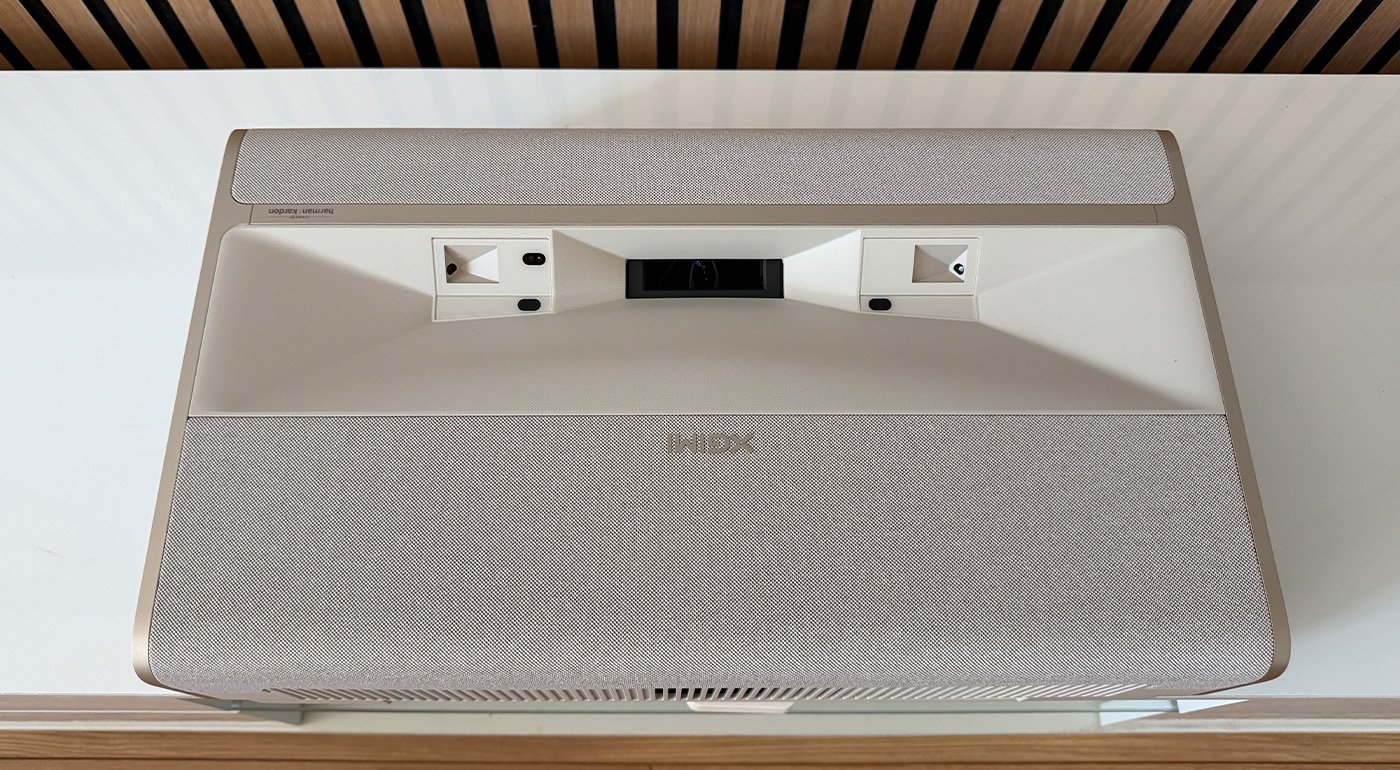
A large portion of the surface is covered in beige fabric, giving the unit a warm, welcoming finish. The rest is beige plastic, which nevertheless conveys a solid build quality.
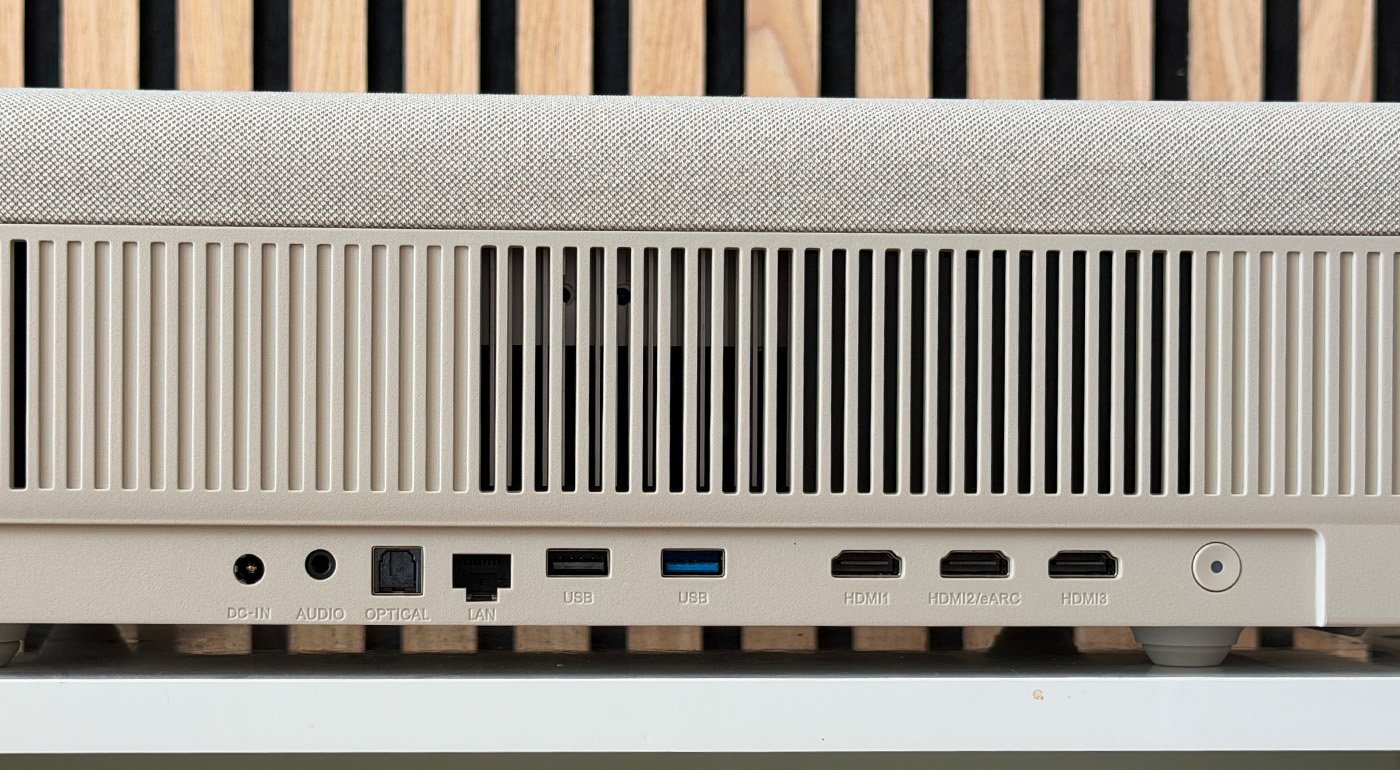
Back of the unit, you’ll find the power connector, a 3.5 mm auxiliary output, an optical output, an RJ-45 Ethernet port, two USB-A ports and three HDMI ports, one of which is eARC-compatible. The Mira also features Wi‑Fi 6 and Bluetooth 5.2.
Image Quality
The Mira can project an image from roughly 80 to 120 inches with a throw ratio of 0.175:1. XGIMI cites a distance of about 19.3 cm from the back of the housing to the wall for a 100-inch image. We positioned the device at precisely 18.6 cm from the wall.
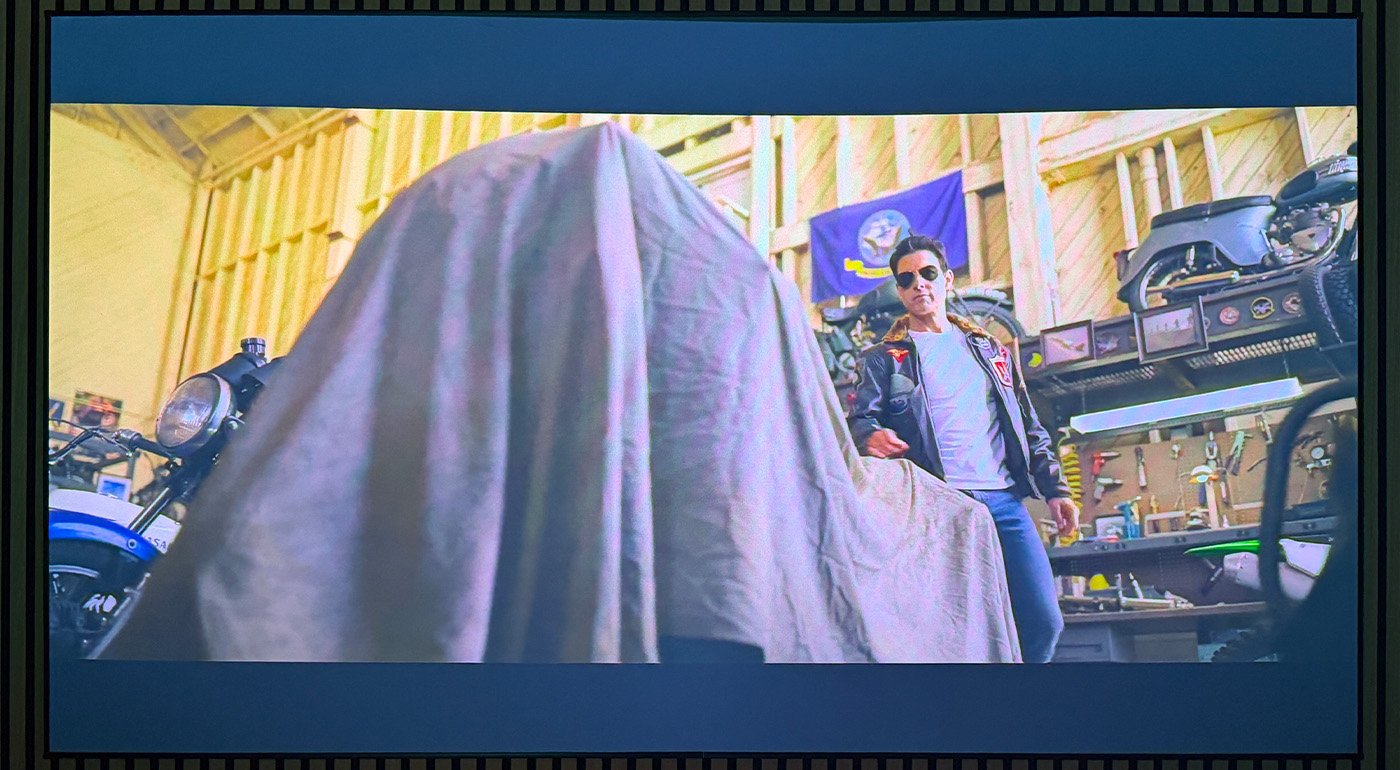
The Mira displays a 4K UHD image (3,840 × 2,160) thanks to Texas Instruments’ XPR technology, but it does not rely on a native 4K DMD matrix. It uses a 0.39″ DMD chip, whose 1,920 × 1,080 micromirrors leverage pixel-shifting to render a 4K Ultra HD image. The XPR technique rapidly shifts several sub-images to reconstruct a 4K Ultra HD image from the DMD matrix. The light source is based on a triple RGB laser, a design that allows the Mira to display a wide color gamut.
XGIMI claims 2,000 ISO lumens for the Mira, compared to 3,000 ISO lumens for the Mira Pro. To take full advantage of this brightness, it’s best to use the projector in a dimly lit room, especially at large image sizes.
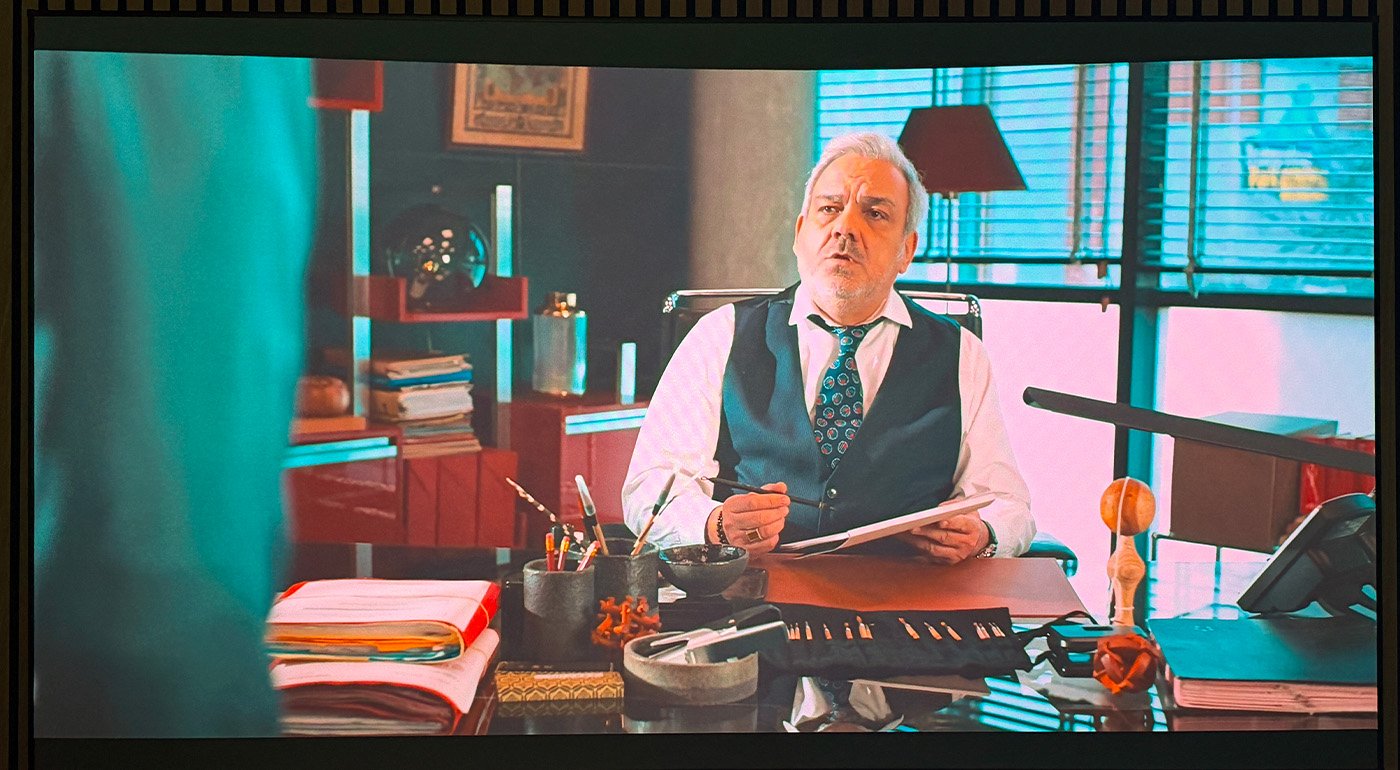
Thanks to XGIMI’s automatic adjustments, the image can be automatically tuned to fit the screen size. Additionally, with ISA 5.0 technology, it’s possible to correct the image shape so it conforms to the screen bezel. The system applies digital correction that crops pixels to compensate for distortions.
This digital correction compensates distortions, but it’s best to obtain as precise a physical alignment as possible to preserve sharpness. The process works best on regular surfaces: on an uneven wall, wallpaper or a wall with decorative elements, automatic correction can fail.
Once the device is placed on a TV stand at just under 20 cm from the wall, image alignment with the screen can be achieved. However, laser ultra-short-throw projectors are very precise. With a traditional UST, even small surface flatness irregularities can become very visible in the image.
Even without dynamic processing, the Mira delivers a visually convincing contrast, with black levels that stay sufficiently dense for a DLP projector in this class. XGIMI also claims a contrast of up to 20,000:1 with DBLE activated. Indeed, the Mira also offers the DBLE (Dynamic Black Level Enhancement), a dynamic contrast system that adapts the brightness source to the content being displayed. In dark scenes, its activation can noticeably lower the black level and boost perceived contrast.
However, this figure should not be confused with the projector’s native contrast. In practice, the gain is most noticeable in night scenes or dim environments, where dark tones gain density.
The improvement is particularly evident in certain dark scenes; we tested with Top Gun: Maverick. Conversely, at full brightness, we observed some color oversaturation in certain tones, making them look less natural.
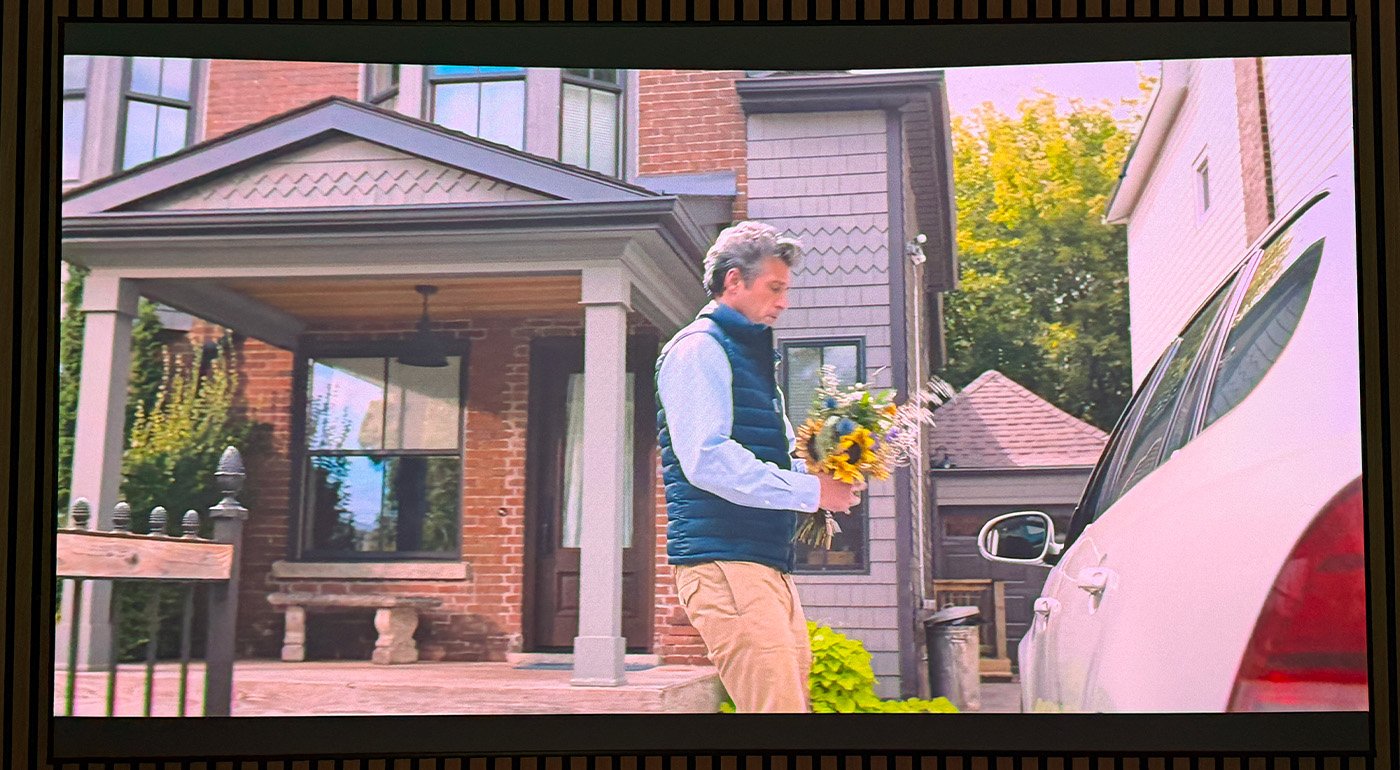
In HDR, the Mira makes good use of its triple-laser source: colors gain intensity and highlights stand out more distinctly from the rest of the image. Dolby Vision also contributes to better readability in scenes that combine very dark and very bright areas. The result remains dependent on the chosen brightness level, as we noticed some oversaturation at the highest setting.
The Mira offers several MEMC interpolation levels. The processing significantly improves the clarity of fast motion and can also reduce visible judder on some 24p tracking shots. Higher levels produce a very smooth result that can distort the cinema cadence; an intermediate setting is, in our view, the best compromise. At high levels, the interpolation can produce a “soap opera” effect, with artificial fluidity that markedly alters the cinematic rendering.
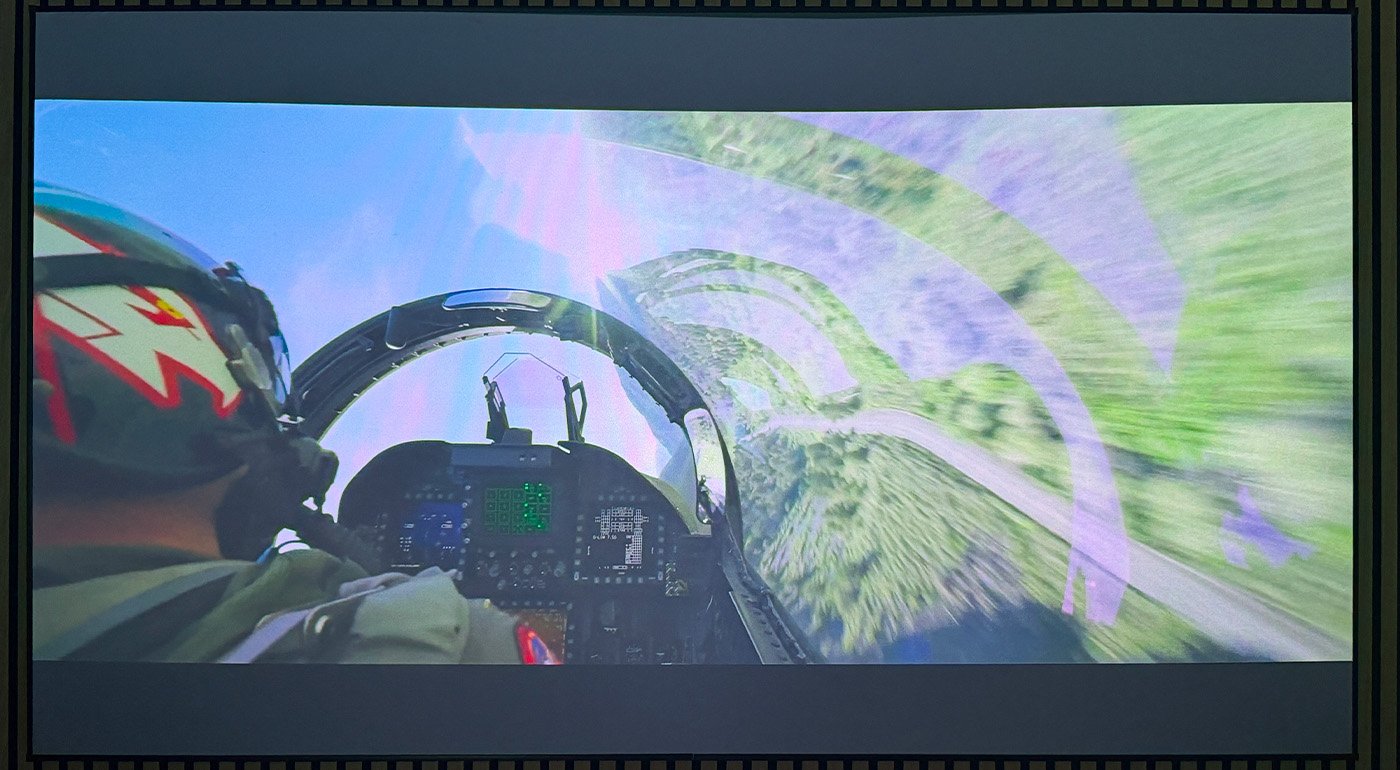
With automatic brightness control, the Mira can automatically adapt to the screen size. Additionally, thanks to ISA 5.0, it is possible to correct the shape of the image so that it perfectly fills the screen frame. The system applies a digital correction that crops pixels to compensate for distortions.
This digital correction compensates distortions, but it is best to achieve the physical alignment as accurately as possible to preserve sharpness. The process works best on a flat, regular surface; on an uneven wall, wallpaper or a wall with decorative elements, automatic correction can fail.
Once the device is placed on a TV stand at a little under 20 cm from the wall, the image can be aligned well with the screen. However, laser USTs demand very precise placement. With a traditional UST, even minor surface flatness irregularities can become highly visible in the image.
Even without dynamic processing, the Mira offers a convincing contrast with blacks that are sufficiently deep for a DLP projector in this class. XGIMI also claims a contrast ratio up to 20,000:1 with DBLE enabled. Indeed, the Mira also includes DBLE (Dynamic Black Level Enhancement), a dynamic contrast system that adapts the brightness output to the displayed content. In predominantly dark scenes, its activation can substantially reduce the black level and intensify perceived contrast.
That figure, however, should not be confused with the projector’s native contrast. In practice, the gain is most noticeable in night or dimly lit sequences, where dark tones become denser.
The improvement is particularly evident in some dark scenes; we tested with Top Gun: Maverick. Conversely, at full brightness we observed some color saturation that could feel excessive, making certain tones look less natural.
A large portion of the surface is covered in beige fabric, giving the unit a warm finish. The rest is beige plastic, which nevertheless communicates solid build quality.
On the back you’ll naturally find the power connector, a 3.5 mm auxiliary output, an optical output, an RJ-45 Ethernet input, but also two USB-A ports and three HDMI ports, one of which is eARC compatible. The Mira also features Wi-Fi 6 and Bluetooth 5.2.
Image Quality
The Mira can deliver an image from 80 to 120 inches with a throw ratio of 0.175:1. XGIMI cites a distance of about 19.3 cm from the back of the housing to the wall for a 100-inch image. We placed the device at precisely 18.6 cm from the wall.
The Mira displays 4K UHD (3,840 × 2,160) thanks to Texas Instruments’ XPR technology, but it does not rely on a native 4K DMD matrix. It uses a 0.39″ DMD chip whose physical matrix of 1,920 × 1,080 micromirrors leverages pixel-shifting to display a 4K Ultra HD image. The XPR technology swiftly shifts several sub-images to reconstruct a 4K UHD image from the DMD. The light engine uses a triple RGB laser, enabling Mira to render a wide color gamut.
XGIMI reports 2,000 ISO lumens for the Mira, versus 3,000 ISO lumens for the Mira Pro. To fully exploit this brightness, it’s preferable to use it in a dim room, especially with a large image.
With automatic brightness regulation, the Mira adapts automatically to the dimensions of the screen. In addition, thanks to ISA 5.0, it is possible to correct the image shape so that it follows the frame of the screen. The system applies digital correction that crops the pixels to compensate for distortions.
This digital correction addresses distortions, but it’s best to achieve precise physical alignment to preserve sharpness. The process works best on a flat screen; on an irregular wall or a wall with wallpaper or decorative elements, automatic correction can fail.
Once the unit is placed on a TV stand, just under 20 cm from the wall, the image can be aligned with the screen. Note, however, that laser-based ultra-short-throw projectors demand very precise alignment. With a UST, even small surface irregularities can become highly visible in the image.
Even without dynamic processing, the Mira offers a convincing contrast, with blacks that stay sufficiently dense for a DLP projector in this class. XGIMI also claims a contrast ratio of up to 20,000:1 with DBLE enabled. Indeed, the Mira also features DBLE (Dynamic Black Level Enhancement), a dynamic contrast system that adapts the brightness of the light source to the content being displayed. In dark scenes, activating it can noticeably lower the black level and boost perceived contrast.
That gain, however, should not be confused with the projector’s native contrast. In practical use, the benefit is most noticeable in night or dimly lit sequences, where dark tones gain density.
The improvement is especially visible in some dark scenes; we experienced it with Top Gun: Maverick. Conversely, at full brightness, we observed some overly saturated tones that appear less natural.
In HDR, the Mira makes good use of its triple-laser source: colors gain intensity and highlights stand out more clearly from the rest of the image. Dolby Vision also provides better legibility for scenes that mix very dark and very bright areas. The result remains dependent on the brightness setting, as we observed some oversaturation at the maximum level.
The Mira offers several MEMC interpolation levels. The processing clearly improves the readability of fast movements and can also reduce noticeable judder on some 24p tracking shots. Higher levels produce a very smooth result that can distort the cinema cadence; a mid-level setting is, in our opinion, the best compromise. At very high levels, the interpolation creates a “soap opera” effect, with artificial fluidity that significantly alters the cinema rendering.
In night-time use, we found the best balance around 85% of maximum brightness: the image remains sufficiently bright while avoiding the excessive saturation seen at full power.
Technically, the Mira supports HDR10+, Dolby Vision and HLG formats. In our testing conditions, switching to HDR provides a noticeable improvement, particularly in managing highlights and color richness.
The speckle on the technical screen used during our test was very discreet and did not bother viewing. Its intensity can vary depending on the projection surface, so this observation may not generalize to all installations.
Is an screen needed with the XGIMI Mira?
An screen is not strictly necessary for the Mira to operate, but it is highly recommended to fully exploit the capabilities of this type of projector. It’s certainly an added cost, but it helps achieve a more uniform image and better contrast under good conditions.
With a UST, the screen’s flatness is decisive, since light is projected at a very shallow angle. A non-tensioned roll-down screen can introduce visible waves in the image. It’s better to opt for a fixed screen, or at least a properly tensioned roll-down screen.
On a white wall, the image quality can be more affected by ambient light and surface texture. Also, the reflected light from a white wall can disturb contrast. An ALR/CLR screen is designed to direct projector light toward the viewer while reflecting less from other directions, which significantly improves black levels and color accuracy, including in HDR.
What does the XGIMI Mira offer for daily use?
Audio
During the earlier Aura tests, I was impressed by the audio quality. However, using a JMGO O2S Ultra as a daily driver, I find the Mira’s sound less convincing on the audio front.
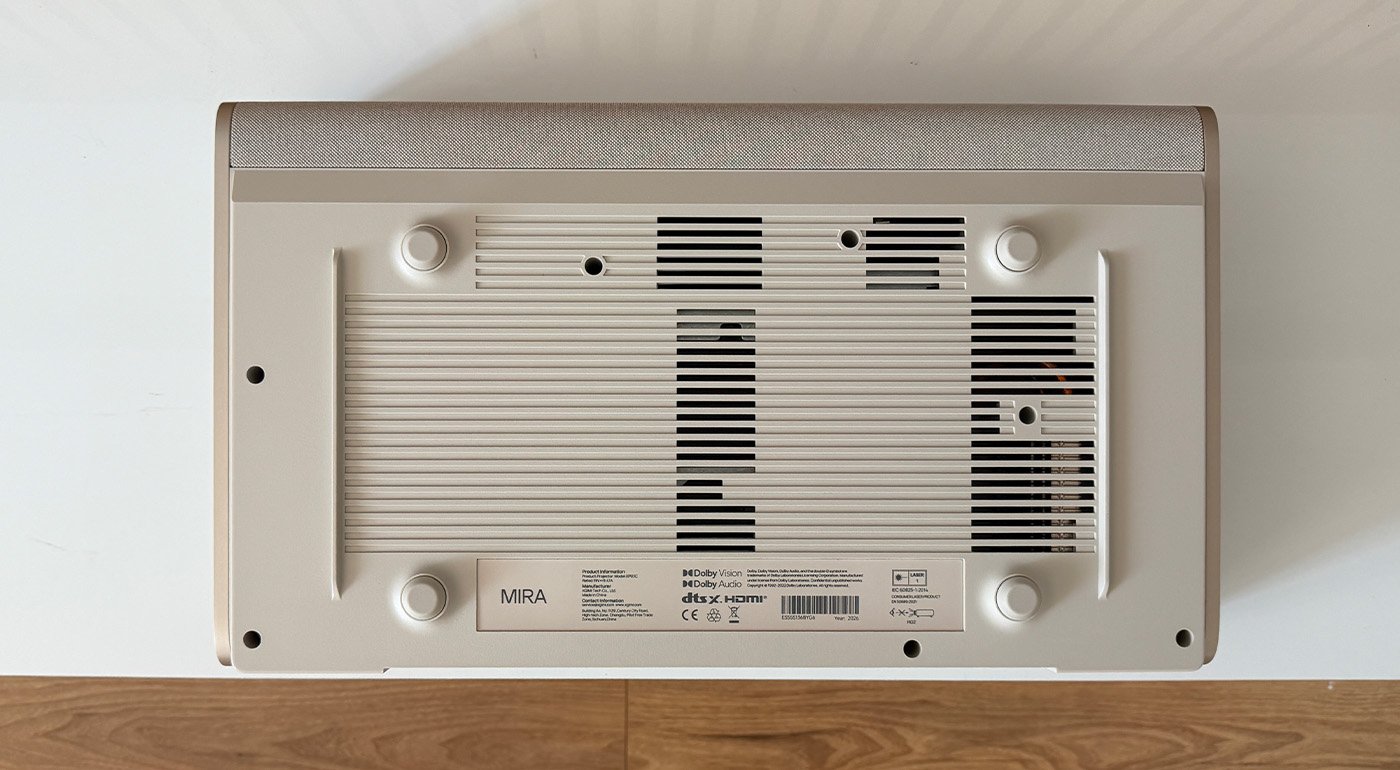
The Harman/Kardon system delivers a combined 36 W, distributed between two 8 W full-range drivers and a 20 W bass module. In listening tests, the result remains behind the Aura 2 and the JMGO O2S Ultra that we regularly use.
Dialogues remain intelligible and the soundstage offers a reasonable width, but the bass lacks depth and the most dynamic scenes lose some impact. For regular home cinema use, adding a soundbar or a dedicated system would be desirable.
In our test room and at our usual listening distance, we typically used volume around 45% to reach a comfortable level. This value obviously depends greatly on the room and listening distance.
Regarding cooling, in daily use the Mira was relatively quiet. We were never bothered by its cooling fans during film watching, even after more than four hours of operation.
What are the best soundbars in 2026?
Interface and Features
The XGIMI Mira runs on Google TV. The interface now includes Gemini integration during our testing, allowing for easier voice queries. It’s especially noticeable when we asked it for films on aviation themes; results were better than with the older search methods.
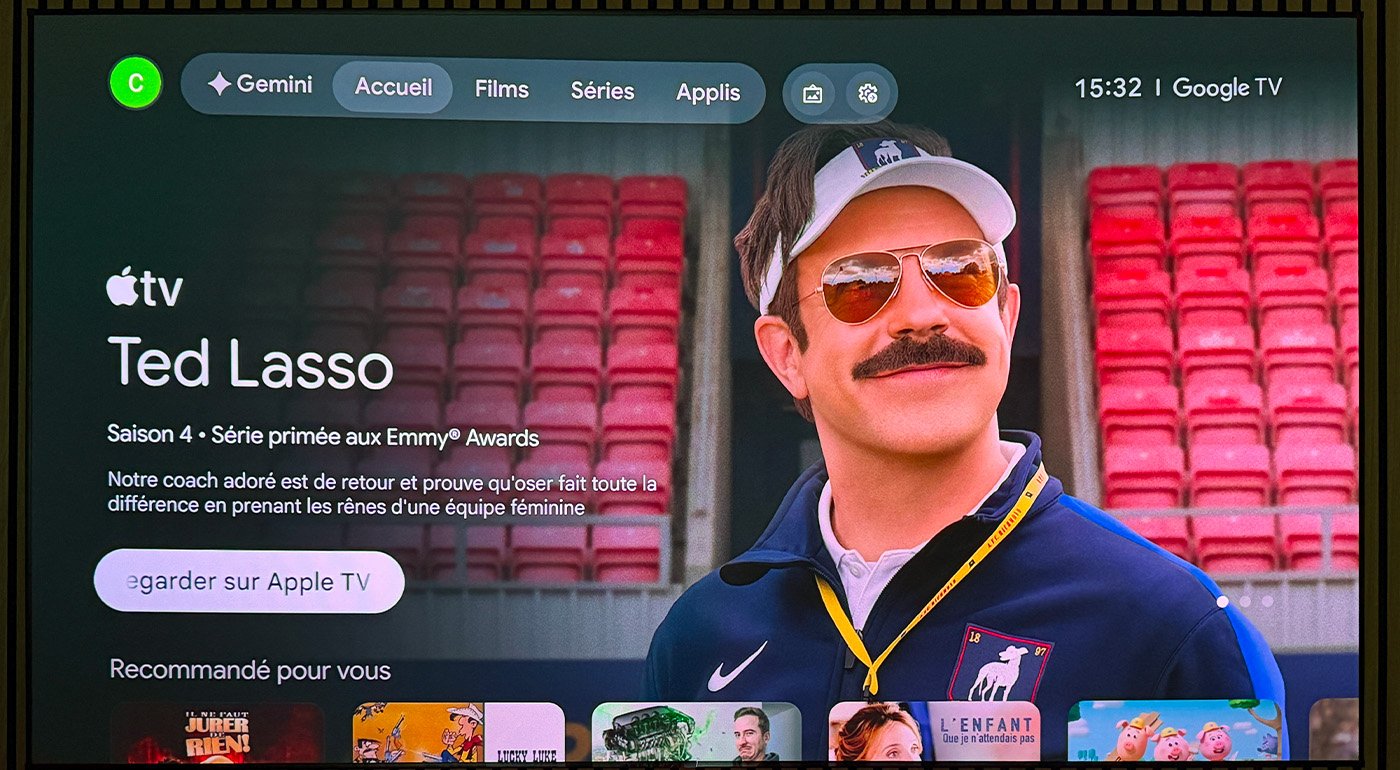
We found the major streaming platforms—Netflix, HBO Max, Prime Video, France.tv, Arte, and others—still accessible. The interface itself has evolved somewhat but without a radical overhaul.
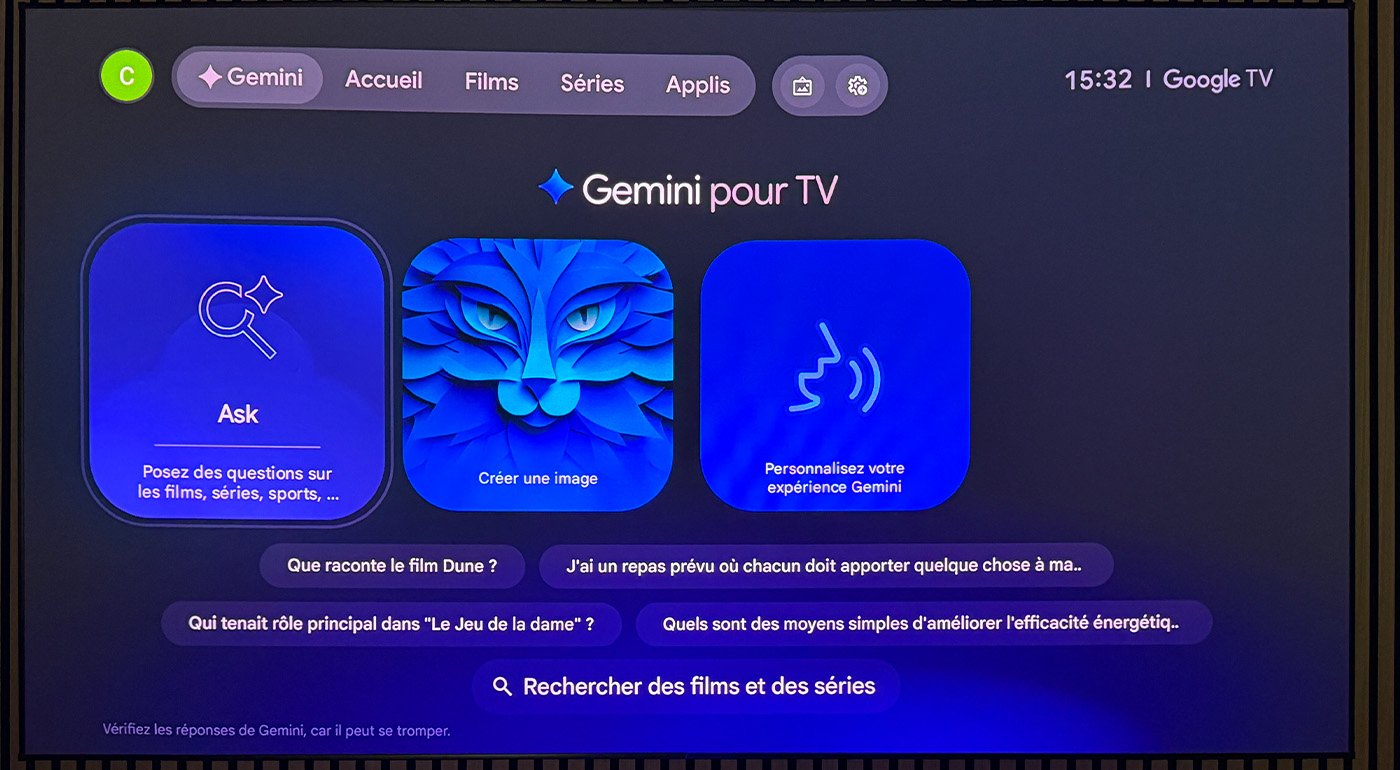
When asked “Who is the hero in OSS 117 and which actor plays the role?”, Gemini responds correctly and comprehensively, citing the source used (here: Télérama). Thus, you can ask it film-themed queries with considerably more precision than what Google Assistant offered.
Gaming
The Mira includes a gaming mode that switches from 4K UHD at 60 Hz to Full HD at 240 Hz. It also supports VRR, with a range advertised from 48 to 240 Hz in Full HD. This technology dynamically syncs the projector’s refresh rate with the source’s frame rate to minimize tearing. ALLM is also supported, automatically switching the projector to its low-latency mode when a compatible source is detected.
The Projector Super Frame mode prioritizes fluidity by switching from 4K UHD at 60 Hz to Full HD up to 240 Hz. VRR is also limited to 1080p, while 4K remains capped at 60 Hz.
For gaming on a very large screen, this configuration is particularly appealing. With a stated latency of 1 ms in Full HD at 240 Hz, with VRR enabled, this projector stands out as a strong option for gaming on a very large screen. However, it will not replace a dedicated gaming monitor for all uses. While Farming Simulator or Grand Theft Auto V are perfectly playable, for competitive titles like Counter-Strike 2 or Valorant, the Mira isn’t a substitute for a dedicated gaming display better suited to fast motion and short-range gaming.
XGIMI Mira Review: Clubic’s Verdict
The XGIMI Mira doesn’t seek to reinvent ultra-short-throw projection. Its success lies elsewhere. It makes this format noticeably easier to consider without giving the impression of permanently compromising. Once properly installed, it delivers a convincing image that justifies its pricing while remaining pleasant for everyday use.
But the Mira’s price does not erase the constraints inherent to ultra-short-throw projection. The choice of projection surface is decisive, and that is probably the main factor to anticipate before purchase. The Mira can operate on a wall, but its potential really shines with a properly configured installation. You also have to factor in a solid audio system that isn’t outstanding and some limits in image processing, especially when brightness is pushed to the maximum.
In the end, the Mira seems most interesting for those who want to move to UST without building an entire setup around a high-end projector. It offers enough versatility to serve both cinema and streaming, or light gaming, without multiplying the compromises.
What are the best LED and laser projectors in 2026?

Daniel Brooks
I cover everyday products with a practical eye, from kitchen tools and home essentials to smart gadgets and consumer trends. My goal is to help readers understand what is genuinely useful, what is worth the price, and what deserves a second look before buying.