

Known for its free antivirus Avira Free Antivirus, the German software maker Avira claims more than 100 million users worldwide. In addition to a highly capable proactive detection engine, its premium security suite Avira Prime stands out with useful extra tools, including the unlimited Phantom VPN and the robust Speedup Pro system optimizer. Yet the question remains: can it compete with the top premium antivirus offerings?
VISIT AVIRA PRIME →
Avira: Notable Progress in Protection
Founded in 2006 in Germany, Avira is one of the leaders in the free antivirus market. Having been acquired by Gen, a major cybersecurity group, alongside brands like Avast, Norton, and AVG, Avira has been pursuing a stronger presence in the paid antivirus segment for several years with varying degrees of success. At present, the German editor has not yet found the winning formula to rival top players such as Bitdefender, Avast, or Norton, but it has made substantial strides in detection. According to the latest AV-Comparatives report, it boasts an overall high detection rate of 99.8%. Those performances helped it secure several accolades, including multiple “Advanced+” awards and the prestigious “Gold Award” for the quality of its malware protection.

- mood30-day trial
- devices5 to 25 devices
- phishingIncluded anti-phishing
- local_atmIncluded anti-ransomware
- groupsNo parental controls
- Cross-platform coverage that’s reliable
- Robust anti-ransomware
- Unlimited Phantom VPN
- PC System Speedup Pro: System optimization tool
- Monthly subscription plan
- Very high price
- Additional features not integrated
- Confusing ergonomics and UI
- Too many notifications
- Complex uninstallation
On the features side, the premium Avira Prime is a mix of highs and lows. It stands out thanks to renowned tools like Phantom VPN (one of the best VPN integrations in an antivirus), Password Manager Pro, and the System Speedup Pro optimization program. Unlike some competitors, Avira does not currently offer recent innovations such as identity protection, data breach monitoring, or a secure cloud storage space. Additionally, the software suffers from usability issues with a non-unified interface that would benefit from a substantial redesign.
Is Avira Prime Free?
No, Avira Prime is not free. It is one of Avira’s premium subscriptions, which also offers Avira Free Security, a free option. To use this security software, you must subscribe to a monthly or annual plan. A 30-day trial is available, but you must provide a payment method to take advantage of it. At the end of this trial, if you do not cancel, your payment method will be charged for the subscription price.
Avira Prime Pricing and Plans
The German provider is among the few to offer month-to-month, no-commitment subscriptions ranging from €3.95 to €9.95 per month for the premium version of its antivirus, with unlimited VPN. It’s a competitive offer suited to contemporary usage. However, annual subscriptions come with substantially inflated price points.
Avira Antivirus Pro and Avira Internet Security (without VPN) are priced at €34.95/year and €44.95/year per device, respectively, while the premium Avira Prime climbs to €99.95/year for five devices.
- Avira Antivirus Pro: €3.95 per month for one device or €34.95 per year for one device. This subscription provides real-time threat blocking, protection of sensitive online data, scanning of downloaded files, and ad blocking. In case of a virus infection, it also offers a repair service for corrupted files. This antivirus can be installed on Windows or Mac.
- Avira Internet Security: €4.95 per month for one device or €44.95 per year for one device. For this price, it includes all the benefits of Avira Antivirus Pro, plus online account protection, automatic updates of software and drivers to fix security flaws, and a password manager. This antivirus can be installed on Windows devices.
- Avira Prime: €9.95 per month for 5 devices or €99.95 per year for 5 devices. This subscription adds protection for payment cards, unlimited VPN, and PC optimization on top of Avira Internet Security’s benefits. This antivirus can be installed on Windows, Mac, Android, or iOS devices.
Download Avira Prime
The Avira Prime web interface remains fairly minimalist. It presents a straightforward, well-organized way to manage your subscription, install the software on other devices, and access certain antivirus features like the password manager. However, it hasn’t evolved much and doesn’t offer the advanced options found in Bitdefender or Kaspersky.
As for mobile apps, there’s little change, but that’s not necessarily a bad thing, because Avira Mobile Security is a strong protection suite for Android with comprehensive features. These include not only anti-malware analysis but also website protection, anti-theft, access to Avira VPN, and privacy-oriented features such as microphone protection and app locking. It’s a solid, user-friendly mobile edition, and aside from some initial permission prompts typical of Android, it’s among the best on the market today.

- mood30-day trial
- devices5 to 25 devices
- phishingIncluded anti-phishing
- local_atmIncluded anti-ransomware
- groupsNo parental controls
- Cross-platform coverage that’s reliable
- Powerful anti-ransomware
- Unlimited Phantom VPN
- PC System Speedup Pro: system optimization tool
- Monthly subscription plan
- Very high price
- Additional features not integrated
- Confusing ergonomics and UI
- Too many notifications
- Difficult uninstallation
Côté fonctionnalités, la version premium Avira Prime souffle le chaud et le froid. Cette dernière se distingue en effet grâce à des outils renommés tels que le VPN Phantom (l’un des meilleurs VPN intégrés à un antivirus), le gestionnaire de mots de passe Password Manager Pro, et le programme d’optimisation système System Speedup Pro. Contrairement à certains de ses concurrents, Avira ne propose toutefois pas d’innovations récentes comme une protection de l’identité, la surveillance de fuite de données, ou un espace de stockage cloud sécurisé, par exemple. De même, le logiciel souffre d’une ergonomie perfectible avec une interface non unifiée qui mériterait une importante refonte.
Is Avira Prime Free?
No, Avira Prime is not free. This antivirus is one of Avira’s premium subscriptions, which also offers Avira Free Security as a free option. To use this security software, you must pay for a monthly or yearly plan. A 30-day trial is available, but you are required to enter a payment method to use it. At the end of the trial, if you have not canceled, your payment method will be charged for the price of the subscription.
Avira Prime Pricing
The German provider is one of the few to offer flexible, month-to-month plans without commitment, ranging from €3.95 to €9.95 per month for the premium antivirus with unlimited VPN. This is a competitive offer suited to today’s usage. However, annual subscriptions are priced far more aggressively against the competition.
The annual prices for Avira Antivirus Pro and Avira Internet Security (without VPN) are €34.95/year and €44.95/year per device, while the premium Avira Prime climbs to €99.95/year for five devices.
- Avira Antivirus Pro : €3.95 per month for one device or €34.95 per year for one device. This plan includes real-time threat blocking, protection of sensitive online data, scanning of downloaded files, and ad blocking. If a virus infects the device, it offers a repair service for corrupted files. This antivirus can be installed on Windows or Mac.
- Avira Internet Security : €4.95 per month for one device or €44.95 per year for one device. For this price, it includes the same benefits as Avira Antivirus Pro plus online account protection, bug fixes through automatic software updates, and a password manager. This antivirus can be installed on Windows.
- Avira Prime : €9.95 per month for 5 devices or €99.95 per year for 5 devices. This subscription adds protection of payment cards, anonymous browsing via unlimited VPN, and PC optimization. This antivirus can be installed on Windows, Mac, Android or iOS.
Download Avira Prime
The Avira Prime web interface remains quite minimalist. It’s a simple and well-presented solution for managing your subscription, installing the software on other devices, or accessing some antivirus features such as the password manager. However, it hasn’t evolved much and does not offer the advanced options seen in Bitdefender or Kaspersky.
As for mobile apps, changes are minimal, but that’s not necessarily a drawback, since Avira Mobile Security is a very capable protection suite for Android, with full features. These include app analysis, protection against malicious sites, anti-theft, access to Avira VPN, and privacy-related features such as microphone protection and app locking. It’s comprehensive, the interface is clear and legible, and aside from the perpetual permission prompts that pop up at first launch—a common Android annoyance—it remains one of the best mobile versions on the market today.
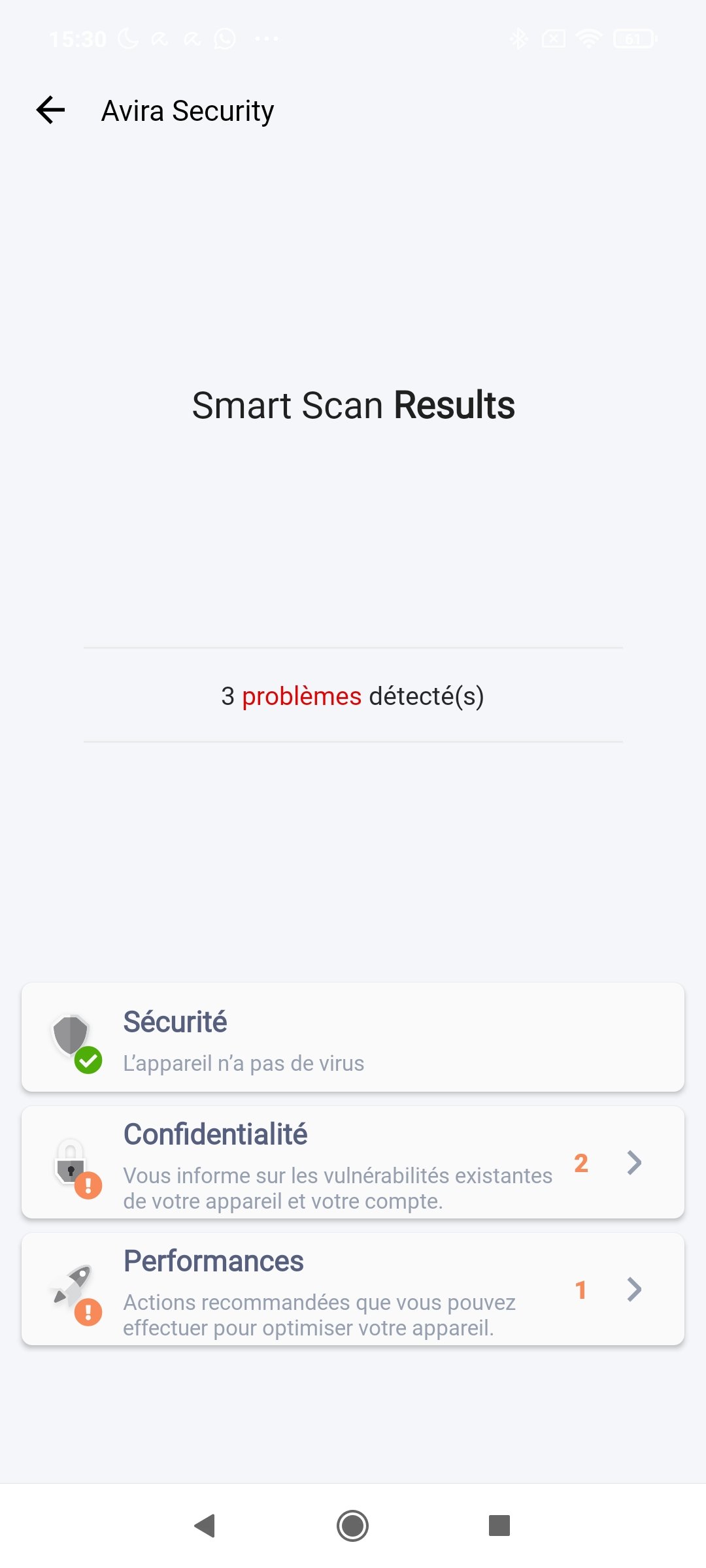

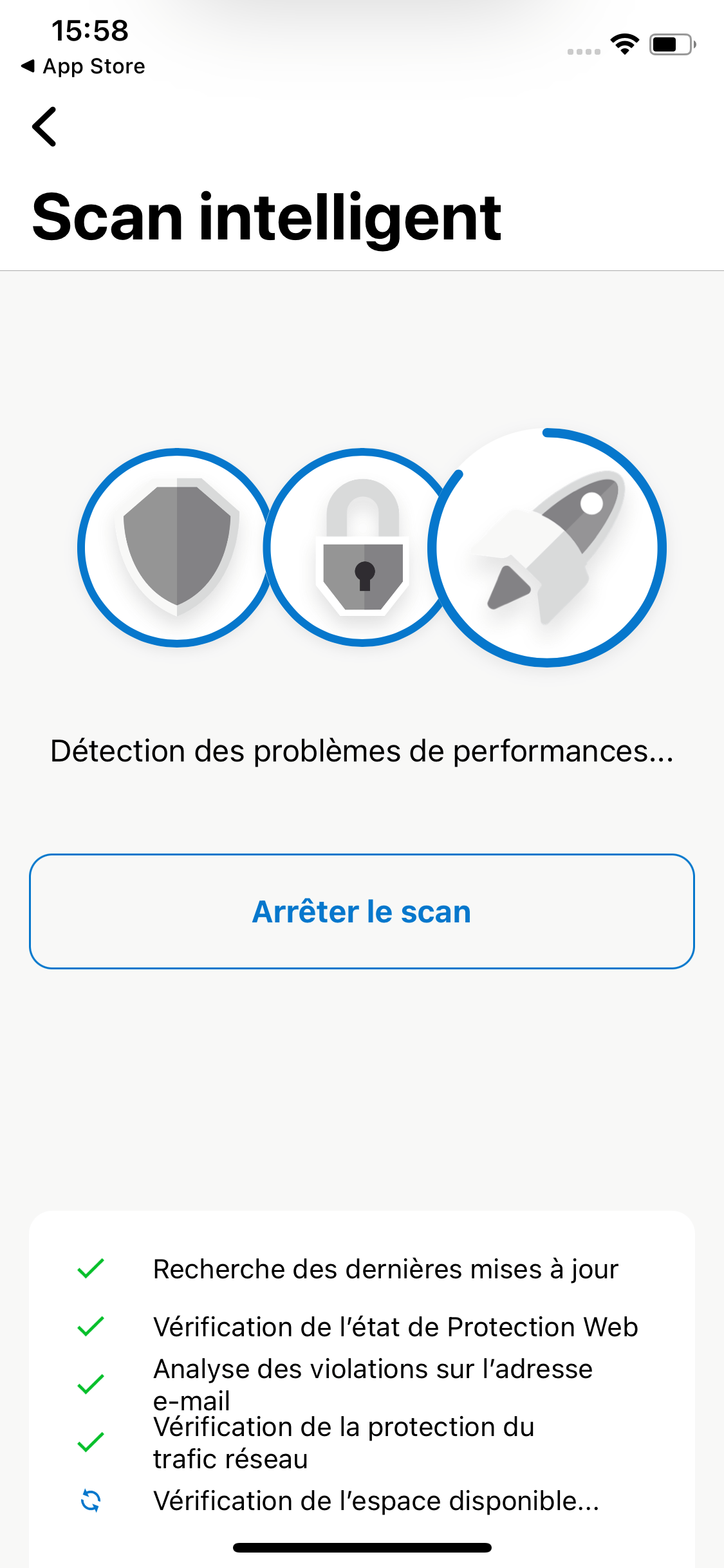
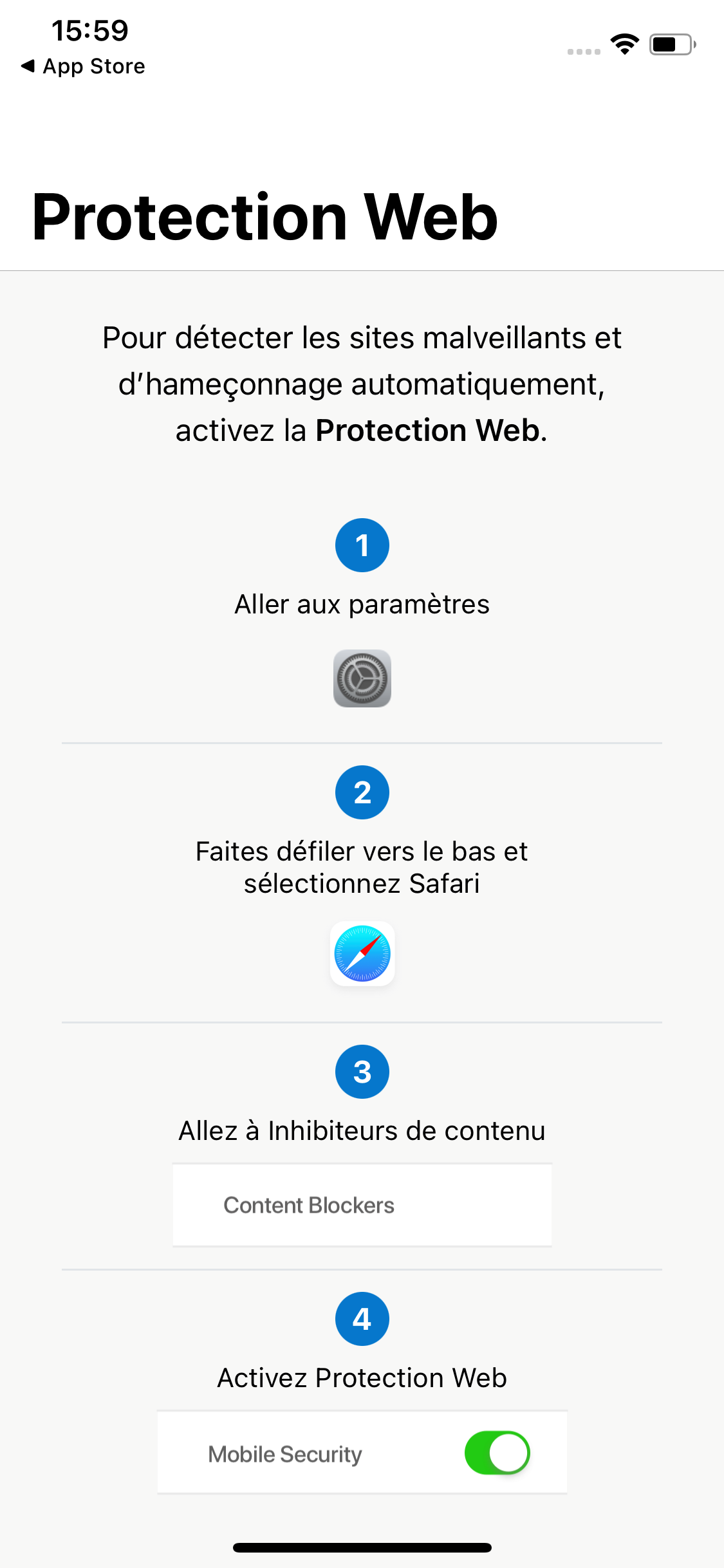
Avira Mobile Security remains one of the most relevant solutions for iOS, despite the obvious limitations of this type of app on the platform. The interface mirrors the Android version, and features such as antivirus scanning or system optimization are not present, as permitted by App Store rules. Nevertheless, it still provides web protection via a Safari content blocker, a profile intended to make Siri conversations more private, as well as features to block unwanted calls and to verify the security of login credentials, aiming to detect address leaks.
What protection does Avira Prime offer?
Windows
How does Avira Prime perform in this edition? On the latest AV-Test benchmarks from April 2023, the solution shows significant progress against zero-day threats with a perfect 100% detection rate on 326 samples. The market average stands at 99.4%. AV-Test also reports a flawless 100% detection rate on 18,870 samples for the online protection measure. In the AV-Comparatives Malware Protection Test from April 2023, Avira ranks among the best, distinguishing between offline and online detection (whether the sample is detected or not) and online protection (the threat is blocked by any means). Avira confirms its strong online detection with over 99% of online threats identified, and it surpasses Avast, Norton, or McAfee in that area while staying ahead of Kaspersky or Bitdefender in some metrics. Overall, in online protection, Avira matches the best by blocking 99.96% of threats. Solid performance.
As with AV-Test, AV-Comparatives notes a tiny flaw in Avira’s ability to block recent real-world threats in its Real World Test (February–May 2023), recording 1 infection out of 519 samples in live conditions. False positives are also noted: 4 in Real World Test and 2 in Malware Protection Test. Avira’s performance is otherwise consistently strong on this metric.
Mac
Avira Security on Mac offers very good protection, as do most antivirus programs on macOS. The market average for Mac detection in the latest Mac-focused test is 100%, and Avira Prime detects all 200 samples in testing, with no reported false positives. The AV-Comparatives latest test shows 99.8% malware detection for Macs.
The score is slightly lower in AV-Comparatives’ Mac test. In the most recent assessment covering February–May 2023, Avira Prime detected 99.8% of Mac malware samples.
AV Test also provides data about the impact of the solutions on macOS performance. The numbers are very favorable, mostly under 3%, except for software installation where it can rise to 8%, a score still notably below the average of tested solutions, which sits around 12%. AV-Comparatives does not publish numbers, but their assessment indicates a significant impact in the past; Avira’s suite earned the Approved label, indicating it does not significantly degrade system performance.
Interface and Usability of Avira Prime
Windows
Last year Avira surprised many by finally delivering a major refresh of its user interface, which hadn’t changed in years. The result is pleasing, with an ergonomically familiar look akin to Avast. The layout hasn’t evolved much over the year, aside from a home screen featuring bolder, more detailed visuals.
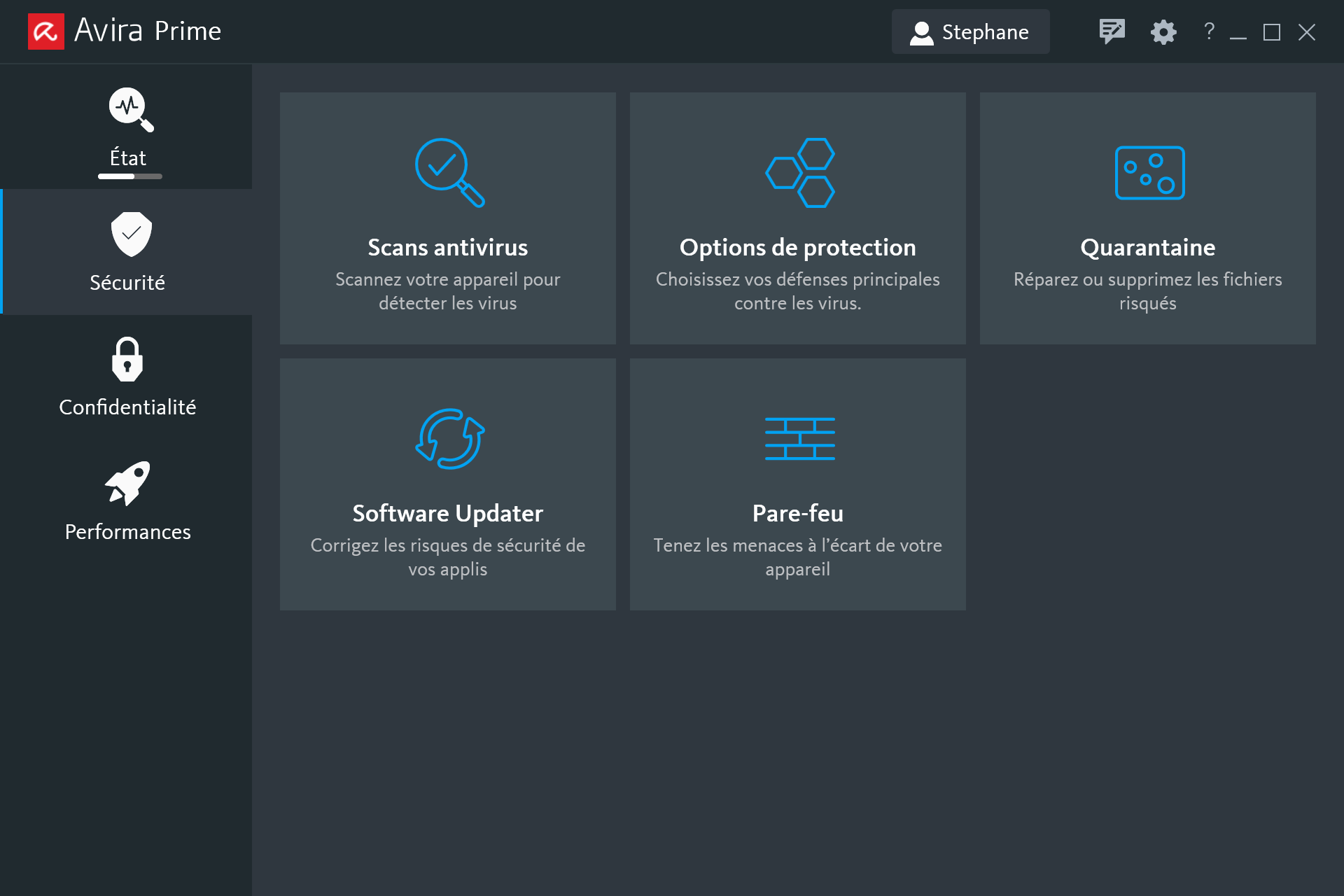
Thus you’ll find all the elements you’d expect, with clearly defined sections (Security, Privacy, Performance), icons that resemble Avast’s style while remaining easily legible, and straightforward user guidance across all sections. They avoid endlessly stacking windows, with the exception of the system optimization features which are essentially shortcuts to Avira Speedup Pro, a separate optimization software from the main interface. In any case, the positive points from before remain, now with improved readability and a touch of touch-friendly sizing for interactive elements like buttons and toggles.
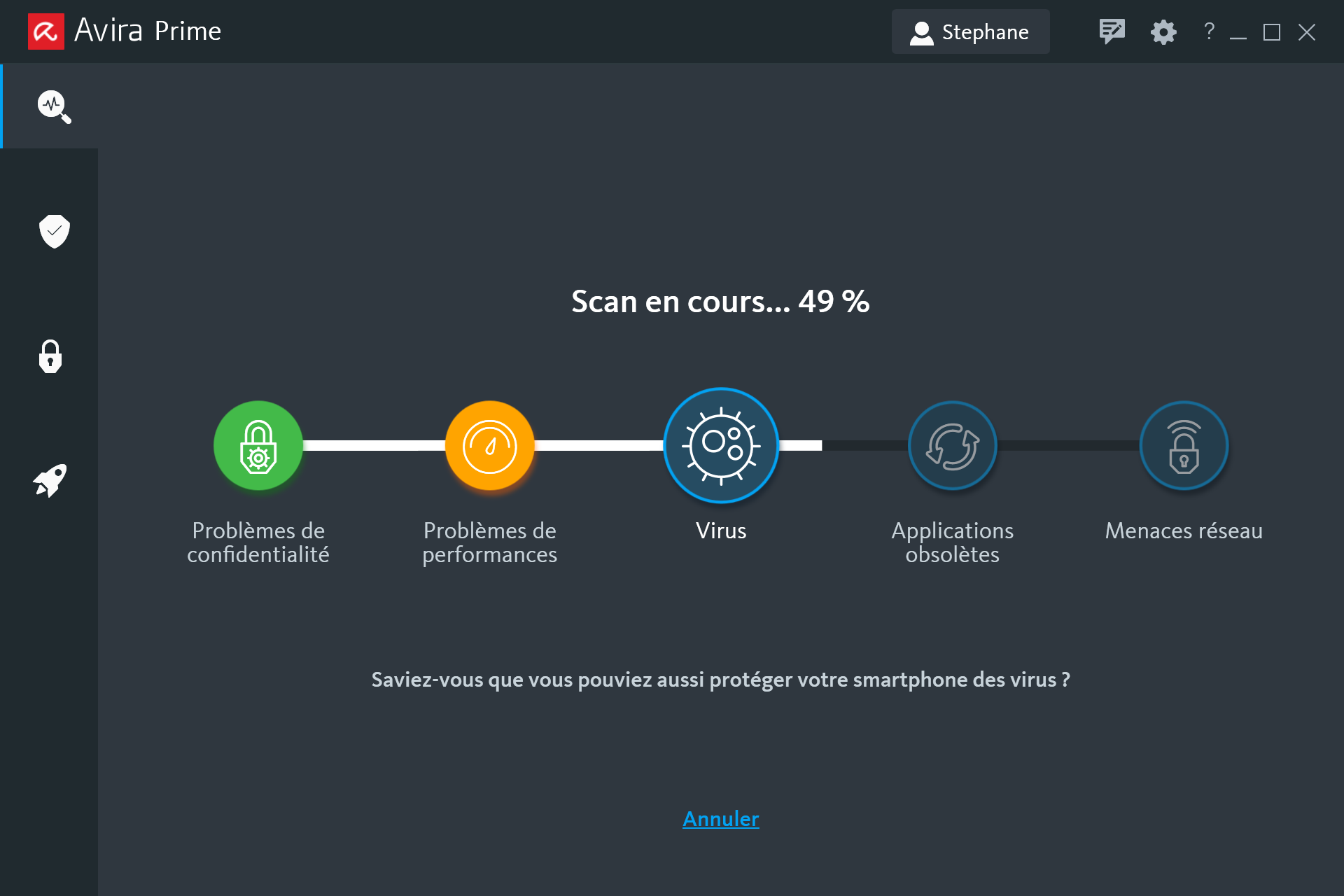
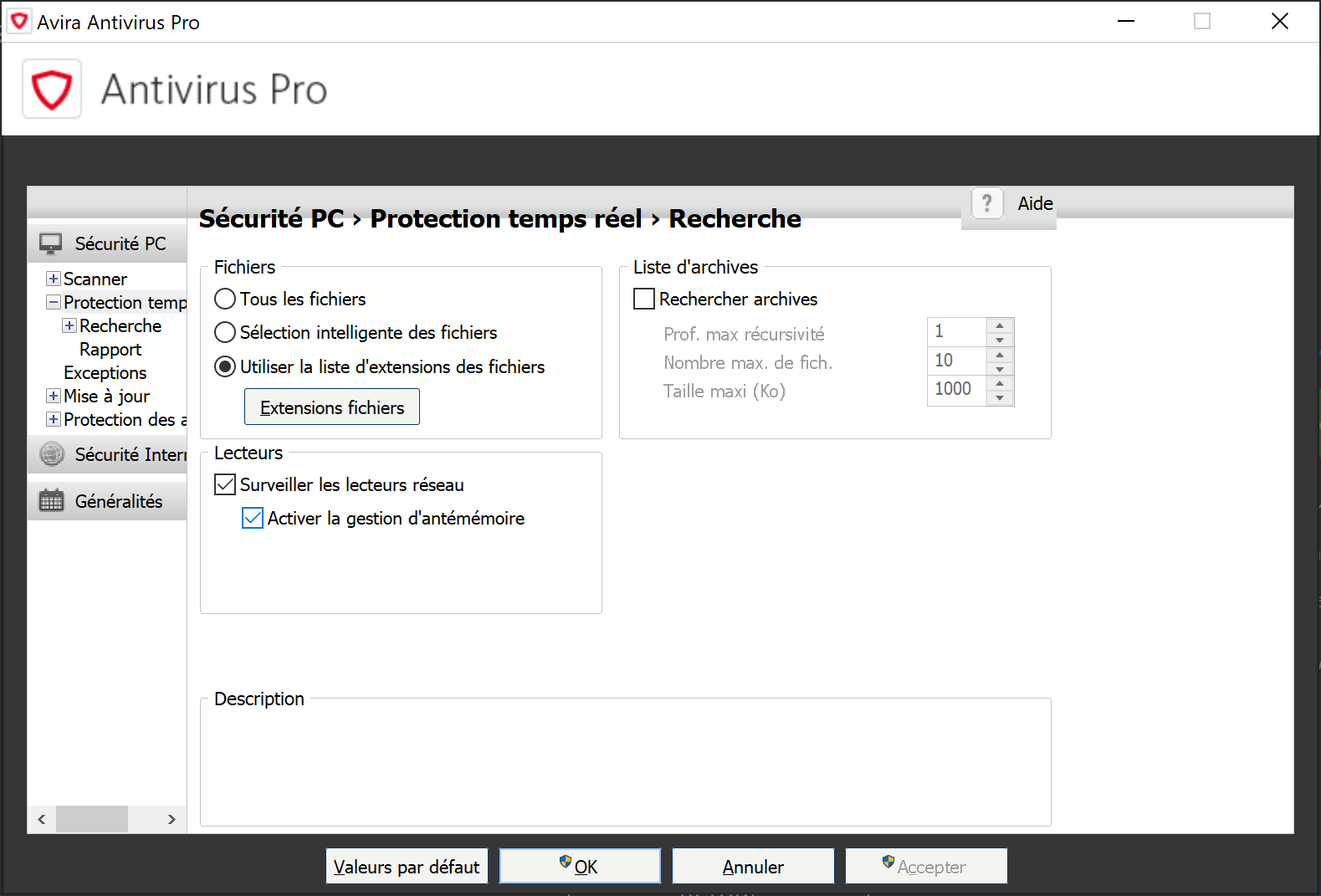
Unfortunately, this lack of evolution shows up across the board and means the antivirus settings have not changed and remain those of the “old” Avira. That could be acceptable to some, given that power users will dig into those settings anyway. In practice, it mainly means Avira hasn’t fixed major display bugs on high DPI screens like the Surface Pro. The same misalignments and truncated menus persist, and you still have to drill into each module’s settings rather than using a centralized, clearly segmented settings hub. Overall, one would expect a more polished approach than this half-hearted refinement, which is rather disappointing.
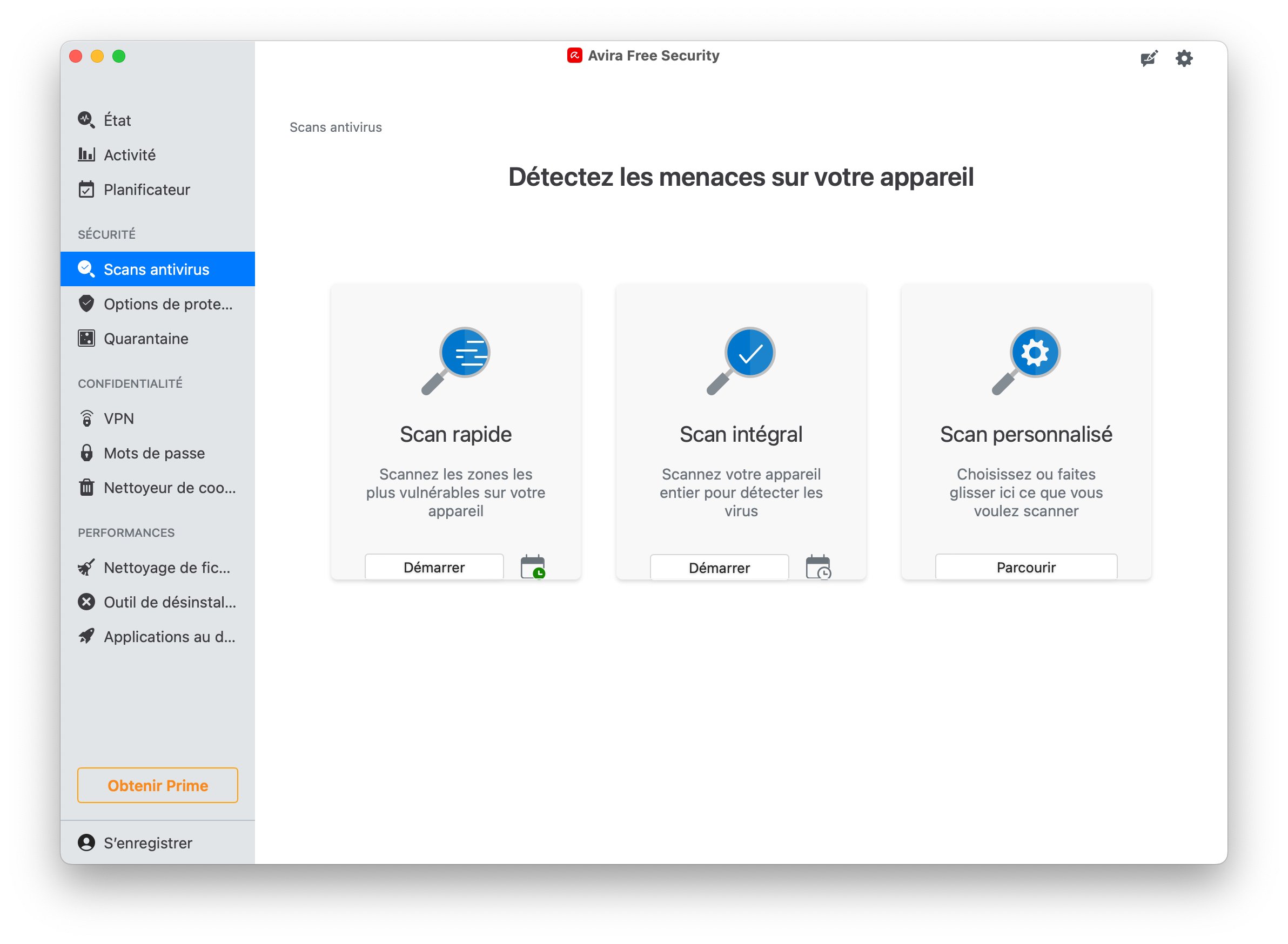
On the Mac side, Avira Prime offers protection that respects macOS conventions and remains a good fit for the platform, including a dedicated real-time protection that scans newly added files and auto-scans connected external drives. This feature is not provided in Avira Free Security. Scans can be scheduled or manual, and a Smart Scan covers antivirus, privacy issues, and performance optimization.
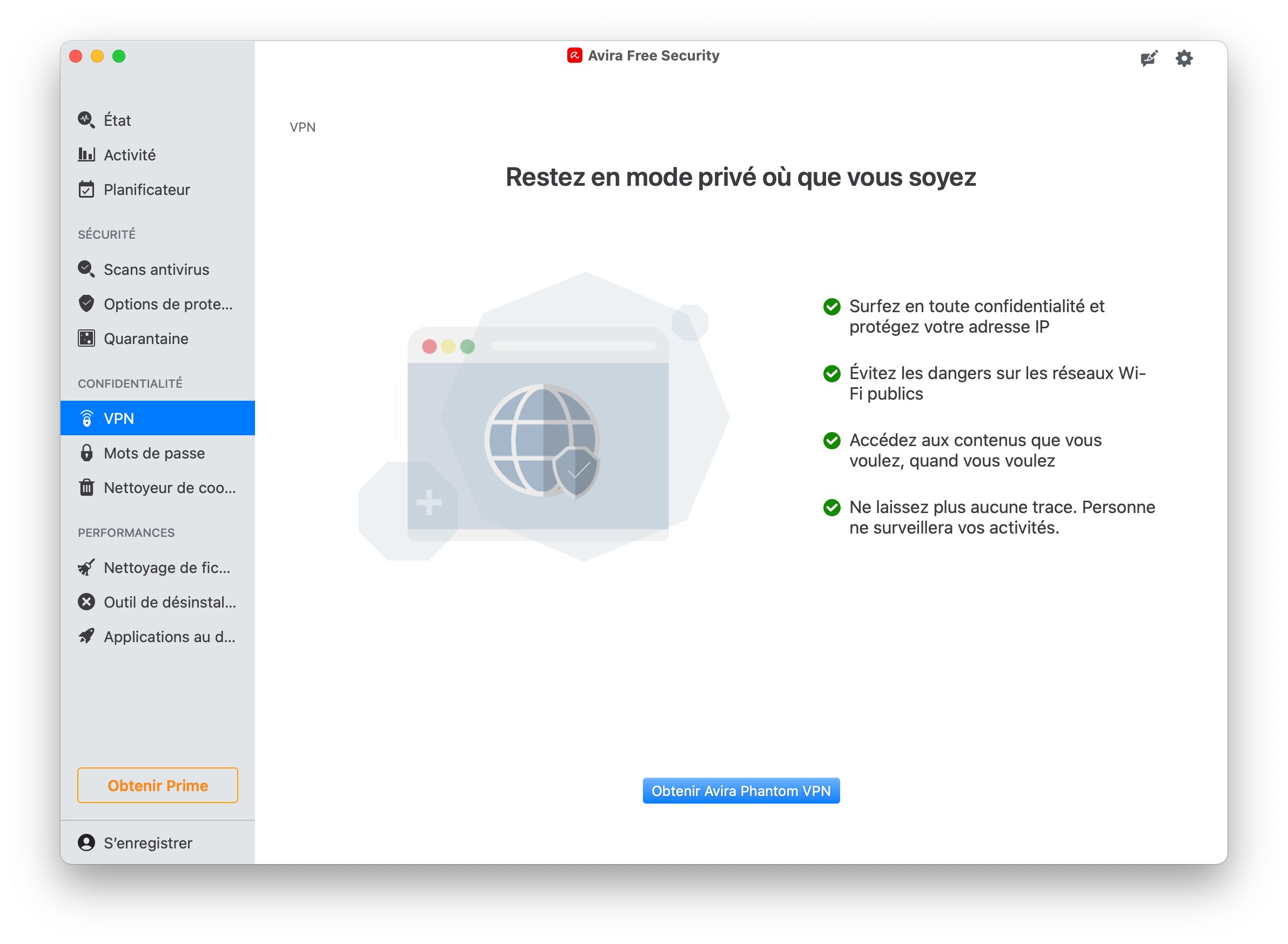
Regarding web protection, the suite blocks trackers and offers two separate modules to manage passwords and to enable the Avira Phantom VPN connection.
The performance optimization features include cleaning up junk files, a “clean uninstall” tool for applications, and a macOS startup manager.
Conclusion and verdict
There isn’t much more to say about Avira Prime; recent updates have been minimal. We appreciate the effort to make the interface more approachable, in the spirit of Avast, but it’s regrettable that this redesign remains incomplete a year later. The features themselves haven’t dramatically changed. Is that a bad thing? Not really, given that they are fairly comprehensive, and the software shows solid effectiveness in its defenses, with at most a minor weakness against zero-day threats. Avira Prime remains a solid overall solution, though it struggles to truly distinguish itself from its competitors.
Avira’s antivirus suite provides excellent multi-layer protection across platforms. The new Avira Prime offering (ranging from €4.95 to €9.95 per month) is available as a no-commitment subscription and may appeal to those who want to pair an unlimited VPN with a complete antivirus suite. By itself, the older Avira Antivirus Pro remains a basic tier that is not on par with leaders like Norton or Bitdefender.
- Cross‑platform coverage you can rely on
- Strong anti-ransomware
- Unlimited Phantom VPN
- PC System Speedup Pro: system optimization tool
- Monthly subscription plan
- Pricing is very high
- Additional features not integrated
- Confusing ergonomics and UI
- Too many notifications
- Difficulties in uninstallation
FAQ
Is Avira trustworthy?
Avira has been on the antivirus market for many years and is widely recognized as a security staple. The company was acquired by Norton LifeLock, which also includes Norton 360 and Avast in its umbrella. Avira is therefore a reliable and well-established antivirus solution.
What is the best Avira version?
Various premium subscriptions are offered for Avira. The cheapest, Avira Antivirus Pro, provides essential security features: browsing and data protection from infected sites, malware scanning, and email protection. This option suits users who want solid protection on a Windows or Mac computer. The next tier, Avira Internet Security, adds a password manager, data integrity checks for users, scans of all received or downloaded files, and automatic software updates for Windows. This plan targets users seeking a broader protection package with extra features. Finally, the highest tier, Avira Prime, adds several features such as a VPN, cross-platform compatibility across Windows and Mac as well as Android and iOS, and more. The choice depends on your protection needs.
How to install a free Avira antivirus?
In addition to its free antivirus versions, Avira offers a free 30-day trial of Avira Prime. To take advantage, visit the publisher’s website, download the software, and enter a payment method. You can cancel the automatic charge before the trial ends to avoid being billed.
Our other antivirus reviews:
- Bitdefender
- Norton 360
- Avast One
- Intego Mac
- McAfee Total Protection
- Kaspersky Premium
- Trend Micro Maximum Security
- AVG Antivirus
- F-Secure TOTAL

Daniel Brooks
I cover everyday products with a practical eye, from kitchen tools and home essentials to smart gadgets and consumer trends. My goal is to help readers understand what is genuinely useful, what is worth the price, and what deserves a second look before buying.