

Bitdefender Total Security is neither the lightest nor the leanest antivirus, but it is still the one that convinces us the most in 2026. Its very solid protection, its low daily impact, and the wealth of its tools allow it to remain at the head of our comparison.
VISITER BITDEFENDER →
Bitdefender: top-tier protection
Bitdefender already offers a free antivirus for Windows. Total Security must justify the subscription beyond malware detection. The Individual plan protects five devices, while Family expands coverage to 25 devices spread across five accounts. A firewall, parental control, SecurePass, protection against scams, and a VPN limited to 200 MB per day per device round out the antivirus protection.
The latest independent results still weigh heavily in favor of this offering. AV-TEST awarded it 18/18 during its May-June 2026 campaign on Windows 11. At AV-Comparatives, Bitdefender blocked 99.5% of threats in its Real-World Protection Test conducted from February to May, with five false positives. The overall performance is good, though the suite isn’t among the lightest across all tasks.
In August, Bitdefender did not roll out a major new feature for Windows. The version 27.0.62.352, released on August 20, fixes several stability issues and repeated notifications related to the webcam or firewall. The unlimited VPN and Scam Protection Pro still require Premium Security to access.

The main features of Bitdefender
Bitdefender was among the first security solutions to combine multiple approaches for threat protection, and it continues to do so with modules that lean on proactive defense and artificial intelligence to detect malware that isn’t yet listed. Even though Bitdefender also uses cloud-based feedback, this enables the antivirus portion to be effective online as well as offline, as demonstrated in the AV Comparatives test.
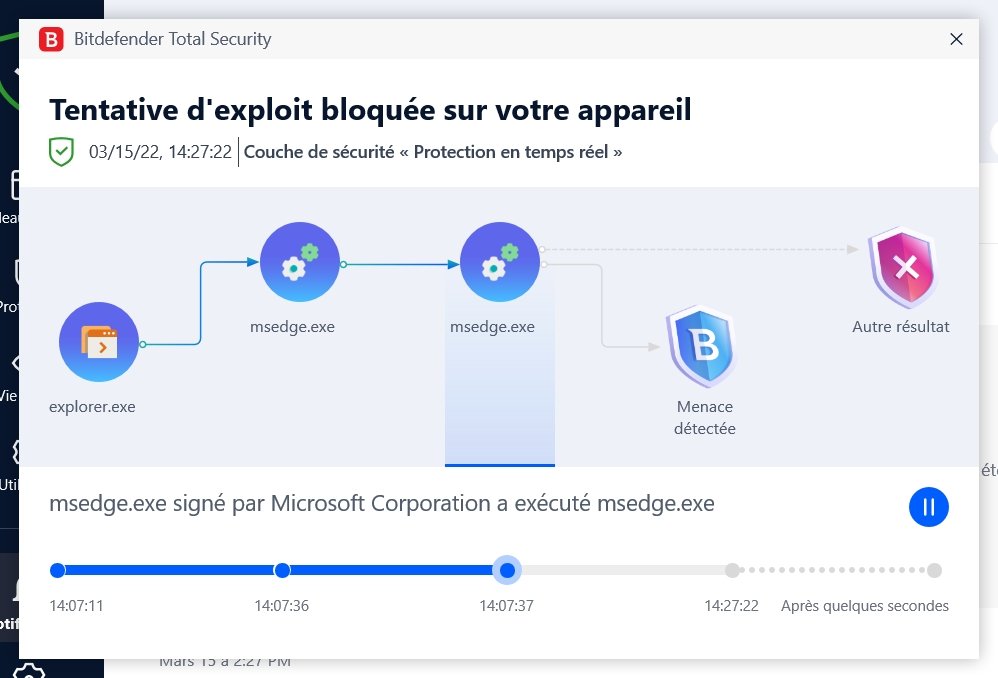
A novelty appears: in case of an attack, you can view a timeline of the infection sequence that traces all steps of the malware’s execution, in the form of a small animated infographic. It is quite well designed and educational, even if the explanations sometimes spill beyond a resizable window.
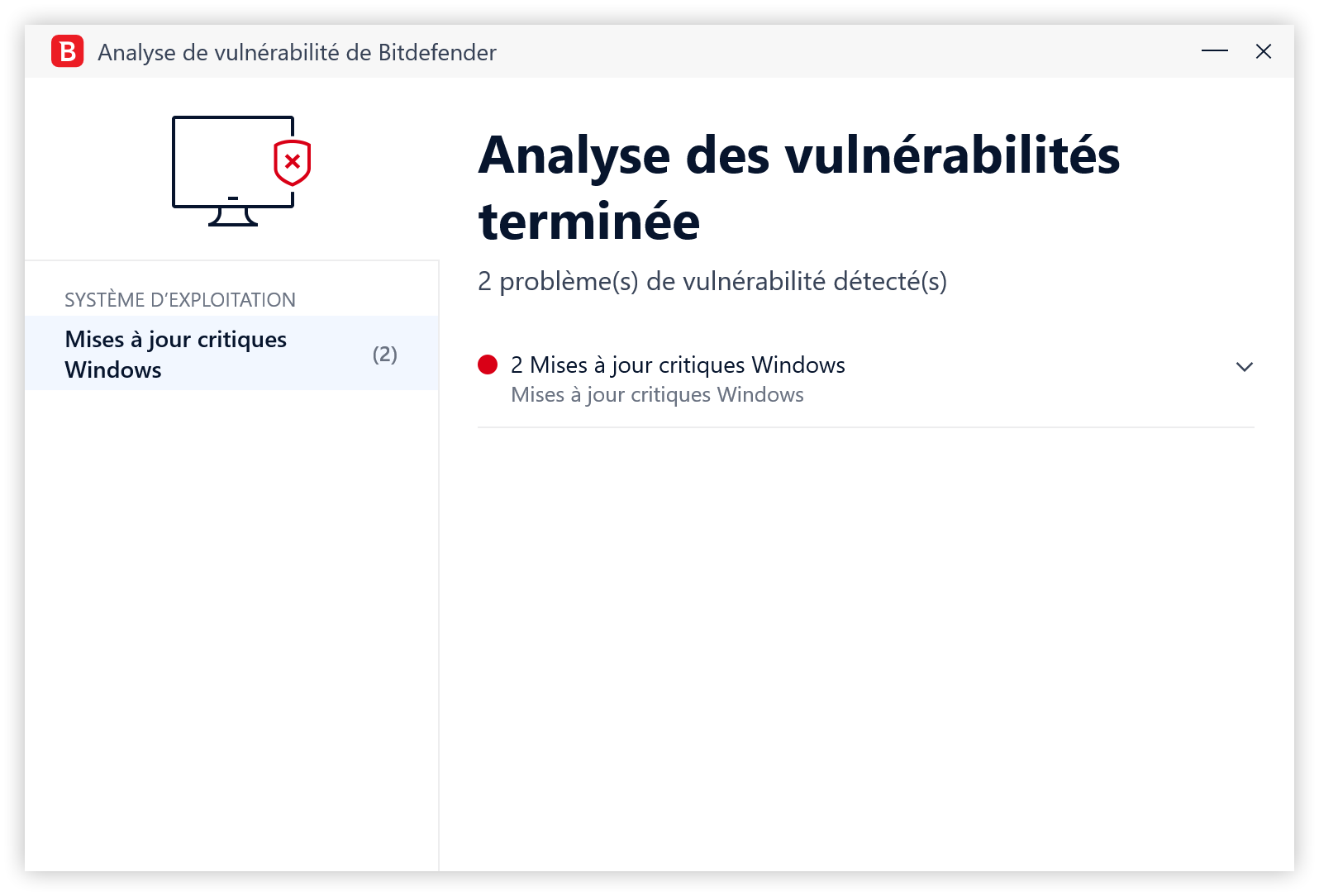
Beyond basic antivirus protection, Bitdefender offers robust security modules, including ransomware protection with automatic data remediation and monitoring of sensitive locations to detect fraudulent behavior. The vulnerability protection model is also a standout, analyzing Windows system, third-party software and plugins, and the network for missing updates, outdated software, or misconfigurations. The information and recommended actions are clear and the recommendations appeared most of the time relevant. It’s also in the vulnerabilities module that you’ll find a Wi‑Fi network hardening tool, which lets you visually identify nearby networks, assess their security level, and add one or more home or corporate networks.
The SafePay browser is still present and can launch automatically whenever you visit a site Bitdefender flags as sensitive, such as banking sites. It’s a good idea on paper, but in practice, the isolated desktop environment can feel a little off-putting, and you also sometimes see a smartphone user agent being detected, causing occasional mobile-website rendering.
The main protection modules:
- Anti-malware: protection against viruses, spies, trojans, worms, bots…
- Ransomware protection with behavioral analysis and remediation
- Protection against zero-day attacks
- Cloud and machine learning-based detection
- Social network analysis
- Anti-phishing
- Secure banking site navigation
- Anti-spam
- Wi‑Fi protection
- Firewall
Additional features
In addition to threat protection, Bitdefender Total Security offers a fairly comprehensive set of add-on features, though the modules are not all of the same quality. Overall, the features are focused on privacy protection and performance optimization.
The privacy side includes modules that can be quite relevant, but don’t always stand on their own. Thus, the Bitdefender VPN has a fairly practical interface and relies on the Hotspot Shield network. However, unlike Norton 360, Bitdefender only includes a very limited plan at 200 MB per day. The idea is understandable: it’s for anonymous browsing, not for downloads or streaming, but it remains a bit limiting. On the feature side, we do appreciate the addition of a Kill Switch that cuts Internet access if the VPN is turned off.
Bitdefender Total Security now includes SecurePass, the password manager that replaced Bitdefender Password Manager. The latter was definitively discontinued on June 15, 2026 and is no longer accessible.
Available on Windows, macOS, Android and iOS, SecurePass lets you store, generate and auto-fill credentials. It also supports secure sharing and flags compromised, weak, old, or reused passwords.
People whose subscription already included Bitdefender Password Manager have received SecurePass at no additional cost. The service remains separate from the antivirus app and is accessed via a browser extension or a mobile app.
On performance optimization, Bitdefender offers a fairly effective cleaner, but again, the interface is a bit tight in a small window and could benefit from more details on what is being cleaned.
Bitdefender on macOS
Bitdefender Antivirus includes a much more limited set of features compared with what exists for Windows, with a real-time analysis module that does not appear to use Advanced Threat Protection and system analysis options are kept to a minimum. That said, ransomware protection is present and guards sensitive folders (with the option to add more) as well as Time Machine backups. Two browser extensions are available: Traffic Lights, which analyzes the websites visited and the search results to alert to potential danger, and Bitdefender AntiTracker, which provides a tracker-blocking tool similar to Ghostery.
- mood30-day trial
- devices3 to 10 devices
- phishingAnti-phishing included
- local_atmAnti-ransomware included
- groupsParental control included
- Excellent features/value relation of the subscription
- Faultless service effectiveness
- Minimal impact on performance
- Very easy to manage from the web console
- A somewhat too consumer-facing interface
What protection does Bitdefender provide?
Bitdefender remains very well placed in the latest independent evaluations. At AV-TEST, Bitdefender Total Security 27.0 earned the maximum score during the May-June 2026 campaign on Windows 11, with 6/6 for protection, 6/6 for performance, and 6/6 for usability.
The suite blocked 100% of zero-day attacks used by the lab in May and June, as well as 100% of the widely spread malware in its reference set. AV-TEST did not report any false blocking of sites, software, or legitimate actions during this campaign.
A top performance score does not mean Bitdefender is imperceptible on all PCs. The lab measured a 22% slowdown when installing software on the standard configuration and 13% on the high-end machine. These results remain below the respective averages of 30% and 15%, but confirm that the suite can be somewhat more noticeable during heavy operations.
At AV-Comparatives, the Real-World Protection Test conducted from February to May 2026 also places Bitdefender in the top tier. The product blocked 398 threats out of 400, a 99.5% protection rate, with five false positives.
The Malware Protection Test from March 2026 yields a protection rate of 99.94% over 10,000 samples and four false positives. Bare-bones detection, online and offline, reaches 97.6%. Bitdefender earns the Advanced+ label in this evaluation.
Phishing protection is solid without dominating AV-Comparatives’ dedicated test. Bitdefender blocked 87% of the 275 fraudulent addresses used and did not trigger any alerts on the 200 legitimate banking sites in the panel, earning the 2026 certification.
Performance calls for nuance. In the April 2026 test, Bitdefender still received the Advanced+ label but finished ninth out of twenty with an impact score of 9.6. The suite remains fast for most common tasks, though not among the lightest products in the ranking.
On Mac, the results already presented in this review remain accurate. Bitdefender Antivirus for Mac 10.3 earned 18/18 from AV-TEST in March 2026. AV-Comparatives credits it with 99% protection against Mac malware and 100% against Windows threats used in its test.
Bitdefender also proves highly effective on Android. In its Mobile Security Review 2026, AV-Comparatives reports a 100% protection rate on over 3,000 malicious apps, with two false positives among 500 legitimate apps.
The overall record remains very favorable. Bitdefender does not win every metric and its impact can be felt on Windows during the heaviest tasks, but the suite combines excellent protection, few false positives, and strong results on both desktop and mobile.

“Chaque attaque bloquée est une victoire, peu importe le logo affiché à l’écran” – Interview Bitdefender
Interface and ergonomics of Bitdefender
For an antivirus, the ideal interface must suit two very different user groups: seasoned technophiles who know exactly what they are doing with their device, and complete beginners for whom antivirus should primarily be a safety net. This implies having both complexity in the features and settings offered, while remaining accessible, didactic, and not overly intimidating for the general public. It’s no small feat, and many software fall into one extreme or the other, sometimes changing approaches to woo a broader audience, a critique we could level at Avast’s recent editions, for instance. And while Bitdefender Total Security’s interface hasn’t changed much since our last comparison after a mild visual refresh, it still manages this balancing act fairly well, always benefiting from its Autopilot mode that provides recommendations to the user on the home screen. It cannot be disabled, which is regrettable for experts, especially since it limits customization options for this home screen, which by default offers quick access to quick scan or full scan, the VPN, and the SafePay secure browser to perform banking transactions in an isolated environment.
Normally, for most users, there is no need to venture beyond this screen that centralizes all the main features. By keeping the default access and relying on the Autopilot widget’s recommendations and the suite’s automatic decisions, Bitdefender Total Security can be used daily without ever visiting the settings.
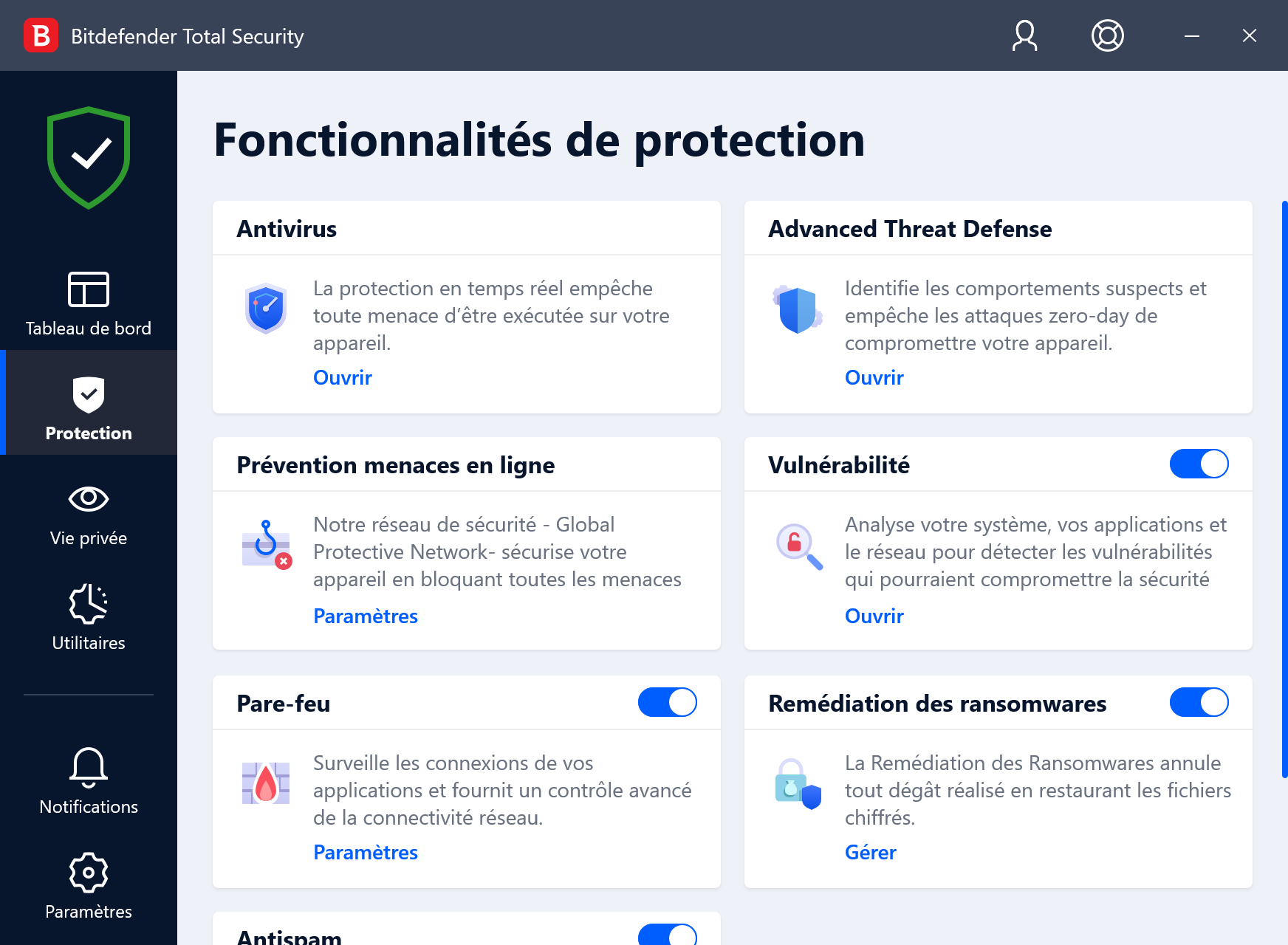
The latest visual update to Bitdefender introduced a small change we’re somewhat divided on, as it breaks the balance described above. To be more approachable for the general public, the publisher reorganized the various sections (Protection, Privacy, Utilities…), added color to visuals, and used the space to provide explanations about the role of the different modules. A very good point for strengthening the educational aspect of the app and guiding beginner users. This is also done well by Avast’s antivirus. And it indeed makes the software less complex, perhaps even mysterious to the general public. The issue is that this approach comes somewhat at the expense of “power users,” who in editions prior to 2021 had direct shortcuts to specific features, and those features are now tucked behind “Open” or “Settings” buttons. In short, it adds clicks to perform the same actions, and what is an improvement for one user type is a step back for another.
However, one small change bothers us. Previously, in the Protection section, for example, you could directly access actions for the different modules such as the antivirus, firewall, or Advanced Threat Defense. A bubble would explain what the feature did for beginners. Now, these actions are always hidden behind a single “Open” or “Settings” link, and space is now taken up by feature descriptions. This is certainly more readable and informative for novices, and we can applaud Bitdefender’s effort to make the software accessible. But power users may lose a bit and will need to perform an extra click to access their actions.
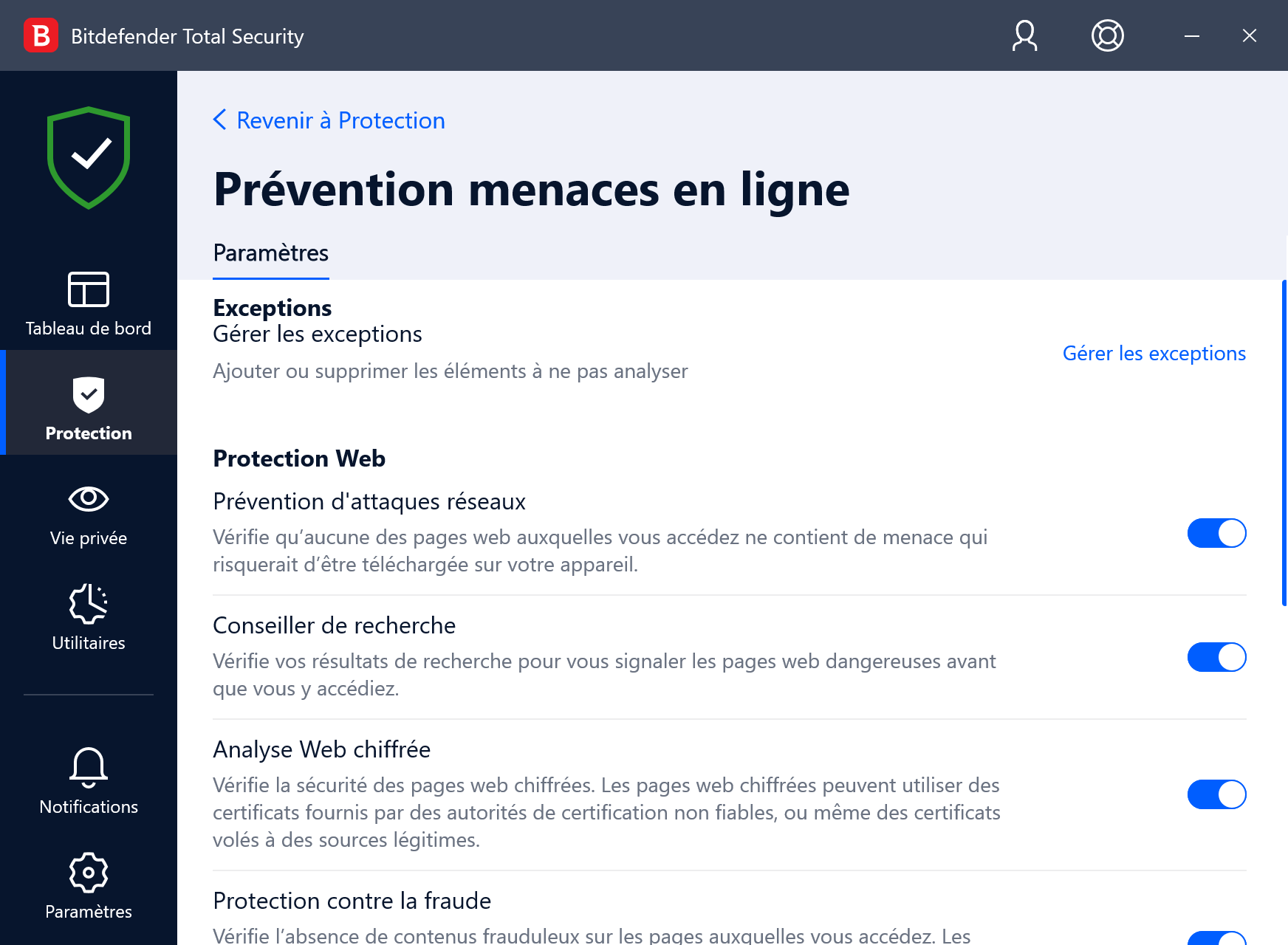
Overall, Bitdefender proves to be fairly unobtrusive in daily use, with few alerts interrupting the user’s flow. One exception is a bit irritating without being easily silenced: the switch to a “Work” profile that kicks in when you run an application such as Adobe Creative Cloud.
The Mac interface sits in line with the Windows version, though more like the pre-last visual refresh. That said, changes are mostly cosmetic, so the difference isn’t of great practical importance.
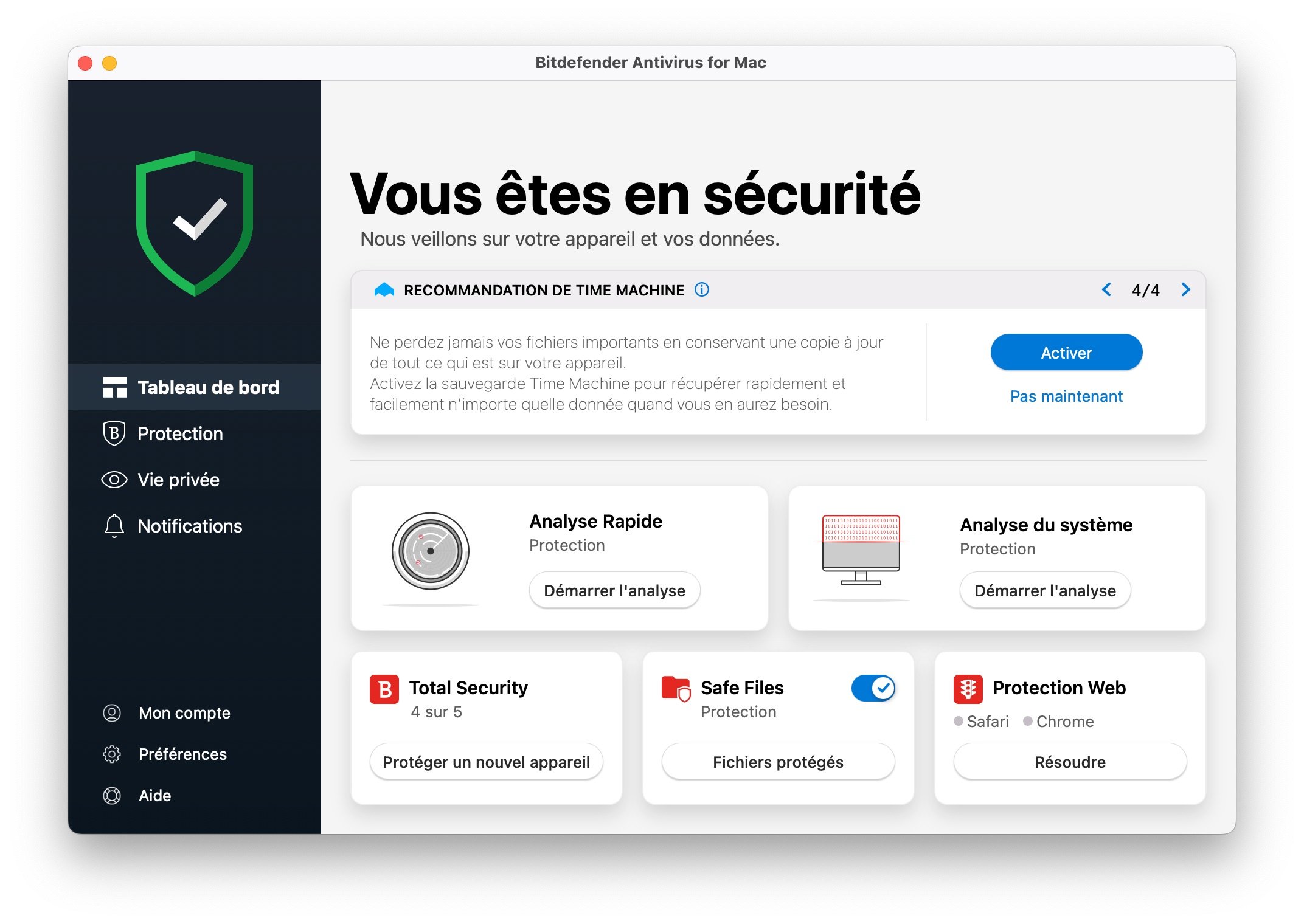
Bitdefender for Mac remains pleasant to use, readable, and understandable even for a non-expert user. On Mac, where users may be more inclined to neglect protection for their computer, the didactic aspect of the display and its guidance can be useful, and Bitdefender provides a good balance that won’t annoy seasoned users who don’t need step-by-step handholding.
Bitdefender plans, pricing, and cost
Is Bitdefender free?
Bitdefender is not free. However, a 30-day trial is offered for download. A free Bitdefender option, called Antivirus Free, is available for Windows PCs, but its features are reduced to the essentials.
Bitdefender Total Security
Bitdefender Total Security is now offered in two plans. The Individual plan protects up to five devices across Windows, macOS, Android, or iOS. The Family plan extends coverage to 25 devices spread across five Bitdefender Central accounts.
Both subscriptions include antivirus, parental control, Windows firewall, optimization tools, and a VPN limited to 200 MB per day per device. The choice thus mainly depends on the number of people and devices to protect.
Bitdefender Antivirus Plus
Available on Windows PCs only, Bitdefender Antivirus Plus provides real-time protection against viruses and ransomware on Windows, along with fraud and phishing blocking during purchases and online navigation. It also includes a VPN limited to 200 MB per day.
After a 30-day free trial, Bitdefender Antivirus Plus is available for 1 to 10 devices from €19.99 and up to €59.99 for the first year.
Currently Bitdefender is running a promotion for Antivirus Plus for 3 devices at €16 per year.
Bitdefender Internet Security
Like Antivirus Plus, Bitdefender Internet Security is only available for Windows. It includes the Bitdefender Total Security features, except for device optimization.
Bitdefender Internet Security protects up to 3 Windows devices and, after a trial month, is billed at €24.88 per year. However, as with the previous two plans, the publisher is currently applying a discount bringing it to €25.49.
Bitdefender Premium Security Plus
Bitdefender Premium Security Plus takes the protections of Total Security and SecurePass, then adds an unlimited data VPN and Digital Identity Protection. The plan covers up to ten devices across Windows, macOS, Android, and iOS.
Conclusion and verdict
Even though it has evolved little lately, Bitdefender Total Security remains among the best security solutions for a Windows-powered computer, if not the best. Its bet on offering a very complete feature set while maintaining ease of use is largely successful, despite interface changes that tilt a bit too much toward novices, which makes us regret the previous version a little.
Bitdefender continues on the same track as previous versions with consistently reliable effectiveness. To detect and block every type of threat from the Internet, the suite performs flawlessly. No false positives to report, and it has no significant impact on Windows performance. The software protects your computer without fail, then. The Bitdefender suite is also available on macOS, iOS, and Android.
- Excellent feature/value ratio of the subscription
- Efficacy of the service is flawless
- A somewhat too consumer-facing interface
FAQ
Is Bitdefender a good antivirus?
For several years, Bitdefender has topped our ranking of the best antivirus products. All independent laboratory evaluations consistently confirm that the antivirus is one of the best security software available on the market, and also among the most effective, with high success rates in malware protection. It also offers numerous additional tools, such as a VPN, advanced protection against Internet threats and trackers, and parental control.
What is the difference between Bitdefender Internet Security and Total Security?
Total Security includes additional features compared to Internet Security. For example, Total Security offers a PC optimization feature that cleans the computer to improve performance. An anti-theft system is also included, gathering several tools that can be accessed remotely if devices are lost or stolen. Finally, Internet Security is only available for Windows PCs, while the pricier Total Security is also available for macOS and as apps for iOS and Android.
How to download Bitdefender for free?
For each edition of the antivirus, a 30-day trial is offered on the publisher’s website. It can be used without entering banking information, but you must create an account. If you don’t want to spend a penny on PC or Mac protection, you’ll likely find your happiness among our selection of the best free antivirus options on the market.
ℹ️ Our Bitdefender guides and tutorials
- Bitdefender: how to install the antivirus on your devices
- Bitdefender: how to configure the antispam tool?
- Bitdefender: how to configure the Firewall?
- Bitdefender: monitor your data with Digital Identity Protection
- Bitdefender can manage your passwords, and here’s how to do it
- Bitdefender: how to leverage the antivirus tools
- Bitdefender: how to configure Anti-theft?
- Bitdefender: how to set up parental controls?
- Bitdefender: how to configure the VPN?
- Bitdefender: effectively configure protections
- Bitdefender Premium Security Plus: how to use the key features
Nos autres avis sur les Antivirus :
- Norton 360
- Avast One
- Intego Mac
- McAfee Total Protection
- Kaspersky Premium
- Trend Micro Maximum Security
- AVG Antivirus
- F-Secure TOTAL

Daniel Brooks
I cover everyday products with a practical eye, from kitchen tools and home essentials to smart gadgets and consumer trends. My goal is to help readers understand what is genuinely useful, what is worth the price, and what deserves a second look before buying.