
Dropbox is one of the most recognized online storage services worldwide, and for good reason: its ease of use is immediate and cross-device file synchronization is excellent. Yet, with data privacy in the spotlight, certain platform limitations deserve attention. Is Dropbox still worth it in 2026? Here’s a look at the situation.
- mood2 Go of free space
- storageNo paid storage
- upload100 MB limit on sends
- home_pinServers in Europe
As expected for a service with a long history, Dropbox remains a standout in terms of usability and cloud performance, while continuing to evolve its feature set to keep pace with modern needs. However, for individuals sensitive to price or privacy, alternatives like pCloud, MEGA, or Proton Drive deserve consideration.
Dropbox Overview
Founded in San Francisco in 2007 by Drew Houston and Arash Ferdowsi, Dropbox formally launched in 2008 during TechCrunch 50, the US tech showcase. In a bit of history, Drew Houston supposedly conceived the storage service after repeatedly leaving his USB key at the office while studying at MIT. Although a few rivals existed at the time—such as Microsoft SkyDrive (now OneDrive) and Box.com—these were often single-platform, slow, and fairly cumbersome to use.
Quite the opposite of Dropbox, whose operation proved fluid and simple from the start. This did not escape Steve Jobs, who allegedly dreamed of integrating it into Apple’s ecosystem. Rumor has it the iconic Apple chief offered as much as $800 million to acquire the young startup in late 2009, but the founders categorically refused. They were right to do so, since the company was already valued at over $4 billion by 2013 and around $5.9 billion today* (*source: NASDAQ).
Dropbox’s success has never waned since its inception. Present in 180 countries, the San Francisco-based company claims over 700 million users, 18 million paying customers worldwide, and annual revenue above $636 million. Continuously evolving, the storage service now offers an entire ecosystem brimming with tools for online communication, sharing, and collaboration. It notably launched Dash, the contextual AI for search, last year to improve the search experience for its users.
Infrastructure and Security
Over the years, the California company has built its own network infrastructure and would store more than 90% of user data on its own secure servers. The only drawback is that these servers are located in data centers in the United States. Practically, that means Dropbox is subject to restrictive US laws such as the Patriot Act or Cloud Act. These laws allow government surveillance agencies to access user data with little or no notice to the user. A point to consider with all Uncle Sam cloud services for those who care about data privacy.
To reassure its European business customers, Dropbox has offered since 2016 the option to host their data in EU-based data centers. It remains to be seen whether this localization genuinely helps to dodge American law…
If Dropbox has always been known for performance and leading synchronization technologies, its security has not always kept pace. Between 2011 and 2016, the service suffered several major security breaches that exposed tens of millions of credentials. The company appears to have gotten things under control since, and it was certainly overdue.
All files stored on Dropbox are encrypted with AES-256 and protected during transmission by SSL (Secure Sockets Layer). The service also offers two-factor authentication with a security code delivered via SMS or an authentication app. Beyond being US-based, Dropbox isn’t exactly a champion of privacy.
Unlike pCloud or MEGA, Dropbox previously did not offer end-to-end encryption for its users. The situation has partly evolved: Advanced plans now let users create end-to-end encrypted, zero-knowledge folders, meaning Dropbox cannot access their contents. However, this advancement remains limited to professional teams: individual subscribers (Plus, Essentials) still do not receive this enhanced protection, and Dropbox holds the decryption keys for their files.
End-to-end encryption: what Dropbox really protects
The AES-256 encryption Dropbox touts protects data at rest and in transit, which is the industry standard. Dropbox holds the decryption keys to your files. This means the company can technically access your data, particularly under legal constraints (US Patriot Act, Cloud Act). Unlike services such as MEGA or pCloud Crypto, Dropbox does not offer zero-knowledge encryption for individuals.
Professional exception: Advanced plans now include end-to-end encryption for selected team folders, meaning even Dropbox cannot decrypt the contents of those folders in this case.
GDPR note: Dropbox’s servers are largely in the United States. However the company explains that “for Dropbox users who meet defined criteria, storage servers are available in Australia, the European Union, Japan and the United Kingdom.” This reduces some regulatory risks but does not completely exempt from US jurisdiction, as Dropbox remains an American company. For organizations subject to strict data sovereignty requirements, this warrants careful consideration.
Features
Compatible with the major platforms (Android, iOS/macOS, Linux, Windows…) and accessible from any web browser, the service offers one of the most comprehensive cross-platform coverages on the market. Registration only takes a few minutes: provide a name, an email address, and a password, then verify the provided email. Once the account is created, simply download the client for your devices. Since 2019, the free accounts have been limited to three devices simultaneously.
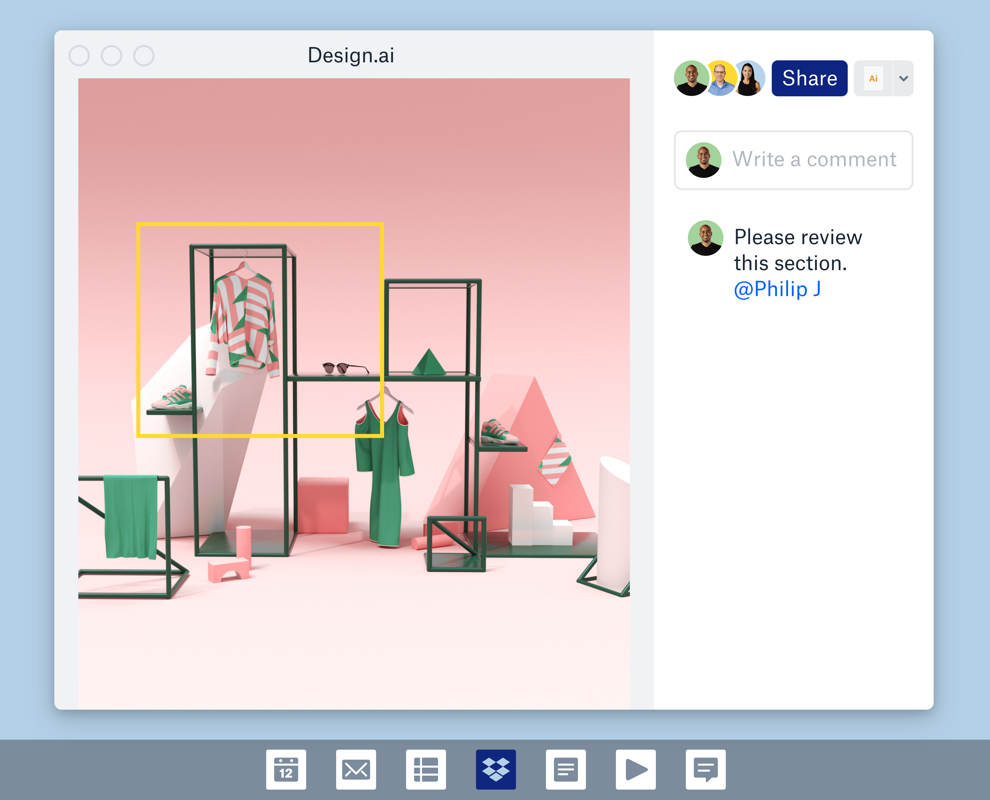
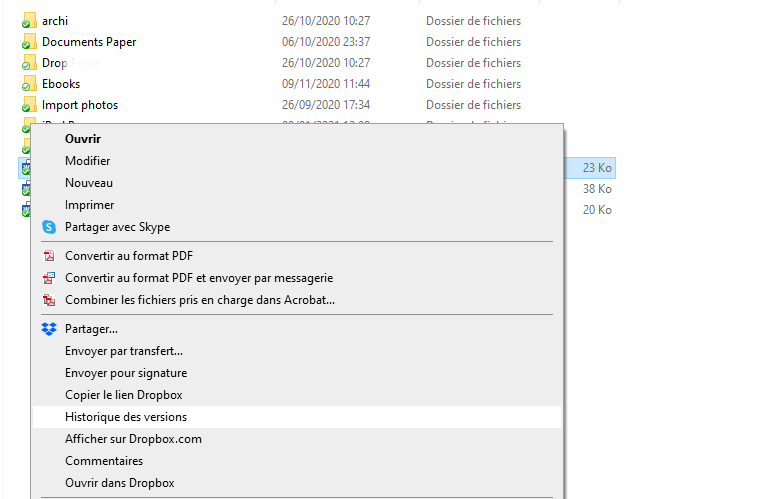
The service includes numerous handy features: Version History to recover earlier versions of documents or folders (30–180 days depending on plan), and File History to restore accidentally deleted files (30–180 days). Sharing and collaboration are highlighted with the ability to create Shared Links. On Windows, for instance, right-click a file, choose “Copy Dropbox Link,” and share it via chat or email. The recipient simply clicks the link to download the file, even without a Dropbox account.
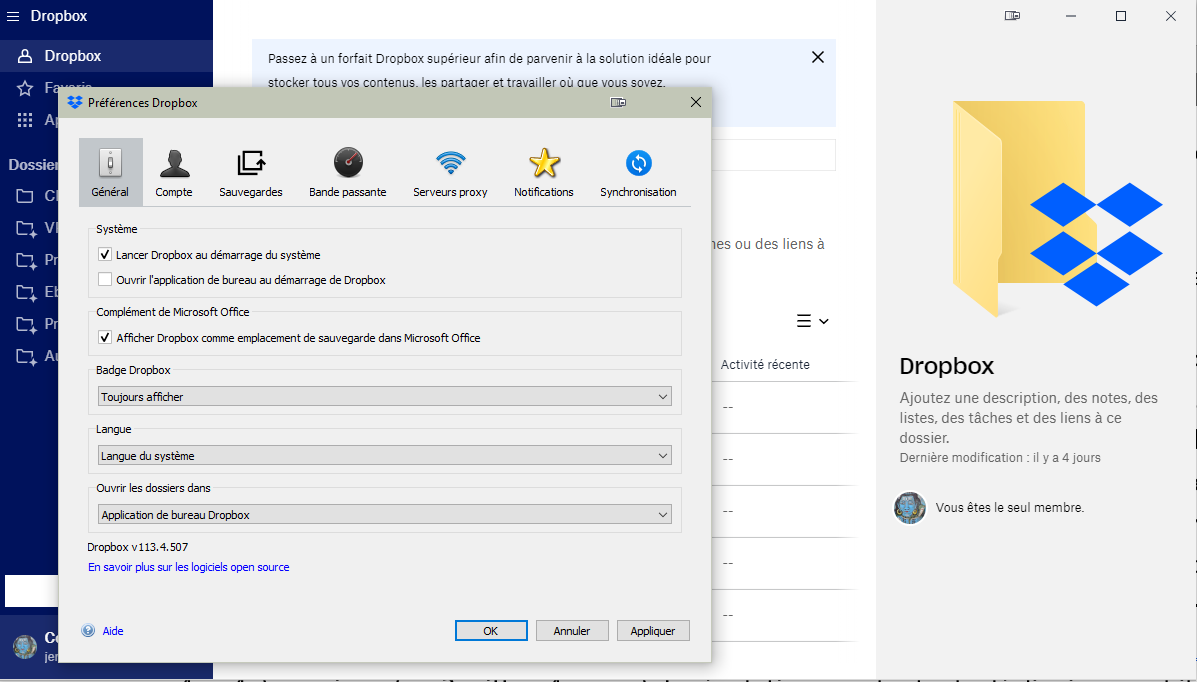
Dropbox also provides a desktop client tool to automatically back up your computer’s contents, but it is unfortunately quite limited. Accessible through the Preferences menu, it only syncs folders on the primary hard drive… a major drawback compared with players like pCloud or MEGA that do not impose such restrictions.
Dropbox and Artificial Intelligence: a strategic shift
Last year, Dropbox repositioned toward AI with the launch of Dash, its intelligent search assistant. Dash helps locate files, emails, or links scattered across connected apps (Google Drive, Slack, Notion, etc.) via a unified search interface. The stated goal: become the central hub of professional information, not just a storage space.
In practice, Dash is still under development and its integration varies by plan. It is included in the Dash for Teams and Dash for Business plans. The added value is real for teams juggling multiple tools, but it remains limited for individual users whose needs focus on file synchronization.
Dropbox has also acquired Reclaim.ai for smart time management, and continues to enrich its App Center with connections to third-party AI tools. This strengthens its productivity positioning, even though the platform lacks a native document editor comparable to Google Docs or Microsoft 365.
The AI push is notable but still not enough to rival Google’s or Microsoft’s collaboration suites in this area. For a user whose primary need is storage and synchronization, this AI track remains relatively modest in 2026.
Backup and Synchronization
When installing the desktop clients for Windows, macOS, and Linux, Dropbox creates a root folder named “Dropbox” at the root of the main drive. All locally added items are automatically synchronized to Dropbox.com servers and replicated identically across all devices (computers and mobile devices). You can create folders and subfolders, drag and drop files, move them, or delete them just like in any Windows or Mac folder.
A small Dropbox icon in the taskbar (Mac and PC) provides one-click access to local folders, the Web interface, preferences, and quick viewing of remaining cloud storage or current downloads. Color-coded synchronization icons (blue for in-progress, green for synced, gray for not synced on dropbox.com, red for sync failed) give a quick visual status. Dropbox’s strength lies in its background, seamless operation that remains transparent to the user.
Thanks to its renowned block-level synchronization technology, the service updates only the modified parts of files in the cloud. It also offers selective sync, enabling only local metadata to be downloaded to save disk space. All data is automatically compressed before sending to speed up transfer. In our tests, downloading a 1.5 GB file to the cloud took about 1.05 minutes, better than MEGA (1.38 min) and OneDrive (1.23 min), but slower than pCloud (0.59 min) or Google Drive (0.46 min).
What Dropbox does that others don’t
Beyond common cloud storage features, Dropbox differentiates itself with several tools not as deeply integrated elsewhere:
- Dropbox Transfer: a tool dedicated to sending large files via a secure download link. Free usage is capped at 2 GB; professional plans raise this up to 100 GB.
- Dropbox Sign (formerly HelloSign): natively integrated, lets you sign documents directly within Dropbox. All plans include up to 3 signatures per month; professional plans lift this limit.
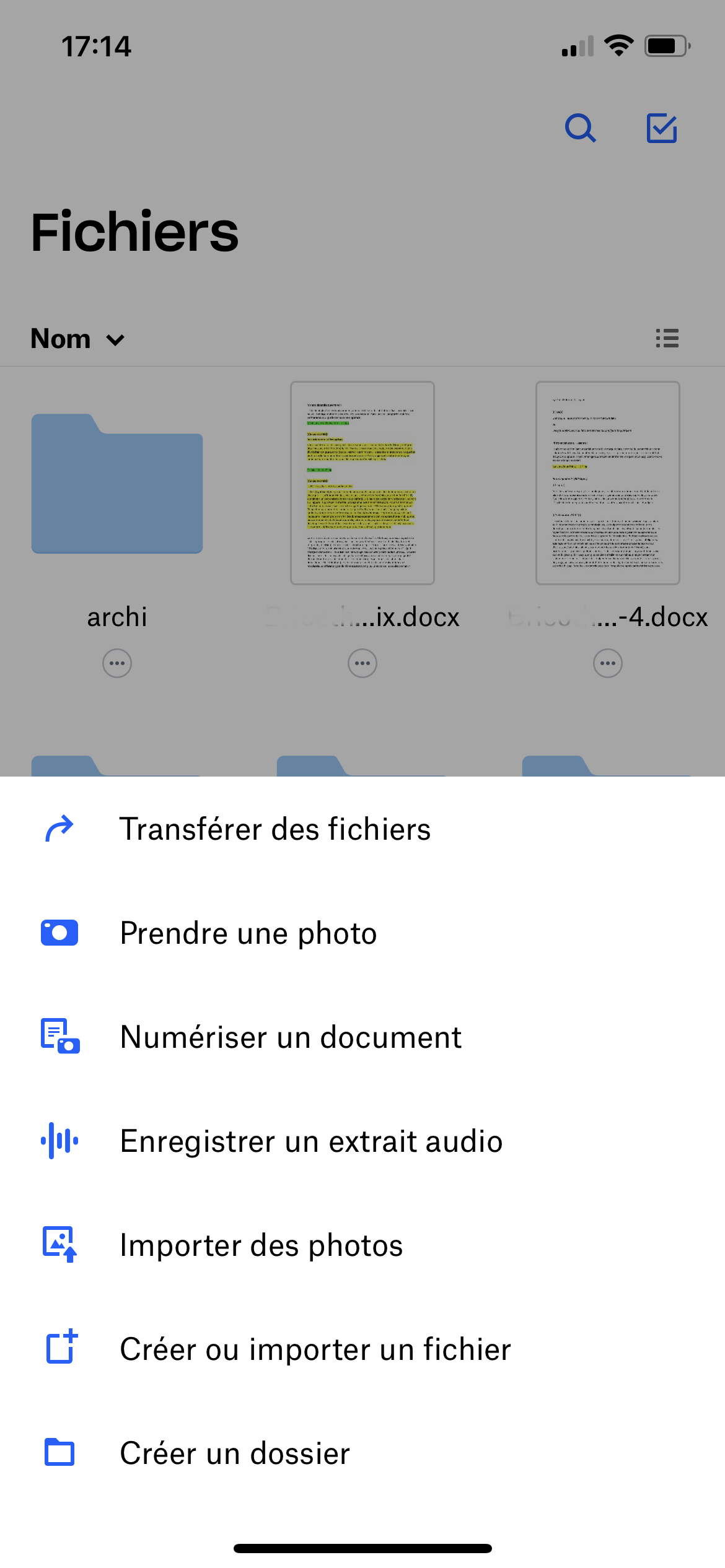
- Inline scanner in mobile app: you can scan a physical document from the iOS or Android app and save it to the cloud without a third-party app.
- Dropbox Paper: an integrated real-time document collaboration space that supports media embeds and basic task management.
- Dropbox Replay: a tool designed for annotation of video, audio, and image content.
Ergonomics
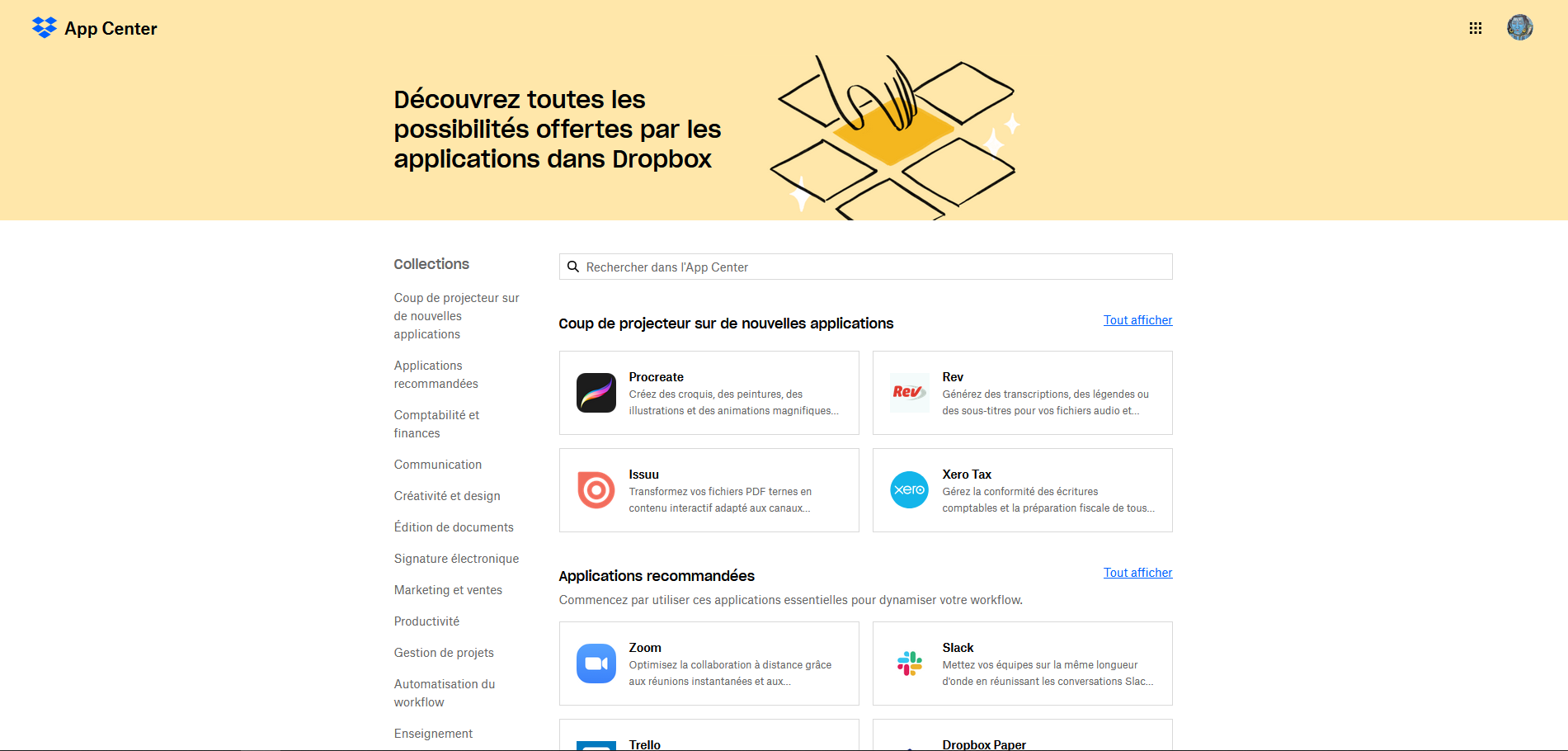
Much more feature-rich online than its desktop clients, the online interface grants access to numerous additional features such as “Transfer” for large file sending (paid accounts) and “Paper” for collaborative work on documents. Don’t forget the “App Center” kiosks that let Dropbox interface with dozens of third-party apps: Adobe Acrobat DC, Microsoft Office, Zoom, Slack, Teams, Procreate, Vimeo, etc.
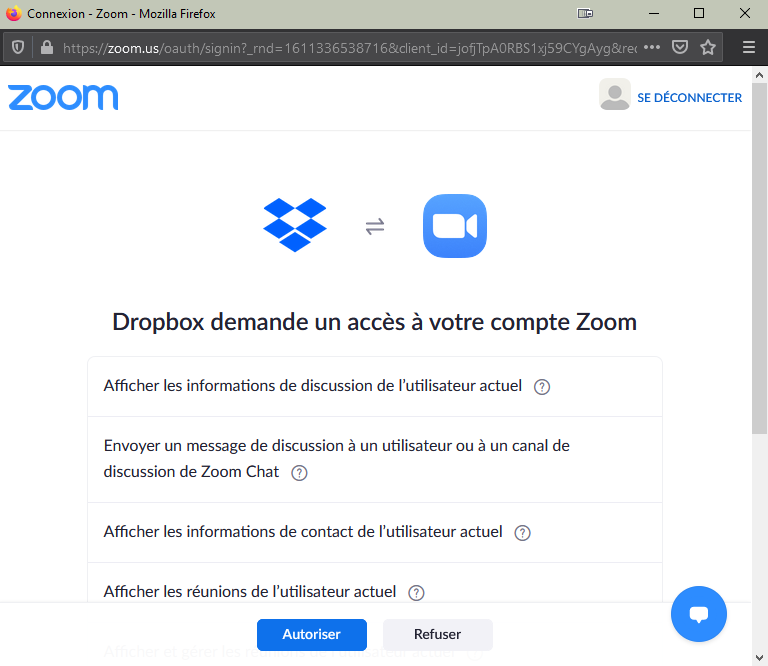
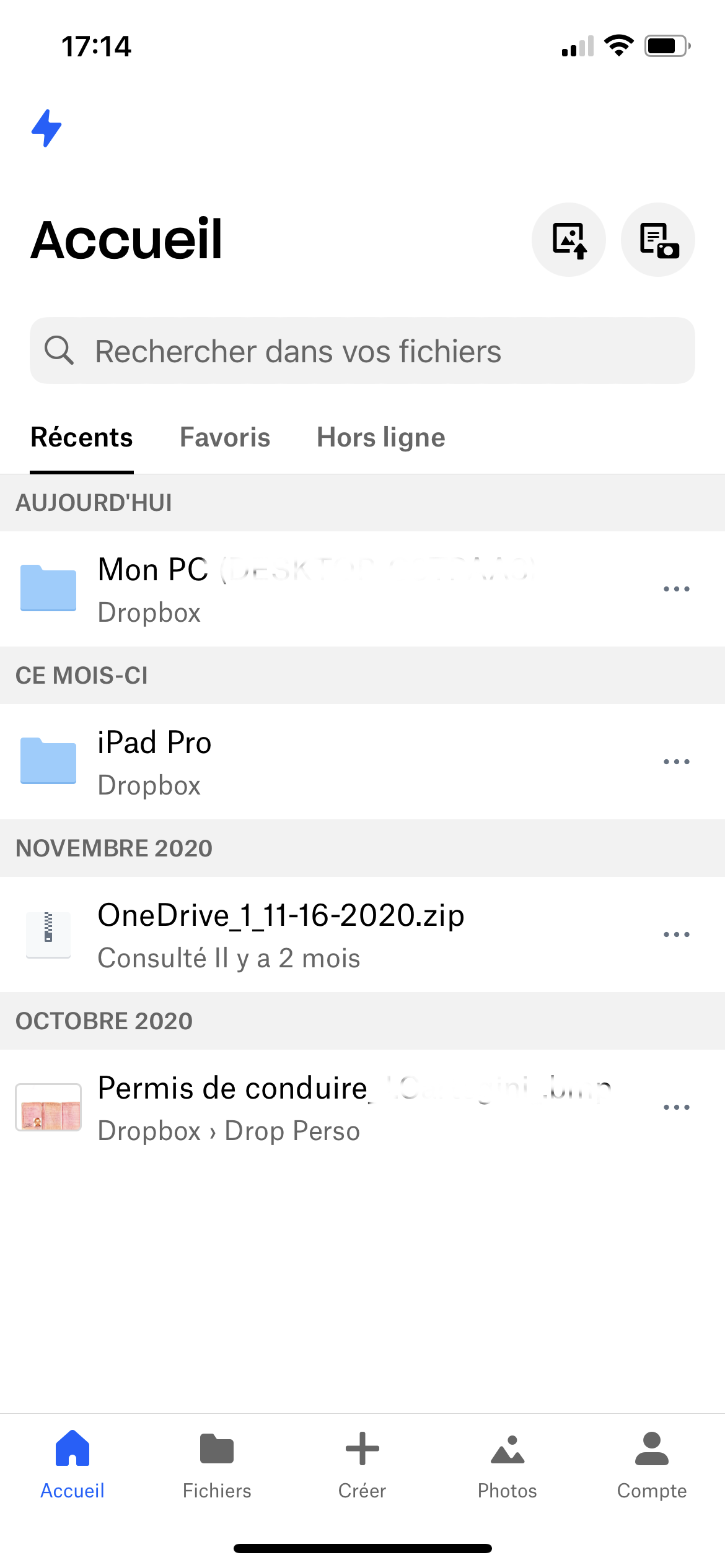
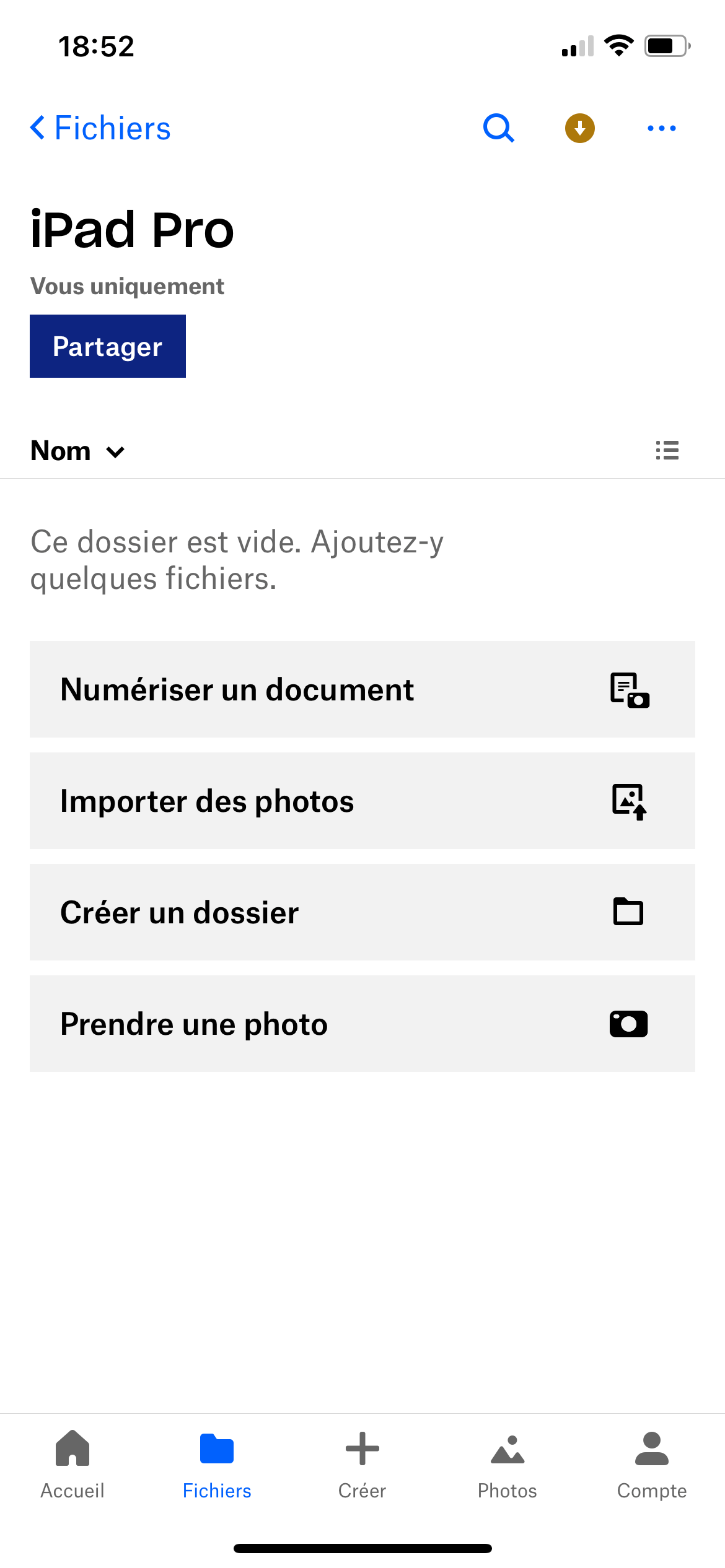
Once linked to a Dropbox account, third-party apps allow you to create, collaborate, communicate, manage projects, and more. The App Center adds substantial value to Dropbox. Mobile apps are no exception; for instance, they can automatically upload all videos and photos taken with a phone or tablet to Dropbox, from which you can access them later. They can also scan documents or record audio clips.
In contrast to the online interface and mobile apps, which exemplify minimalistic design, they hide powerful features beneath that clean appearance. Whether collaborating on online documents, transferring content, retrieving older document versions, or sharing various data types, Dropbox has mastered making things simple and accessible to the broadest audience.
Dropbox offering
Dropbox now structures its catalog around two axes: personal plans for individuals and team plans for organizations.
To start: the Basic plan
The entry-level option remains the Basic plan, completely free and with no time limit. It offers 2 GB of storage, access from up to 3 devices, and a version history limited to 30 days. This space is notably tight; by comparison, Google Drive offers 15 GB and OneDrive 5 GB for free. Useful to test the service, but insufficient for real use.
For individuals
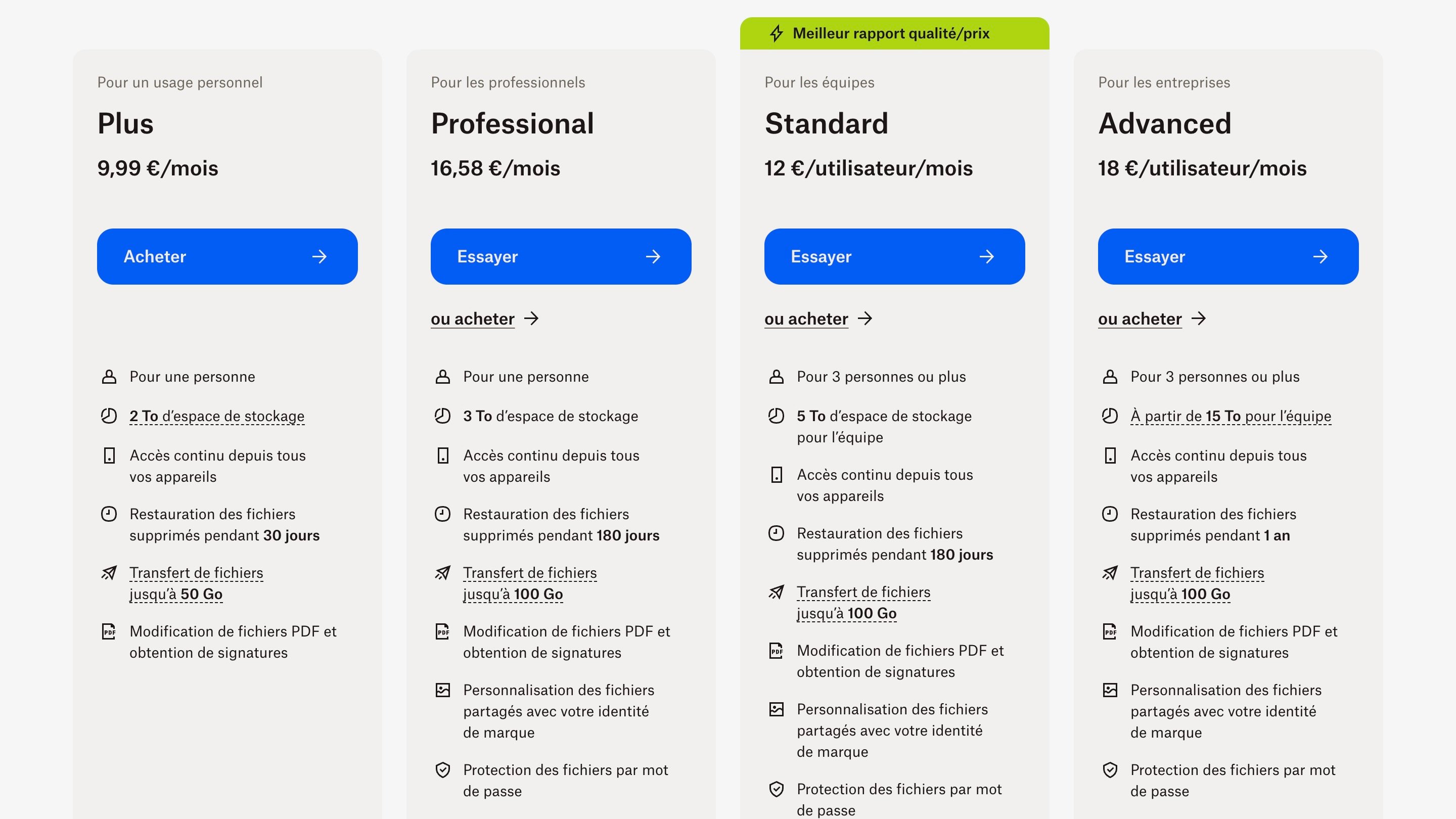
The Plus plan (about €9.99/month billed annually) targets individual users who mainly need storage. It includes 2 TB of space, unlimited device access, 30-day file history, and transfers up to 50 GB. It’s the most affordable option, but it remains limited for collaboration and does not provide electronic signature access.
The Professional plan (formerly Essentials, about €16.58/month billed annually) steps up to 3 TB of storage, extended history up to 180 days, transfers up to 100 GB, PDF editing, and unlimited electronic signature requests via Dropbox Sign. It’s clearly aimed at freelancers and independent professionals managing client cycles from a single tool.
For teams
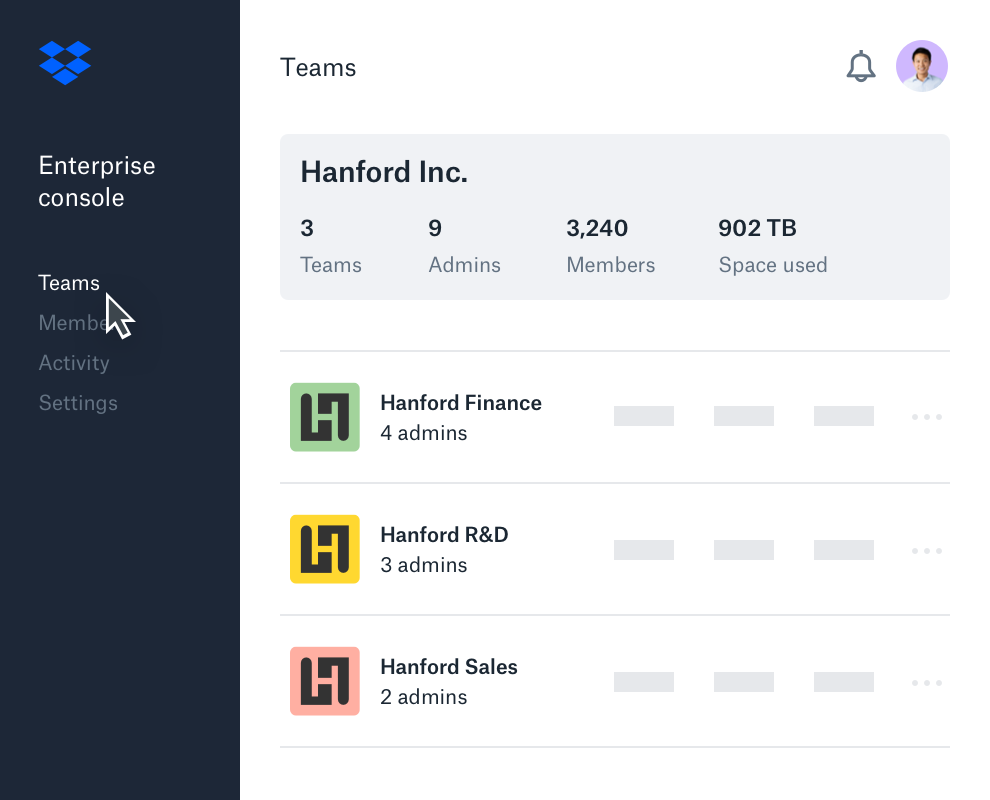
The Standard plan (about €12 per user/month billed annually, minimum 3 users) provides 5 TB of shared space, team folders, admin controls, and electronic signature tools. It’s the recommended entry point for small teams looking to centralize and securely share files.
The Advanced plan (about €18 per user/month billed annually, minimum 3 users) is Dropbox’s most feature-rich offering. It provides at least 15 TB of team space, one-year history, end-to-end encryption, advanced key management, HIPAA compliance, ransomware detection, and Single Sign-On (SSO). It targets organizations handling sensitive data or subject to regulatory obligations.
Finally, the Enterprise plan is on a quote basis, with customizable storage and user counts, dedicated support, and transfers up to 250 GB.
Dropbox vs. the competition
To better place Dropbox’s offer in today’s cloud storage landscape, here is a direct comparison with its main competitors on the most important criteria:
| Service | Free storage | Entry price | End-to-end encryption | Version history | Servers |
| Dropbox | 2 Go | €9.99/month (1 To) | Business only | 30–180 days | USA (EU option) |
| Google Drive | 15 Go | €2.49/month (100 Go) | No (standard) | 30 days | USA |
| Microsoft OneDrive | 5 Go | €2/month (100 Go) | No (standard) | 30 days | USA (EU available) |
| pCloud | 10 Go | €4.99/month (500 Go) | Paid option (Crypto) | 30 days (180 on premium) | EU (Switzerland) |
| MEGA | 20 Go | €4.99/month (400 Go) | Yes, all plans | Depends on plan | EU (New Zealand) |
| Proton Drive | 1 Go | €3.99/month (200 Go) | Yes, all plans | Depends on plan | EU (Switzerland) |
This table highlights two structural weaknesses for Dropbox: its free tier at 2 Go is the smallest in the comparison, and end-to-end encryption is reserved for professional plans. In exchange, its block-based synchronization technology, cross-platform compatibility, and rich integration ecosystem remain strong advantages that are hard to match.
User opinions
Beyond the technical test, what do real Dropbox users say? We’ve aggregated feedback from several major review platforms to give you a complete picture of real user satisfaction.
Praise frequently noted
- Ease of sharing large files is appreciated, especially in professional contexts.
- Smooth, seamless synchronization: many users say Dropbox “just works” without manual intervention.
- Strong integration with other productivity tools (Slack, Microsoft 365, Zoom, Trello) is especially valued in team environments.
Common criticisms
- Customer support is often criticized: changing contacts, slow issue resolution.
- Billing is a frequent source of complaints, especially on auto-renewals or cancellation difficulties.
Who Dropbox is for
Dropbox isn’t the absolute best cloud service, but it’s the best for certain profiles. Here’s how to steer your choice:
Dropbox is for you if…
- You work in a team and need reliable synchronization for collaborators across multiple platforms (Windows, macOS, Linux, mobile).
- You already use tools like Slack, Zoom, Microsoft 365, or Adobe Creative Cloud and want cloud storage that integrates natively with these environments.
- You frequently need to share large files (Dropbox Transfer) or sign documents remotely (integrated HelloSign).
- You’re a small business or a creative team needing collaborative review for videos or multimedia files (Dropbox Replay).
Dropbox is less suitable if…
- You’re an individual on a tight budget: with 2 Go free and a first paid tier at €9.99/month for 1 To, the offer is among the least competitive for personal use.
- Data privacy is paramount: no zero-knowledge encryption for individuals, and US-based servers; services like Proton Drive or pCloud (with encryption option) offer stronger guarantees.
- You need bare-metal backup of your entire system: Dropbox does not support this, unlike dedicated solutions like Acronis or Backblaze.
- You want to use multiple cloud services simultaneously from the same local folders: Dropbox restricts cross-service synchronization.
Conclusion
Thanks to its ultracompatibility, impeccable ergonomics, fluidity, read/write performance, and comprehensive features, Dropbox is a standout storage service. It remains the only cloud service that integrates so seamlessly across every platform. Even iCloud, OneDrive, and Google Drive don’t perform as smoothly on their native OSes (iOS, Windows, Android).
Although it boasts one of the richest ecosystems with its “App Center,” Dropbox still lags in privacy, has overly limited backup features, and offers a painfully small free storage of 2 GB…
- Impressive synchronization
- Extensive ecosystem
- Strong read/write performance
- Productivity and sharing
- 30-day trial
- Very small free space
- Limited selective backups
- Privacy policy
- Servers hosted in the United States
- High rates
Dropbox is free?
Yes, Dropbox offers a free plan called “Dropbox Basic” which provides 2 GB of storage. It is limited to 3 devices connected simultaneously. This space can be expanded to up to 16 GB via a referral program. For regular use, paid plans are necessary: they start at €9.99/month for 1 TB of storage (Plus plan, annual payment).
How many devices can be connected to Dropbox?
The free Basic plan is limited to 3 devices. Paid plans allow an unlimited number of devices: this is a major difference between the free and premium versions.
Dropbox is compliant with GDPR?
Dropbox is an American company subject to American law, including statutes allowing government access to data (Patriot Act, Cloud Act). This creates tension with certain GDPR requirements. To meet European business needs, Dropbox offers EU-hosted servers for some clients. This reduces some regulatory risks but does not guarantee total immunity from US law. Organizations subject to strict data sovereignty constraints should assess this closely.
Other reviews on online storage services:
- Dropbox review: the cloud storage staple
- Microsoft OneDrive review: Windows and Office service
- Google Drive review: a highly comprehensive solution
- iCloud review: cloud for Mac, iPhone and iPad
- Proton Drive review: a secure service that keeps improving
- kDrive review: the eco-friendly, secure, collaborative alternative
- Icedrive review: a young but promising online service
- Nextcloud review: open-source solution for experts

Daniel Brooks
I cover everyday products with a practical eye, from kitchen tools and home essentials to smart gadgets and consumer trends. My goal is to help readers understand what is genuinely useful, what is worth the price, and what deserves a second look before buying.