1Password Review 2026: The Best Family Password Manager

September 20, 2026
Tech

This year, 1Password has decided to focus on improving its product to make it even more intuitive and easy to use. Already regarded as one of the best password managers, will 1Password manage to climb even higher in our ranking? Here is everything you need to know about this service in our review.

1Password
  • moodLimited trial version
  • databaseUnlimited storage
  • browse_activityData breach alerts
  • lockAES-GCM-256 encryption
8.7 / 10

Try 1Password now!
Pros
  • Travel mode
  • Security management
  • Two-factor authentication
  • Very flexible family plan
Cons
  • No free offer
  • Limited options for multi-factor authentication
  • Partial translation of documentation

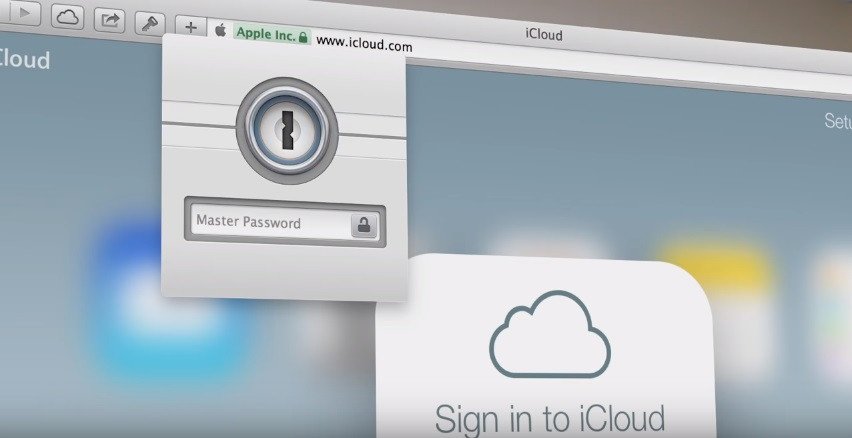
1Password continues to improve its apps. In addition to nearly 200 updates since the end of 2023 to enhance the fluidity and simplicity of its service, the password manager maintains its dialogue with users through its labs, available for several months now. They let users test experimental features within the existing apps, without switching to a beta version. Several tests are currently underway and new features regularly appear.

Clubic - Our review of 1Password

Clubic – Our review of 1Password

What’s New at 1Password?

1Password launched its Marketplace in early 2025, a centralized hub to discover and deploy integrations with third-party services such as Tailscale, Twingate, Slack, or Microsoft Azure. Enterprise administrators will find documentation and configurations to connect 1Password to their existing infrastructure. This platform structures the ecosystem and eases the adoption of advanced features like Device Trust, which verifies the health of devices accessing the networks.

The “memorable” password generator now supports French, Spanish, German, Italian, Portuguese, and Dutch. These multi-word passwords aid memorability while maintaining an acceptable level of security for certain uses.

1Password’s Offering

Unlike most competitors, the basic service isn’t free. However, you can try the “Individual” plan for free for 14 days (priced at $2.99 per month) or opt for the “Families” plan (priced at $4.99 per month), also with a 14-day free trial. For paid tiers, you aren’t limited in the number of passwords stored or the number of devices synchronized.

For French users, that corresponds to €2.65 per month for the Individual offer (about €31.80 per year) and €4.75 per month for the Families offer (€57 per year).

Interface and Ergonomics

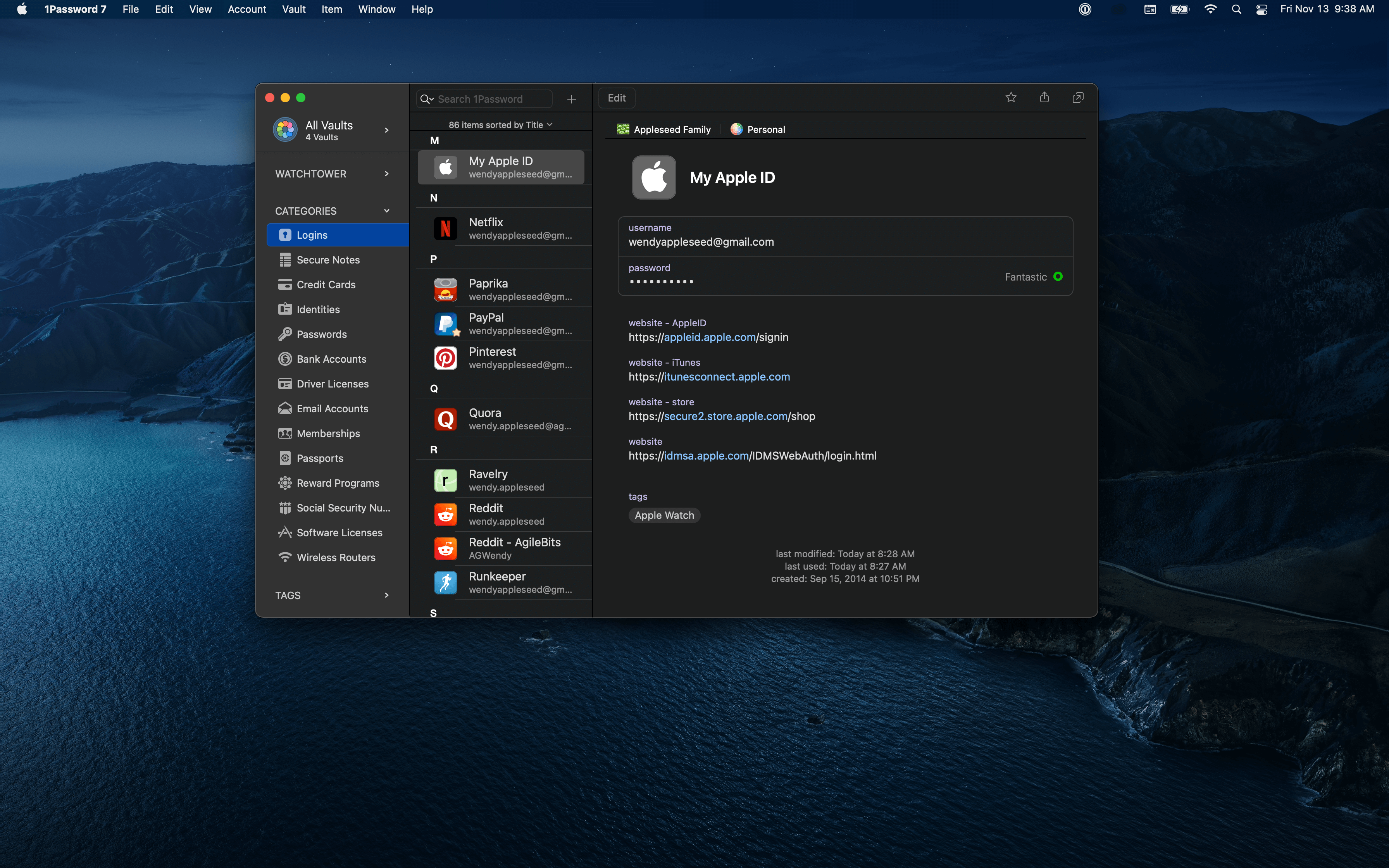
The app and browser extensions offer a well-designed graphical interface that is both understated and elegant, easing the learning curve. For instance, you can organize your passwords into multiple vaults to separate work from personal passwords or categorize them. By default, there are two vaults: private and shared. You can add your own tags to simplify locating the information you need.

On the site, 1Password provides a basic but helpful getting-started guide. Some sections of this documentation are translated into French, but others remain in English.

If you’re coming from another password manager or from the browser’s built-in one, you can import your existing passwords into 1Password. Simply obtain the file from your old software and log in to your 1Password account on the site. You can transfer data from Chrome, Firefox, Edge, Brave, Safari, Dashlane, KeePass, KeePassX, LastPass, RoboForm, and Thycotic Secret Server into 1Password. If you don’t use any of these solutions, and your software allows you to create a CSV file, you can also import it into the manager.

Clubic - Our review of 1Password

1Password – The macOS app interface

Security

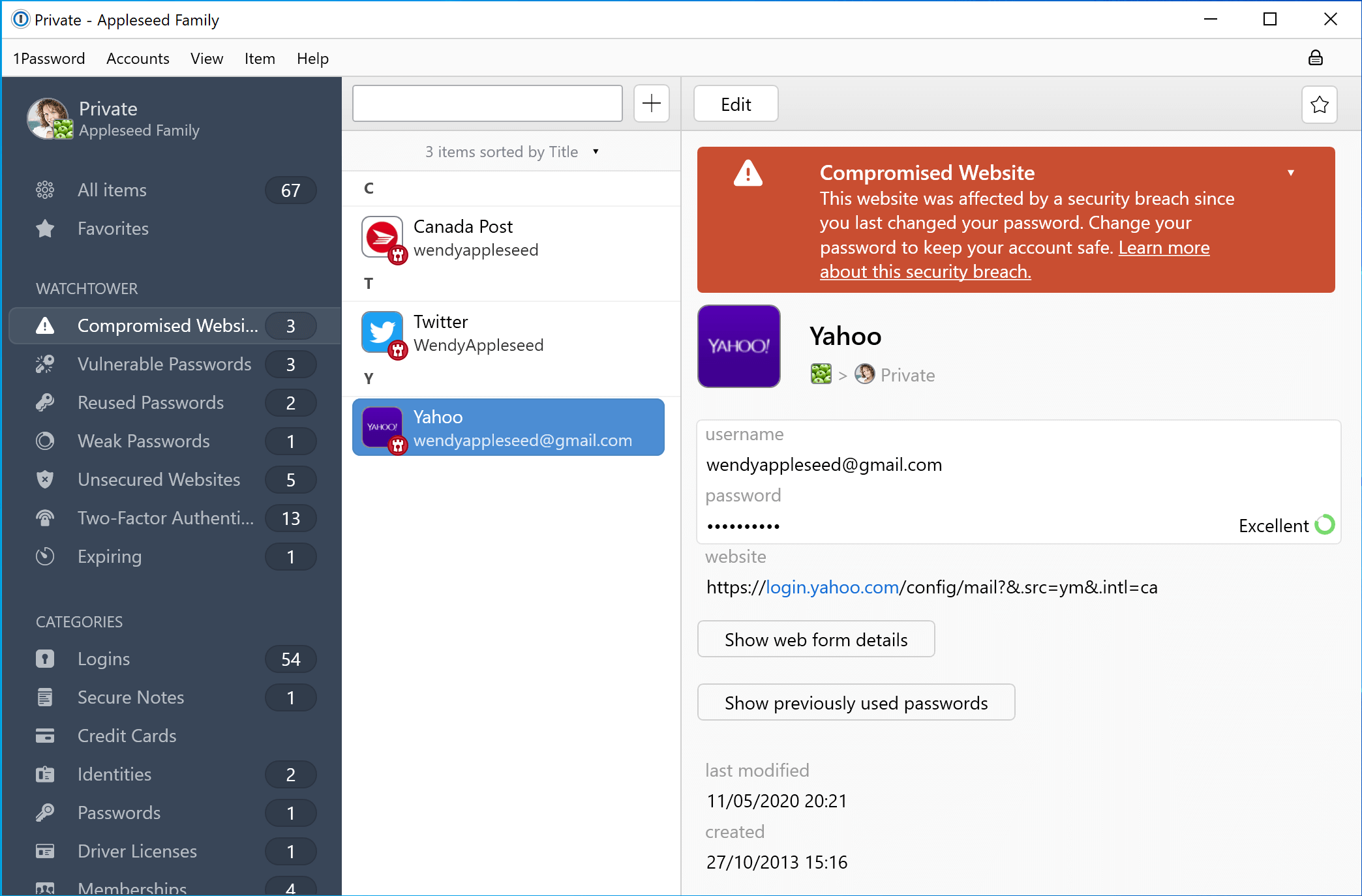
1Password - Breach monitoring

1Password – Breach monitoring

As with any password manager, it relies on AES-256-bit encryption. 1Password uses a two-secret-key security model, meaning two encryption keys are required to unlock your passwords. One key is your master password, which 1Password never sees or stores. The other is a device key generated based on the hardware and software specifications when you add a new device to your account.

Like other tools, 1Password includes a security dashboard, called “Watchtower,” where you can see weak, reused, and old passwords. It also features a section for potentially dangerous websites.

Watchtower has become more responsive. Enable “Check for vulnerable passwords” in the settings and you’ll receive real-time alerts, directly on the login page, if the site in question has suffered an active data breach. This in-page notification prompts you to change your password immediately, rather than waiting for a later report in the dashboard.

Mac users gain a notable simplification: the Safari extension can unlock with Touch ID without requiring the desktop app. Previously, Touch ID required the main app to be installed. Now, the extension can operate autonomously while still syncing with the app if you use it.

Like many password managers, 1Password uses a “zero-knowledge” model, meaning your master password is never stored on their servers. As a result, you cannot reset your master password if you forget it. If that happens, 1Password offers an account recovery option, but it’s not as intuitive as LastPass’s, for example. Everything begins at account creation: you must download an emergency kit. It contains your second secret key, your email address, and a place where you can write your master password. It’s recommended to store this document in a safe vault like… KeePass.

This emergency kit also includes a QR code, which you can scan with the 1Password apps to automatically authenticate your account. It’s an excellent way to recover your account, but remember to keep it in a safe and external storage.

Additional Features

1Password offers an appealing family plan for about €5. It provides five user accounts and five guest accounts for limited password sharing. But you can add more people for €1 each.

Its “Travel Mode” can erase the contents of your 1Password vault while you’re abroad. Handy to avoid overly strict border controls. When you return, you can restore it with a click. Finally, its Watchtower service sends notifications (around-the-clock) as soon as any of your accounts has experienced a data breach.

1Password is among the managers that support access keys, with some current limitations on the Android app.

The manager has taken a step forward in October 2025 with Secure Agentic Autofill. This feature addresses evolving risks tied to AI agents that drive browsers to automate tasks (bookings, forms). These agents, based on models like ChatGPT or Claude, sometimes need access to credentials to act on your behalf. Secure Agentic Autofill blocks direct access: when an AI agent requests a password, 1Password requires biometric validation (Touch ID, Face ID) before injecting the credentials via an end-to-end encrypted channel. The agent completes its task without ever viewing or storing your sensitive data. Available in early access via Browserbase, this technology anticipates a security gap in non-human identity management.

User experience has also been refined. Two-factor authentication codes are now automatically saved when a site presents them, without any extra steps. The item creation flow has been streamlined: you can create a new credential eight times faster than before thanks to a reorganized interface and pre-filled fields. On mobile, the search bar has been moved to the top of the app for immediate access, aligning the UX across devices.

Conclusion
General note
8.7 / 10

1Password offers easy-to-use, refined apps that work on PC, Mac, Chromebook, and smartphones (iOS and Android). Its Watchtower feature helps you identify and change weak, reused, or compromised passwords. Its “Travel Mode” remains a unique and practical option if you travel to countries with inquisitive border checks. If you encounter difficulties, you can contact support (via email, Twitter, or chat), which is quite responsive and precise. In sum, 1Password is a solid choice for a family or a professional team. For personal and general public use, other managers are free and more suited.

Pros
  • Mobile mode
  • Security management
  • Two-factor authentication
  • Very flexible family plan
The cons
  • No free offer
  • Few options for multiple authentication
  • Partial translation of documentation
Try 1Password now!
Our other reviews of password managers:

  • Bitwarden review: security at a fair price
  • NordPass review: a promising young password manager
  • Dashlane review: the most complete solution
  • KeePass review: the “local” solution
  • Proton Pass review: a promising manager, but limited
  • pCloud Passwords review: the password storage specialist
  • Enpass review: a modern and “local” password manager
  • Dropbox Passwords review: a fairly simple password manager
  • RoboForm review: a cheap password manager, but sometimes confusing
  • LastPass review: will it forget its bad year?

Daniel Brooks

I cover everyday products with a practical eye, from kitchen tools and home essentials to smart gadgets and consumer trends. My goal is to help readers understand what is genuinely useful, what is worth the price, and what deserves a second look before buying.