
Looking for an email solution to boost the privacy of your communications? The best option is to opt for encrypted email. Emphasizing the protection of personal data, these services offer many useful options to secure messages. You don’t need a big budget to take advantage of them: free email services are now available on the market. Among them, Proton Mail stands as a reference.
- storage1 Go of storage
- securityNative default encryption
- alternate_emailNo custom domain
- smartphoneiOS, Android apps
- push_pinSwiss jurisdiction
Although services like Gmail and Outlook remain widely used, it is clear they do not offer an optimal level of privacy. Those seeking stronger protection can turn to the Swiss company Proton, renowned for its highly secure and high-quality webmail. Proton Mail is known for the quality of its tools and focuses on E2EE and zero-access encryption to safeguard client data. Here is our review of this tool.
Proton Mail: The Essentials to Know
- Proton Mail was born in the corridors of CERN. Eleven years later, more than 100 million people trust it.
- Privacy pushed to the limit: end-to-end encryption and “zero access” — not even Proton can read your emails. Under judicial pressure, the service will provide, at most, an IP address, never the content.
- The free version (1 GB, one address) is enough to form an impression. To go further, four consumer plans range from €3.99 to €23.99 per month, and three business offerings are designed for easy migration.
- 2026 marks a turning point with post-quantum encryption becoming generalized, Gmail addresses usable directly within Proton Mail, and a business migration solution with Easy Switch for Business.
- The downside: no IMAP/SMTP in the free version, and above all, without a pre-configured recovery method, a lost password means a mailbox that is permanently inaccessible.
What is Proton Mail?
Proton Mail is an encrypted email service founded in 2013 by researchers from CERN and MIT. The company behind it, Proton AG, is based in Geneva, Switzerland, and today counts over 100 million users worldwide. Switzerland was chosen as its headquarters because it features some of the strictest data protection laws in the world.
At its inception, Proton Mail aimed to make email encryption simple and accessible for everyone, with no technical know-how required. The service is available for free in a functional version and as a paid subscription for extended features.
What distinguishes Proton Mail from consumer email services
- End-to-end encryption (E2EE): your emails are encrypted on your device before being sent and decrypted only on the recipient’s device. Neither Proton, a third party, nor any government authority can read your message contents.
- Zero-access encryption: your mailbox is stored encrypted on Proton’s servers with a key Proton does not hold. Even in the event of a server breach or a judicial request, the email contents remain technically inaccessible.
In addition to these principles, Proton has a clear policy: Proton does not collect your data for advertising, does not scan your emails, and does not sell any information to third parties.
Who is Proton Mail for?
Proton Mail is for you if…
- You want the content of your emails to remain unread even by the provider (end-to-end encryption and zero access).
- You send or receive sensitive information (legal, health, journalism, activism).
- You are willing to pay for a subscription to lift the free version’s limits (storage, IMAP, custom domain).
- You want to gradually move away from Google’s or Microsoft’s ecosystem using the Easy Switch import tool.
Skip if…
- You rely daily on Google Workspace or Microsoft 365 (collaborative Docs, Meet, third-party integrations).
- You send more than 150 emails per day and refuse to upgrade to a paid plan.
- You expect full-text search as fast as Gmail: encryption limits server-side indexing.
- You are not ready to properly manage your password and recovery methods, risking irreversible data loss.
The Proton ecosystem
Proton Mail is the flagship service that brought the Swiss company into the limelight, but Proton has since expanded its offering with a complete suite of privacy-focused tools. Beyond Proton Mail you’ll find Calendar, Drive, VPN, Pass, Docs, Sheets, Wallet, Lumo and Meet.
Recent Proton Mail updates (August–September 2026)
Proton Mail has recently adopted Gmail-style automatic categories to sort emails into newsletters, promotions, transactions, social, or important messages.
In parallel, Proton is preparing a more integrated Lumo that, in time, can organize the inbox and perform certain actions on behalf of the user.
On the AI front, Proton is also betting on Apertus 1.5, an open-source model developed in Switzerland, to strengthen its vision of a more sovereign and privacy-respecting AI.
In short, Proton Mail is gradually getting smarter without sacrificing its privacy-centric DNA.
How to create a Proton Mail account?
The free Proton Mail tier includes 1 GB of storage, one email address, and the basics. The signup process is designed to preserve anonymity from the start: no phone number, no existing name or email address required. Creating a free account takes less than two minutes.
- Go to proton.me and click “Create a Free Account.”
- Choose your username. You will automatically receive an @proton.me address. An @protonmail.com address is also usable, and an @pm.me address can be activated from the settings for paid subscribers.
- Set a strong password. Note that if you lose this password without a configured recovery method, access to your data is permanently lost: Proton does not hold your encryption keys and cannot recover them for you.
- You can also, but it’s optional, provide a recovery email address or a phone number.
- Your account is ready. The interface is accessible directly in the browser, or via the mobile app (iOS/Android) or the desktop app (Windows/macOS).
Import from an existing mailbox
To migrate from Gmail, Outlook, Yahoo! Mail or iCloud Mail, Proton offers the Easy Switch tool. This lets you import all your messages, labels, contacts, and calendars in a few clicks, with no service interruption. The tool is accessible from your account settings, in the “Import with Easy Switch” section.
Proton Mail: security first
For a long time, end-to-end encryption for emails was reserved for the most tech-savvy users. In fact, it only worked through a dedicated client like Mozilla Thunderbird paired with a private/public key manager (e.g., Enigmail).
In short, how does a encrypted email service work?
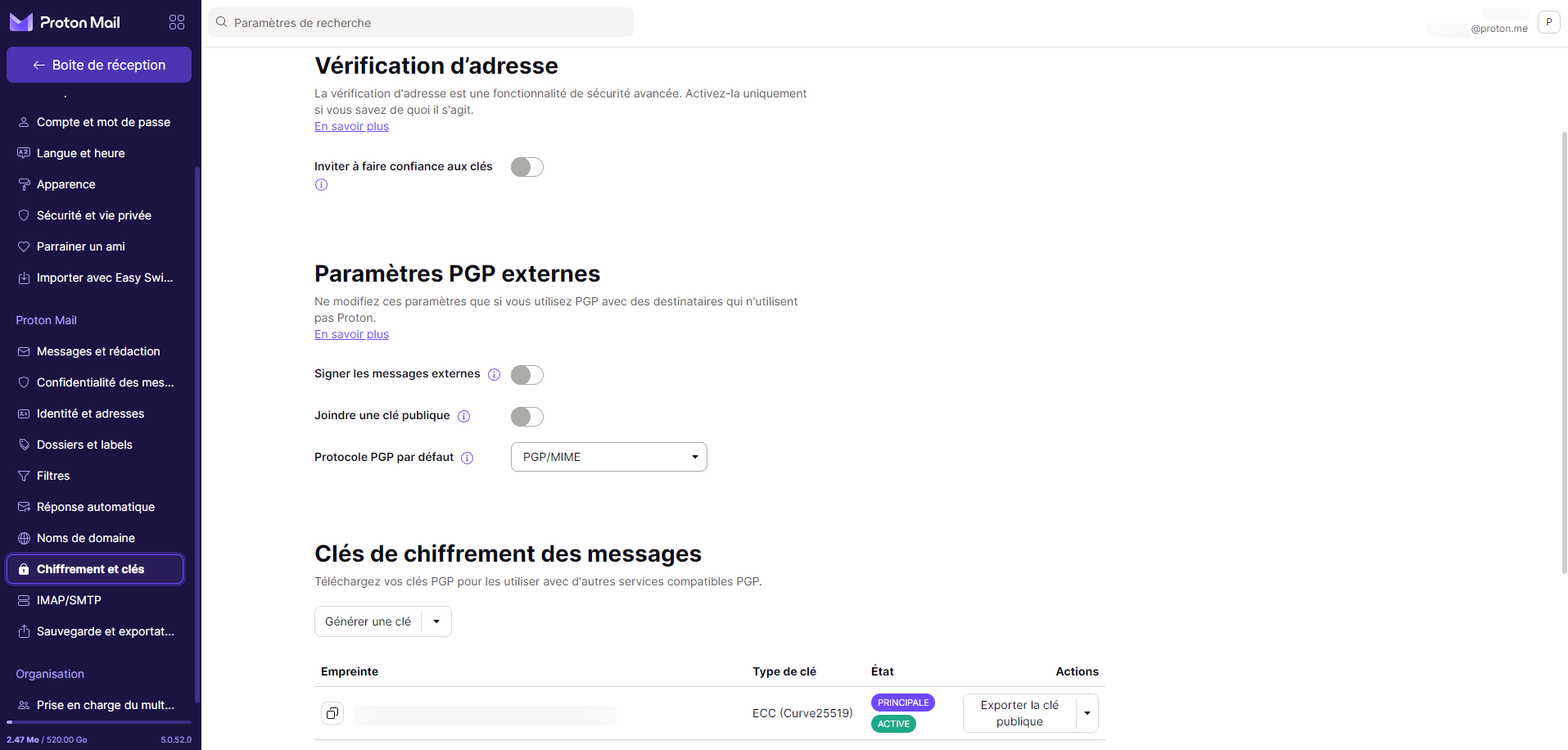
The technology relies on a pair of keys: a public key and a private key, both complementary. The idea is to use the recipient’s public key to encrypt a message. It can only be read by the recipient, who holds the corresponding private key.
A messaging service with simpler exchanges between users
The main advantage of Proton Mail is that this encryption/decryption mechanism is performed directly in the browser. On one hand, you don’t need to use a dedicated client; on the other hand, it simplifies the process for beginners.
Every Proton-to-Proton message is protected by default. Encryption is performed in the sender’s browser and decrypted on the recipient’s device. This means emails passing through Proton’s servers are unreadable; only the recipient with their private key can read the message.
When you receive a message from a new Proton Mail contact, you’re prompted to automatically store that person’s public key to secure all future exchanges.
Securisez vos communications avec Proton Mail
A universal approach
The Proton Mail webmail is nevertheless very flexible in terms of encryption. It is not necessary for the recipient to have an account to send or receive an end-to-end encrypted email.
The most common use case is probably to secure a communication with a contact who does not use Proton Mail. In that case, the service offers a unique approach: it hosts the email as a web page on Proton’s server. Before sending the message, you must set a password. This code must be communicated to the recipient through another channel (for example, SMS) so they can view the message. The link to this text is generated automatically and sent in the usual way.
Another welcome option: you can also configure automatic destruction of the email after a certain number of hours or days
Interface and features
The email client
Since its launch, the interface has evolved significantly. It is built on a design system using the React JavaScript library. This setup aims to ease future updates and improve the overall performance of the webmail.
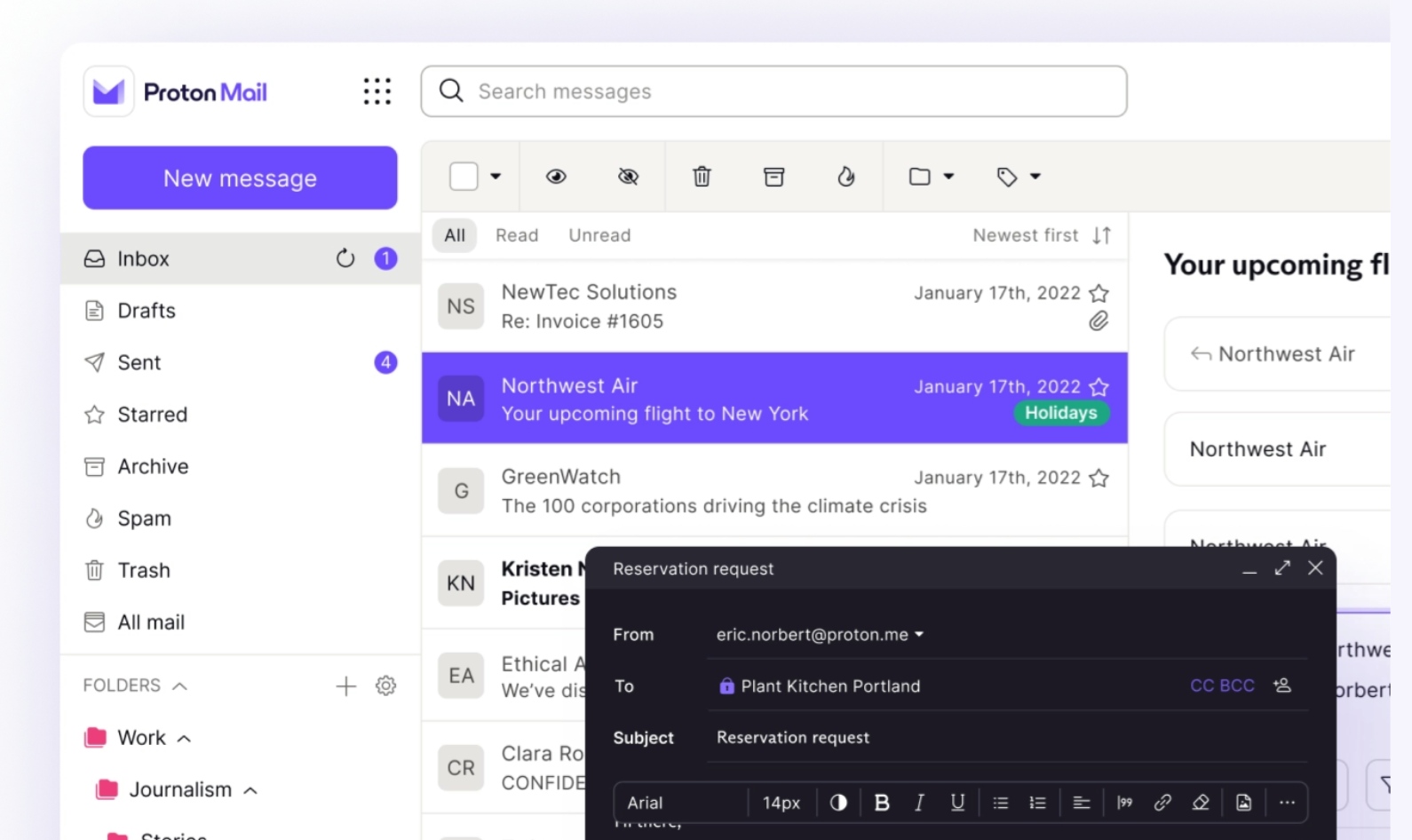
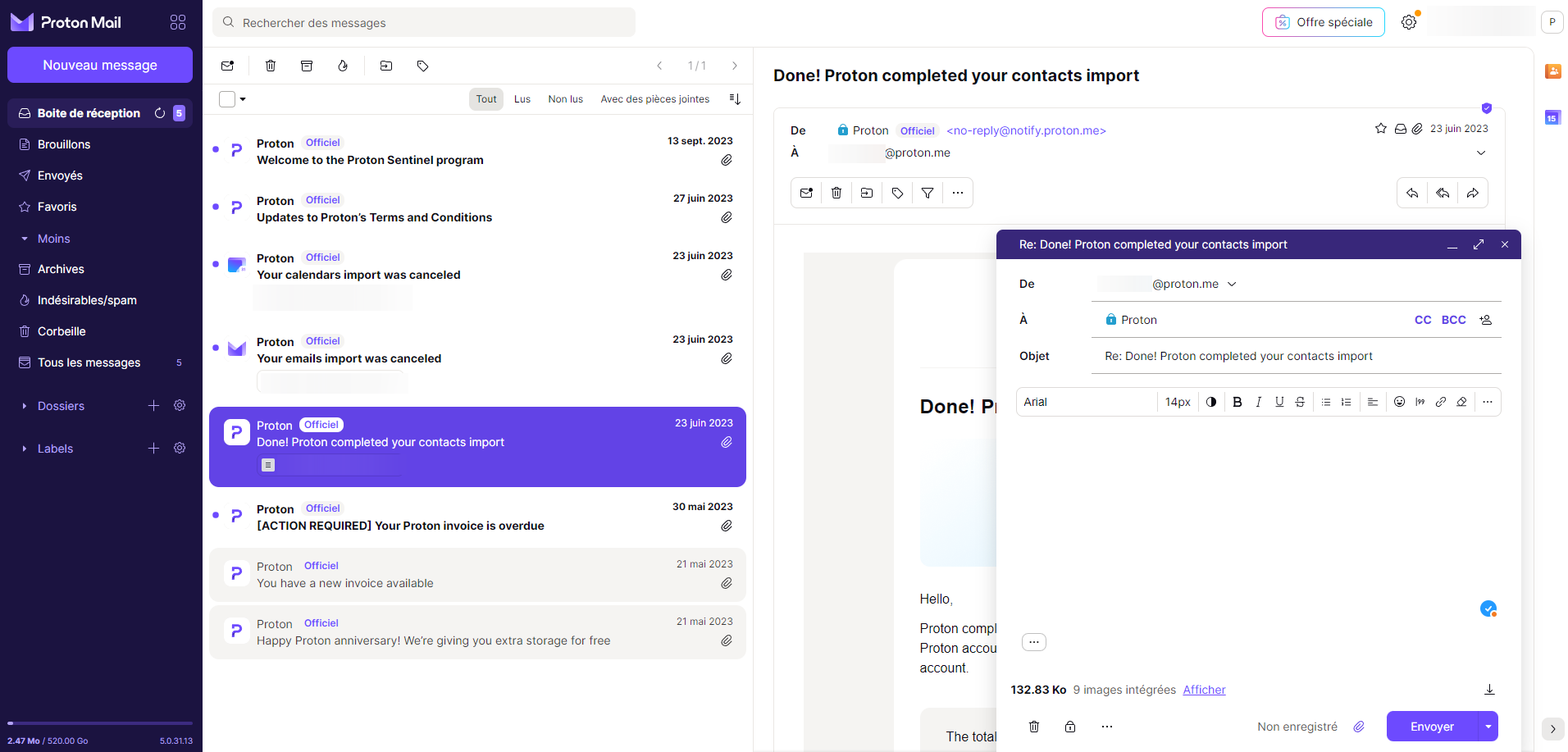
The interface is responsive and modern, with several display options and keyboard shortcuts. Note that Proton Mail uses both labels (like Gmail) and traditional folders. This dual approach should suit different sorting preferences. Of course, the online app is advertising-free.
For users, it offers somewhat less flexibility for power users. Earlier versions allowed users to customize themes by injecting CSS directly into the service options. A few templates are still provided by default.
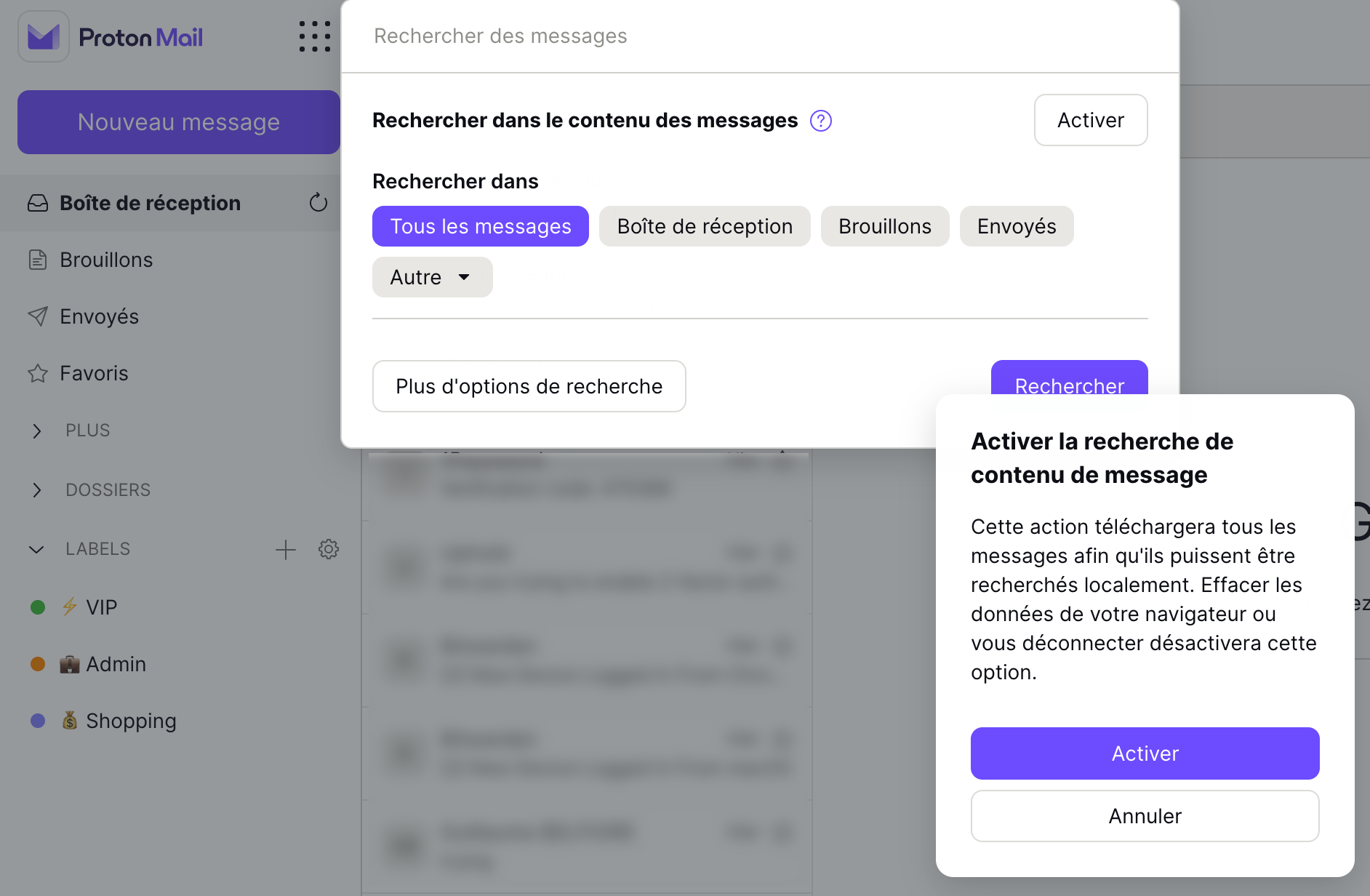
The service features a search engine. However, it has inherent limitations due to the encryption of emails: it cannot analyze the contents of messages. To balance this, the team chose not to encrypt the subject line. Still, a security mechanism allows local synchronization of emails for full-text search.
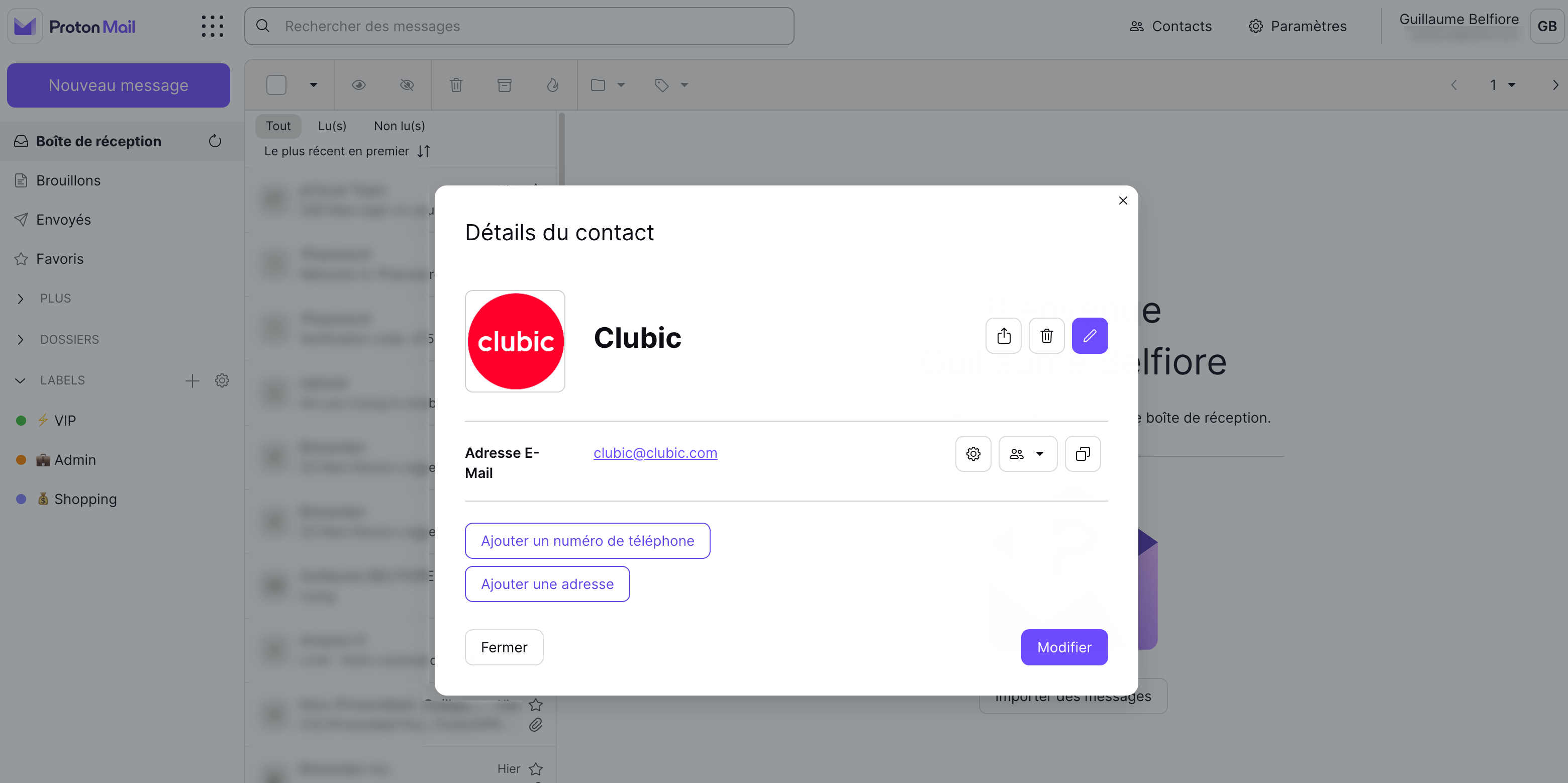
The three-column layout could be optimized a bit, for example by allowing widening the mail list or shrinking the left sidebar that lists folders and labels. Since the latest Proton Mail release, there is no dedicated contacts section, but the address book integration is well done with direct access and a detailed view of information that appears upfront.
Like Gmail, you can automatically save new contacts, and there are import/export options.
Mobile apps
For a long time, the mobile experience lagged behind somewhat. The iOS and Android apps weren’t very effective, looking more like wrapped mobile web apps than native clients. In response, major work was done to improve notifications and sync read status, resulting in a truly native, functional app. Welcome in a mobile-first world.
Proton Mail subscriptions
Free plan
The Proton Free plan is available without a credit card. It includes 1 GB of storage (shared across Proton Mail, Proton Calendar and Proton Drive), 1 email address, and 1 user. It also provides access to the Easy Switch import assistant, which lets you transfer emails, calendars and contacts from any other provider.
The free offer is capped at 50 emails per hour and 150 per day (10 recipients in CC count for 10 sends); this sending limit disappears when upgrading to a paid plan.
Public paid plans
Proton Mail offers four consumer plans and two business offerings. The prices shown are annual billing (the cheapest options); monthly billing is available at a small premium.
| Mail Plus | Proton Unlimited | Proton Duo | Proton Family | |
| Prix mensuel (annuel) | 3,99 € / mois | 9,99 € / mois | 14,99 € / mois | 23,99 € / mois |
| Stockage | 15 Go | 500 Go | 2 To | 3 To |
| Adresses e-mail | 10 | 15 | 30 | 90 |
| Domaines personnalisés | 1 | 3 | 3 | 3 |
| Dossiers / Libellés | Illimité | Illimité | Illimité | Illimité |
| Alias hide-my-email | 10 | Illimité | Illimité | Illimité |
Paid plans for professionals
For businesses, Proton offers three plans. Prices shown are annual billing per user:
- Mail Essentials at €6.99 per user per month;
- Workspace Standard at €12.99 per user per month;
- Workspace Premium at €19.99 per user per month.
The Workspace offerings include both Mail, Calendar, Drive, Docs, Sheets, Meet, VPN and Pass.
Limits of Proton Mail
Proton Mail is the most advanced encrypted mail service on the market, but it is not without trade-offs.
First friction point: storage. The free version is limited to 1 GB, shared across Mail, Calendar and Drive. By comparison, Gmail offers 5 to 15 GB by default. For heavy use with attachments, this cap can be reached quickly.
Next, no IMAP/SMTP in the free version. Therefore you cannot use Proton Mail from Outlook, Apple Mail or Thunderbird without Proton Bridge, a tool reserved for paying subscribers.
On integrations, Proton favors a fully encrypted approach over full connectivity. It is far from the Google Workspace ecosystem, and that’s intentional: privacy comes at a cost in terms of compatibility. Yet Proton has progressed on this front by launching the Proton Meet video conferencing tool in spring 2026 and the Proton Workspace plans aimed at businesses.
Finally, the trickiest part: if you lose your password without a pre-configured recovery method, your data becomes permanently inaccessible. Proton does not hold your encryption keys. That is precisely what guarantees your privacy, but it requires careful access management.
Some of these limitations are direct consequences of Proton’s security choices. They are deliberate trade-offs that each user must weigh against their priorities between privacy and convenience.
Account locked, lost password: Proton Mail’s daily reliability
End-to-end encryption has a drawback: Proton cannot reset your password for you, and its automated anti-abuse systems can occasionally suspend a legitimate account. It’s worth knowing before migrating your main mailbox.
Proton acknowledges rare false positives. An account may be disabled shortly after creation, or after a contested payment with a bank, sometimes with fees to reactivate. If an error occurs, the appeals form goes to the Trust & Safety team: if you did not violate any rules, the account is restored and you regain your emails, contacts and files.
Be careful with password resets: via email or SMS, they re-enable access but not the encrypted data. To unlock data, you need a 12-word recovery phrase, a recovery file, a trusted device, a recovery contact, or the old password, configured before the incident. Without any of these options, access can be permanently lost.
On support, Proton states its anti-abuse team operates 24/7, but user reviews on Trustpilot (as of September 2026) report response delays. Our tip: make sure your recovery phrase is enabled and stored offline, then enable two-factor authentication (2FA).
Proton Mail vs the competition
Proton Mail vs Gmail
Gmail and Proton Mail are frequently compared, but they embrace radically different philosophies. Gmail optimizes productivity by indexing your data to improve user experience and tailor advertising. Proton Mail starts from the opposite premise: your data concerns only you.
| Criterion | Proton Mail | Gmail |
| Encryption | E2EE + zero-access by default | TLS in transit (Google keeps the keys) |
| Personal data at sign-up | None required | Name, phone required |
| Advertising | None | Profiling-based targeting |
| Server location | Switzerland (Swiss law) | USA (Cloud Act applicable) |
| Free storage | 1 GB | 5 to 15 GB (Drive/Photos shared) |
| Third-party integrations | Limited (Bridge available for IMAP through paid plan) | Very numerous (Google Workspace) |
| Desktop apps | Windows / macOS (native app) | Web only (native client via Workspace) |
| Open source | Yes, with regular audits | No |
Proton Mail vs Tuta Mail
Tuta Mail (formerly Tutanota) is Proton Mail’s main competitor in the encrypted email segment. The two services share the same core commitments (E2EE, open source, no ads) but differ on a few points:
- Tuta deployed its post-quantum encryption (TutaCrypt) in 2024, ahead of Proton’s generalization in 2026; so Tuta remains an early mover on this front, though Proton has closed the gap.
- Proton Mail offers a more polished interface, better PGP compatibility with external clients, and a broader ecosystem of privacy-focused services (VPN, Drive, Pass, Calendar, Docs, Sheets).
- Switzerland’s location inspires more trust for users outside the EU than Germany, even though both countries have strong data protection laws.
For most users, Proton Mail remains the most versatile and best-documented option. Tuta targets more technically inclined profiles.
Proton Mail is a solid alternative to Gmail. It redefines encryption by bringing it within reach of everyone. Of course, you’ll likely need a paid plan to fully benefit, but it’s an excellent starting point for anyone looking to reduce reliance on GAFAM services while keeping communications private.
- Robust and secure infrastructure
- Extreme simplification of encryption
- Switzerland-based
- Free plan storage is limited
- The increased security slows down development
Proton Mail: Answers to all your questions
Is Proton Mail actually free?
Yes: you can create a Proton account for free and access the essential features of Proton Mail, Calendar, Drive and VPN. The free version includes 1 GB of storage and an encrypted email address. Advanced features (IMAP, custom domain, extended storage) require a paid subscription.
Is Proton Mail suitable for professional use?
Proton offers the Mail Essentials, Workspace Standard and Workspace Premium plans for businesses, incorporating Mail, Calendar, Drive, VPN and Pass in a privacy-oriented suite. It’s also possible to connect easily to Zoom, Teams or Slack. More than 100,000 organizations currently use this service.
Can Proton Mail be forced to hand over data to the police?
Yes, within a strict Swiss legal framework but only the IP address, never the content. Proton Mail uses end-to-end encryption: the company does not have access to your data.
I lost my Proton Mail password, can I recover my emails?
It depends on the method used. A password reset via email or SMS lets you reconnect, but not access to data already encrypted. To recover them, you must have previously activated a 12-word recovery phrase, a recovery file, or a trusted device. Without one of these options configured beforehand, access to data can be permanently lost.
Check out our other reviews of online email services:
- Gmail review: the king of free mail, but at what price?
- Outlook.com review: has Microsoft made us forget Hotmail?
- Infomaniak Mail review: the Swiss email service challenging Gmail
- Mailfence review: how does this encrypted email service compare to Gmail?
And our reviews versus:
-
Swiss email services, Proton Mail vs Infomaniak Mail (ex kMail): which service suits you best?

Daniel Brooks
I cover everyday products with a practical eye, from kitchen tools and home essentials to smart gadgets and consumer trends. My goal is to help readers understand what is genuinely useful, what is worth the price, and what deserves a second look before buying.