
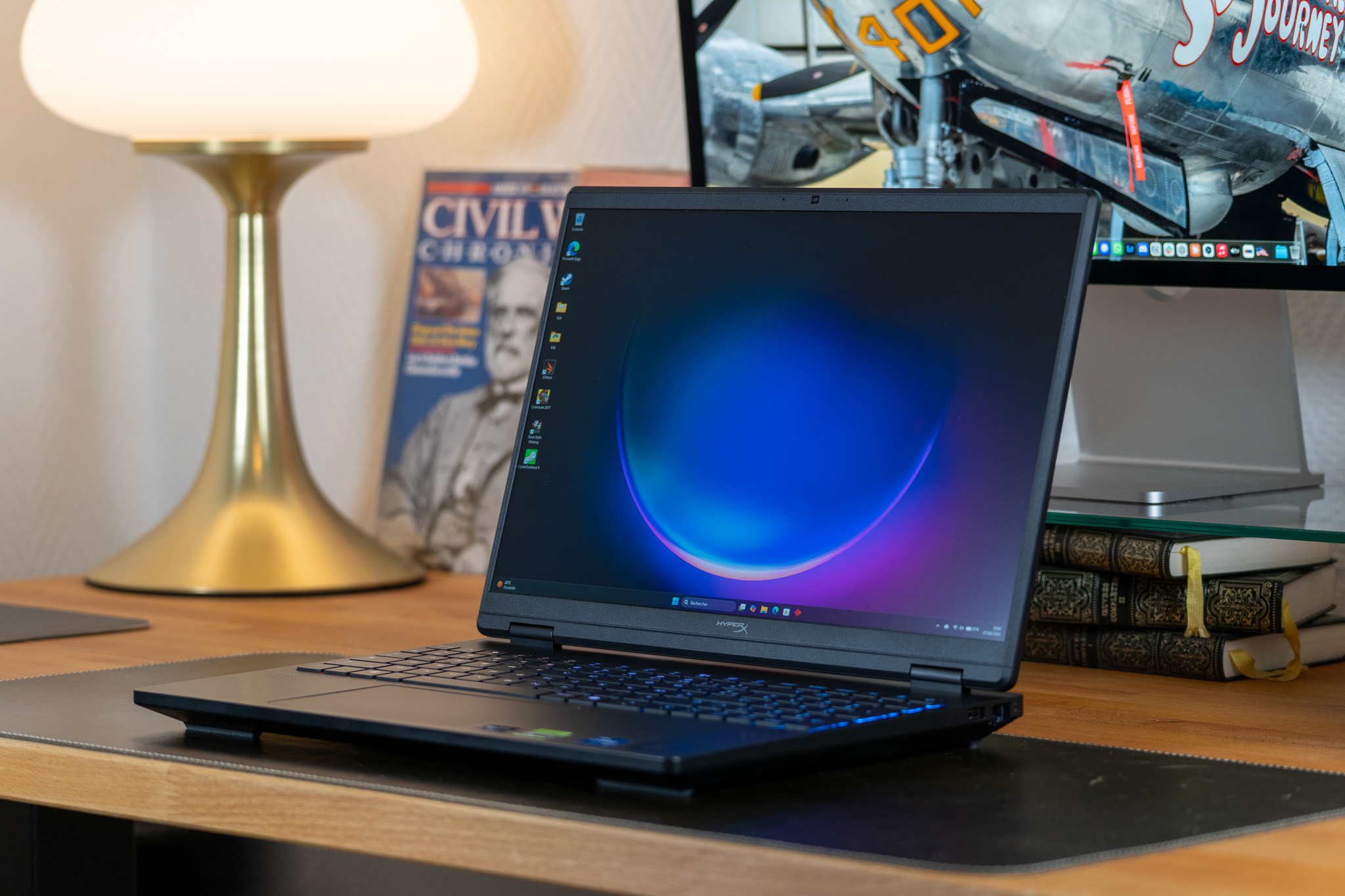
A partial rebranding, a chassis that is already familiar, and a processor from an older generation. At first glance, the new HP HyperX Omen 15 doesn’t look particularly enticing. And yet, dismissing this model with a wave of the hand would be a serious mistake, because even if it isn’t groundbreaking, it does its job very well… and, on top of that, at a good price.
8 / 10
Best prices
DRC
Materiel.net
- Solid build quality, sturdy chassis
- The RTX 5060 mobile at its best
- Cooling on point, decent IPS display
- RAM DDR5 24 GB / 1 TB storage at a reasonable price
- Good upgrade potential
- Weak battery life (3 to 4 hours)
- RGB backlighting with only 4 zones
- Trackpad could be better, speakers are a bit weak
- No fingerprint reader
We now know that it is honest enough to position this new HyperX Omen 15 favorably against its competitors; but before telling you more, here is the configuration HP France lent us for review:
Specification HP HyperX OMEN 15 (ga0004nf)
Summary
| Processor | Intel Core i7-14650HX |
| Memory size | 24 GB |
| Graphics card | NVIDIA GeForce RTX 5060 |
| Video memory | 8 GB |
| Screen size | 15.3 inches |
| Refresh rate | 180 Hz |
OS
| Operating system | Windows 11 |
CPU
| Processor | Intel Core i7-14650HX |
| Processor type | 16 cores / 24 threads |
| Processor frequency | 5.2 GHz |
| Manufacturing process | 10 nm |
Memory
| Memory size | 24 GB |
| Memory type | DDR5 |
| Number of modules | 1 |
| Free memory slots | 1 |
Graphics
| Graphics card | NVIDIA GeForce RTX 5060 |
| Max-Q | Yes |
| Video memory | 8 GB |
| Video memory type | GDDR7 |
Display
| Screen | 15.3 inches |
| Refresh rate | 180 Hz |
| Screen type | LED |
| Screen resolution | 2.5K |
| Screen format | 16:10 |
| Matte / anti-glare | Yes |
| Touchscreen | No |
Storage
| Disk configuration | SSD NVMe |
| Main drive | 1 TB |
| Secondary drive | 1 NVMe M.2 slot |
| Optical drive | None |
| M.2 slots | M.2 (free), M.2 (occupied) |
| Memory card reader | None |
Graphics
| Graphics card | NVIDIA GeForce RTX 5060 |
| Max-Q | Yes |
| Video memory | 8 GB |
| Video memory type | GDDR7 |
Display
| Screen size | 15.3 inches |
| Refresh rate | 180 Hz |
| Screen type | LED |
| Screen definition | 2.5K |
| Screen format | 16/10 |
| Matte / anti-reflective | Yes |
| Touch screen | No |
Storage
| Configuration disk(s) | SSD NVMe |
| Main drive | 1 TB |
| Secondary drive | 1 slot M.2 NVMe |
| Optical drive | None |
| mSATA/M.2 slot | M.2 (free), M.2 (occupied) |
| Memory card reader | None |
Display
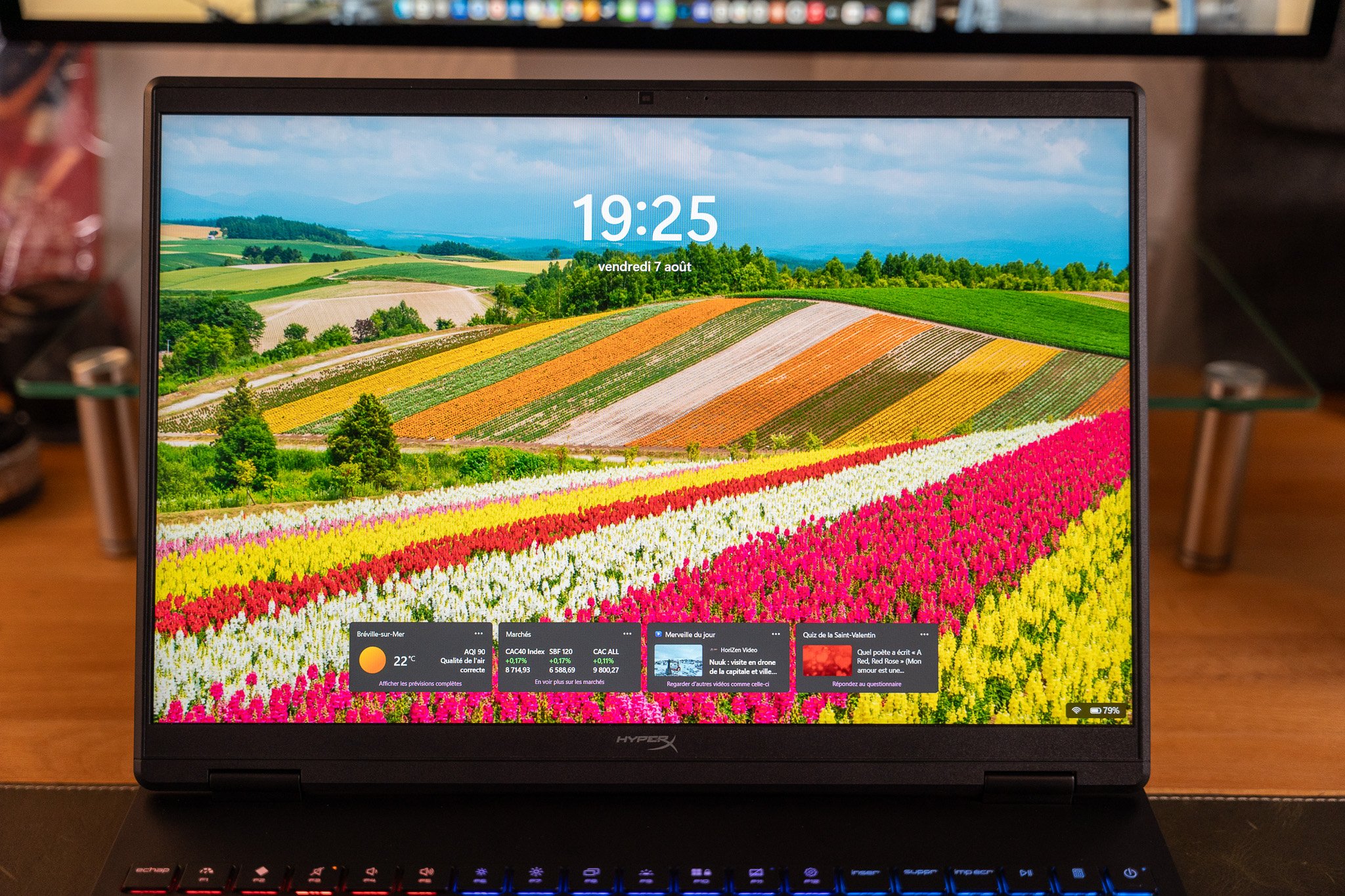
| Color gamut | sRGB 98.8% coverage; DCI-P3 about 70% |
Ecran
| Display | Lcd IPS 2.5K / sRGB |
Dispositif
| Notes d’essai | DisplayCal (DeltaE 2.7, 6716K), colorimetric bias slightly blue |
Summary
| Operating system | Windows 11 |
Processor
| Processor | Intel Core i7-14650HX |
| Processor type | 16 cores / 24 threads |
| Processor frequency | 5.2 GHz |
| Fabrication process | 10 nm |
Mémoire vive
| Memory size | 24 GB |
| Memory type | DDR5 |
| Number of slots | 1 |
| Free memory slots | 1 |
Graphics
| Graphics card | NVIDIA GeForce RTX 5060 |
| Max-Q | Yes |
| Video memory | 8 GB |
| Video memory type | GDDR7 |
Display
| Screen | 2.5K resolution, 15.3″ IPS |
| Screen size | 15.3″ |
| Display | IPS, 100% sRGB |
Storage
| Drive configuration | SSD NVMe |
| Main drive | 1 TB |
| Secondary drive | 1 NVMe M.2 slot |
| Optical drive | None |
| M.2 slot(s) | M.2 (free), M.2 (occupied) |
| Memory card reader | None |
Connectors
| Available connectors | Combo jack 3.5mm, HDMI 2.1, Ethernet RJ-45, USB 3.2, USB 3.2 Type-C, Micro jack 3.5mm |
Wireless
| Wi‑Fi | Yes |
| Wi‑Fi version | 6 |
| Bluetooth | Yes |
| Bluetooth version | 5.4 |
Equipment
| Webcam | Yes |
| Speakers | Built-in |
| Keyboard | AZERTY |
| Backlit keyboard | Yes – RGB |
| Numeric keypad | Yes |
| Fingerprint reader | No |
Physical characteristics
| Length | 34.3 cm |
| Width | 25.3 cm |
| Thickness | 2.25 cm |
| Weight | 2.21 kg |
In this Core i7 / 24 GB / RTX 5060 configuration, the HP HyperX Omen 15 (ga0004nf) is priced at €1,499.99 across several online retailers at the time of writing.
Design: a chassis seen and revised… but also proven
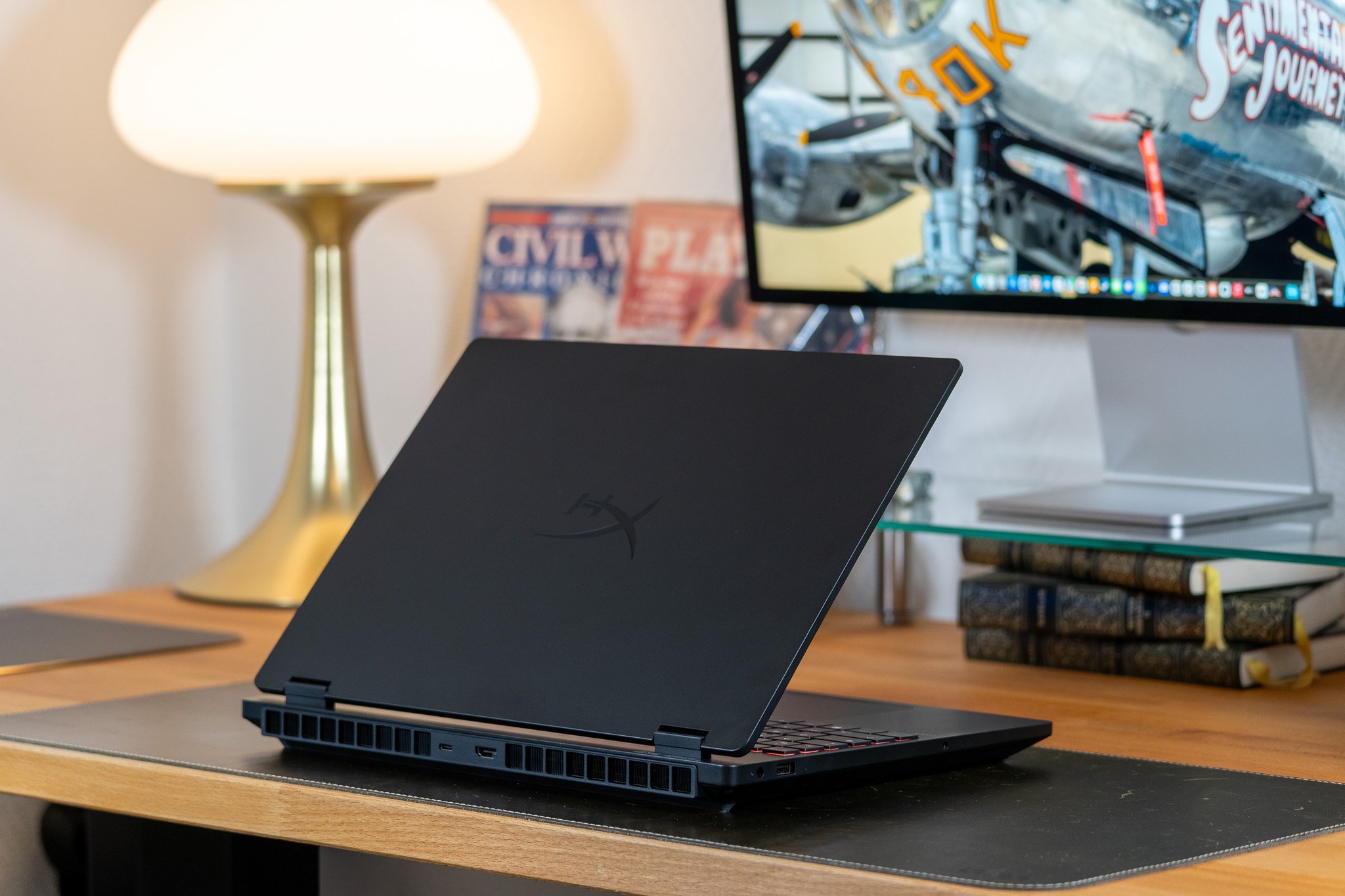
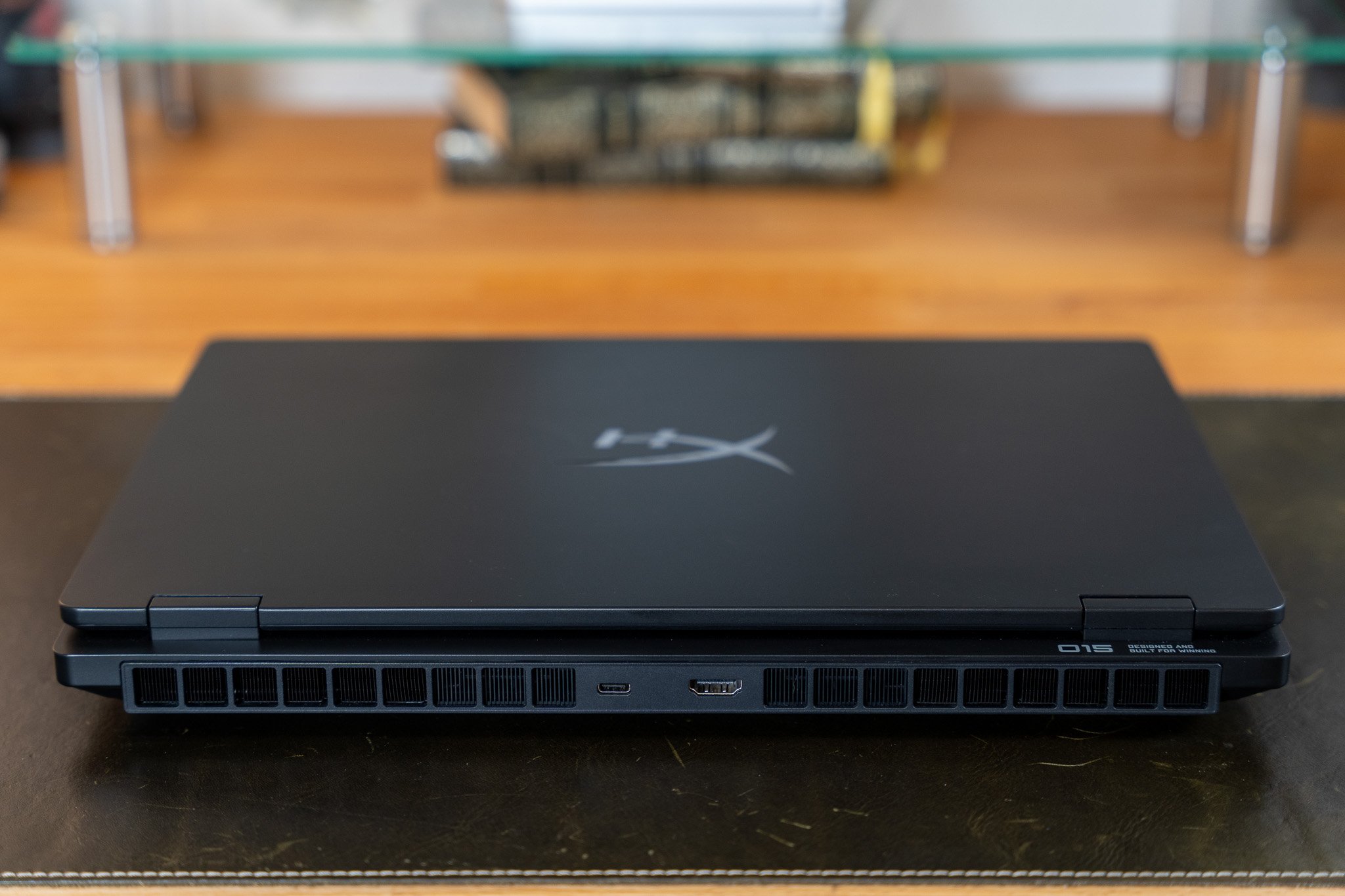
With dimensions of 34.3 × 25.3 × 2.25 cm and a weight of 2.21 kg, the HyperX Omen 15 is a fairly compact gaming PC, which we don’t mind. Relatively easy to carry, the device lends itself to mobile use, despite a modest battery life (we’ll come back to this at the end of the test) that requires bringing along the large 280-watt charger that accompanies this model.
This model does not surprise us in any meaningful way. As mentioned earlier, this new Omen 15 reuses a chassis HP has recycled for about three years. The device therefore looks a lot like a somewhat chunkier version of its distant cousin the HP Omen 16 Transcend, while borrowing a few lines from its big brother the Omen Max 16. Only lines, though, because the model we’re focusing on today sticks to a chassis entirely made of plastic, not alloy.
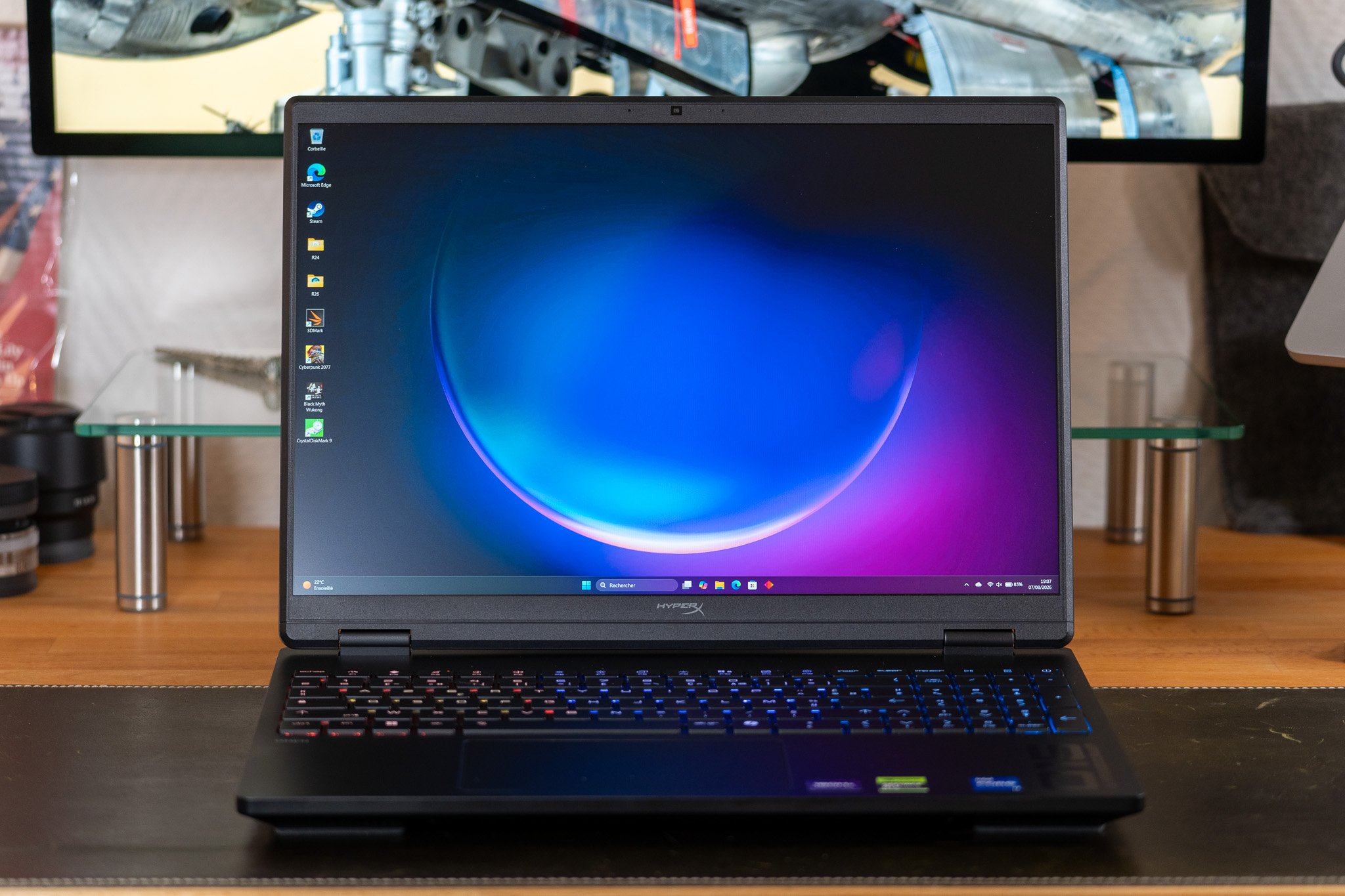
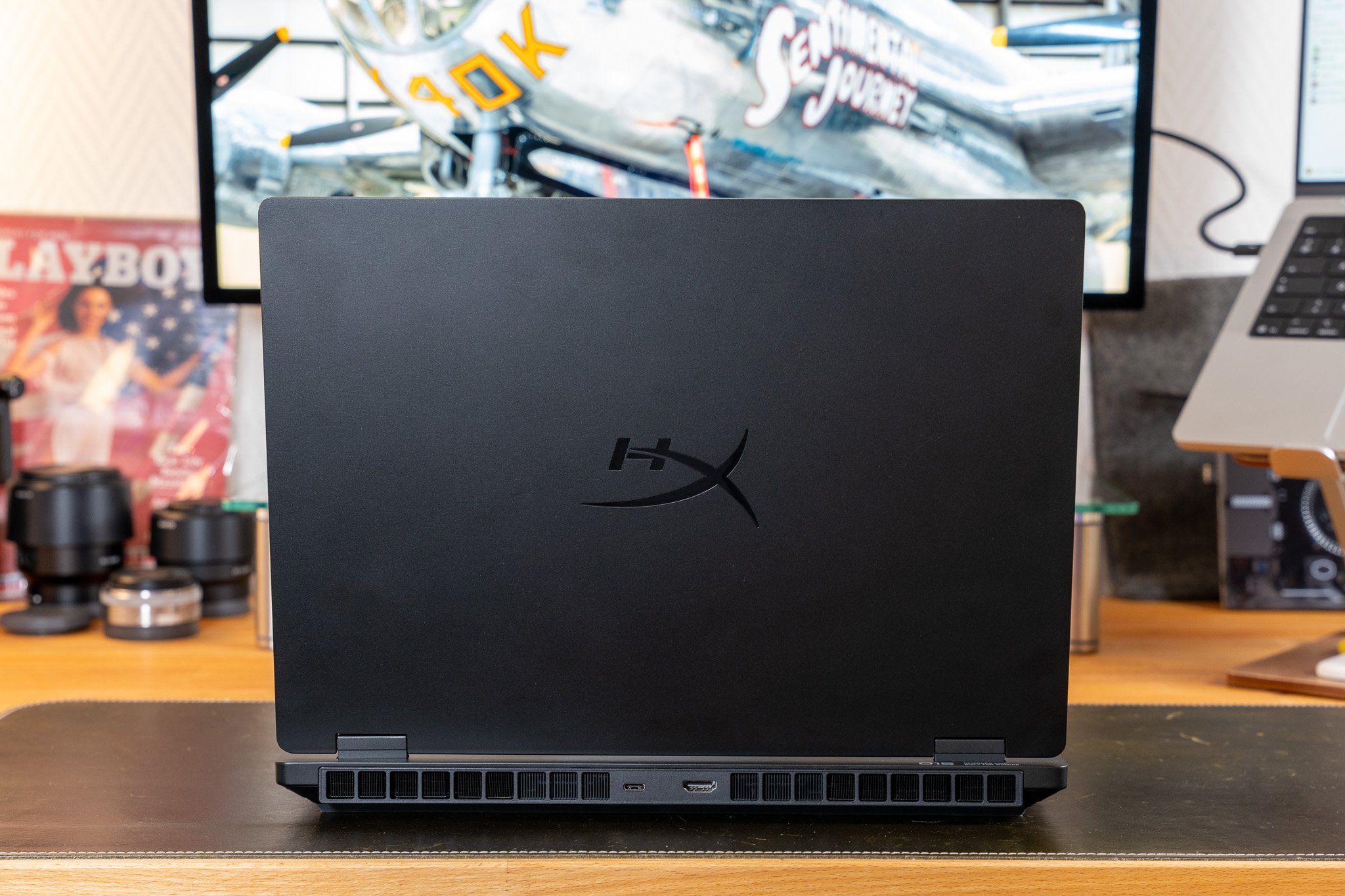
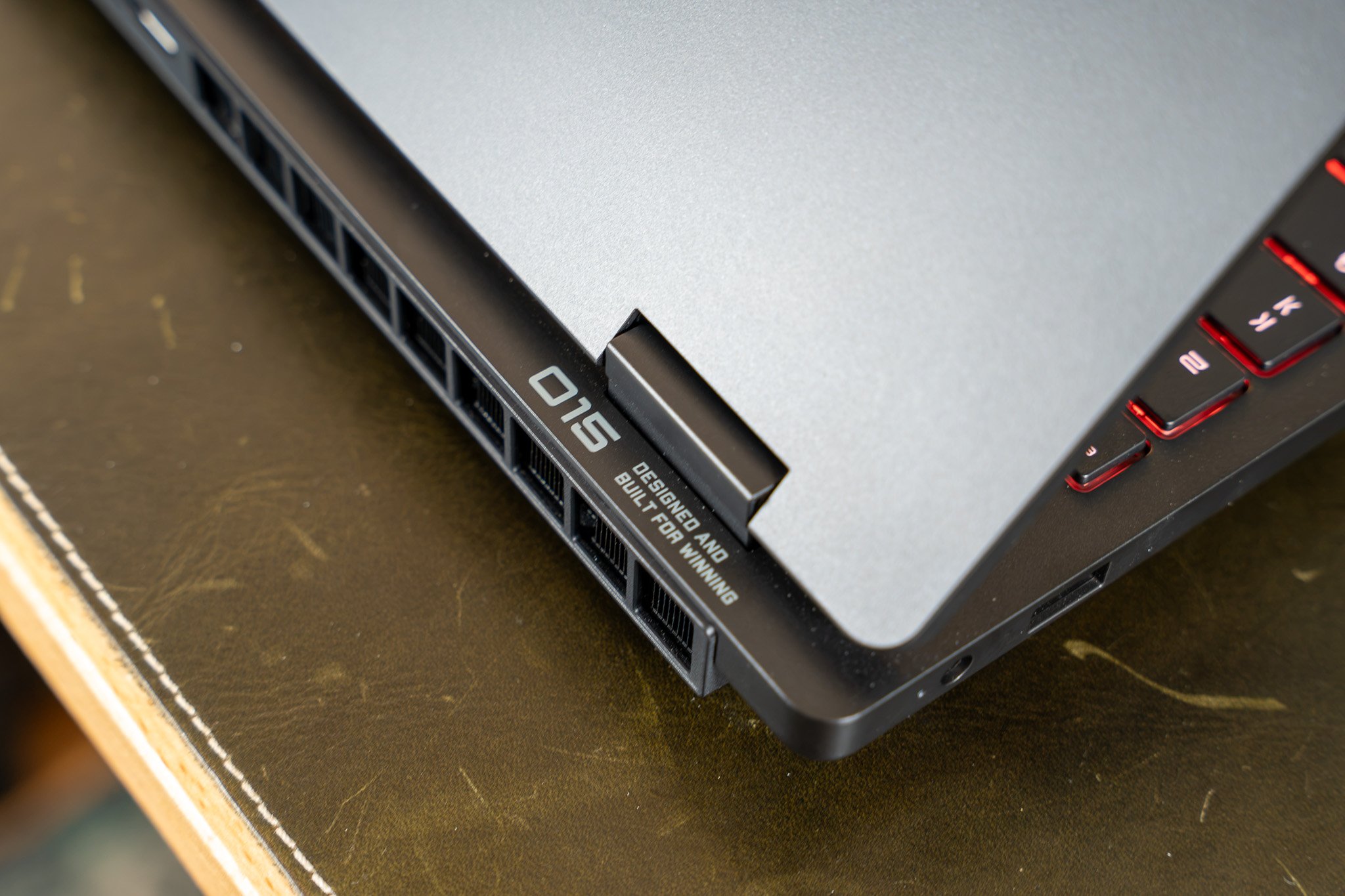
On your side, given the affordable price of the model, HP skips aluminum here. That said, the finish is on par with what one would expect from a solid mid-range model. The assembly is overall very solid. The various plastic pieces forming the chassis are joined with care, such that nothing creaks when you handle the device. The chassis stiffness is satisfactory, and the hinges feel sturdy enough, even if the display frame itself seems a little too flexible. Sudden movements in that area should be avoided.
The build quality of this HyperX Omen 15 therefore poses no major issues. We also appreciate the attention given to the keyboard. While not as successful as the Omen Max 16 (which shares the general layout and the numeric keypad), this keyboard offers a comfortable travel depth for gaming, remains reasonably quiet and precise in daily use, although it does require a bit of adaptation at first.

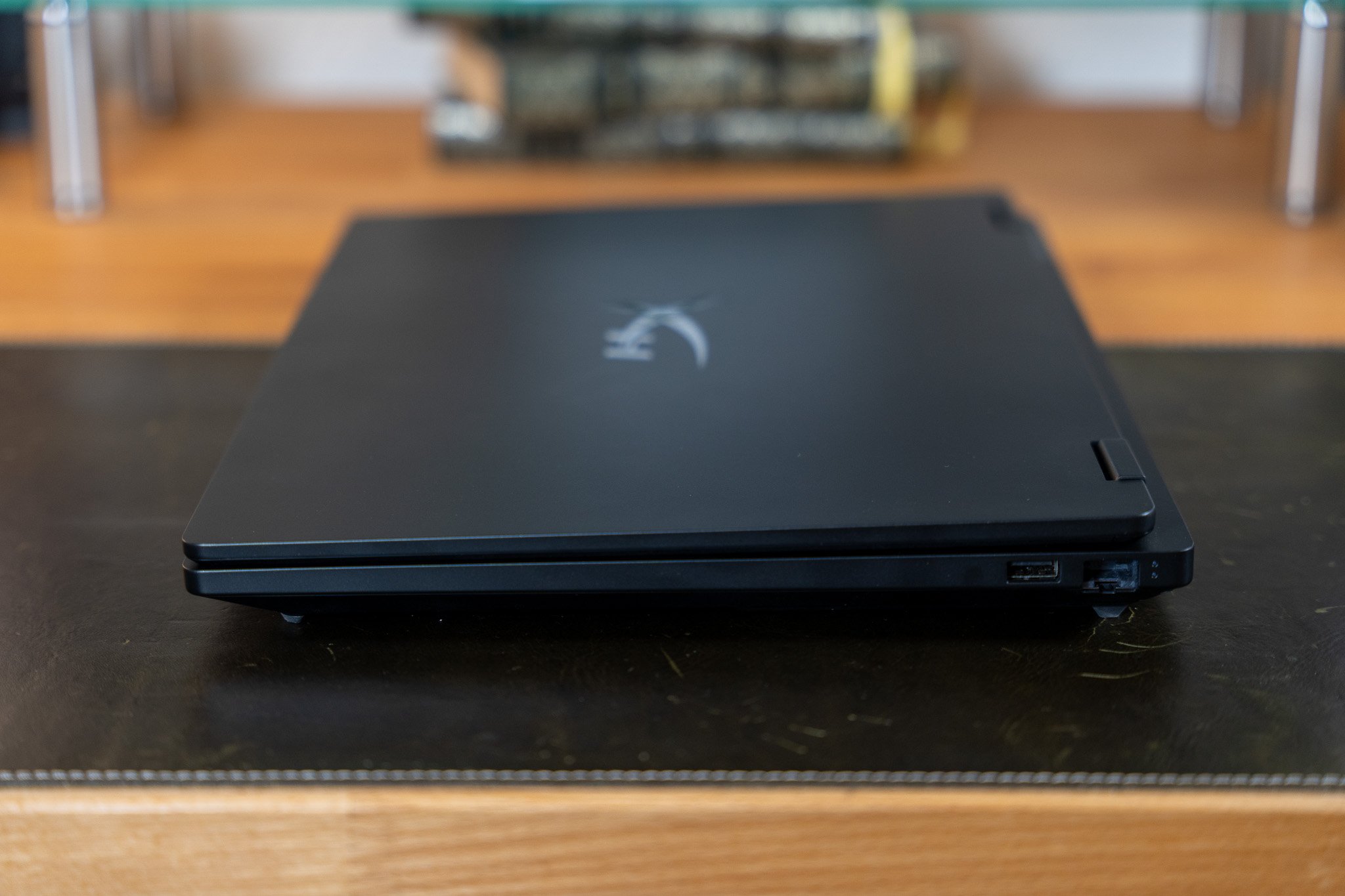
Côté connectique, on retrouve l’essentiel, mais un peu dispersé, avec un port USB-A 3.0 et une prise Jack 3,5 mm sur le flanc gauche ; un port RJ-45 (1 Gbps) et un connecteur USB-A 3.0 sur le flanc droit ; une sortie HDMI 2.1 et un port USB-C 3.1 (10 Gbps) à l’arrière.
La webcam et les haut-parleurs assurent quant à eux le service minimum, ce qui est prévisible à ce niveau de prix.
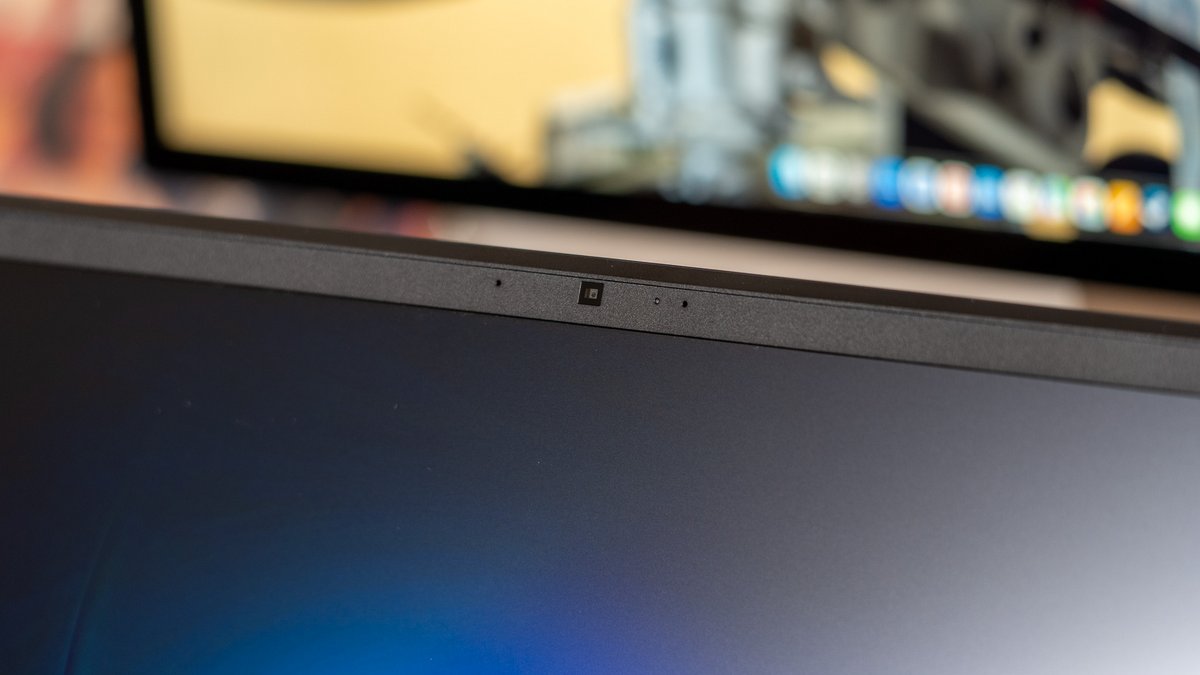
Nous héritons d’un module 1080p placé au-dessus de l’écran, délivrant une image pas trop bruitée lorsque les conditions d’éclairage sont favorables. Les couleurs restent également fidèles à la réalité. Les haut-parleurs, eux, se distinguent principalement par leur faible volume (impossible de les utiliser pour le jeu, car ils sont dominés par le bruit des ventilateurs) et par un rendu audio plutôt « plafonné ». Le son manque de relief et de dynamique, mais évite au moins la saturation ou l’effet boîte. C’est déjà ça.
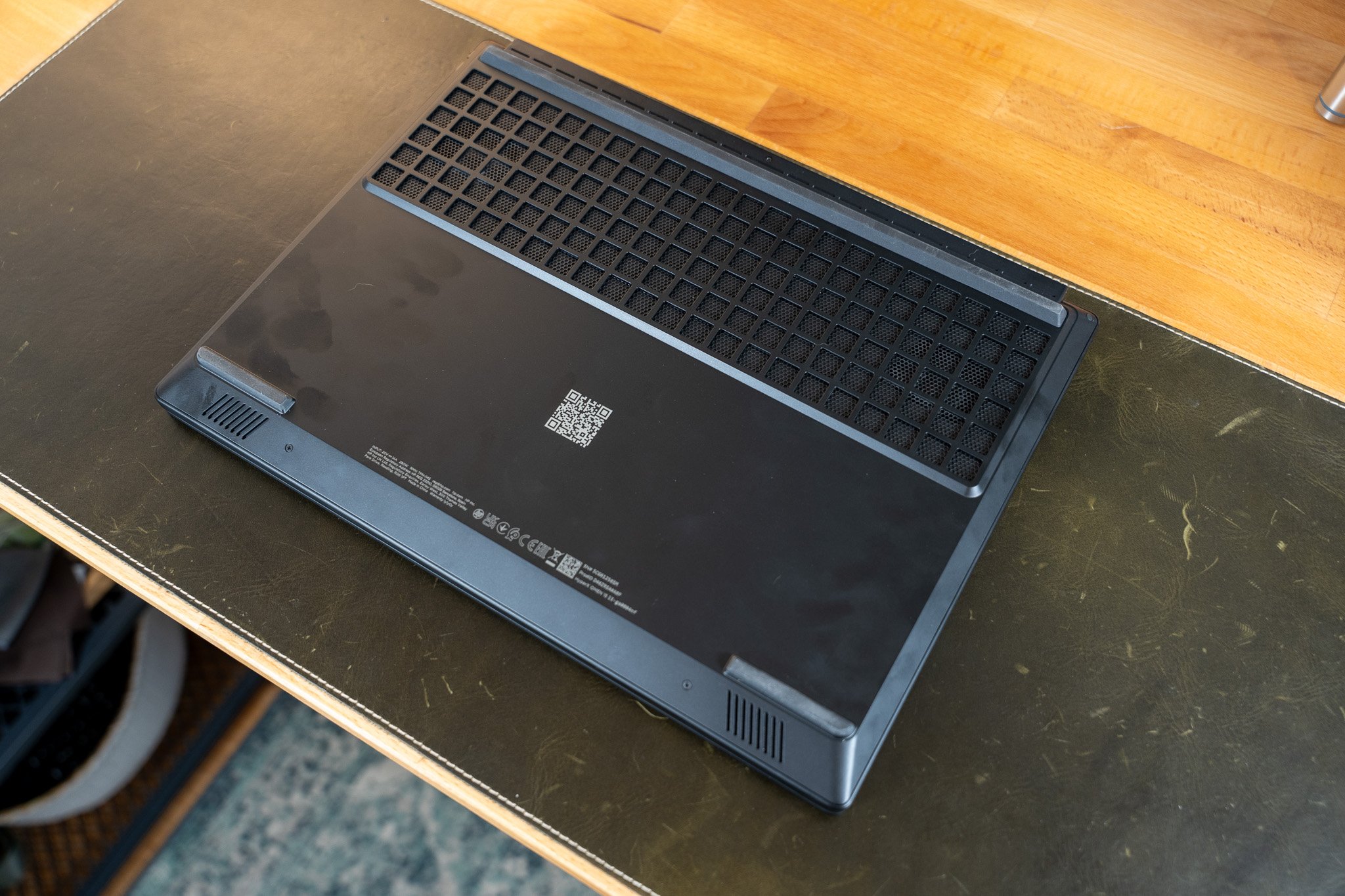
Opening the case is finally done from the bottom after removing about a dozen Philips screws with a precision screwdriver. It becomes quickly apparent that the battery can be easily replaced, that there is a vacant SODIMM slot for adding memory (one 24 GB module was installed on our loan unit), and that a vacant M.2 SSD slot is also present to increase total storage (or even set up RAID 1 or a dual-boot Windows/Linux for enthusiasts). The Wi‑Fi/Bluetooth modem is likewise modular and can be replaced with three screws if necessary.
As a budget-friendly model, HP here sacrifices aluminum. That said, the finishes are up to the level you would expect from a solid mid-range model. The overall assembly is very solid. The various plastic parts that form the chassis are joined with care, such that nothing creaks when handling the device. The chassis rigidity is satisfactory and the hinges are sturdy enough, though the display frame itself feels a little too flexible. Sudden movements there should be avoided.
In terms of build quality, this HyperX Omen 15 doesn’t raise any major concerns. We also appreciate the attention given to the keyboard. While not as outstanding as the Omen Max 16’s keyboard (which shares the general layout and the numeric keypad), this keyboard offers a comfortable depth of travel for gaming, remains reasonably quiet and precise in everyday use, though it requires a short acclimation period at the start.
We also appreciate its smooth bounce, which contributes a lot to the perceived comfort here. Note, however, that while this keyboard benefits from RGB backlighting, it is limited to four zones (not per-key lighting) and is adjustable via the Omen Gaming Hub utility. A compromise we readily accept.
The trackpad, on the other hand, is more bothersome. It isn’t fundamentally bad (believe us, we’ve seen much worse), but it feels very plastic to the touch and is somewhat small. Still, it offers good precision and its clicks aren’t too erratic compared to other mid-range gaming laptops. HP has clearly put in a (small) effort here.
Finally, opening the chassis from the bottom after removing about ten Philips screws, we quickly notice that the battery is easily replaceable, there is an empty SO-DIMM slot to add memory (our loan unit had a single 24 GB module installed), and an empty M.2 SSD slot to increase total storage (or to set up RAID 1 or a Windows/Linux dual-boot for enthusiasts). The Wi‑Fi/Bluetooth modem is also modular and can be replaced in three screw turns if needed.
As a result of the price-conscious approach, HP here drops aluminum. Nevertheless, the finishes are in line with what one expects from a good mid-range model. The build quality is solid overall. The perangkat, i.e., the various plastic components, are joined with care, and nothing rattles when handled. The chassis rigidity remains satisfactory, and the hinges feel sturdy enough, though the display frame itself feels a touch too flexible. Avoid abrupt movements in this area.
The build quality of this HyperX Omen 15 thus poses no significant issues. We also appreciate the attention given to the keyboard. While not as successful as the Omen Max 16’s keyboard (which retains the general layout and the numeric keypad), this keyboard offers a pleasant travel depth for gaming, remains reasonably quiet and precise in everyday use, though it requires a short adjustment period at first.
On a noté, toutefois, que ce modèle est davantage sédentaire que nomade et que son autonomie est limitée par une batterie de 70 Wh, ce qui est le grand point faible du produit.
HP HyperX Omen 15 (ga0004nf) : l’avis de Clubic
In the realm of gaming laptops, sometimes the old recipes yield the best results. This new HyperX Omen 15 reuses a chassis that’s largely familiar, without trying to reinvent anything, and that’s precisely what we like about this model. If it isn’t innovative, it does exactly what is asked of it, delivering solid performance and good display quality at a reasonable price.
Well built, well thought out, the device also stands out for its upgrade potential (vacant SO-DIMM and M.2 slots, easily accessible battery, replaceable modem…) and for the efficiency of its cooling system, which is more than enough to fully exploit the RTX 5060’s power.
The only real shortcoming of the HyperX Omen 15 lies in its battery life, which is comparatively limited and makes the device a mostly stationary use laptop. A common drawback for this category, which will be hard to fault for long—yet it’s worth bearing in mind before buying.
Competition: what alternatives to the HP HyperX Omen 15?
- chassis well built, fairly slim and discreet
- Efficient cooling, works well in Full HD+
- Solid performance in HD+
- Bonne éventualité d’évolutivité
In terms of gaming laptops, the old models can sometimes yield the best jams. This new HyperX Omen 15 is a case in point, recycling a generally well-known chassis without trying to reinvent anything, and that’s precisely what we appreciate about this model. If not innovative, it does exactly what it’s supposed to do, delivering solid performance and decent display quality at a reasonable price.
Well built, well thought out, the device also shows off upgrade potential (vacant SO-DIMM and M.2 slots, easily accessible battery, replaceable modem…) and an effective cooling system that is enough to properly harness the RTX 5060’s power.
The sole real drawback of the HyperX Omen 15 concerns its battery life, which is relatively modest, making it primarily a sedentary-use machine. A common limitation for this category, which we’ll hardly fault it for for long… but it’s worth keeping in mind before purchasing.

Daniel Brooks
I cover everyday products with a practical eye, from kitchen tools and home essentials to smart gadgets and consumer trends. My goal is to help readers understand what is genuinely useful, what is worth the price, and what deserves a second look before buying.