
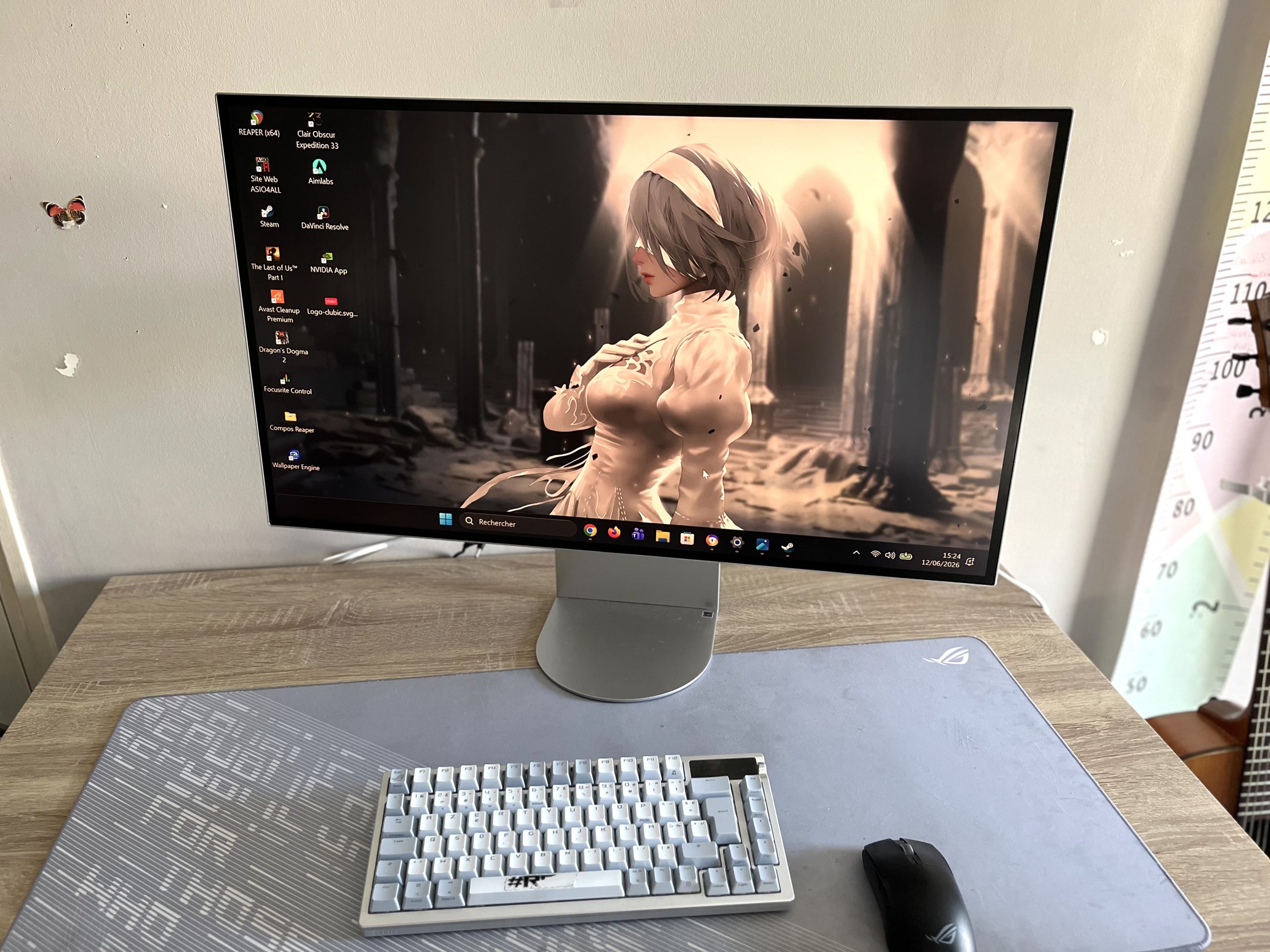
The 32-inch 6K displays are not exactly common. And since rarity often implies cost, I naturally had a few expectations when installing the LG UltraFine 6K 32U990A-S on my desk: a very sharp image, real work comfort, and perhaps that distinctive feeling that the best Apple displays give, when pixels almost disappear.
9 / 10
- Very high-quality image rendering
- A true 32-inch working comfort
- Strong and complete connectivity with Thunderbolt 5
- A screen that can replace a dock on a daily basis
- Practical matte finish, but less spectacular than a glossy panel
- ODF imperfect
- 60 Hz is fairly limited for demanding gamers
On paper, LG has plenty to attract creatives: a resolution of 6 144 by 3 456 pixels, a density of 224 ppp, an IPS Black panel, a claimed 98% DCI-P3 coverage, 99.5% Adobe RGB, DisplayHDR 600, and, above all, Thunderbolt 5 connectivity designed to turn the screen into a true workstation hub. The simple question is this: in daily use, does 6K really change things, or is it mainly a comfortable luxury?
Ce que le 6K change vraiment au quotidien
The first thing that stands out with the LG 32U990A-S isn’t necessarily the screen size. After all, 32-inch monitors are now fairly common. No, what jumps out is the sharpness of the rendering.
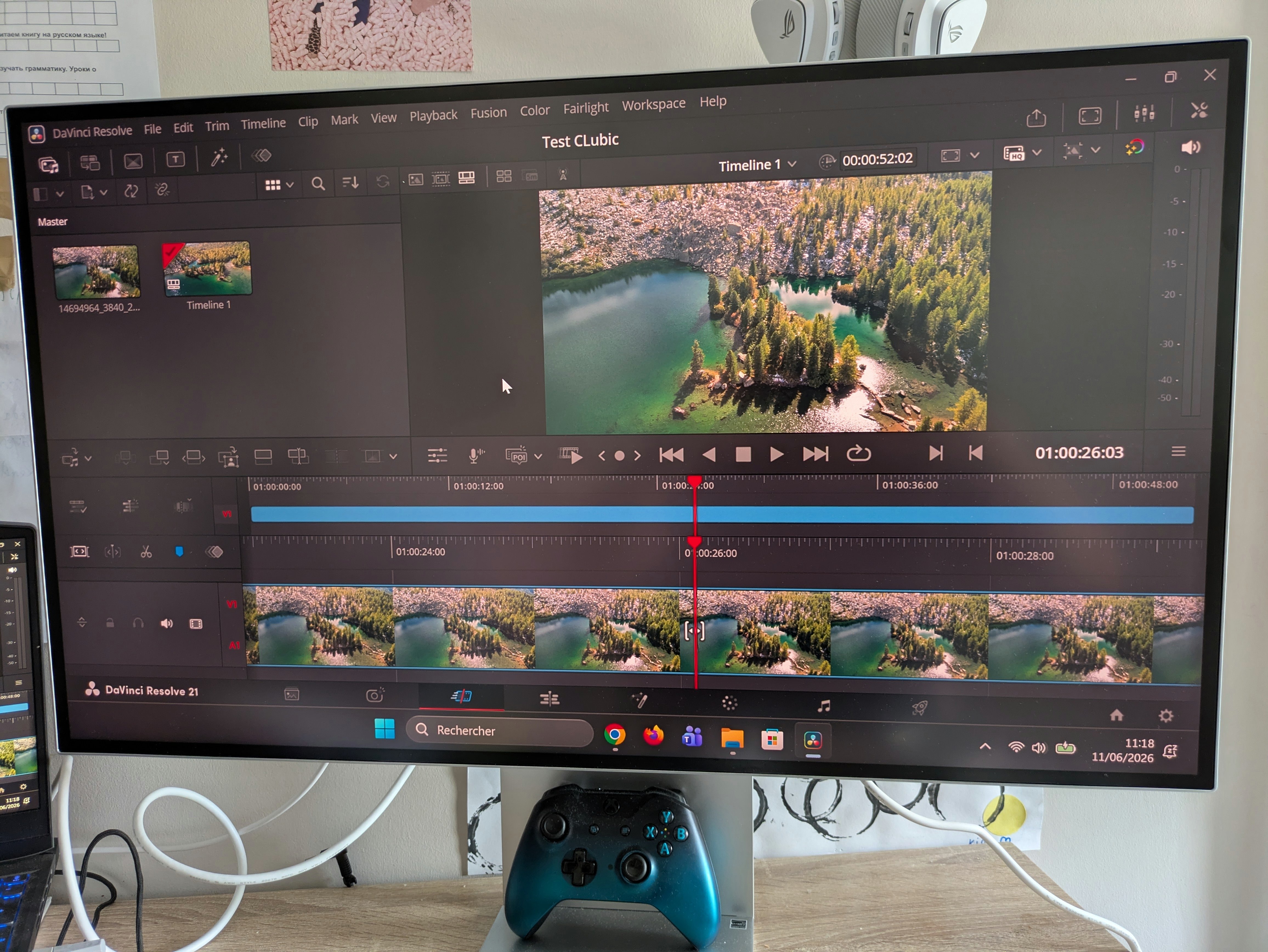
With 224 pixels per inch, the text is exceptionally crisp. The characters look cleaner, easier to read over long periods. It’s exactly the sort of detail you don’t always notice at first, but which becomes very hard to ignore after a few hours of work. During long sessions of writing, retouching, or browsing between several documents, the comfort is real.
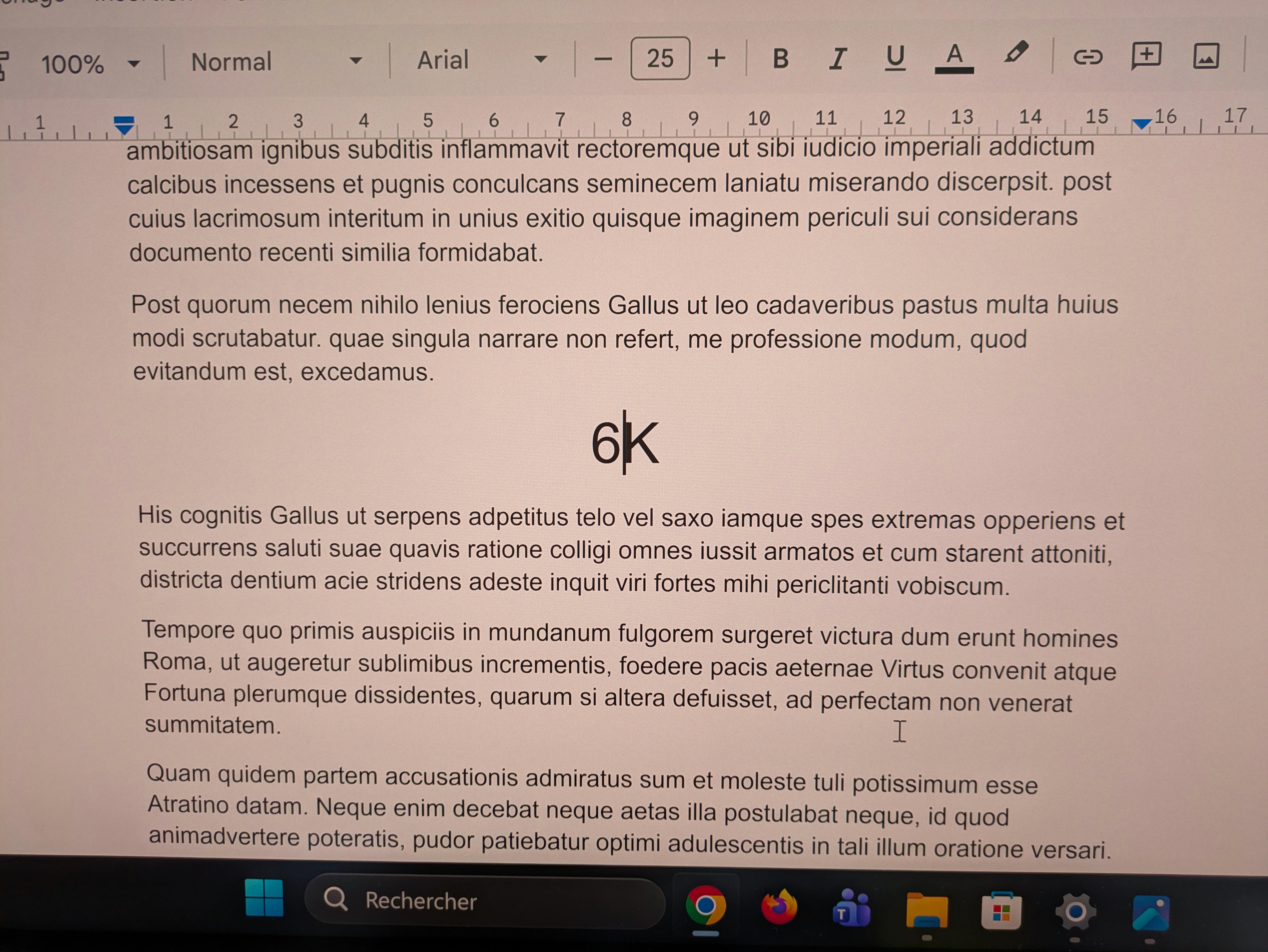
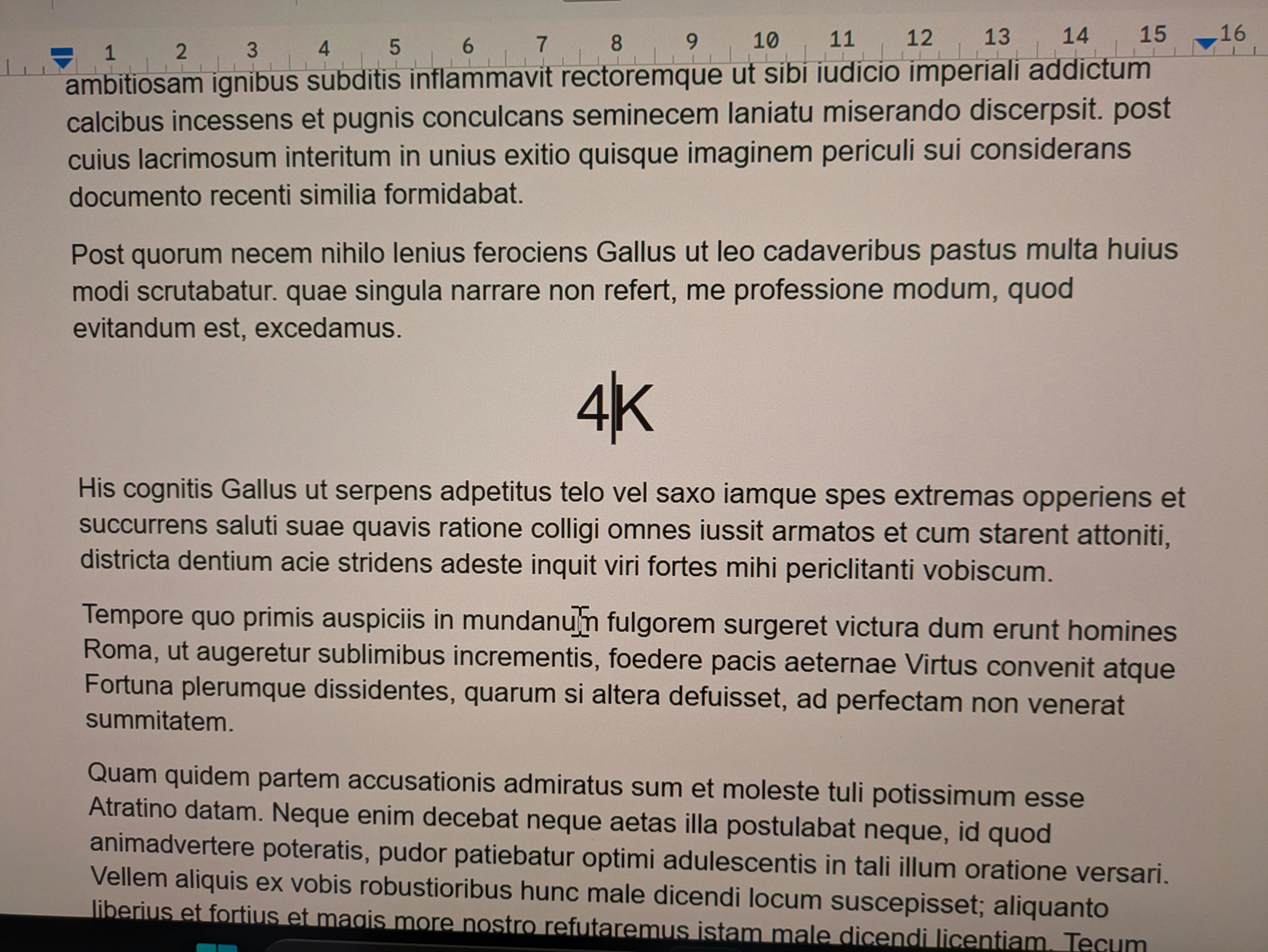
Le gain est tout aussi évident sur les photos haute résolution. Les détails ressortent avec une précision impressionnante, les zooms conservent une belle lisibilité, et l’on profite d’un espace de travail particulièrement généreux. J’ai pu afficher plusieurs fenêtres côte à côte sans avoir cette impression habituelle de compromis entre taille, lisibilité et confort. Pour du montage vidéo, de la retouche photo ou du développement, c’est clairement l’un des grands arguments de cet écran.
Le 6K affiche environ 2,5 fois plus de pixels que la 4K. Dit comme ça, cela ressemble à une donnée technique de plus. À l’usage, cela se traduit surtout par une sensation d’aisance : on respire davantage, on empile moins les fenêtres, on zoome moins, et l’on revient moins souvent à des manipulations inutiles.
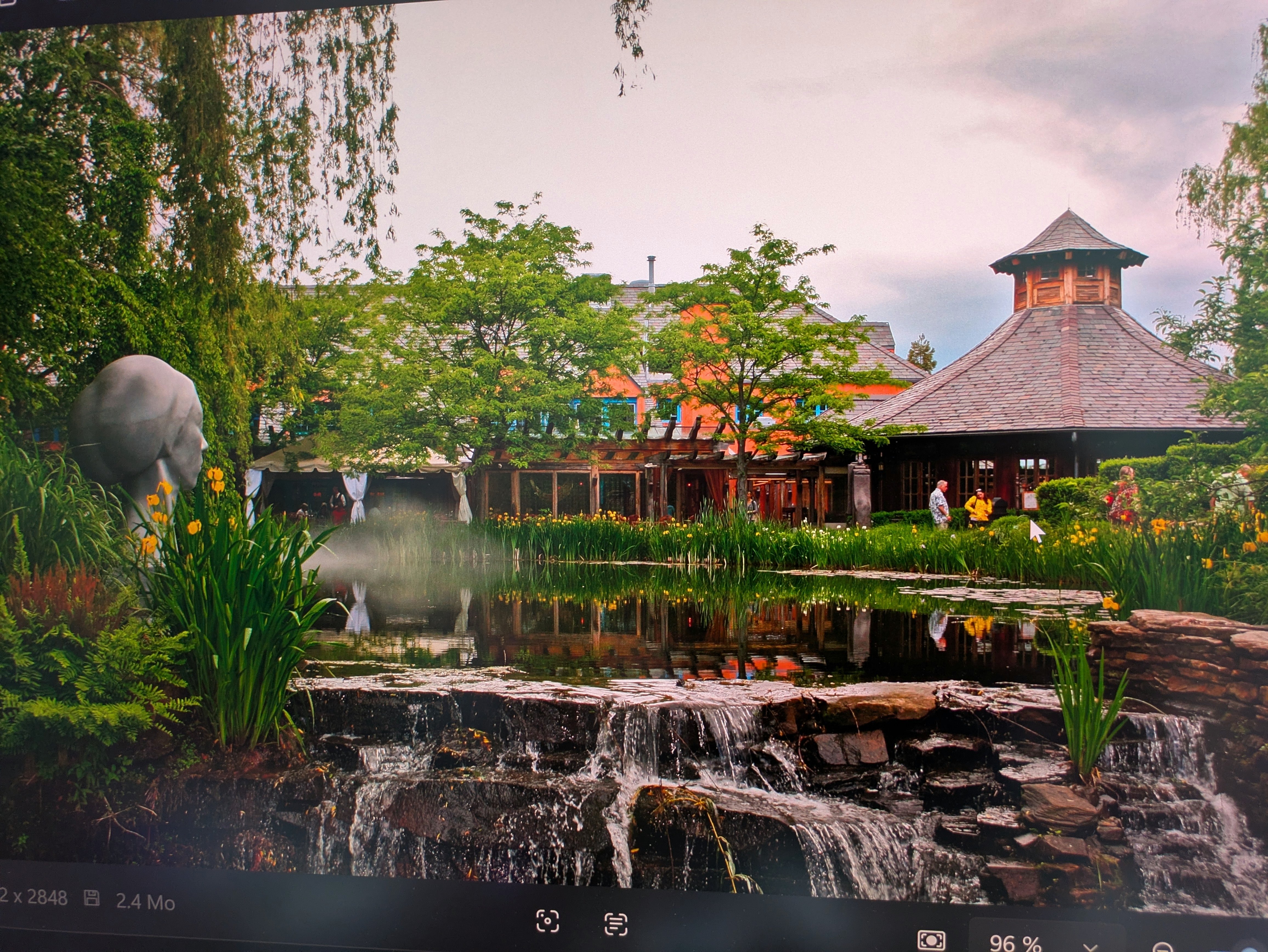
Une belle image, même sans l’effet “wahou” d’une dalle brillante
The LG 32U990A-S uses an IPS Black panel. OLED obviously retains the advantage in terms of black depth, but LG’s screen handles its own niche quite well. The blacks are dense for an IPS panel, colors appear rich and balanced, and the overall impression quickly conveys seriousness.
I didn’t perform colorimetric measurements in this test, so please remain cautious about the color claims. Visually, however, the rendering seemed coherent and pleasant across the various use cases. Photos retain subtle nuances, gradients are clean, and the image never feels forced or artificially flattering.
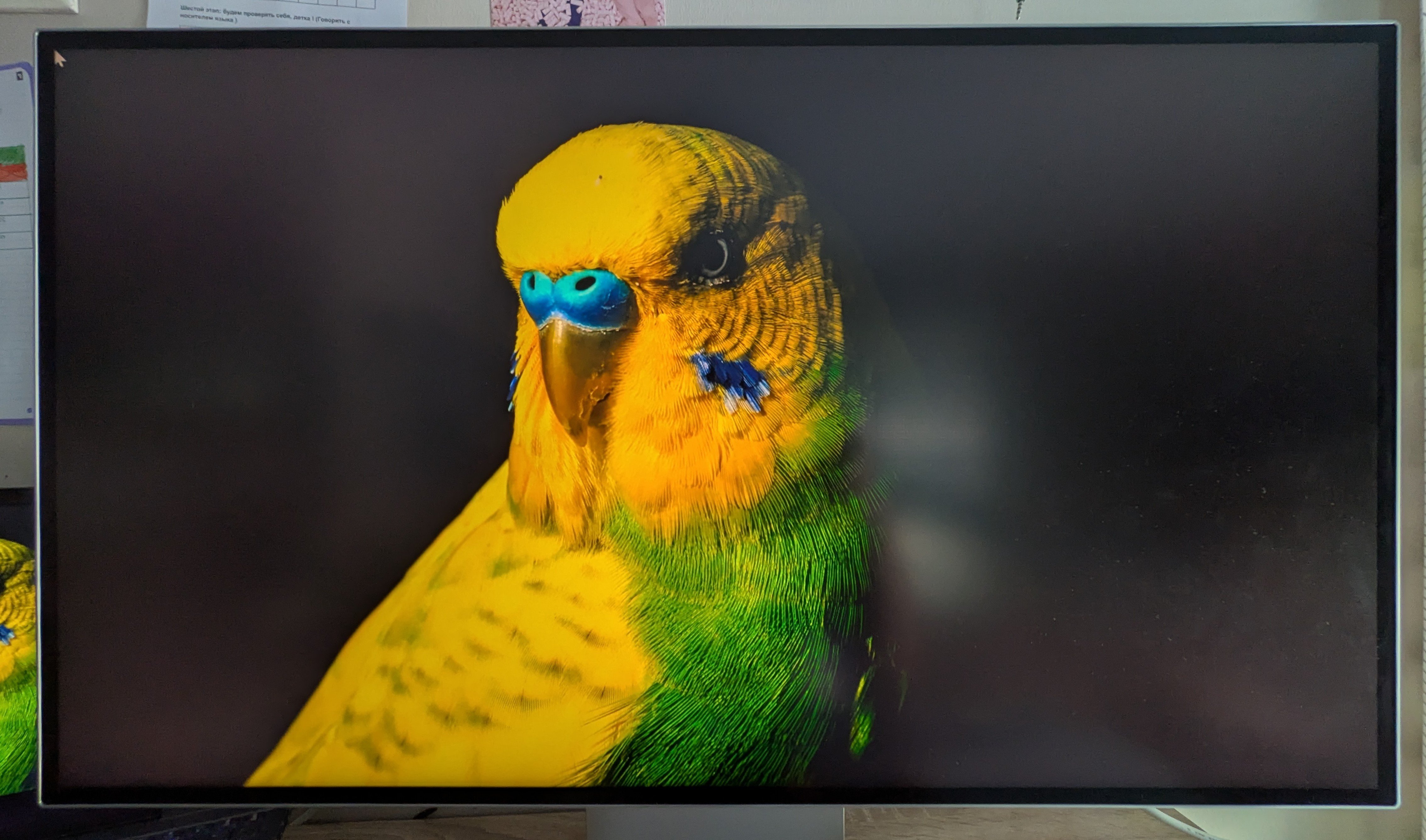
The DisplayHDR 600 certification doesn’t transform this monitor into an absolute HDR reference. Don’t expect the peak brightness or the depth of a top-tier MiniLED or OLED display here. Nevertheless, HDR content remains convincing, with a dynamic image suitable for multimedia and professional use. It’s clean, pleasing, but not spectacular in the home-cinema sense.
Effect Retina? We’re close, but we’re aiming elsewhere
This is perhaps one of the points that Apple screen veterans will notice first. I’ll admit that the glossy Retina-like feel remains a benchmark. Unsurprisingly, the LG stands out next to a Studio Display. Where Apple favors a glossy finish, LG opts for a matte anti-reflective treatment. This choice effectively reduces reflections in daily use, even if the image appears slightly less spectacular than with an Apple panel.
It’s probably on this point that specialists will have the most to debate. Especially since the two displays are offered at fairly close prices. Otherwise, the LG need not blush in comparison and delivers a visual experience that approaches the Retina effect without reproducing it identically.
Daily experience: one screen? No, a command center.
Design and connectivity
Tap the desk with your fist, the LG 32U990A-S won’t flinch. The display rests on a sturdy stand that absorbs desk vibrations and the clicks of impatient designers. Beyond that, the ensemble maintains a neat and coherent presentation in line with its premium positioning.
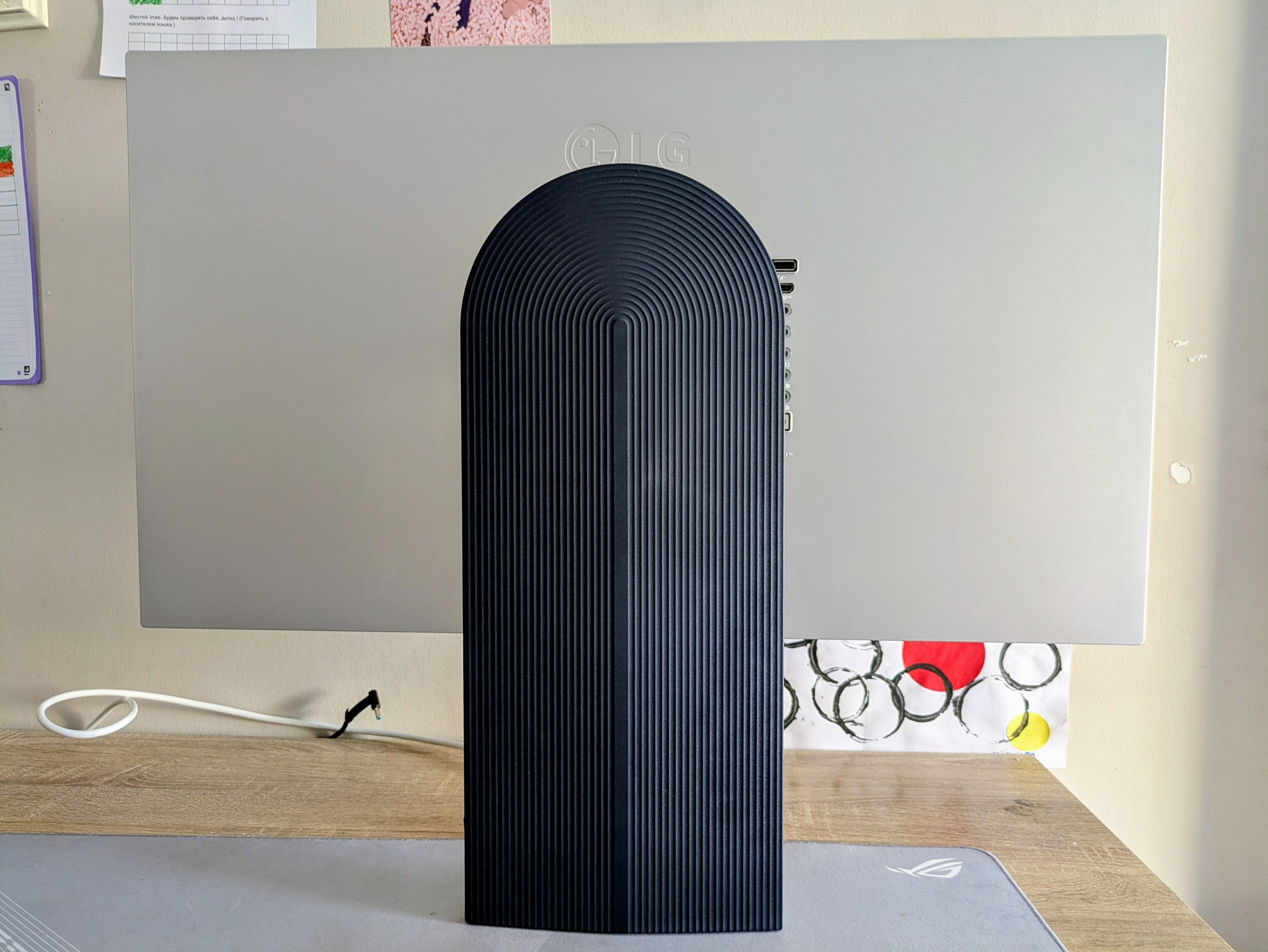
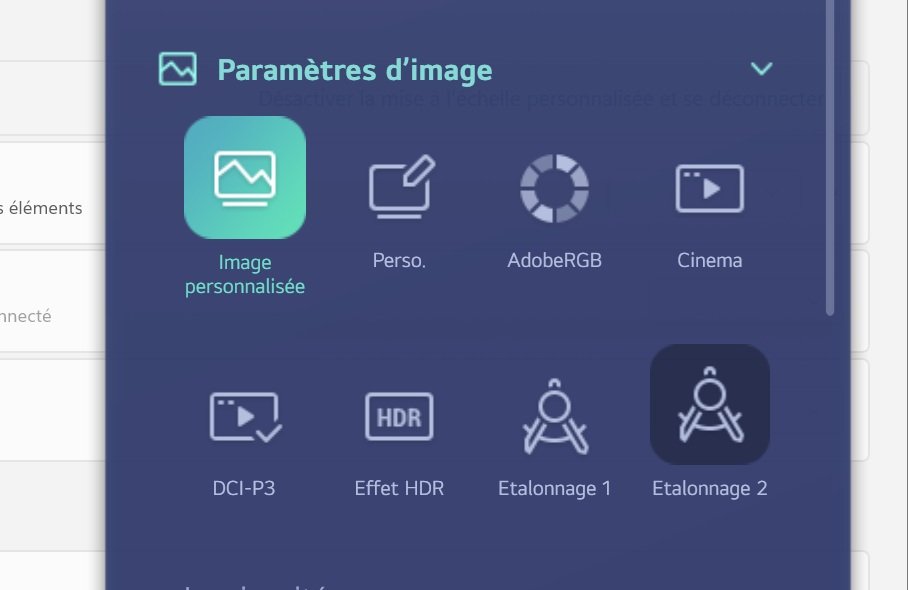
The screen includes a rear-mounted OSD wheel allowing quick access to the various settings: input source, image mode, and volume. If navigation through the menus sometimes lacks precision, the LG Switch software greatly simplifies the experience with a clear and well-designed interface. Visual-precision enthusiasts can complement these settings with LG Calibration, a comprehensive software for millimeter-perfect colorimetry.
Comme prévu, the 32-inch panel offers about the same space as parking at a Walmart. I tested it: you can place three A4 sheets side by side. Seeing things on a large scale is a real asset for many professionals. The ability to display several software applications simultaneously, without sacrificing readability, multiplies thanks to this 6K definition. A particularly welcome advantage for photo retouching, video editing, or software development.
The Thunderbolt 5 is a major asset for users with compatible gear. This interface allows you to carry image, data, and power simultaneously through a single cable, while offering a bandwidth up to 120 Gbit/s. For video creators, it guarantees fast file transfers and a cable-free desk. Two Thunderbolt 5 cables are included with the display, which is not insignificant given the price of such accessories bought separately.
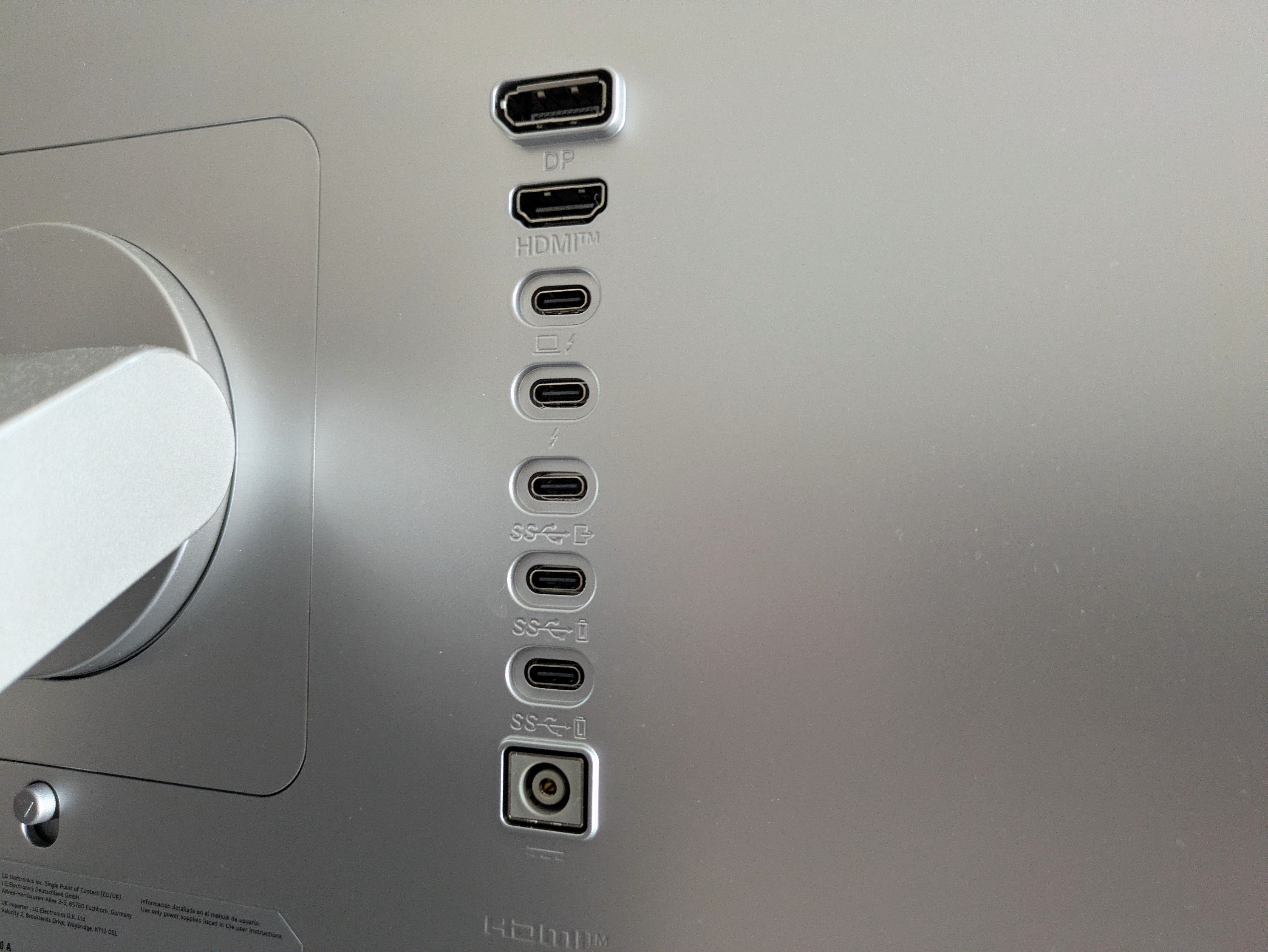
All in all, it’s a pragmatically designed workstation that eliminates bulky cabling and centralizes your workflow with a few clicks.
The comfort is real, but the 60 Hz reminds you of the product’s limits
During long days, the LG 32U990A-S left me with a very positive impression. The screen doesn’t heat up perceptibly, it runs quietly, and it doesn’t tire the eyes particularly. The matte finish helps in bright environments, even if it slightly dulls the rendering compared to a glossy finish.
The 32-inch 6K brings mainly a form of comfort that’s hard to quantify. It’s not just about sharper imagery; you work more naturally, with more space and fewer compromises. That’s probably where the screen justifies its premium positioning best.
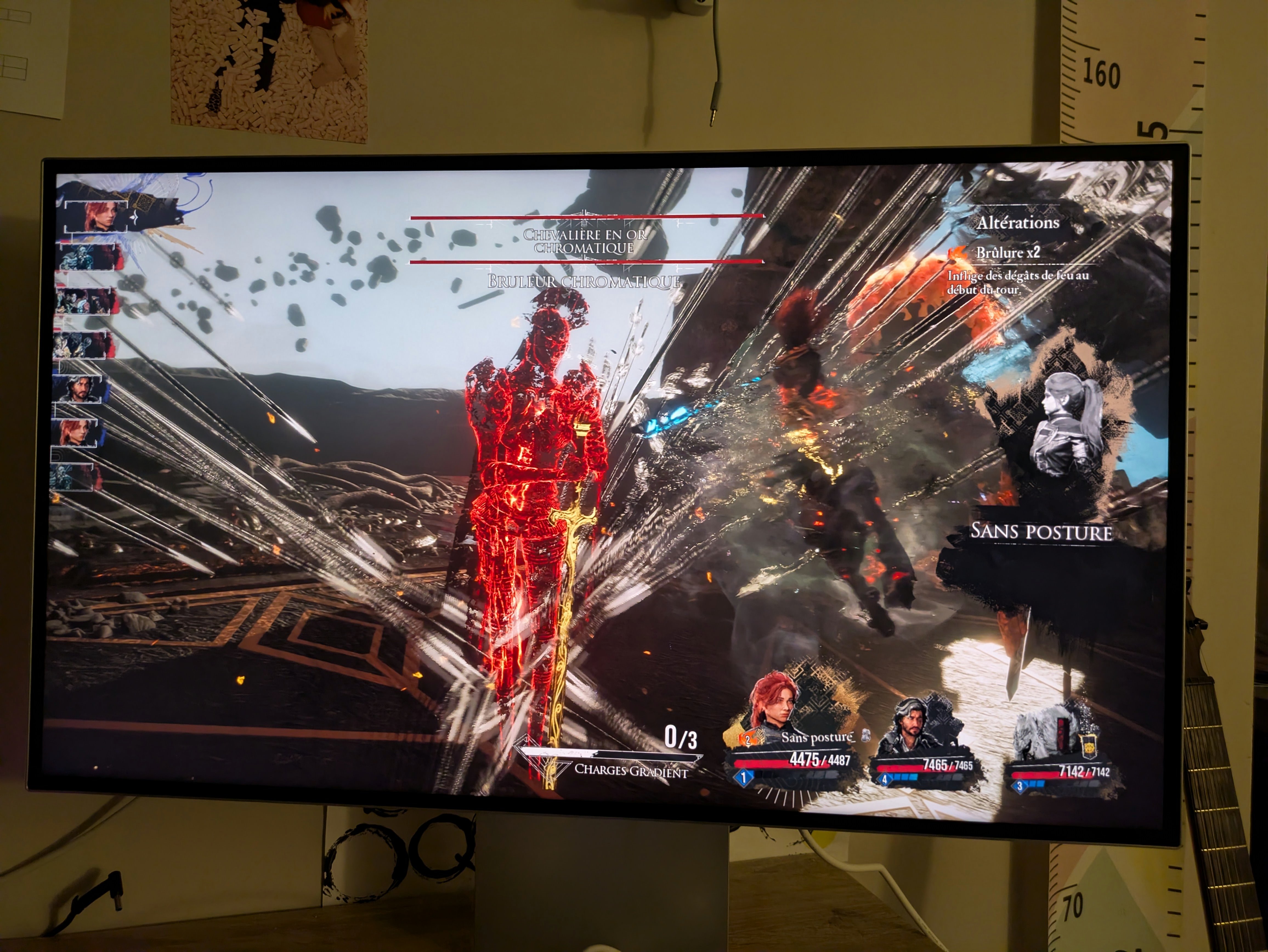
However, don’t expect it to be what it isn’t. Its refresh rate remains limited to 60 Hz. For solo games, narrative titles, or a touch of strategy, that’s plenty, especially since the image clarity makes some games very enjoyable to look at. But seasoned gamers will immediately feel the difference. The responsiveness remains decent, with an input lag measured around 9 ms, but this monitor clearly isn’t aimed at competitive gaming.
The built-in 5 W speakers are serviceable. They’re enough for a video call, YouTube, or a quick show, but they don’t replace a real pair of speakers or good headphones. Again, practical, not magical.
Do you really need to move to 6K?
This is ultimately the central question of this test. After several days with the LG 32U990A-S, the answer is yes, but not for everyone.
Yes, 6K offers something. Not merely a more impressive technical spec, but a real gain in finesse, readability, and comfort. For photographers, video editors, designers, developers, or users who spend their days in front of multiple windows, the benefit is evident. You enjoy a vast workspace without sacrificing sharpness, and that’s precisely what makes returning to a lower-resolution display a bit frustrating.
But you must also accept its limitations. The matte rendering is practical but less spectacular than a glossy panel. HDR remains decent without being exceptional. The 60 Hz limits its gaming appeal. Especially at €1,799, the LG UltraFine 6K 32U990A-S remains a substantial investment. Yet for users who primarily seek an extremely high-quality display finesse, a large working area, and a connectivity setup that can streamline an entire setup, the proposition is genuinely convincing. It isn’t the most spectacular screen on the market. It might be better than that: a screen that fades into the background when you work, until you need to switch to something else.
Test LG 32U990A-S: Clubic’s verdict
LG’s UltraFine 6K 32U990A-S succeeds in the essential task: making 6K more than just a marketing bullet. Its definition, 224 ppp density, and 32-inch format genuinely transform working comfort, especially for creative and productive tasks.
The screen isn’t perfect. The matte treatment removes a bit of depth from the render, the chassis would have benefited from a more premium finish, the OSD is still improvable, and its 60 Hz clearly limits its gaming ambitions. But in its domain—an ultra-high-definition large work screen—it checks many boxes.
- Very high-level display finesse
- A true 32-inch work comfort
- A comprehensive set of ports, with Thunderbolt 5
- A screen that can replace a dock daily
- Practical matte finish, but less spectacular than a glossy panel
- ODF imperfect
- 60 Hz fairly limited for demanding gamers
On paper, LG has enough to attract creatives: a resolution of 6,144 x 3,456 pixels, a pixel density of 224 ppi, an IPS Black panel, a claimed 98% coverage of DCI-P3, 99.5% Adobe RGB, DisplayHDR 600, and, above all, Thunderbolt 5 connectivity designed to turn the screen into a true work hub. The simple question remains: in daily use, does 6K really make a difference, or is it mainly a comfortable luxury?
What the 6K really changes in daily life
The first striking aspect of the LG 32U990A-S isn’t necessarily the screen size. After all, 32-inch monitors are now fairly common. No, what stands out is the crispness of the rendering. With 224 PPI, texts appear exceptionally sharp. The characters look cleaner, easier to read over time. It’s exactly the kind of detail that you don’t always notice at first, but becomes very hard to ignore after a few hours of work. During long writing, editing, or page-switching sessions, the comfort is real.
The gains are even more evident in high-resolution photos. Details stand out with impressive precision, zooms retain good readability, and you enjoy a particularly generous working space. I could place several windows side by side without that usual sense of compromise between size, readability, and comfort. For video editing, photo retouching, or development, this is clearly one of the main arguments of this screen.
The 6K resolution provides about 2.5 times more pixels than 4K. Said like that, it might read as just another technical data point. In practice, it translates into a sense of ease: you breathe more, stack fewer windows, zoom less, and return to fewer unnecessary manipulations.
A beautiful image, even without the “wow” effect of a glossy panel
The LG 32U990A-S uses an IPS Black panel. OLED obviously retains the advantage in terms of deeper blacks, but LG’s panel holds its own in its category. Blacks are dense for an IPS, colors appear rich and balanced, and the overall impression quickly conveys a sense of seriousness.
I didn’t perform colorimetric measurements in this test, so be cautious about colorimetric claims. Visually, however, the rendering seemed coherent and pleasant in the various uses encountered. Photos retain subtle nuances, gradients are clean, and the image never feels forced or artificially flattering.
The DisplayHDR 600 certification does not transform this monitor into an absolute HDR reference. Do not expect the glow of a top-end MiniLED or OLED panel here. Still, HDR content remains convincing, with a dynamic enough image for multimedia and professional use. It’s clean, pleasant, but not spectacular in the home theater sense.
Retina effect? We’re close, but we’re aiming elsewhere
This is probably one of the points that Apple Retina fans will notice first. I’m the first to admit that the glossy feel of Retina displays remains a benchmark. Unsurprisingly, the LG distinguishes itself from a Studio Display. Where Apple favors a glossy finish, LG opts for a matte anti-reflective treatment. This choice effectively reduces reflections in daily use, even if the image appears slightly less spectacular than with Apple’s panel.
It’s probably here that specialists will have the most to debate. Moreover, the two displays are offered at relatively close prices. Otherwise, the LG does not blush in comparison and offers a viewing experience that comes close to the Retina effect, without reproducing it identically.
Everyday use: one screen? No, a command center.
Design and connectors
Strike the desk with a punch, the LG 32U990A-S won’t flinch. The screen sits on a sturdy stand that absorbs desk vibrations and the impatient mouse taps of graphic designers. Otherwise, the overall presentation remains refined and coherent with its premium positioning.
The display includes a rear-mounted OSD wheel, enabling quick access to various settings: input source, image mode, and volume. If navigating the menus occasionally lacks precision, LG Switch streamlines the experience considerably with its clear and well-designed interface. Precision enthusiasts can complement these adjustments with LG Calibration, a comprehensive software package for millimeter-accurate color calibration.
As expected, the 32-inch panel provides space comparable to a Walmart parking lot. I tried it: you can fit three A4 pages side by side. Seeing things at a large scale is a real advantage for many professionals. The ability to display multiple software applications simultaneously, without sacrificing readability, is amplified by this 6K definition. A particularly welcome benefit for photo editing, video editing, or software development.
L’ensemble se rapproche donc d’une station de travail tout à fait pragmatique qui évite les branchements encombrants, et permet de centraliser son travail en quelques clics.
The comfort is real, but the 60 Hz recalls the product’s limits
Throughout long days, the LG 32U990A-S left me with a very positive impression. The screen doesn’t overheat noticeably, runs quietly, and doesn’t fatigue the eyes particularly. The matte panel helps in bright environments, even if it dulls the rendering slightly compared to a glossy finish.
The 32-inch 6K brings a kind of comfort that’s hard to quantify. It’s not only that the image is sharper; you work more naturally, with more space and fewer compromises. That’s probably where the screen best justifies its premium positioning.
On the other hand, don’t expect it to be something it isn’t. Its refresh rate remains at 60 Hz. For solo gaming, narrative titles, or a bit of strategy, that’s more than enough, especially since the display’s finesse makes certain games very pleasant to watch. But dedicated gaming enthusiasts will immediately feel the difference. Responsiveness remains decent, with an input lag measured around 9 ms, but this monitor clearly isn’t aimed at competitive gaming.
The built-in 5 W speakers are useful. They’re adequate for a video call, YouTube, or a quick stream, but they don’t replace a proper speaker setup or good headphones. Again, practical, not magical.
Do you really need to switch to 6K?
This is ultimately the central question of this review. After several days with the LG 32U990A-S, the answer is yes, but not for everyone.
Yes, 6K brings something. Not merely a more impressive technical spec, but a real gain in finesse, readability, and comfort. For photographers, video editors, designers, developers, or users who spend their days in front of multiple windows, the benefit is evident. You enjoy an enormous workspace without sacrificing sharpness, and that’s precisely what makes returning to a lower-definition display a bit frustrating.
However, be realistic: its refresh rate stays at 60 Hz. For single-player games, narrative titles, or a bit of strategy, it’s more than enough, and the screen’s sharpness makes some games very pleasant to view. But gaming veterans will feel the difference. The responsiveness remains acceptable, with approximately 9 ms of measured input lag, but this monitor is not aimed at competitive gaming.
The 5 W built-in speakers are serviceable. They’re fine for a video call, a YouTube video, or a quick show, but they don’t replace a proper speaker system or a decent headset. Again, practical, not magical.
Conclusion
The LG UltraFine 6K 32U990A-S nails the essential task: turning 6K into something more than just a marketing argument. Its resolution, its 224 ppi density, and its 32-inch format truly enhance work comfort, especially for creative and productive tasks.
The screen isn’t perfect. The matte treatment softens some of the image’s depth, the chassis could have benefited from a more premium finish, the OSD has room for improvement, and its 60 Hz clearly limits gaming ambitions. But in its realm, that of the large ultra-high-definition work monitor, it checks a lot of boxes.
- Very high-level image rendering
- A true 32-inch work comfort
- A convincing colorimetry
- Very complete I/O, with Thunderbolt 5
- A screen that can replace a dock every day
- Practical matte finish, but less spectacular than a glossy panel
- OSD imperfect
- 60 Hz rather limited for demanding gamers
9
8
9
8
amazon.fr
LG
Fnac
Fnac
Son-Vidéo

Daniel Brooks
I cover everyday products with a practical eye, from kitchen tools and home essentials to smart gadgets and consumer trends. My goal is to help readers understand what is genuinely useful, what is worth the price, and what deserves a second look before buying.