Logitech G512 X75: The Hybrid Gaming Keyboard Aiming to Simplify Analog Input

June 22, 2026
Tech

With the G512 X 75, Logitech aims to bring analog switches into a mainstream gaming keyboard, without tipping into a niche product reserved for customization enthusiasts. The result is convincing, sometimes even clever, but its price places it in a tier where every concession matters.

Logitech G512 X 75

8  / 10

Best prices

Fnac

Boulanger

Darty

GrosBill

So, what is the real value of this Logitech G512 X 75, a hybrid gaming keyboard capable of mixing traditional mechanical switches with TMR analog ones? After many weeks of use, the answer rests on two ideas. It is a genuine pleasant surprise because it makes a fairly technical concept much more accessible to a wide audience. But it isn’t quite a bargain, because its price places it against rivals that are already highly sharpened.

Logitech G512 X 75

Unpacking and Setup

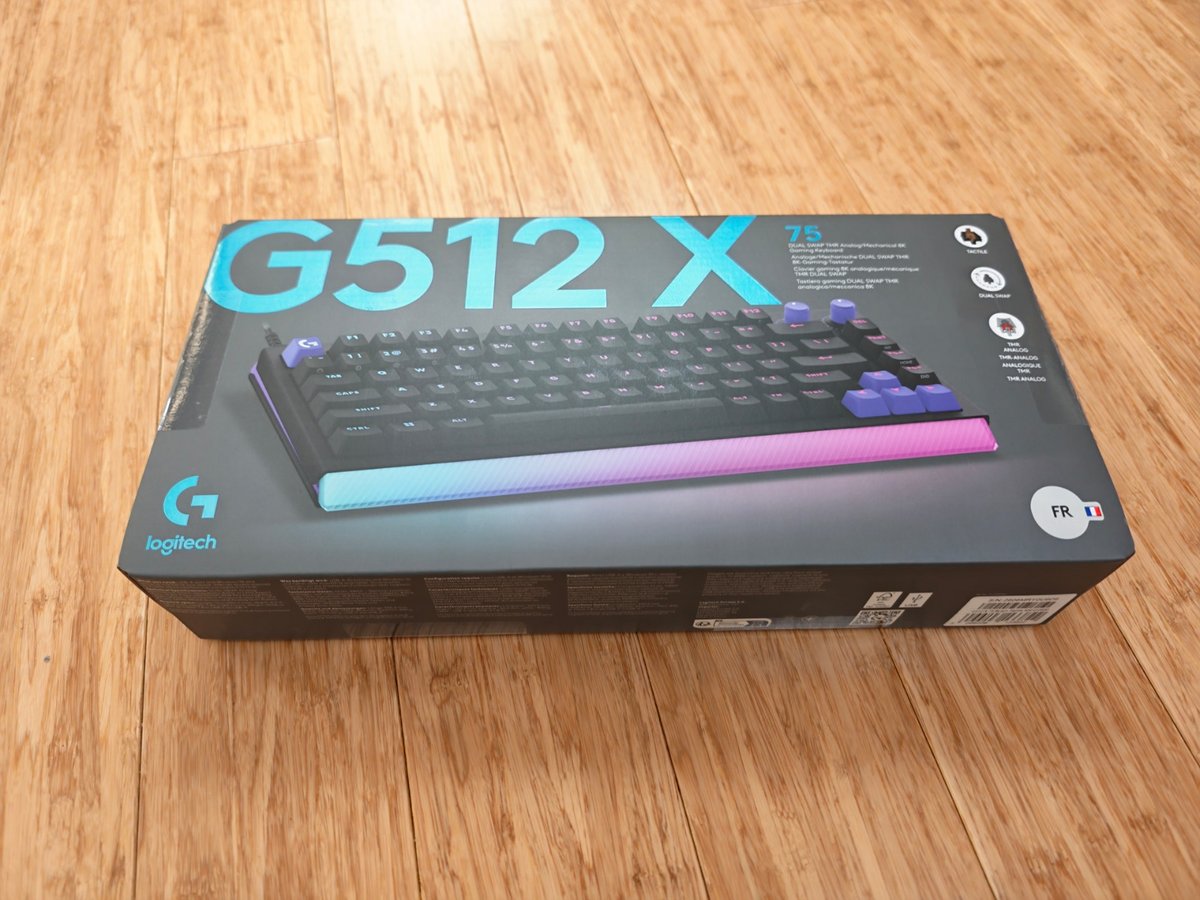
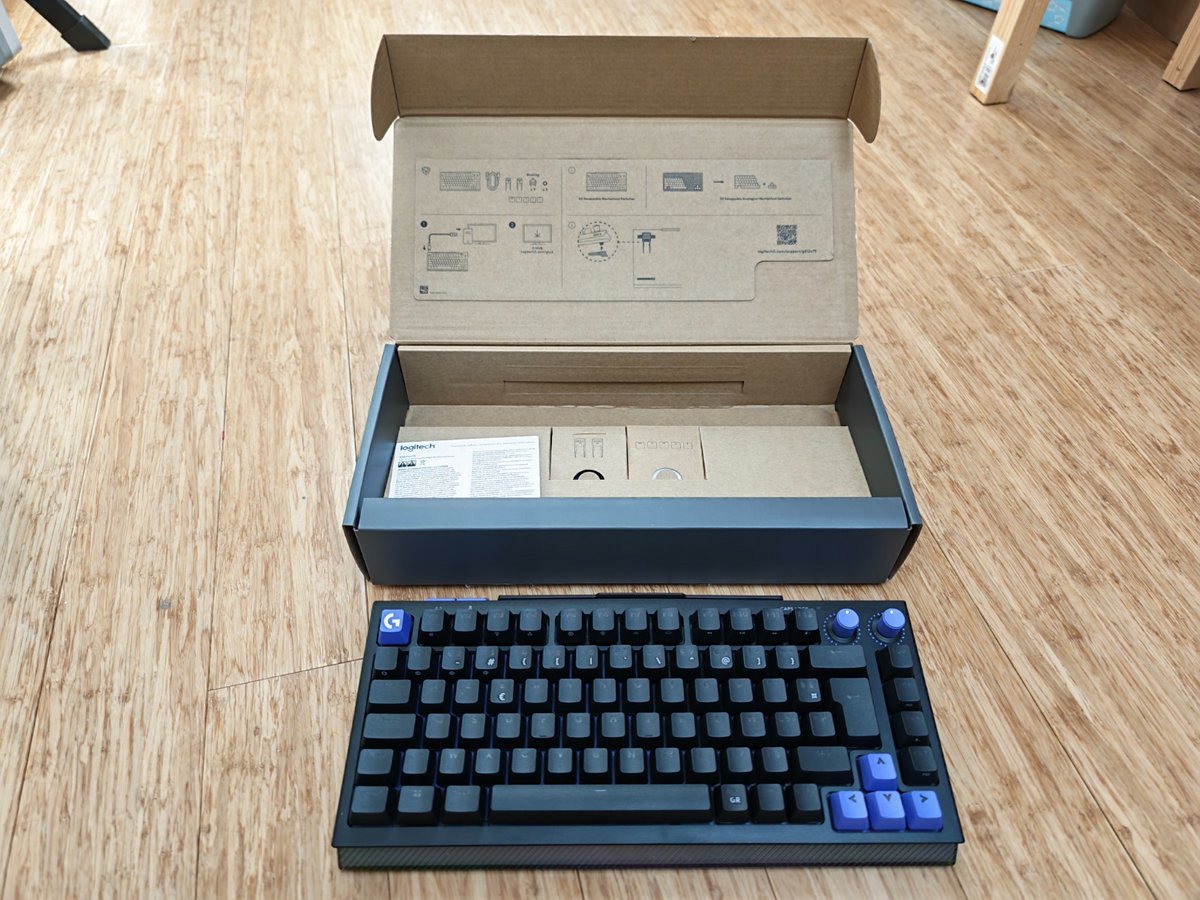
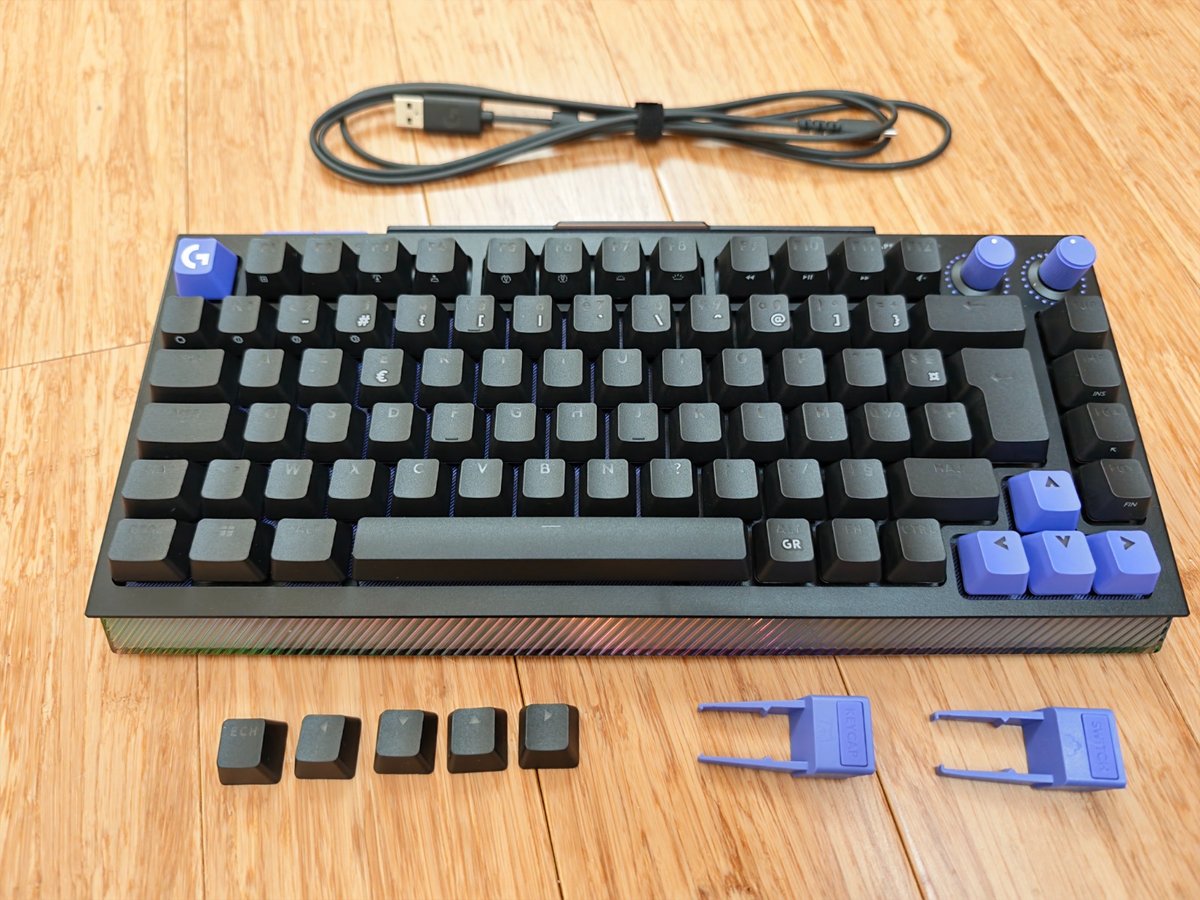
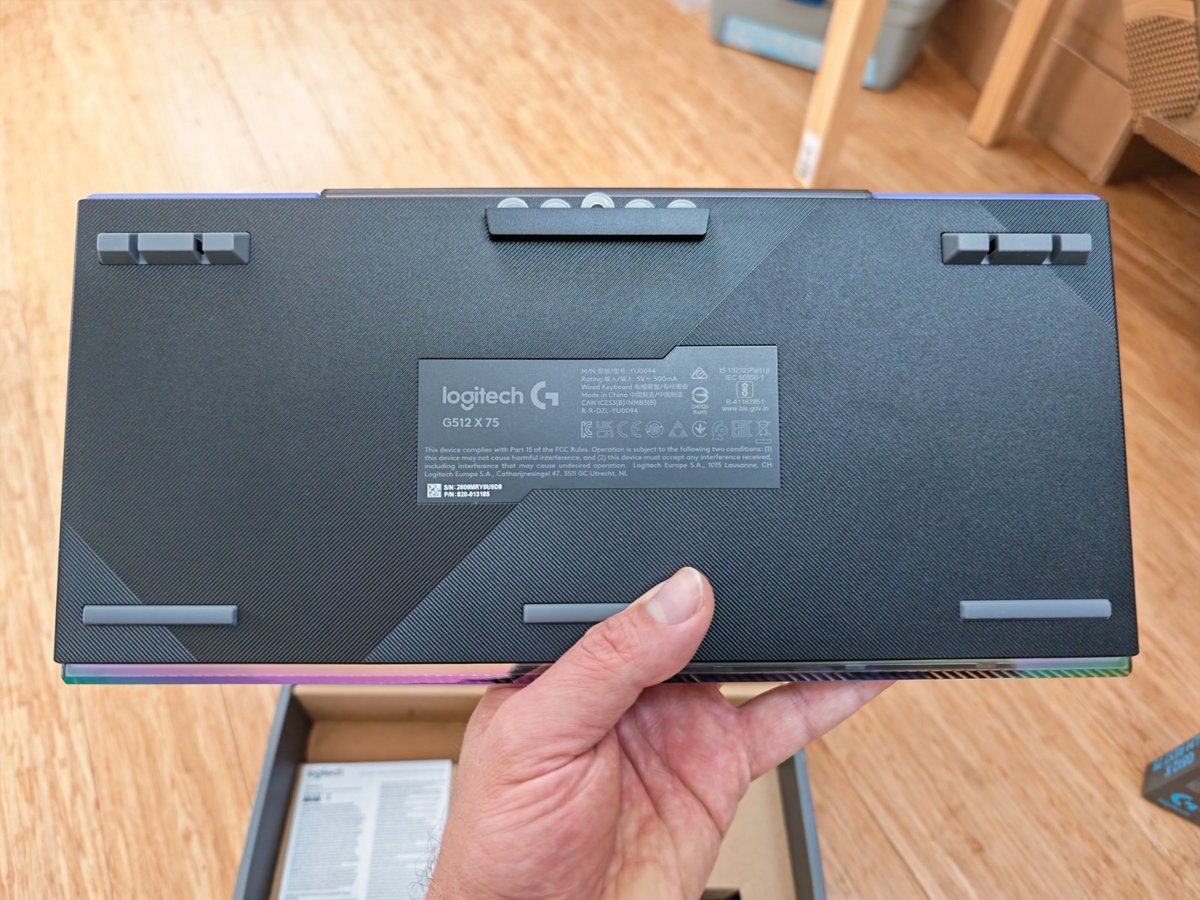
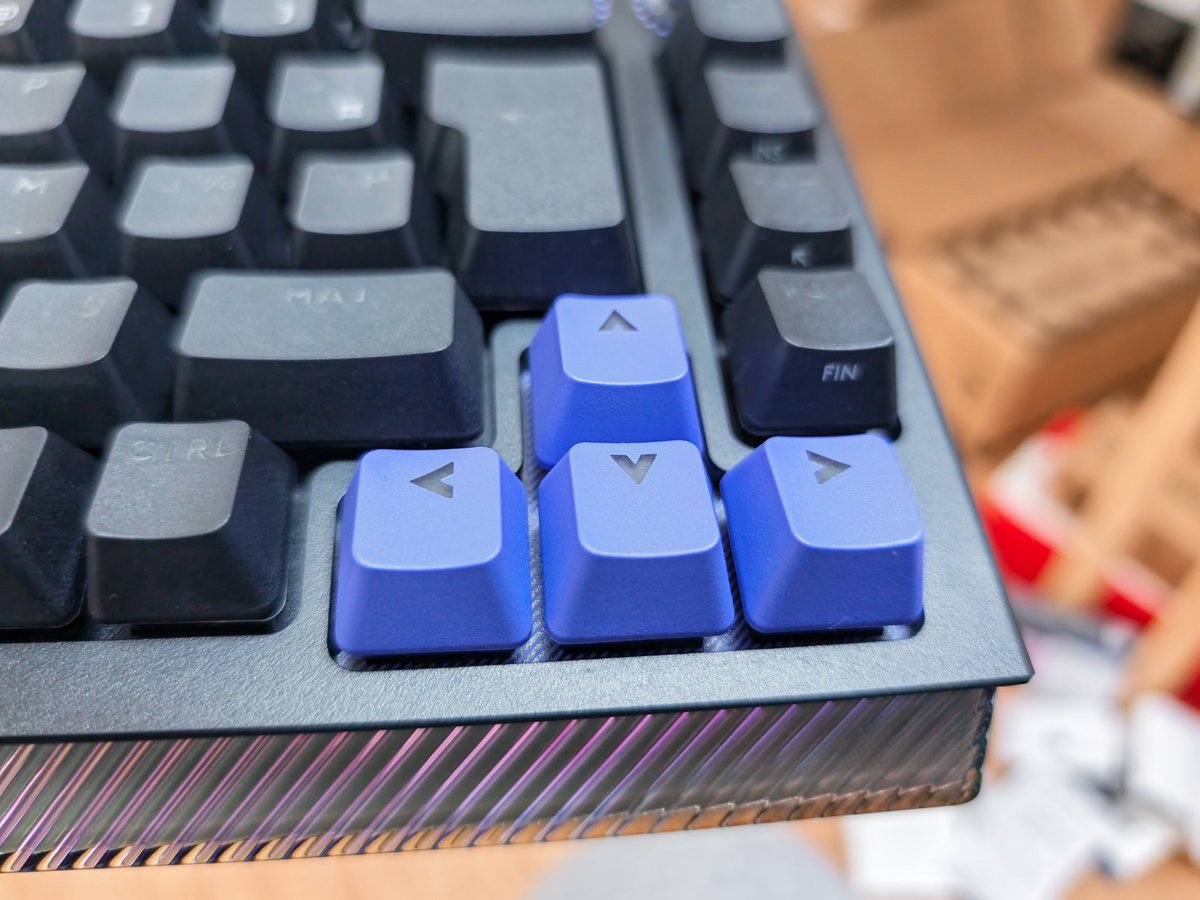
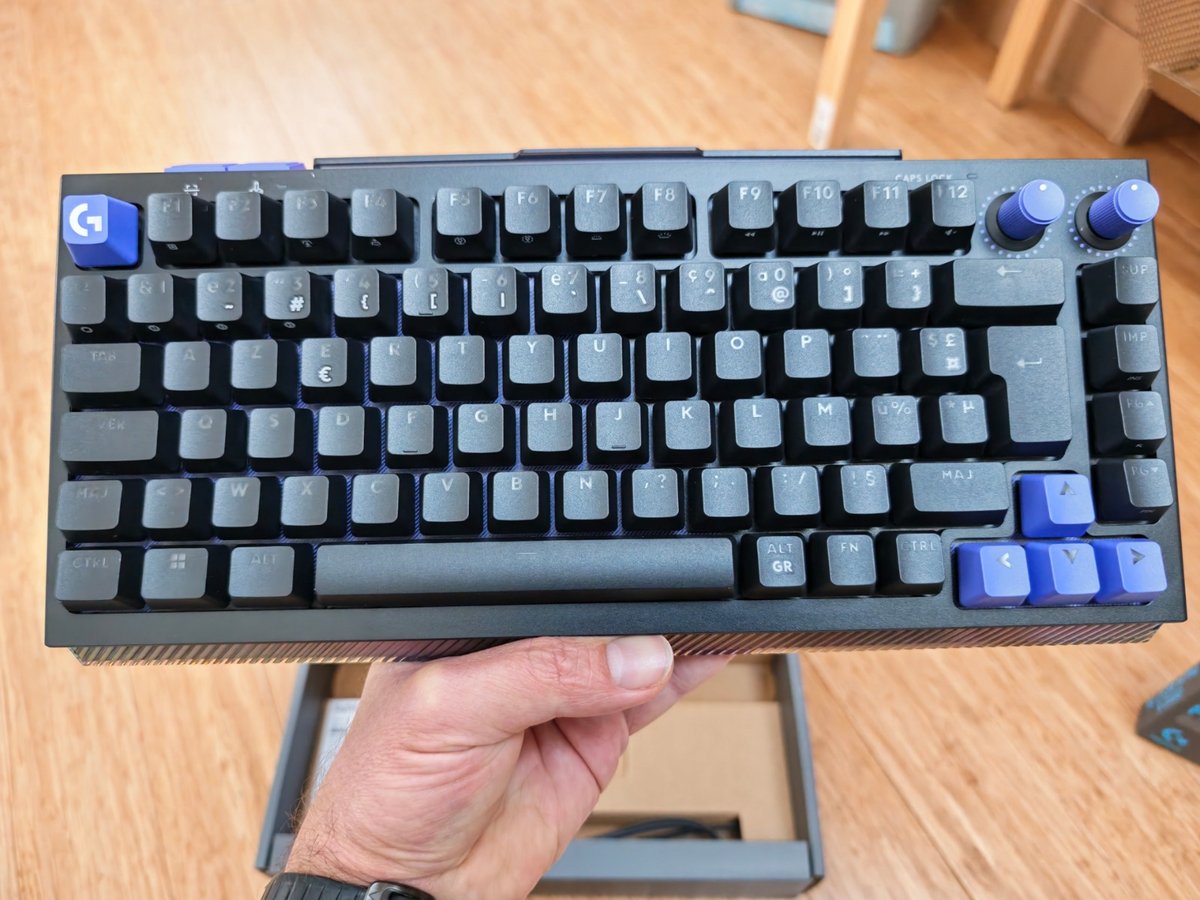
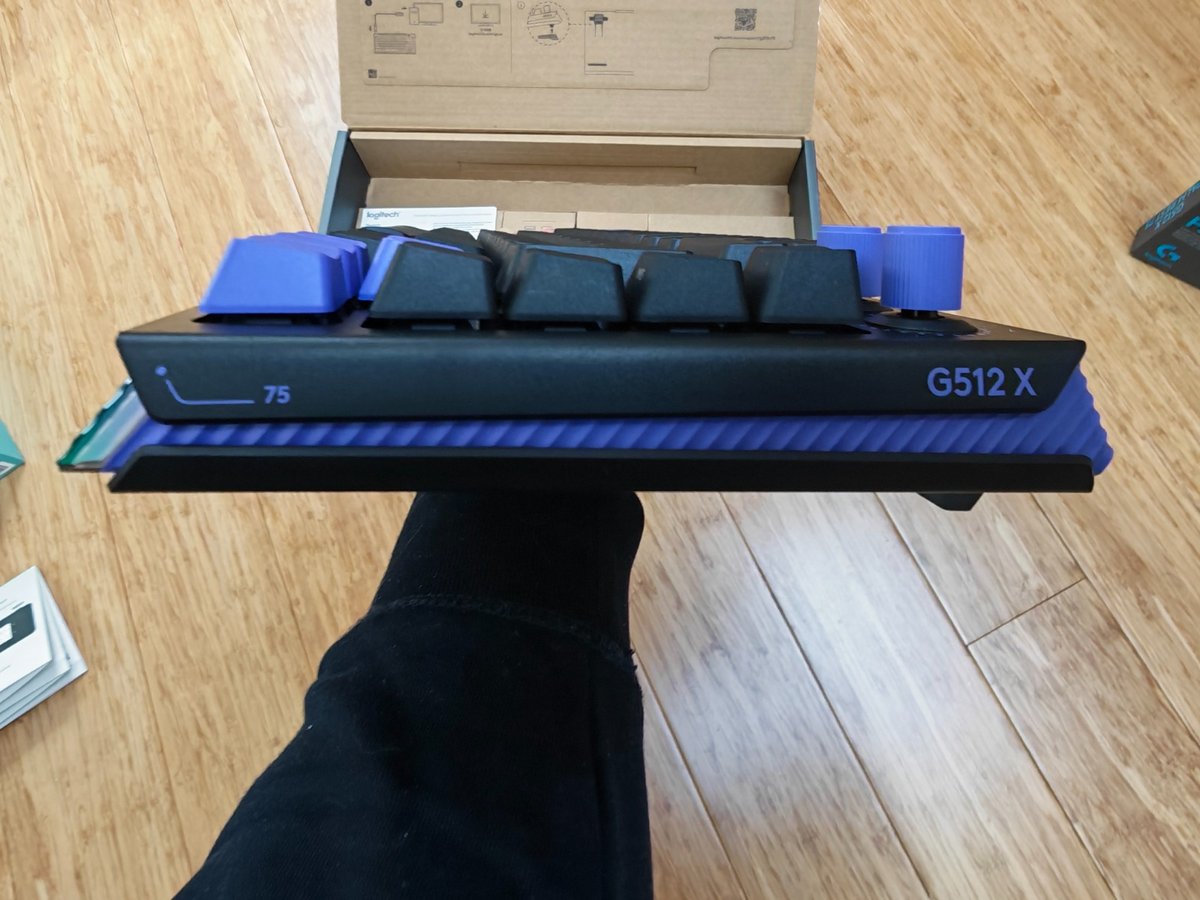
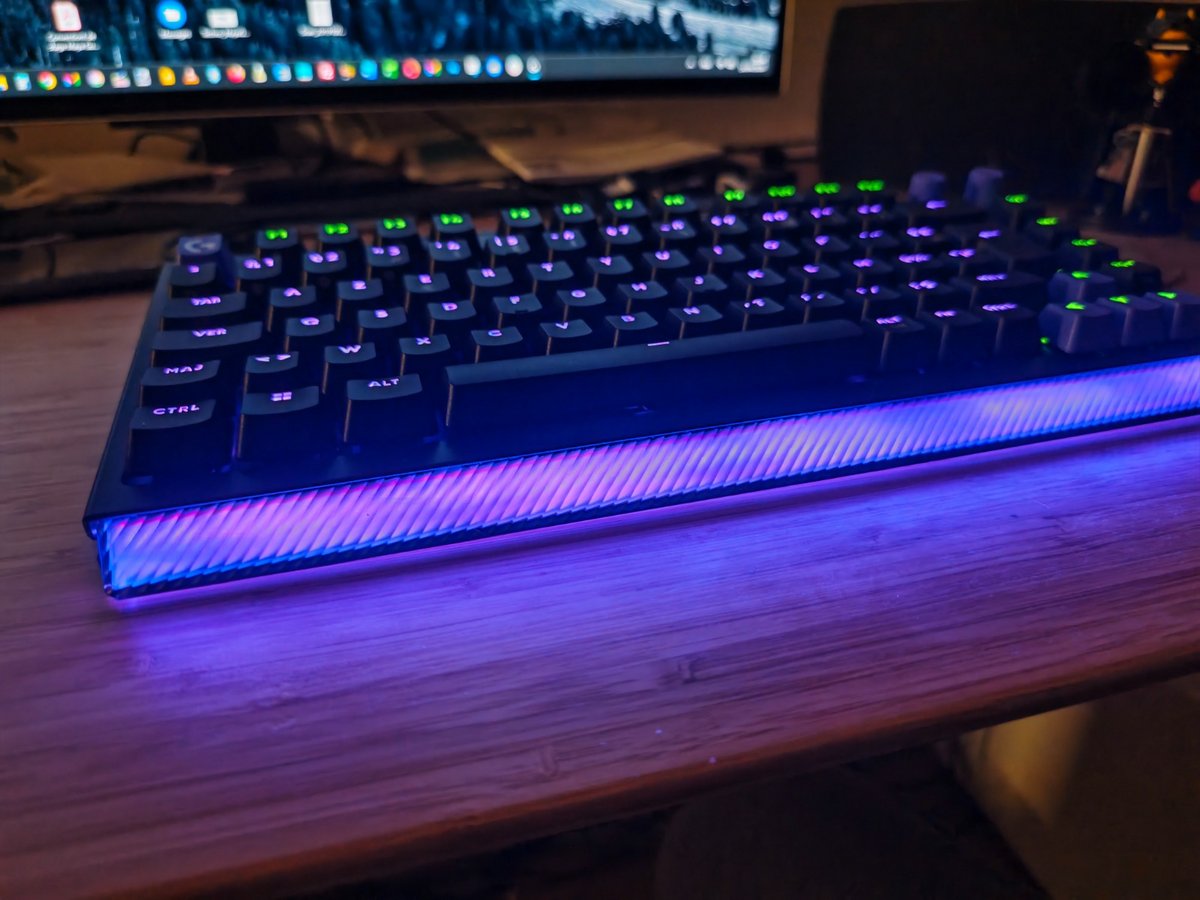
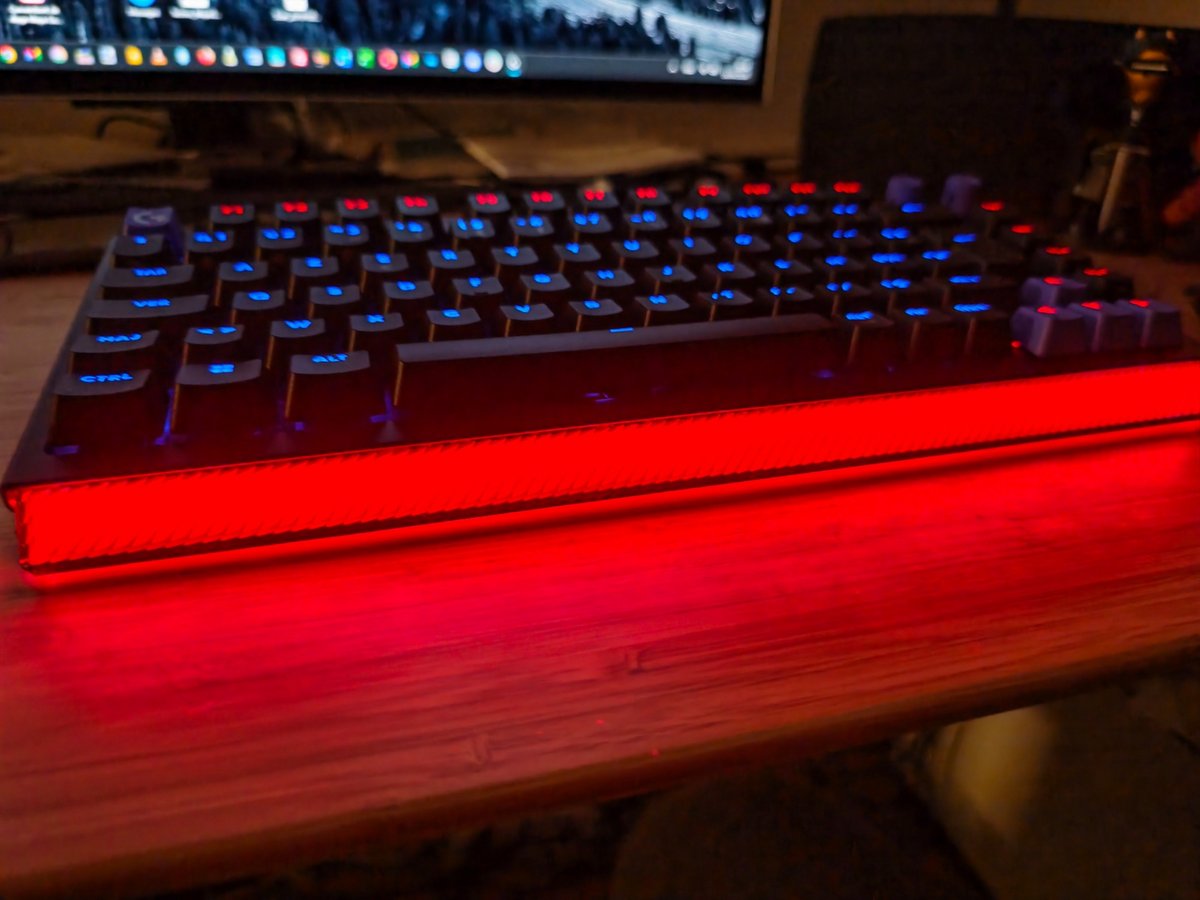
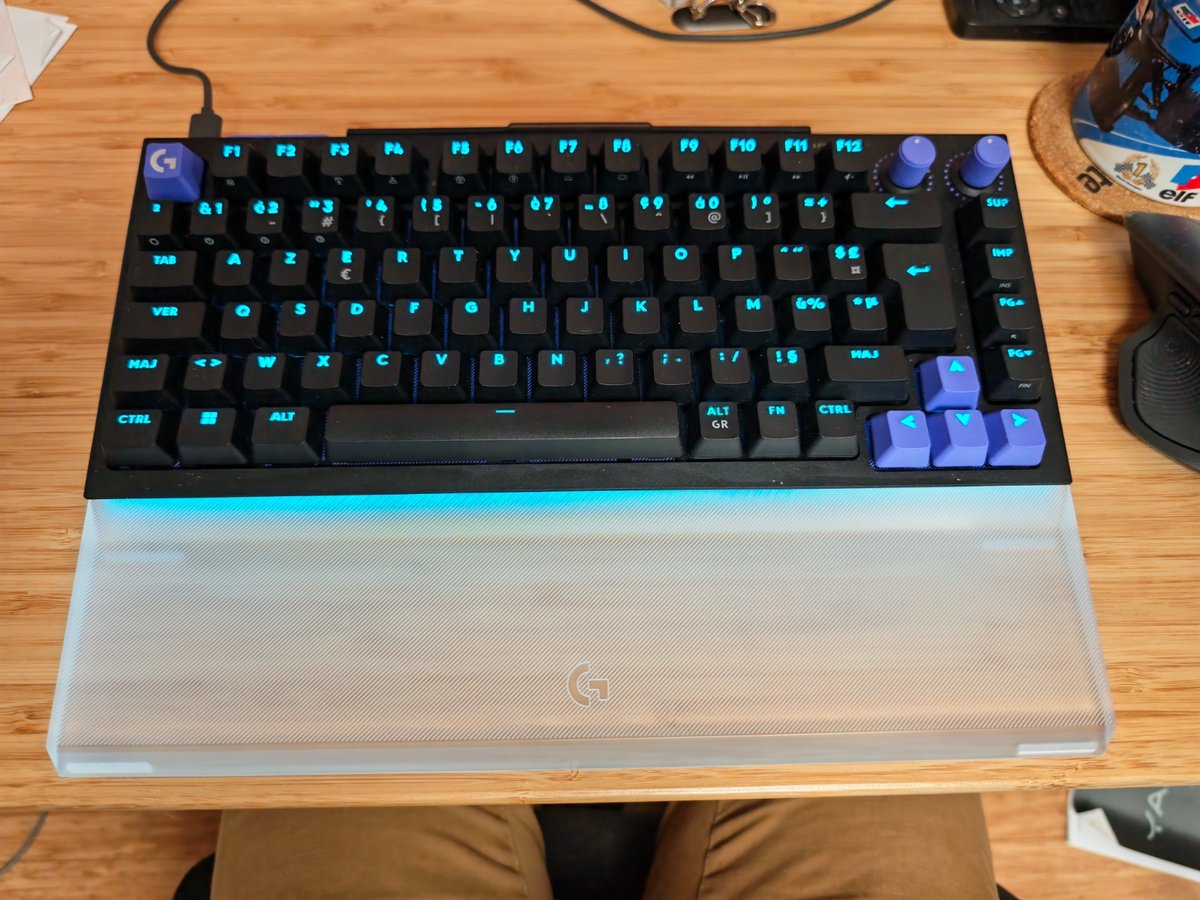
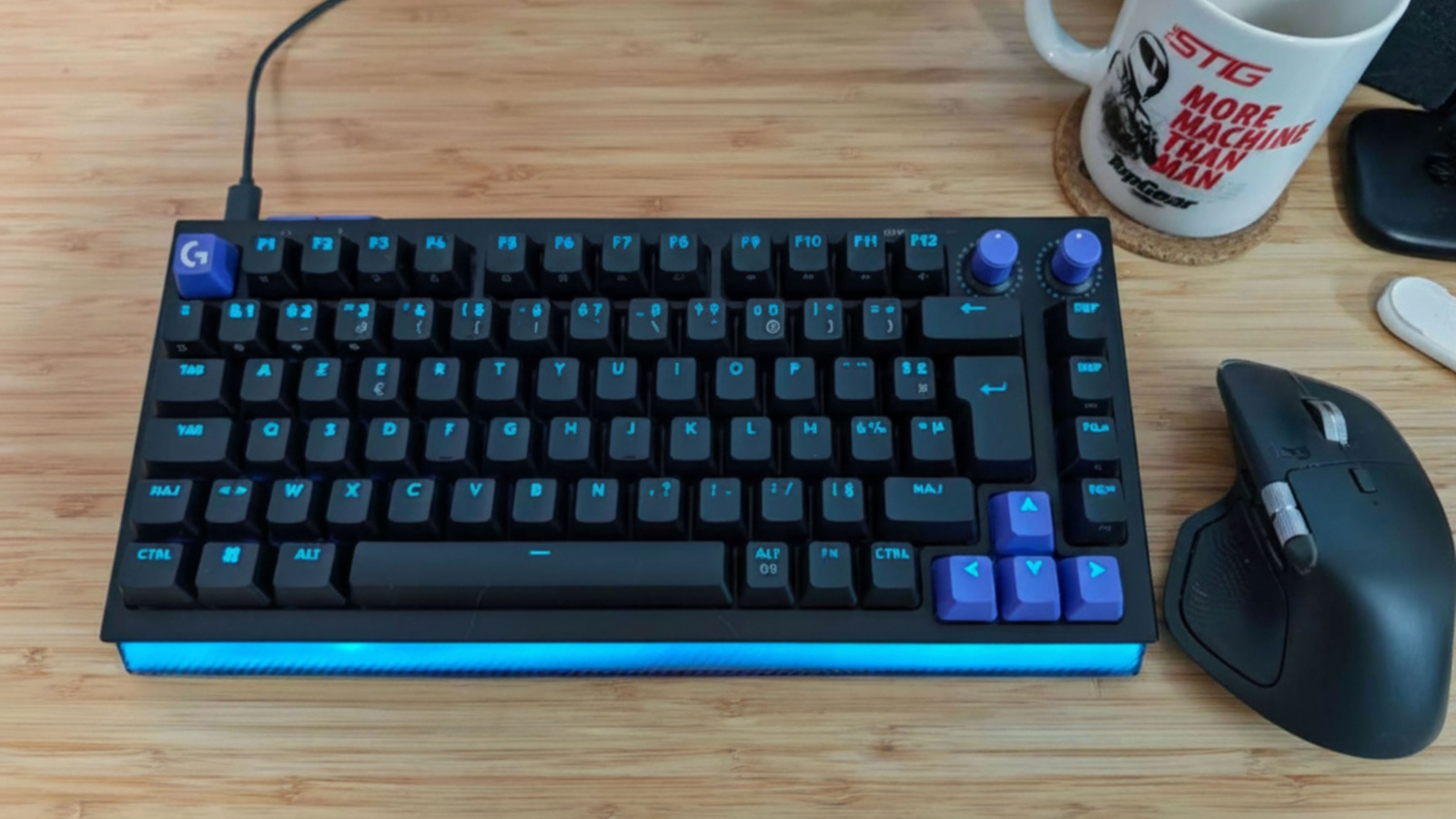
From the moment you lift it out of the box, the G512 X 75 makes you want to handle it before you even boot a single game. Logitech signs off on a compact, dense 75% keyboard, with a slightly retro aesthetic that evokes sturdy 80s keyboards, modernized by a striking RGB stripe. It’s flashy, confident, but the whole package manages to avoid tipping into tastelessness.

Logitech G512 X 75

Logitech G512 X 75

Logitech G512 X 75

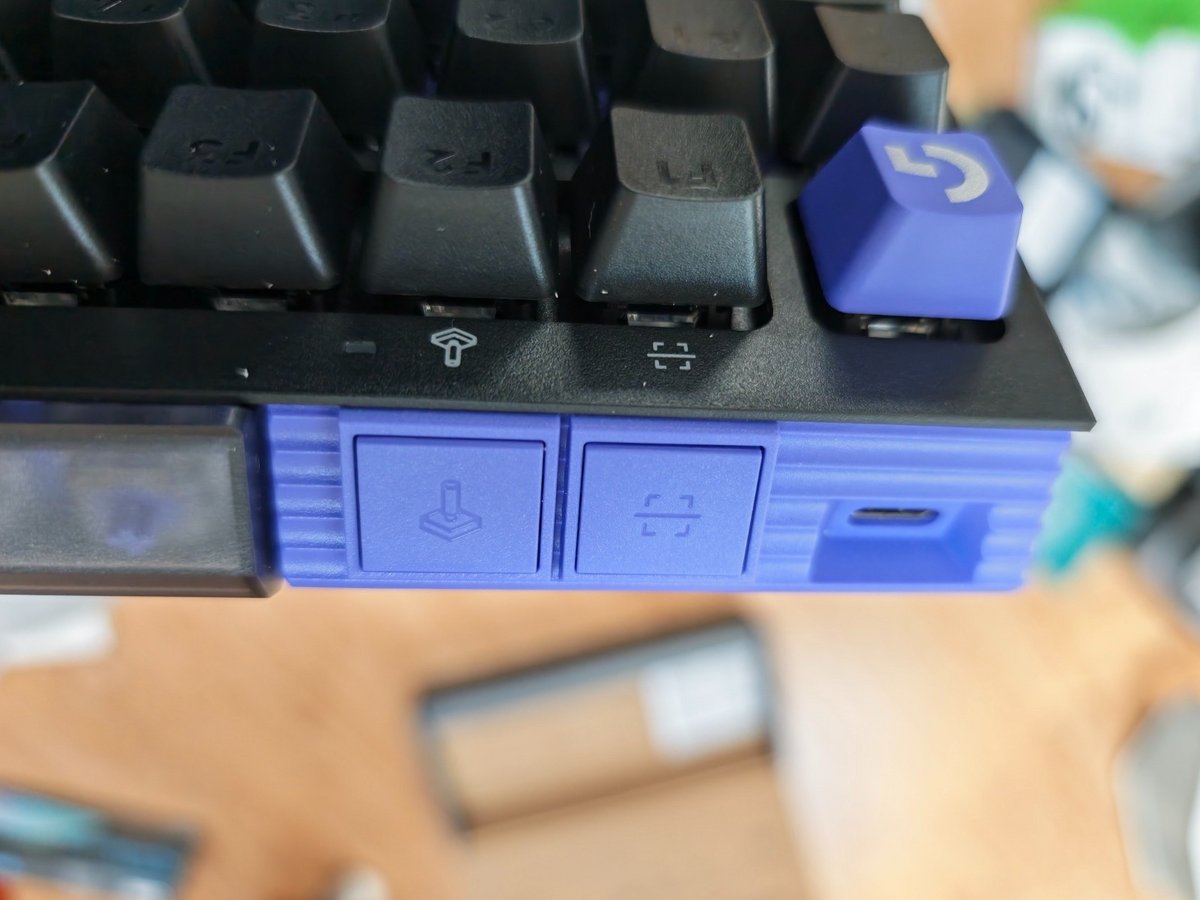
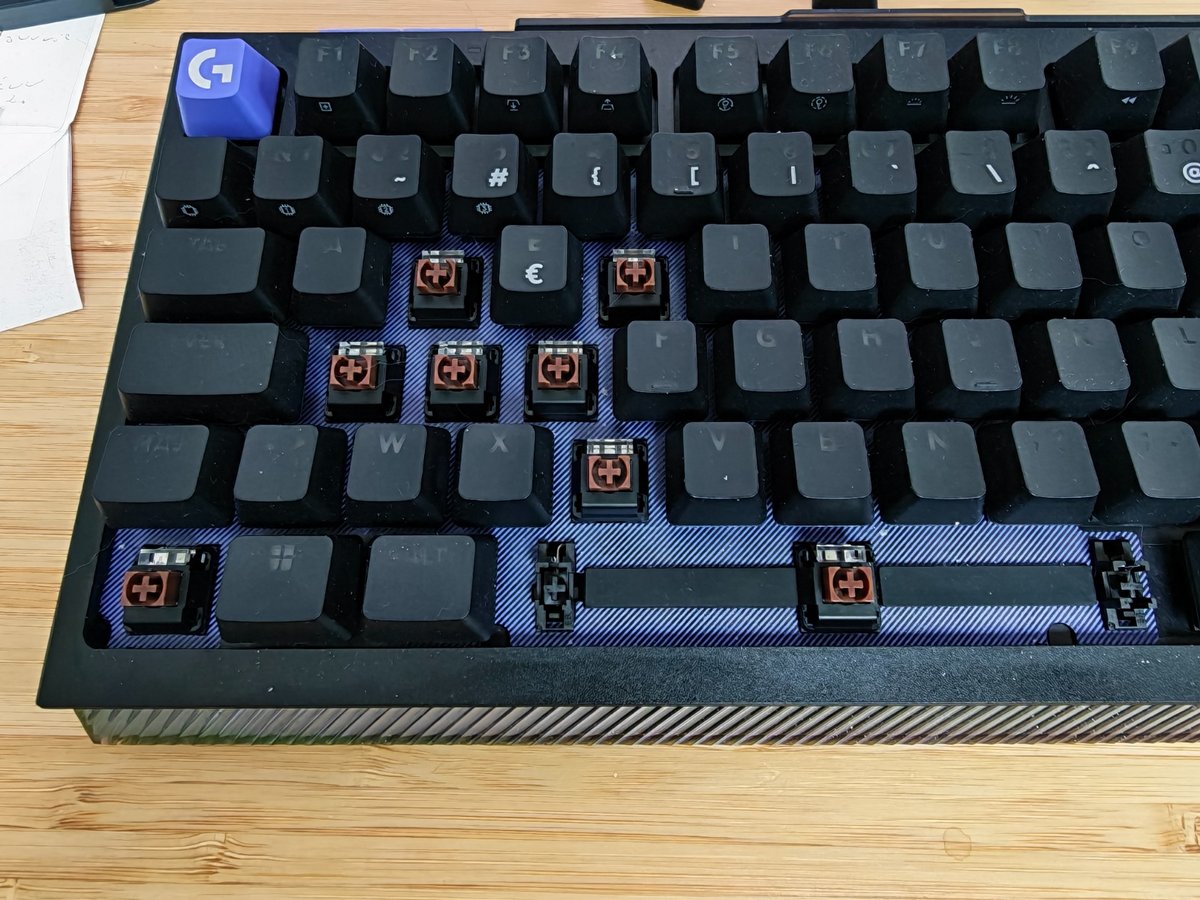
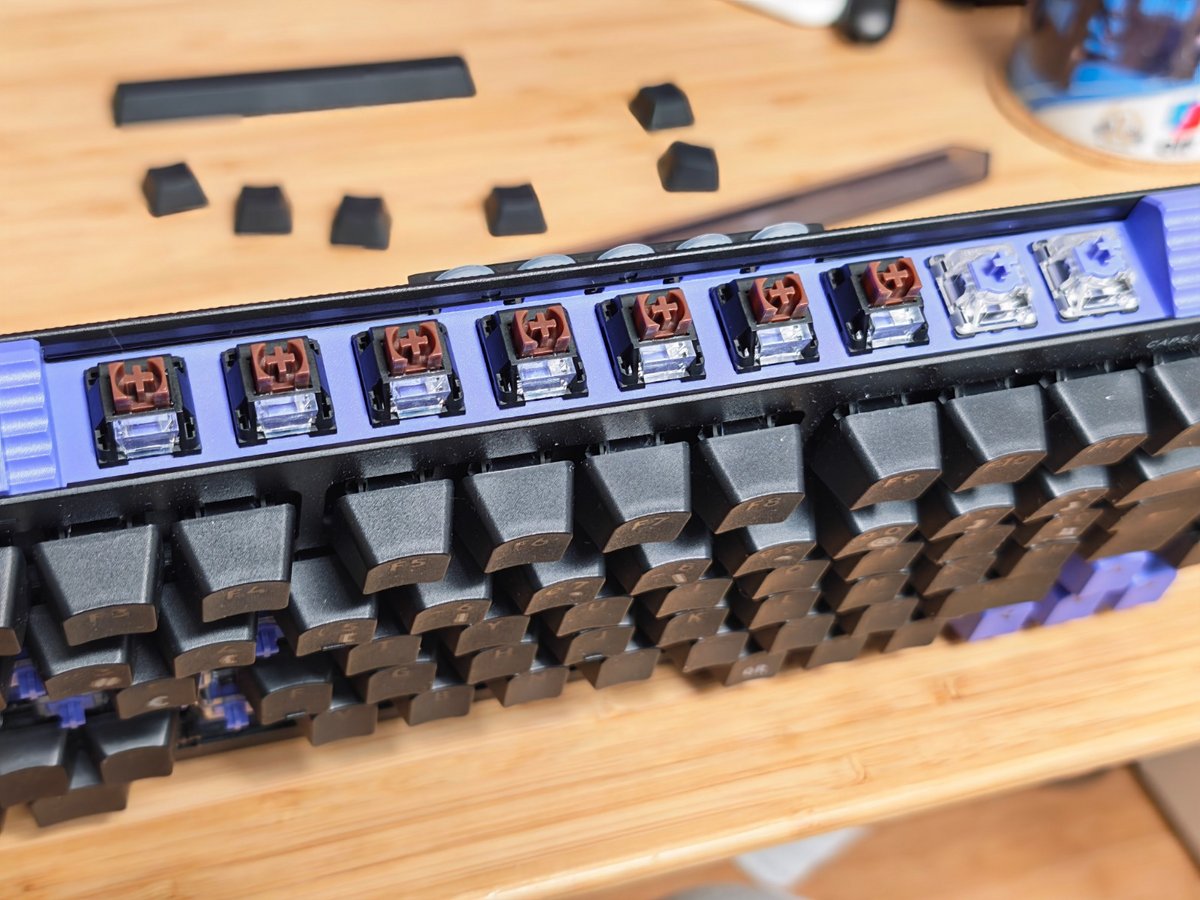
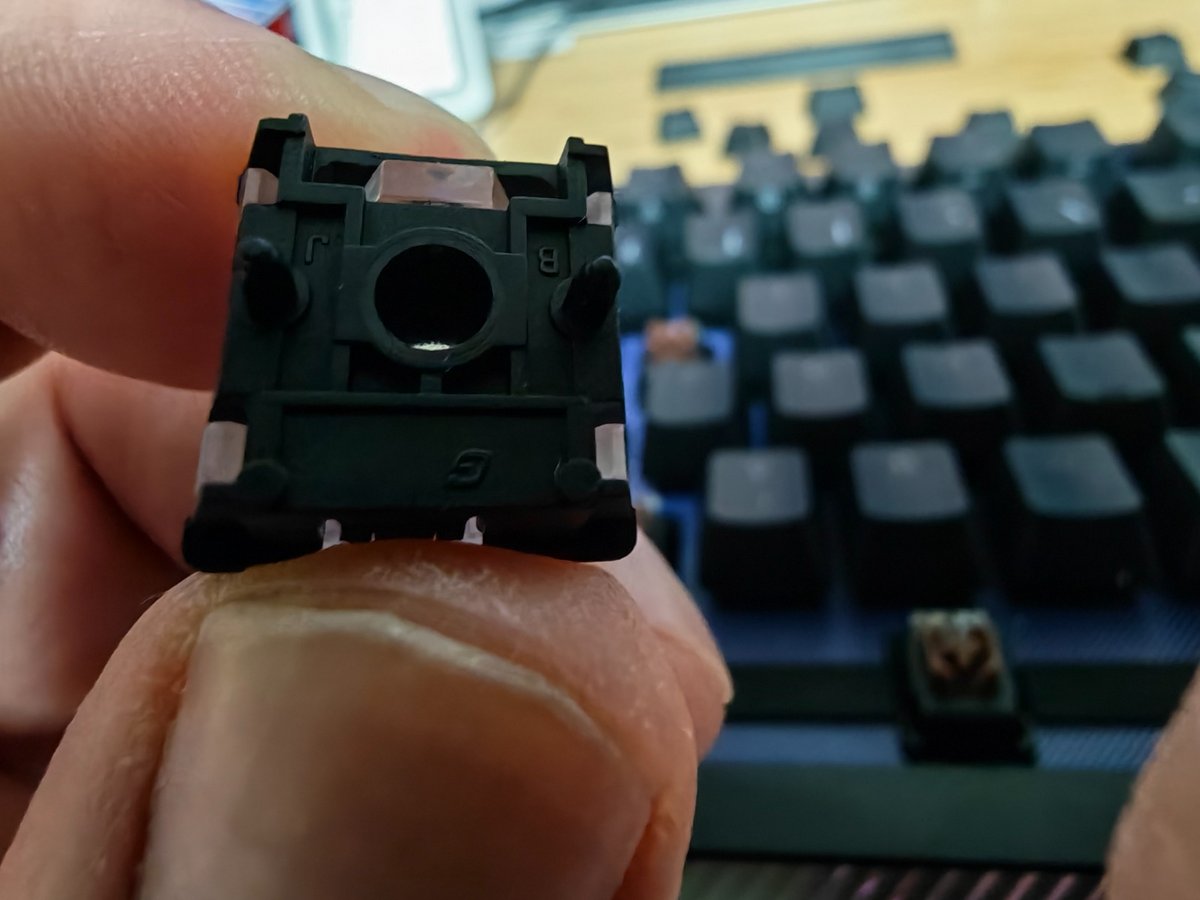
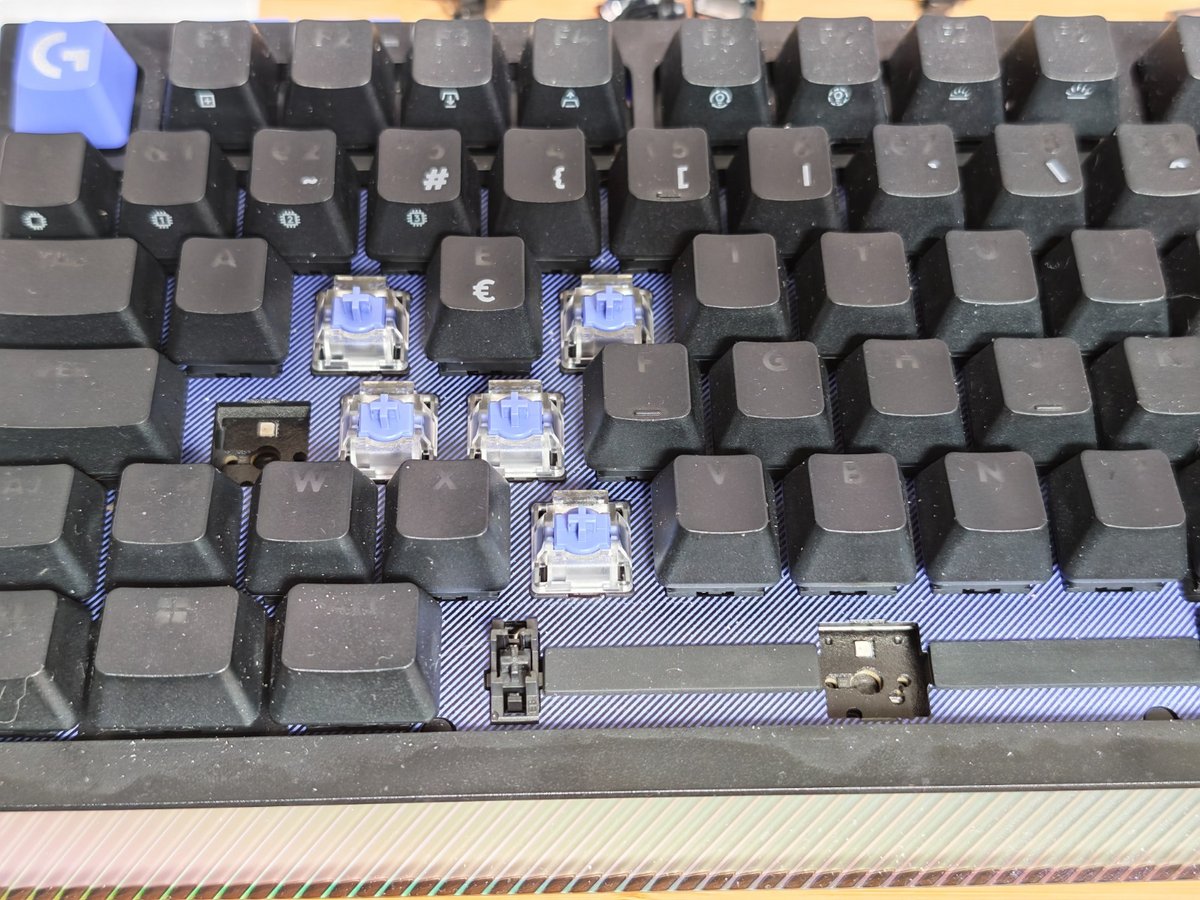
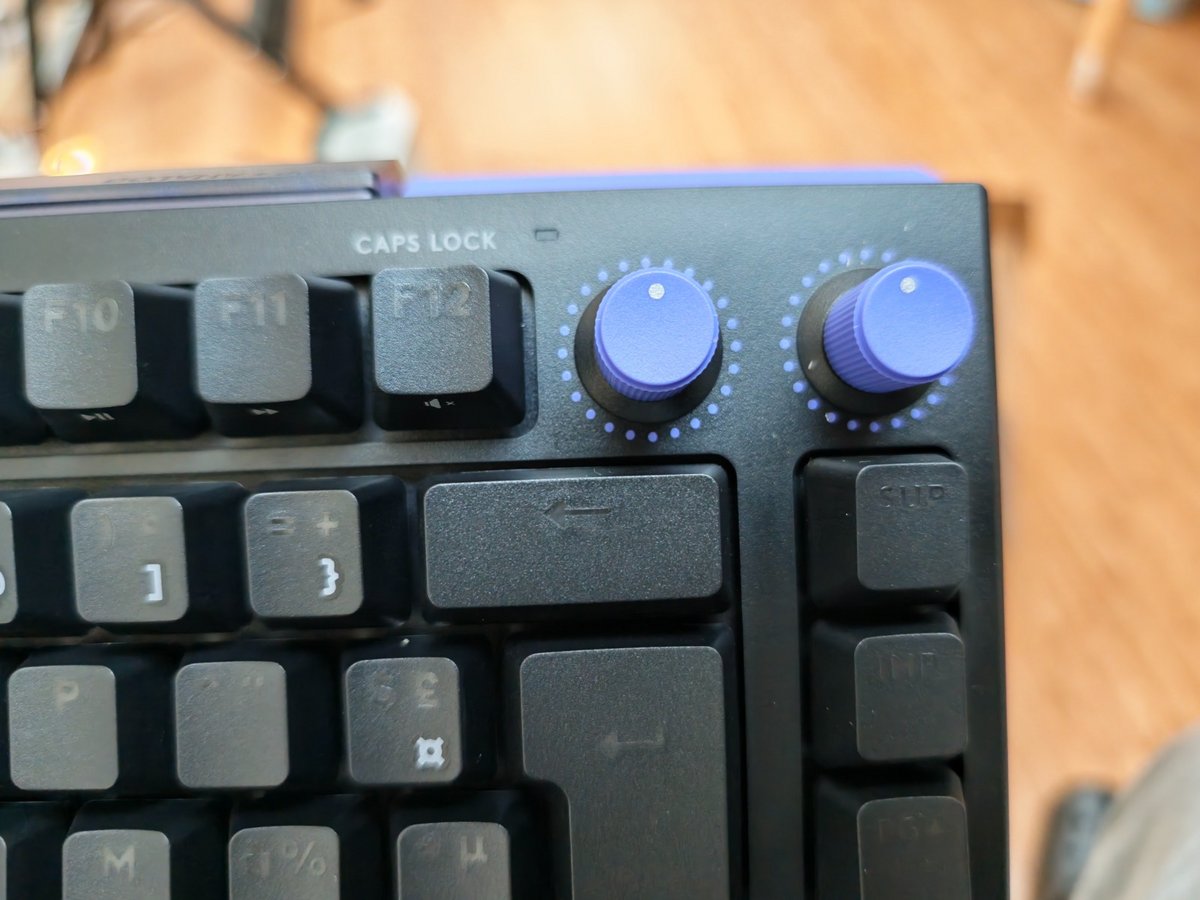
The finish inspires confidence, even if the base remains plastic. The keys feel substantial, the knobs sit naturally under the fingers, and the keyboard looks more serious than many gaming models that lean heavily on lighting. Here, the focus is elsewhere: offering a hybrid base that can, depending on the area, host traditional mechanical switches or TMR analog switches (Gateron KS-20).

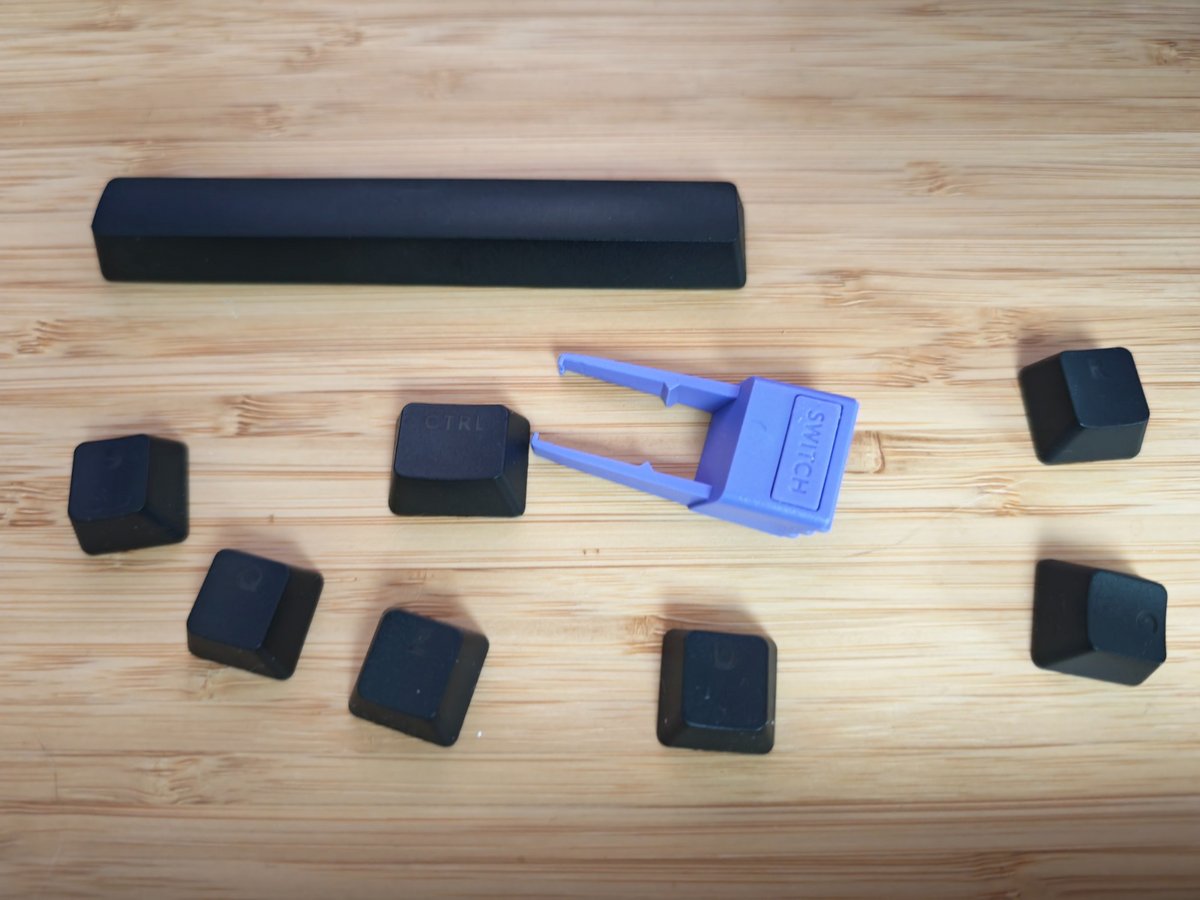
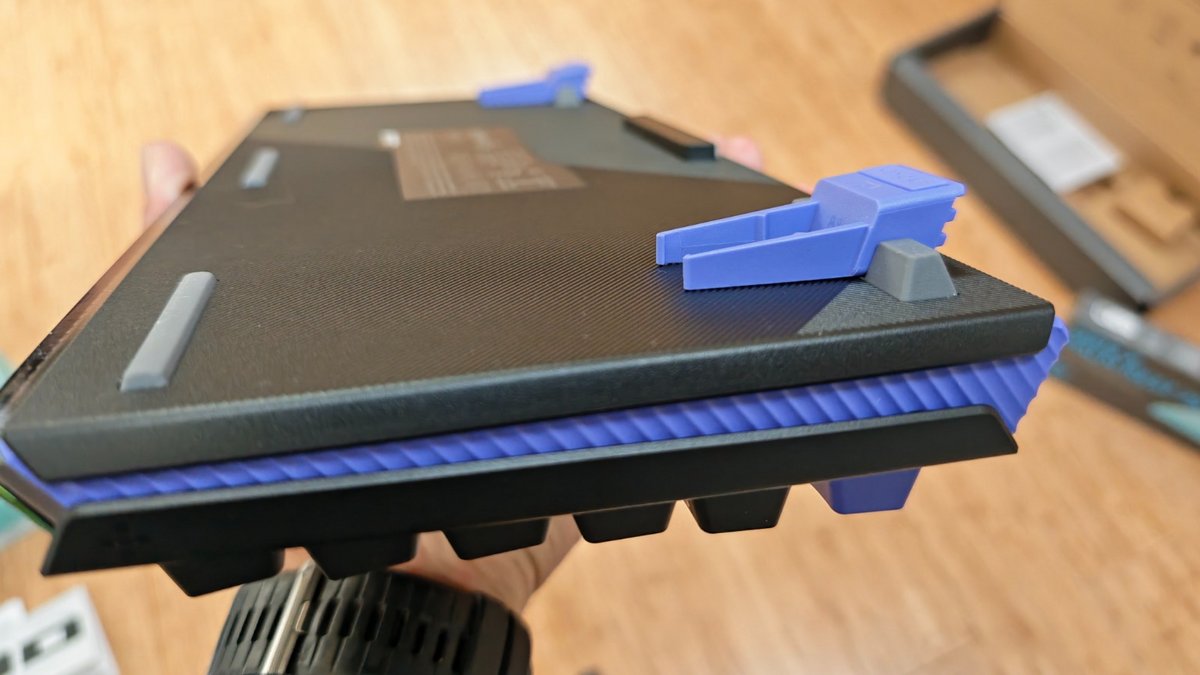
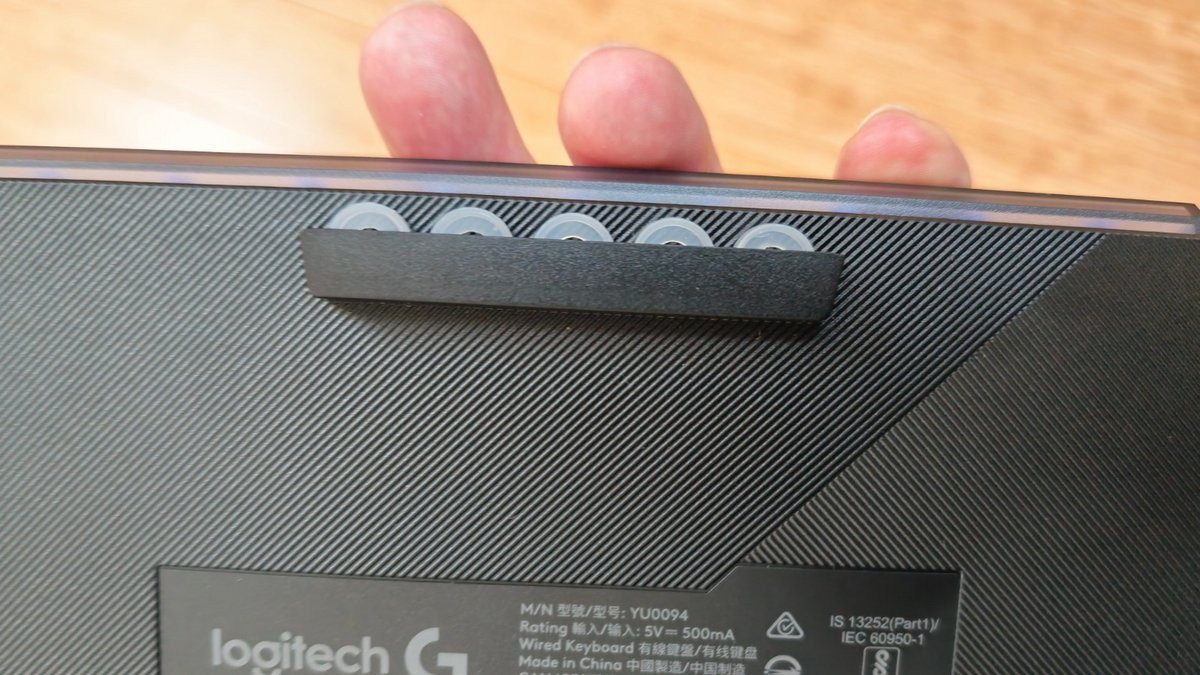
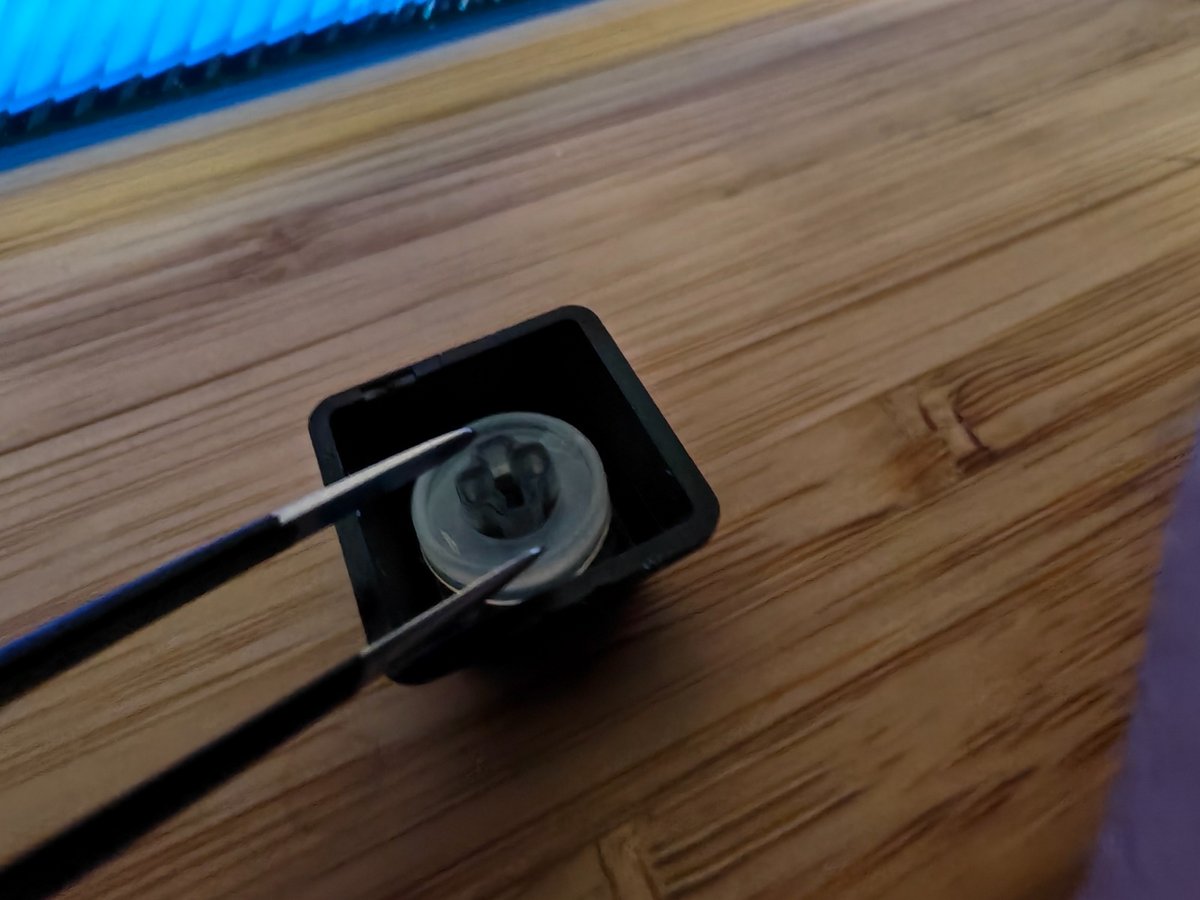
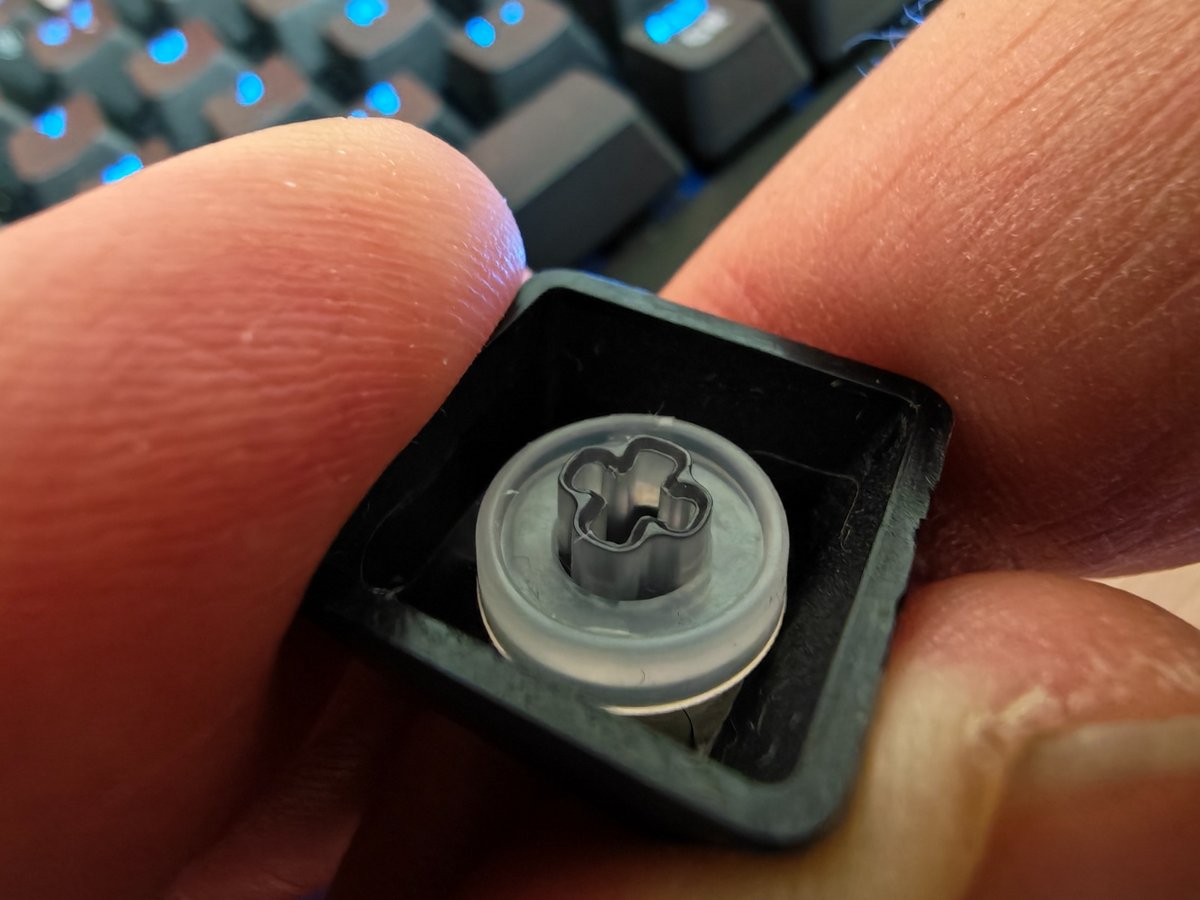
Logitech also had the smart idea of including storage spaces for the switches and small SAPP rings. It’s practical, almost playful, and it gives the keyboard a nicely thought-out modular aspect. That said, be cautious: the compartment for the rings can open during transport, risking pieces spilling to the bottom of a bag.

Logitech G512 X 75

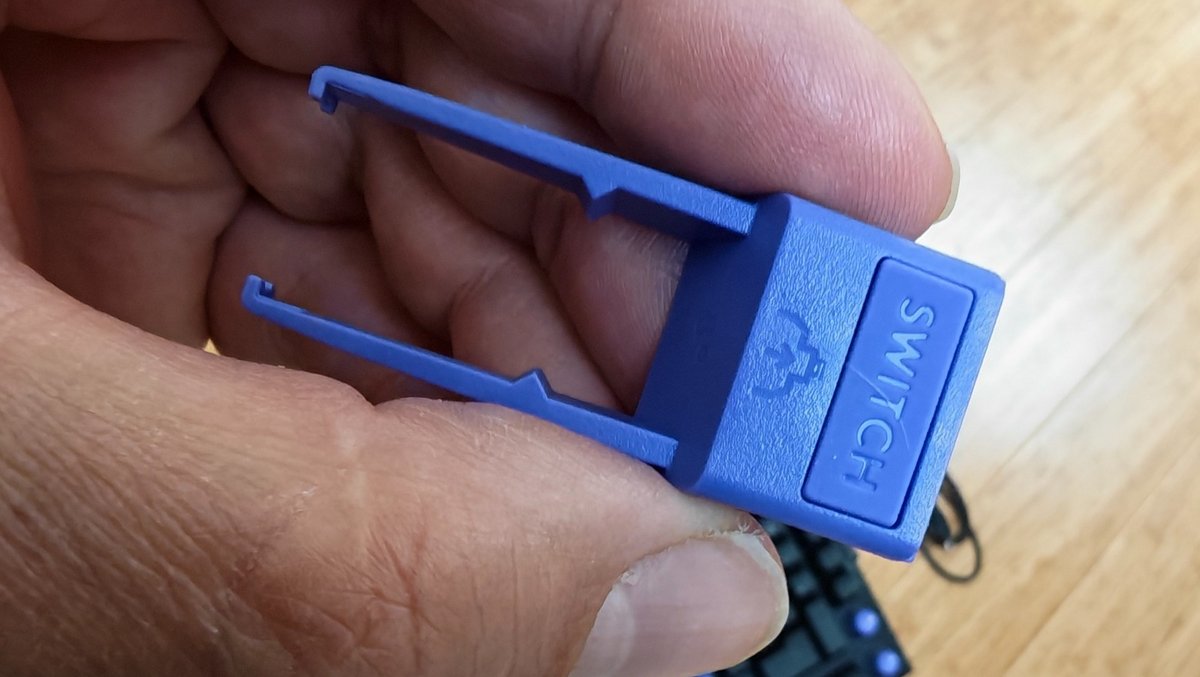
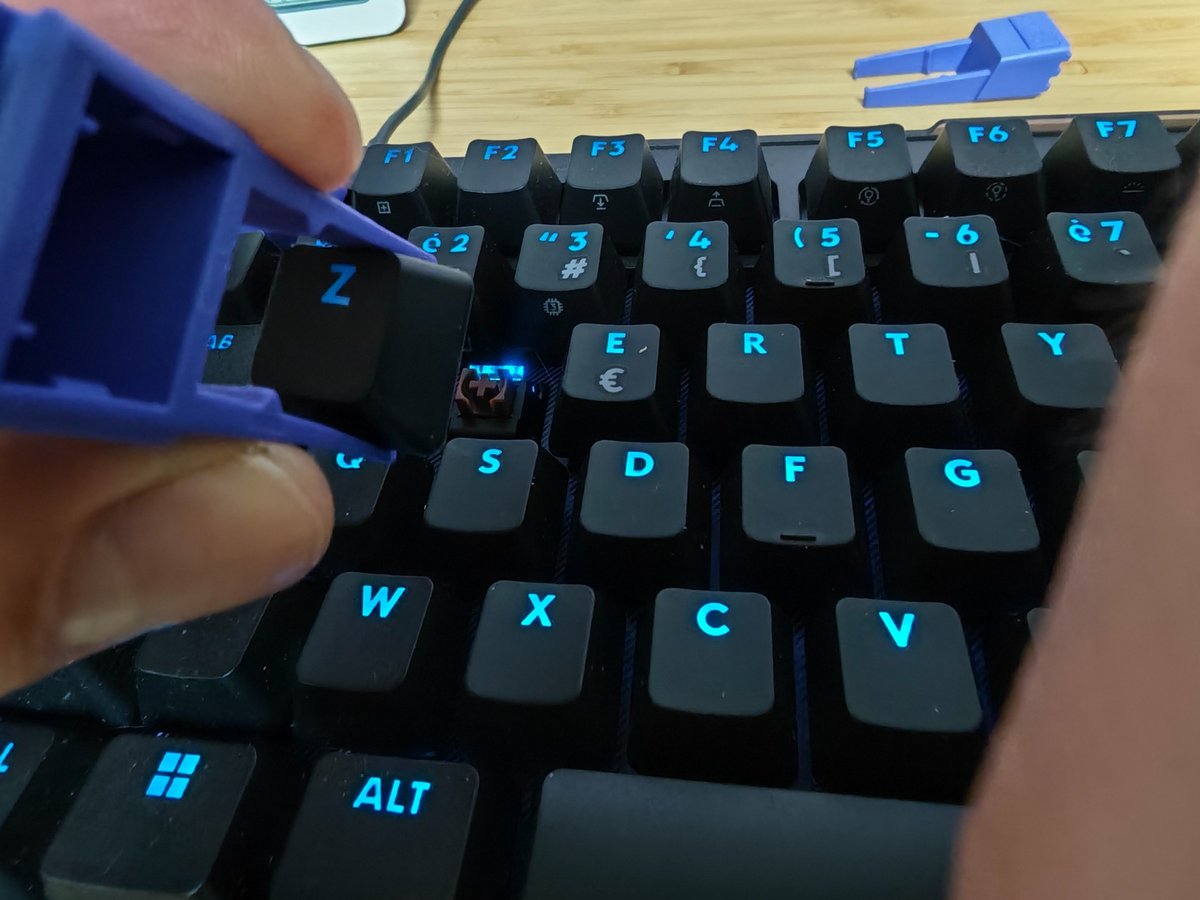
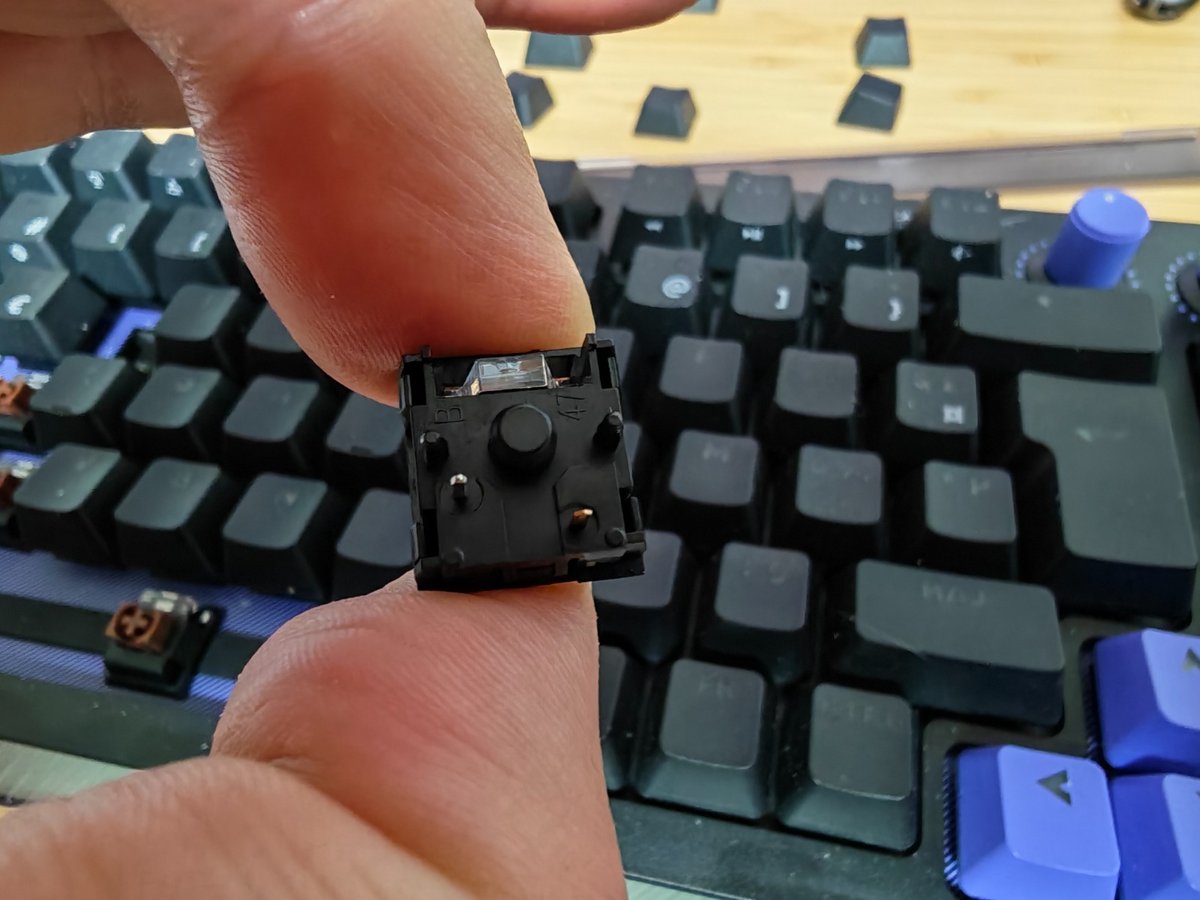
And while switching the switches is straightforward, it requires a touch of care. You must respect the insertion direction, use the right tool properly, and avoid bending the MX-compatible pins (3- and 5-pin). It isn’t a difficult operation, but it isn’t something you’ll perform every morning or entrust to a child.

Logitech G512 X 75

Logitech G512 X 75

Logitech G512 X 75

And even if switching the keys is simple, it requires a little care. You must respect the insertion direction, handle the tool properly, and avoid bending the pins of MX-compatible switches (3- and 5-pin). It’s not a difficult operation, but it’s not something you’ll repeat every morning or entrust to a child.

Logitech G512 X 75

Logitech G512 X 75

Logitech G512 X 75

And although replacing the switches is straightforward, it requires a touch of care. You must respect the insertion direction, handle the pliers properly, and avoid bending the MX pins (3- and 5-pin). It isn’t a difficult operation, but it isn’t something you’ll repeat every morning or entrust to a child.

Logitech G512 X 75

Logitech G512 X 75

Logitech G512 X 75

The G Hub app plays a central role here, and Logitech manages to dodge fairly well the trap of sprawling software. Once the keyboard is scanned, the keys equipped with analog switches are automatically recognized, allowing quick adjustment of their actuation point, activation of Rapid Trigger, or the assignment of functions to the SAPP rings. Between minimalist graphics and dense information, the interface properly guides the user through the settings.

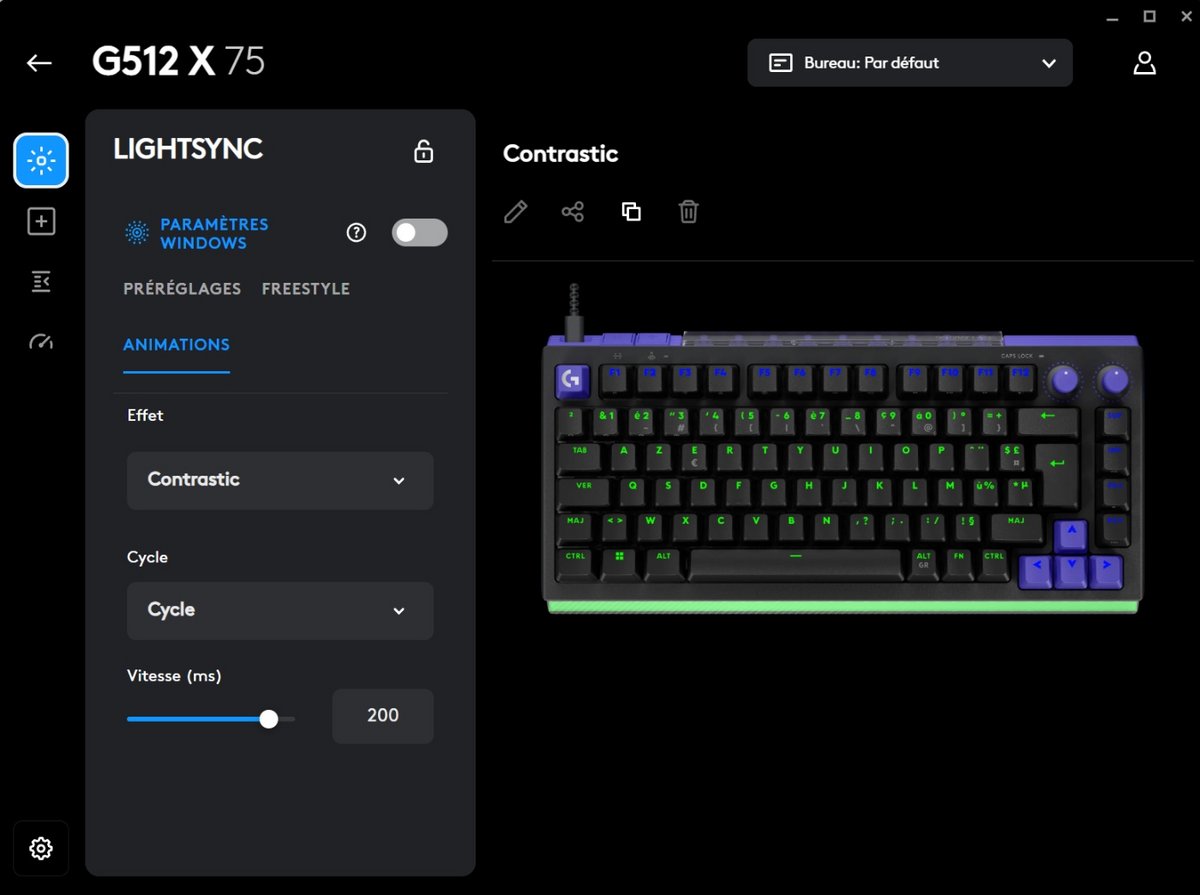
Game profiles, RGB lighting, the wheels and shortcuts configure without spending an evening in the menus. However, you can feel that some automations could still be simplified, especially for those discovering analog or not yet familiar with gamer vocabulary.

Logitech G512 X 75

Logitech G512 X 75

Logitech G512 X 75

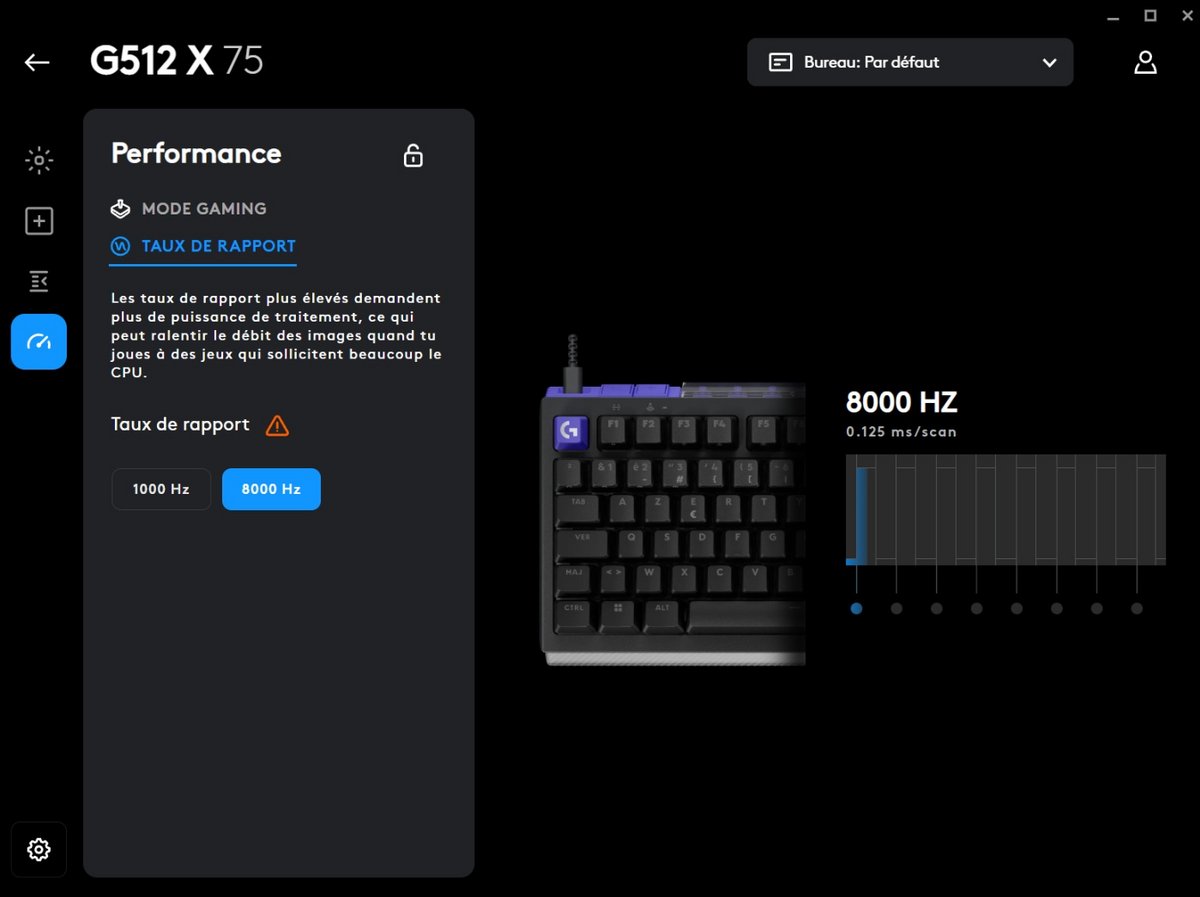
The performance, on the other hand, is not an issue. The polling rate at 8 kHz reassures players who want maximum on the spec sheet, even if not everyone will perceive a clear difference compared to a very good 1 kHz keyboard. It’s also what makes the exclusive wired option a bit more debatable. If you can fully leverage the 8 kHz, the argument holds. Otherwise, the lack of wireless can be frustrating, especially at this price level.

Logitech G512 X 75

Logitech G512 X 75

Logitech G512 X 75

The G Hub app plays a central role here, and Logitech handles the software trap fairly well. Once the keyboard is scanned, the keys with analog switches are automatically detected, allowing quick adjustment of their actuation point, enabling Rapid Trigger, or assigning functions to the SAPP rings. Between a minimalist UI and a rich information density, the interface properly supports the user in tuning.

Game profiles, RGB lighting, wheels and shortcuts configure without spending an evening in the menus. Yet you can feel that some automations could still be simplified, especially for those who are new to analog or not yet accustomed to the gaming lexicon.

Logitech G512 X 75

Logitech G512 X 75

Logitech G512 X 75

And even though the replacement of switches is straightforward, it requires a bit of care. You must respect the insertion direction, handle the pliers correctly, and avoid bending the MX pins (3- and 5-pin). It isn’t a difficult operation, but it isn’t a task you’ll repeat every morning or entrust to a child.

Logitech G512 X 75

Logitech G512 X 75

Logitech G512 X 75

The responsiveness, meanwhile, poses no problem. The 8 kHz polling rate reassures gamers who want maximum on the spec sheet, even if everyone won’t perceive a sharp difference versus a very good 1 kHz keyboard. It’s also what makes the wired-only option somewhat more debatable. If you fully exploit the 8 kHz, the argument stands. If not, the absence of wireless can be frustrating, especially at this price point.

Logitech G512 X 75

Logitech G512 X 75

Logitech G512 X 75

The G Hub app plays a central role here, and Logitech avoids the tentacled software trap fairly well. Once the keyboard is scanned, the keys equipped with analog switches are automatically recognized, allowing rapid adjustment of their actuation point, activation of Rapid Trigger, or mapping functions to the SAPP rings. Between minimalist graphics and dense information, the interface properly assists the user in configuring.

Game profiles, RGB lighting, knobs and shortcuts configure without needing to spend an evening in the menus. You can still feel that some automations could be simplified, especially for those who are new to analog or not yet familiar with the language of gamers.

Logitech G512 X 75

Logitech G512 X 75

Logitech G512 X 75

The app G Hub plays a central role here, and Logitech avoids the trap of overly sprawling software fairly well. Once the keyboard is scanned, the keys equipped with analog switches are automatically recognized, allowing quick adjustment of their actuation point, activation of the Rapid Trigger, or assigning functions to the SAPP rings. Between minimalist graphics and dense information, the interface properly guides the user in adjusting settings.

Game profiles, RGB lighting, wheels and shortcuts configure without needing to spend an evening in the menus. It’s clear, however, that some automatisms could still be streamlined, especially for those discovering analog or not yet used to the gamer vocabulary.

Logitech G512 X 75

Logitech G512 X 75

Logitech G512 X 75

Daily Use

In typing, the G512 X 75 feels very pleasant. The acoustics are well managed, the comfort is real, and the compact format frees up desk space without sacrificing the essential keys. You can clearly feel the difference between mechanical and analog keys, yet the whole remains coherent. That is precisely where the keyboard finds its balance. It doesn’t seek to convert the entire keyboard to analog, but to place this technology where it makes the most sense.

Logitech G512 X 75

Logitech G512 X 75

Logitech G512 X 75

Quelques zones ne peuvent pas accueillir les switches analogiques, mais en pratique, ce n’est pas une grande limitation. Les zones les plus utiles dans les FPS et les jeux rapides autour des ZQSD sont couvertes. Pour marcher, courir, doser une action ou régler le point d’activation touche par touche de 0,1 à 4 mm, c’est largement suffisant pour le public ciblé. Même chose pour le Rapid Trigger, qui permet de réarmer une touche sans attendre son retour complet.

Logitech G512 X 75

Logitech G512 X 75

Logitech G512 X 75

The G Hub app plays a central role here, and Logitech avoids the grotesque software trap fairly well. Once the keyboard is scanned, the keys with analog switches are automatically recognized, allowing you to quickly adjust their actuation point, enable Rapid Trigger, or map functions to the SAPP rings. Between minimalistic visuals and information density, the interface properly guides the user through the adjustments.

Game profiles, RGB lighting, wheels and shortcuts configure without needing to spend an evening in the menus. You can sense that some automations could still be simplified, especially for those who discover analog or who are not yet accustomed to the language of gamers.

Logitech G512 X 75

Logitech G512 X 75

Logitech G512 X 75

The quick reaction time is not an issue. The polling rate at 8 kHz reassures players who want the maximum on the spec sheet, even if not everyone will perceive a noticeable difference compared to a top-tier 1 kHz keyboard. It’s also what makes the wired-only proposition somewhat more debatable. If you truly exploit the 8 kHz capability, the argument holds. If not, the lack of wireless can be frustrating, especially at this price.

Logitech G512 X 75

Logitech G512 X 75

Logitech G512 X 75

The app, here again, plays a central role, and Logitech manages to avoid an overly sprawling software trap. Once the keyboard is scanned, the keys with analog switches are automatically recognized, allowing quick adjustment of their actuation point, activation of Rapid Trigger, or mapping of functions to the SAPP rings. Between minimalistic graphics and information-dense displays, the interface properly assists the user in configuring their setup.

Game profiles, RGB, wheels and shortcuts configure without needing to spend an evening in the menus. It’s true that some automations could still be simplified, especially for those discovering analog or not yet familiar with the lingo of gamers.

Logitech G512 X 75

Logitech G512 X 75

Logitech G512 X 75

The rings add an extra layer of customization, offering the possibility to bind two actions to a single key depending on the pressure applied. On paper, the idea is excellent. In a compatible game and well-configured, it can become extremely practical. In more conventional use, however, the double action can quickly become annoying if not tuned properly. Logitech still needs to make the dialogue between G Hub, profiles, and games feel more natural.

Logitech G512 X 75

Logitech G512 X 75

Logitech G512 X 75

The G Hub app plays a central role here, and Logitech largely avoids the trap of a sprawling software. Once the keyboard is scanned, the keys equipped with analog switches are automatically recognized, enabling quick adjustments to their actuation point, enabling Rapid Trigger, or mapping functions to the SAPP rings. Between minimalist graphics and a dense information layout, the interface supports the user appropriately in their settings.

Game profiles, lighting, wheels and shortcuts configure without needing to spend an evening in the menus. One does feel that some automations could still be simplified, especially for those who are new to analog or who haven’t yet acclimated to the gamer lexicon.

Logitech G512 X 75

Logitech G512 X 75

Logitech G512 X 75

The rings allow two actions to be assigned to a single key depending on the pressure applied. On paper, the idea is excellent. In a compatible game well configured, it can become incredibly practical. In a more traditional usage, however, the dual action can quickly become annoying if not tuned properly. Logitech still needs to smooth the dialogue between G Hub, profiles and games.

Logitech G512 X 75

Logitech G512 X 75

Logitech G512 X 75

The build quality inspires confidence, even if the base remains plastic. The keys feel substantial, the wheels sit naturally under the fingers, and the keyboard appears more serious than many gaming models that lean on lighting. The focus here is elsewhere: providing a hybrid base able to accommodate, in certain zones, standard mechanical switches or TMR analog switches (Gateron KS-20).

Logitech also had the smart idea of including storage spaces for the switches and small SAPP rings. It’s practical, almost playful, and it gives the keyboard a thoughtfully modular vibe. One must remain cautious, however—the ring compartment can open during transport, risking parts scattering to the bottom of a bag.

Logitech G512 X 75

And while replacing switches is straightforward, it requires a touch of care. You must respect the insertion direction, use the appropriate tool properly, and avoid bending the MX pins (3- and 5-pin). It isn’t a difficult operation, but it’s not something you’ll perform every morning or entrust to a child.

Logitech G512 X 75

Logitech G512 X 75

Logitech G512 X 75

La bonne surprise vient surtout de la configuration. Une fois les touches remplacées, il suffit de scanner le clavier avec le bouton dédié pour que l’appli G Hub identifie rapidement les changements. Pour un produit qui flirte avec le modding, Logitech parvient à éviter l’effet usine à gaz. C’est sans doute l’un des grands mérites de ce clavier : rendre une mécanique avancée presque ordinaire.

Et même si le remplacement des switches peut être simple, cela exige un peu de soin. Il faut respecter le sens d’insertion, manier correctement la pince et éviter de tordre les broches des switches compatibles MX (3 et 5 broches). Ce n’est pas une opération particulièrement difficile, mais ce n’est pas une action que l’on répète tous les matins ou que l’on confierait à un enfant.

Logitech G512 X 75

Logitech G512 X 75

Logitech G512 X 75

La réactivité, elle, ne pose pas de problème. Le taux d’interrogation (polling rate) à 8 kHz rassure les joueurs qui veulent le maximum sur la fiche technique, même si tout le monde ne perçoit pas une différence nette face à un clavier très performant de 1 kHz. C’est aussi ce qui rend le choix du filaire exclusif un peu plus discutable. Si l’on exploite pleinement le 8 kHz, l’argument se tient. Dans le cas contraire, l’absence de sans-fil peut frustrer, surtout à ce niveau de prix.

Logitech G512 X 75

Logitech G512 X 75

Logitech G512 X 75

The application’s ease of use is a strong point in this review: it helps users configure the keyboard without getting lost in a maze of options. The G Hub software identifies the analog-keyed switches automatically, allowing fast adjustment of actuation points, enabling Rapid Trigger, and mapping features to the SAPP rings. In short, Logitech manages to make advanced hardware surprisingly approachable.

The overall experience isn’t just about the hardware; it’s about delivering a hybrid approach that feels coherent, practical, and accessible for a broad range of players.

Logitech G512 X 75

Logitech G512 X 75

Logitech G512 X 75

The conclusion: the Logitech G512 X 75 manages to blend two worlds—hybrid design—without becoming incoherent. It’s a device that’s not wholly reasonable, not entirely radical, yet clever enough to remind us that in 2026, even keys deserve their own moment of identity crisis.

Conclusion
General score
8 / 10

The Logitech G512 X 75 achieves something fairly rare: it makes a hybrid keyboard feel almost obvious. It blends mechanical and analog without alienating users, offers a genuine degree of customization, relies on a convincing finish, and benefits from software that is clear enough not to scare off the curious.

It isn’t perfect either. Changing switches takes time and a touch of care. The wrist rest sold separately barely fits a product at this price. And at 190 euros for the 75% Azerty version, the keyboard lands in a pricing zone where compromises aren’t easily forgiven. The 98% version, priced at 220 euros and also lacking a wrist rest, doesn’t make the equation any easier.

But if you judge the experience beyond the price tag, the G512 X 75 earns real points. For a casual, discerning gamer who wants to explore analog without diving into the intimidating world of enthusiast keyboards, it’s one of the most accessible and smartest options around.

For a highly technical user, it would likely be a 7/10, due to hardware limits and price. For the general gamer audience seeking a handsome, simple, fast and customizable device, it could rise to 9/10. Since it is hybrid, its score should reflect that too: 8/10.

A keyboard between two worlds, then. Not entirely practical, not exactly radical either. But clever enough to remind us that in 2026, even keys deserve their own identity crisis.

Pros
  • Finishing and a retro vibe
  • Best of both worlds
  • Storage bays (switches and rings)
  • SAP rings, dual-action per key
  • Typing comfort and acoustics
Cons
  • Price premium for a hybrid keyboard
  • Be careful rings that can come loose
  • Only wired
  • Limited analog zones
Best prices

Fnac

189,98 €

Boulanger

189,99 €

Darty

189,99 €

GrosBill

198,95 €

Alternatives to the Logitech G512 X 75 :

Be quiet! Light Mount

Be quiet! Light Mount
  • Fine finish, PBT keycaps
  • Orange/black switches
  • MGX switches with hall effect
9 / 10

Asus ROG Azoth X

Asus ROG Azoth X
  • Very refined finish
  • Pensée pour les joueurs
  • Modular and customizable design
9 / 10

Razer Huntsman V3 Pro 8kHz

Razer Huntsman V3 Pro 8kHz
  • High-end build
  • 0.1 mm adjustment range
  • 8 kHz polling rate
9 / 10

Corsair Vanguard Pro 96

Corsair Vanguard Pro 96
  • Elegant, well-built design
  • RGB keycaps included
  • MGX Hall switches
9 / 10

Asus ROG Azoth X

Asus ROG Azoth X
  • Very accomplished finish
  • Pensée pour les joueurs
  • Modular and adjustable design
9 / 10

Daniel Brooks

I cover everyday products with a practical eye, from kitchen tools and home essentials to smart gadgets and consumer trends. My goal is to help readers understand what is genuinely useful, what is worth the price, and what deserves a second look before buying.