

Looking for a user-friendly password manager? pCloud Pass, standing prominently among the top password managers in 2026, is a very good service choice to begin securing your online life.
- moodLimited trial version
- databaseUnlimited storage
- browse_activityNo breach notifications
- lock256-bit AES, AES-CTR and HMAC-SHA256
- A simple and easy-to-use solution
- Excellent security
- Biometric authentication
- Cross-platform download
- Few additional features
- A somewhat steep one-time payment
Still frugal on new features, pCloud Pass nevertheless offers enough basic functionalities to position itself as a solid choice for a primary password manager, especially for novice users. Nonetheless, as some competitors continuously improve their offerings—particularly in the realm of passwordless login—we hope pCloud Pass will deliver a few enhancements in the coming months.
The pCloud Pass Offering
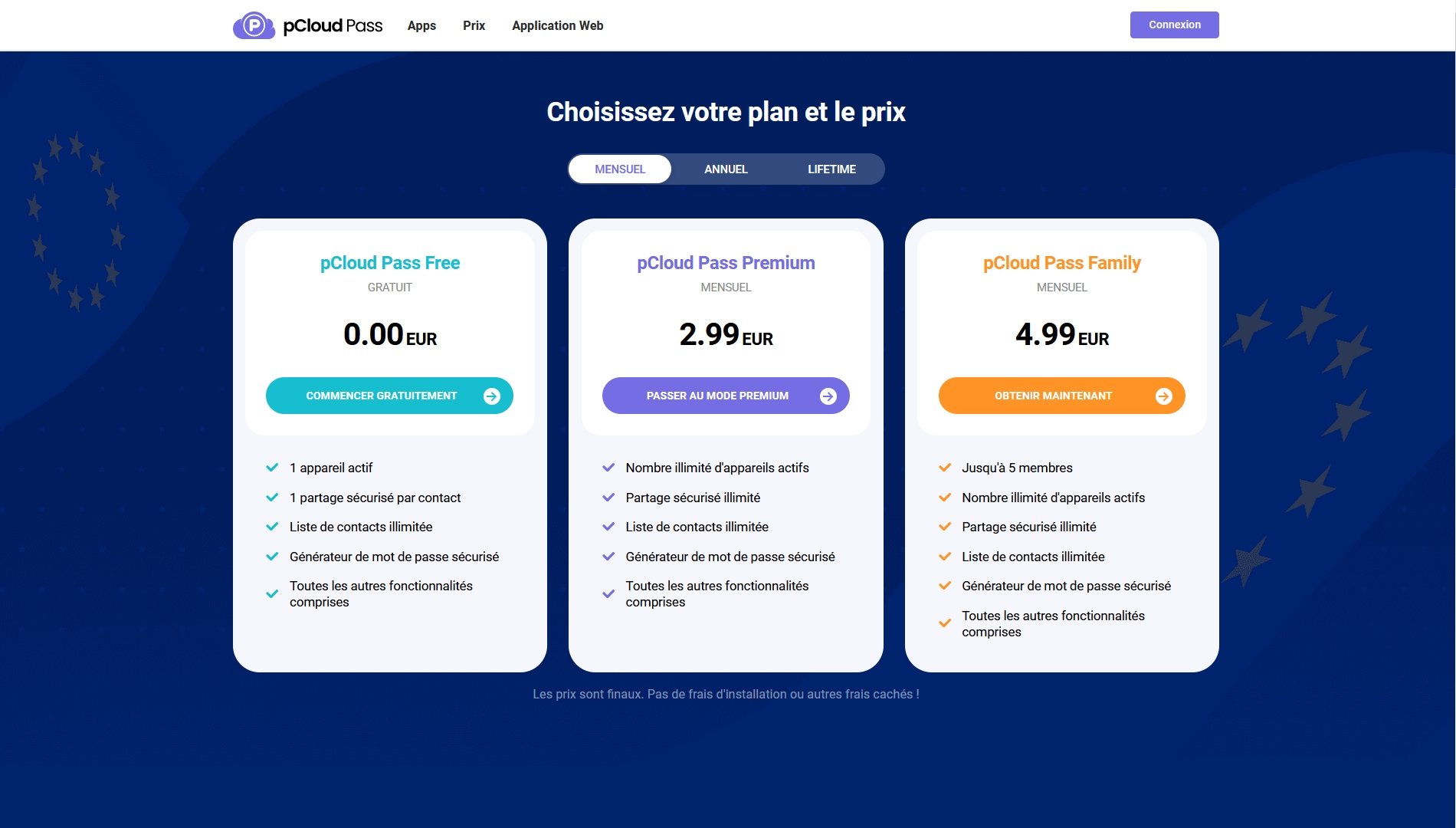
pCloud Pass offers three options for its users, depending on their needs. It is possible to use the service for free on one device, enjoying all features except secure sharing which is limited to one per contact. The paid plans can be chosen on a monthly, yearly, or lifetime basis, with a one-time payment for lifelong use.
The first offer, pCloud Pass Premium, lets a user use the service across all of their devices, with secure sharing and an unlimited contact list, and to enjoy all of the service’s features. It is priced at €2.99 per month, €29 per year, or €149 for a lifetime (roughly the price of 5 years).
Finally, pCloud Pass Family provides all the benefits of the Premium offer but allows up to 5 people to benefit. This plan can be obtained for €4.99 per month, €49 per year, or €253 for a lifetime offer.
Interface and Usability
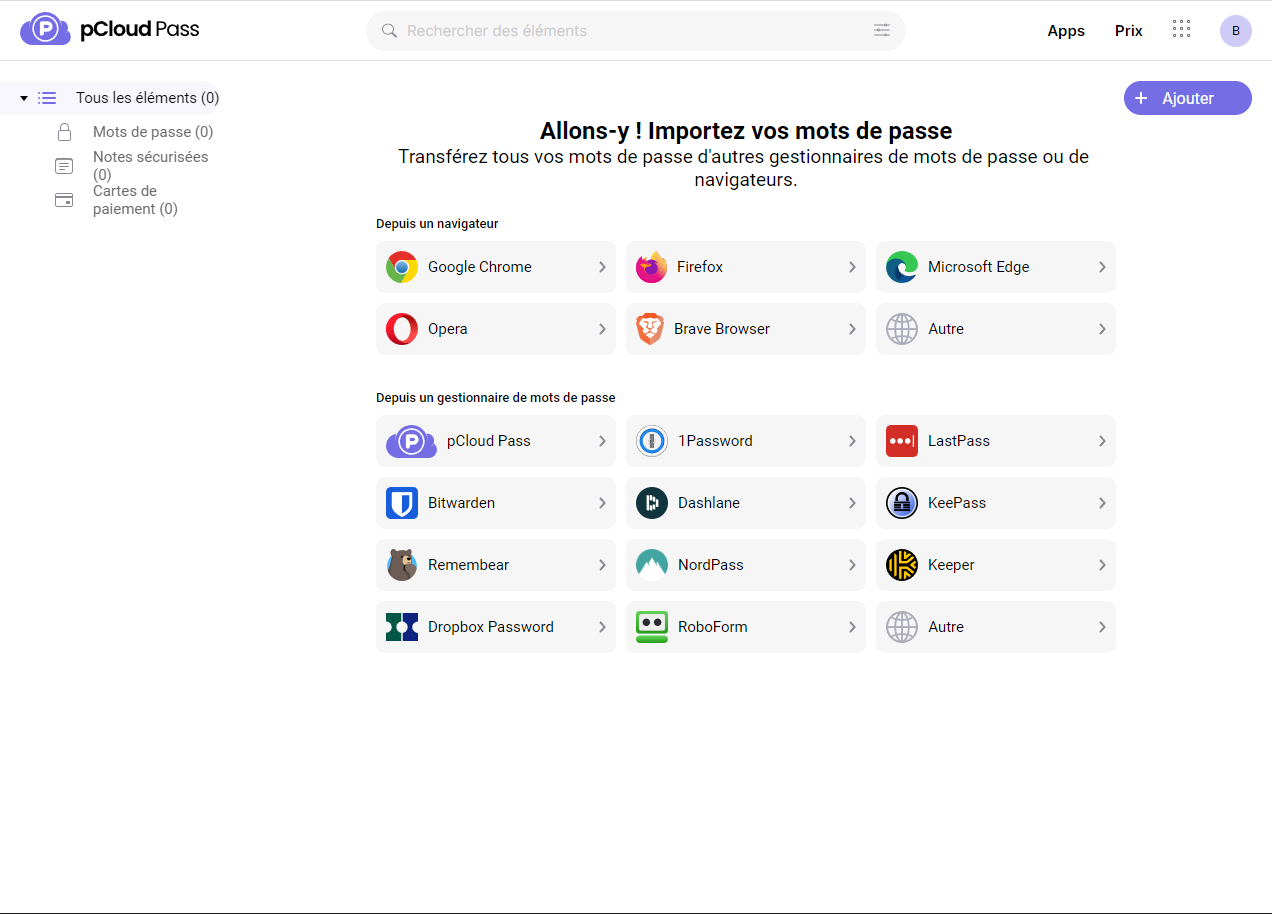
The pCloud manager offers a variety of features to manage passwords (email, login details for web services, crypto wallets…). The solution from pCloud thus allows an unlimited number of passwords, credit card details, or encrypted notes to be stored. It is also possible to automatically fill passwords to benefit from instant login to daily-used apps and websites. Likewise, pCloud Pass handles instant form filling with credit card details. Finally, the service lets you access all these data on any device (pCloud Pass is downloadable on Windows, macOS, Linux, Android and iOS, as well as browser extensions for Chrome, Firefox, Brave, Opera, Safari and Edge, and its web app), wherever you are.
On the interface and usability side, it is hard to imagine a simpler and clearer solution than pCloud Pass. The web version, just like the mobile versions, is easy to grasp and directly offers the ability to import files from other apps or browsers so you don’t have to enter every password manually.
Moreover, the pCloud password manager delivers a high-quality user experience, doing exactly what is asked of it: efficiently manage the user’s sensitive information with a strong emphasis on privacy and security. Whether on macOS, Windows, Linux or the mobile version downloaded for iPhone or smartphone, pCloud Pass is a quality solution that mirrors the ergonomics of the cloud storage tool.
Security
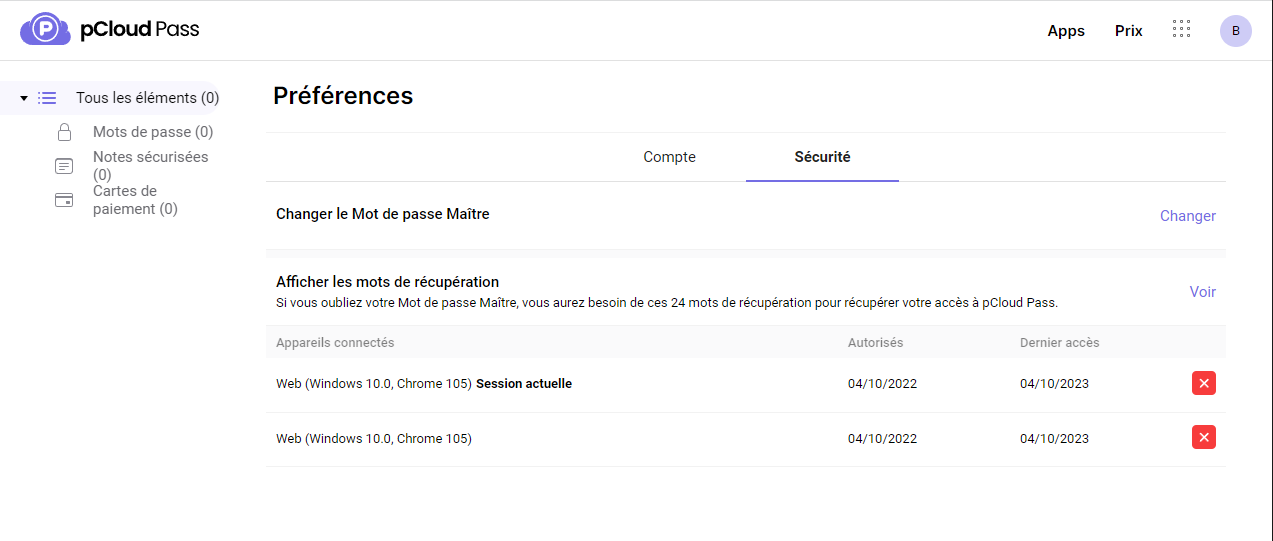
As with its cloud storage solution, pCloud Pass uses AES 256-bit encryption (the industry standard), comparable to the level used by the U.S. military to secure internal communications. The service thus employs AES and elliptic curves (notably the secp256r1 curve) for encryption. Furthermore, pCloud Pass offers the option to use a master password (also secured by AES-256 encryption) or biometric data (for example a fingerprint on a smartphone) to access the passwords stored on the service.
Additionally, pCloud Pass includes a very user-friendly password generator to greatly reduce the risk of hacking. And since this solution can remember all those passwords, there is little risk of forgetting them. However, you must keep the master password in mind at all times.
Finally, to make using this solution even more secure, pCloud allows two-factor authentication for its manager, requiring you to enter a security code when logging in.
Additional Features
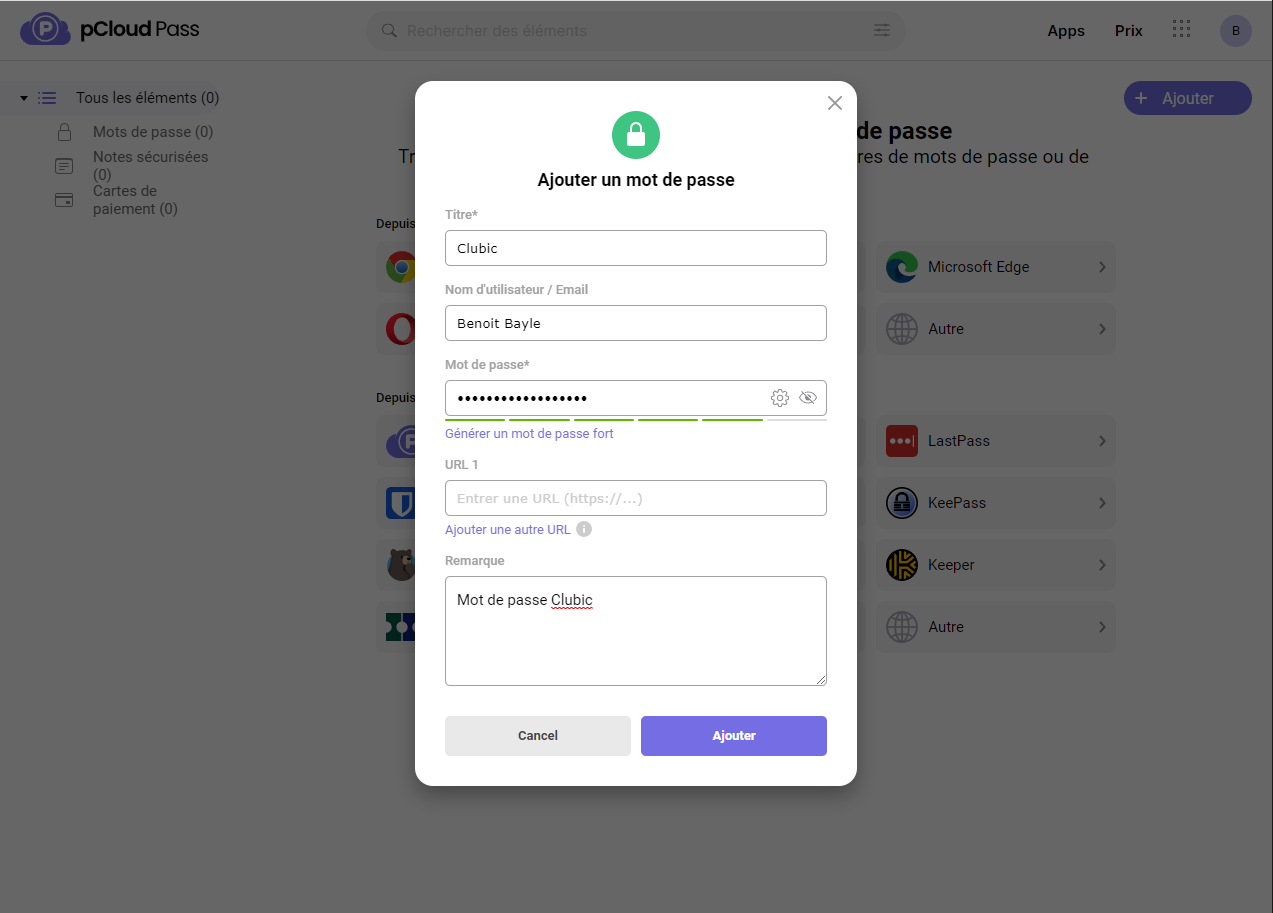
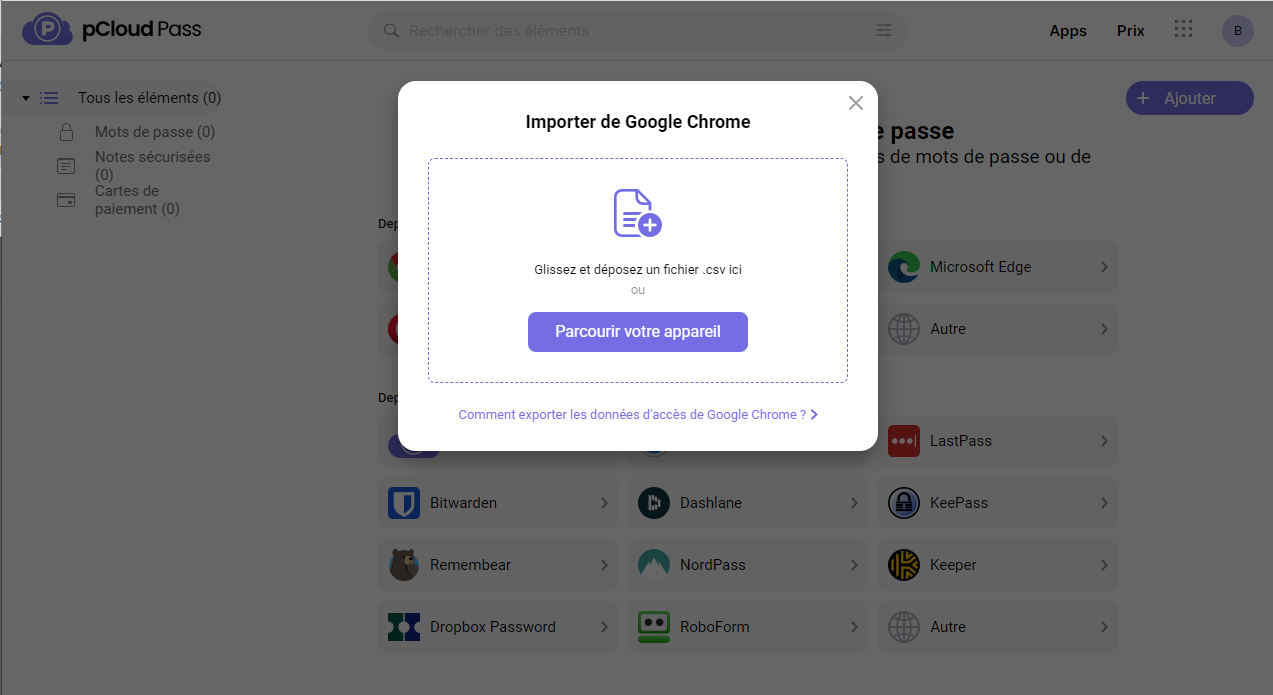
Among the handy tools offered by pCloud Pass, there is the ability to directly import passwords from web browsers or other managers, so you don’t have to enter them all manually. To do this, simply select “Import from” from the software or app, download the .csv file previously exported from the chosen source, and then select the passwords you want to import. Note that you can export these data directly from Microsoft Edge, Opera, Brave, or Chrome.
To use the autofill feature for pCloud Pass, you must enable it first. On Android and iOS, go to the home screen, tap the Autofill tab, and select pCloud Pass. In a web browser, it is recommended to download the pCloud Pass browser extension, which automatically shows a dropdown list of suggestions to fill in login or payment details. It is important to note that the autofill function is enabled by default.
Conclusion
What factor could be more important than security (intellectual property, data privacy) when talking about a password manager? In this field, pCloud Pass, available for download, easily stands among the market’s best, notably thanks to the military-grade AES 256-bit encryption system and its elliptic curves. The Swiss company pCloud thus leverages its solid reputation in the online data storage market and diversifies by offering a secure, private, and privacy-forward password management solution. Overall, it is a user-friendly, easily accessible, and practical tool for daily use, on any device you choose.
pCloud Pass is one of the newcomers in the password management space, and it positions itself as a top option on the market thanks to a strong emphasis on security—especially the AES 256-bit encryption standard and a strict privacy policy. The service also benefits from a clear and straightforward interface and ergonomics, which greatly simplifies its use and makes it particularly easy for beginners to pick up, while remaining practical for veterans.
- A simple and easy-to-use solution
- Top-notch security
- Biometric authentication
- Cross-platform download
- Few extra features
- A one-time payment that’s a bit steep
Our other password manager reviews:
- NordPass review: a promising young password manager
- Bitwarden review: security at a fair price
- 1Password review: the family solution
- Dashlane review: the most complete solution
- KeePass review: local storage solution
- Proton Passwords review: a promising but limited password manager
- Enpass review: a modern, local password manager
- Dropbox Passwords review: a fairly simple password manager
- RoboForm review: a cheap password manager, but sometimes confusing
- LastPass review: can it forget its troubled year?

Daniel Brooks
I cover everyday products with a practical eye, from kitchen tools and home essentials to smart gadgets and consumer trends. My goal is to help readers understand what is genuinely useful, what is worth the price, and what deserves a second look before buying.