
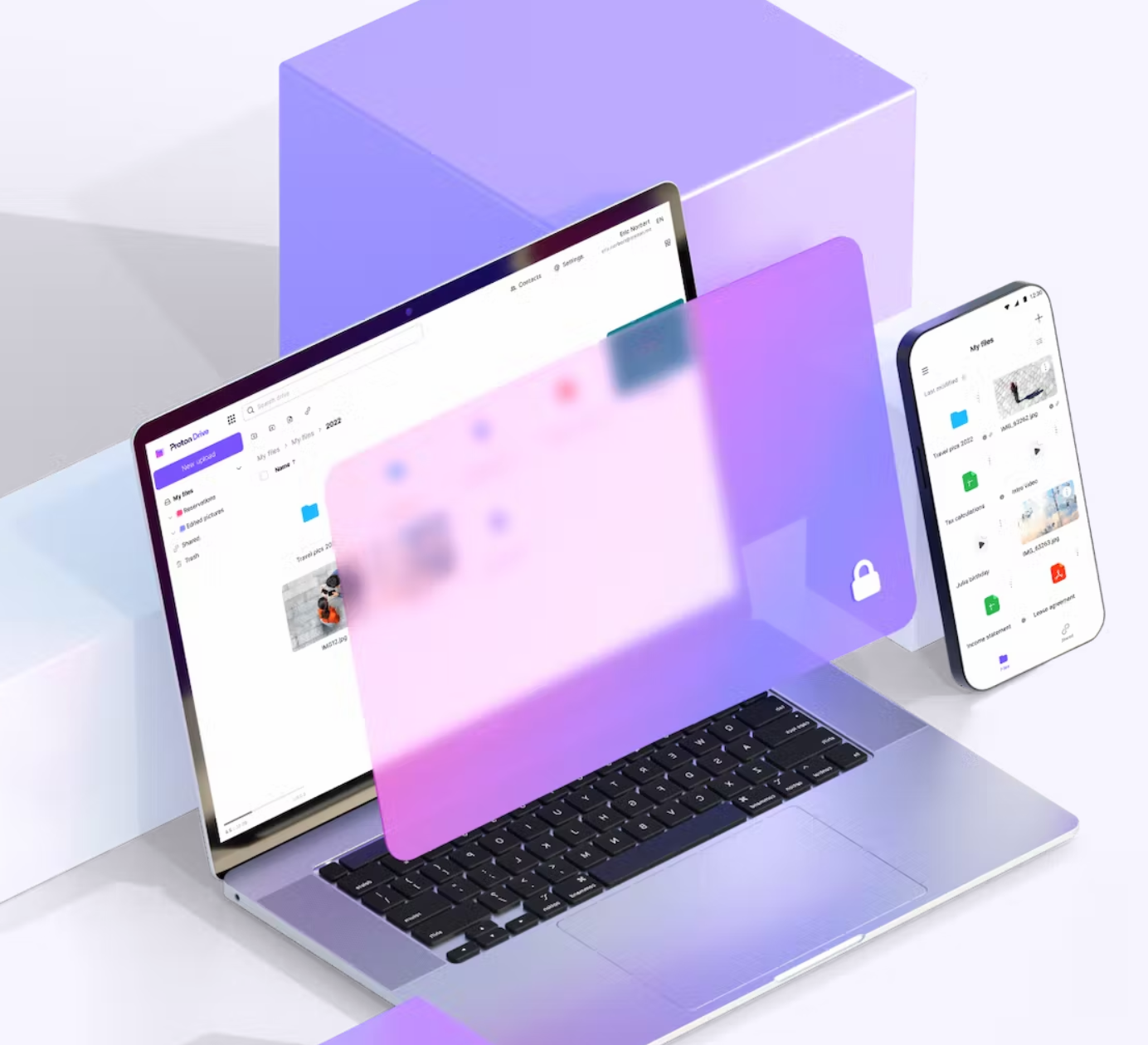
When we talk about secure online storage, Proton Drive has more than one argument to offer. Behind this service lies the Swiss company Proton and its hallmark: end-to-end encryption that places data privacy above all else. Could it compete with Google Drive and the like? We tested Proton Drive to see if this service truly earns its place among the best cloud storage services in 2026.
- mood5 GB free space
- storage500 GB optional storage
- uploadno upload limit
- home_pinServers in Switzerland
Ease of use, features, infrastructure, security, synchronization, backups… discover our detailed testing protocol for online storage services.
Proton Drive: our verdict at a glance
Proton Drive today stands as one of the best secure alternatives to Google Drive in 2026. It does require accepting a few trade-offs, notably slower synchronization and the lack of a native Linux client. Here’s the essential takeaways before diving into our full test.
Strengths
- End-to-end encryption by default
- Encrypted file metadata
- Servers in Switzerland: governed by Swiss law
- Open source and independently audited
- Proton Docs (encrypted collaborative editor)
- Complete ecosystem (Mail, VPN, Calendar, Pass)
Limitations
- Only 5 GB of free storage
- No Linux client (an official CLI exists)
- No live chat support
This service suits privacy-conscious individuals as well as professionals handling sensitive data.
Introduction to Proton Drive
For years, Proton has been working to offer a secure alternative to the web giants’ services, particularly Google. Following the now-famous Proton Mail and Proton VPN, the company tackled cloud storage with Proton Drive, available to all users since 2022 after a long development phase. It wasn’t until July 2023 that a Proton Drive app landed for Windows, and in November 2023 for macOS, finally enabling file synchronization with your computer.
Since then, the company has continued to improve the service, adding features to existing apps and developing collaborative tools.
Latest Proton Drive updates
In the summer of 2026, Proton released several major technical updates to Proton Drive, powered by a new shared engine (SDK) across all apps:
- A faster engine on all platforms: Proton Drive has been rebuilt around a single technical foundation that now drives uploads, downloads, and encryptions on Windows, macOS, Android, iOS, and the web. Expect up to three times faster uploads, twice as fast downloads, and a smoother experience in the Photos app.
- A cryptographic update that speeds up encryption: adopting a newer OpenPGP standard (PKESK v6 and SEIPD v2, leveraging hardware AES-GCM acceleration) has made encryption and decryption up to four times faster, without altering the end-to-end encryption principle.
- Launch of Proton Drive CLI: a command-line interface available for Windows, macOS, and Linux now enables automating uploads, downloads, and file sharing from a terminal or script (cron, deployment pipelines…). It does not replace background synchronization of a graphical client, but partially fills the gap for an official Linux tool, while awaiting the complete app with the synchronization engine still in development.
Security and data privacy
Encryption
As with the rest of its products, Proton emphasizes the security of Proton Drive. Here you get end-to-end encryption and zero access, meaning only the user can access their stored files. Client-side encryption occurs on the device, using a public key, and is decrypted with the user’s private key, which only the user holds when accessing their files. The file contents are encrypted with AES-256 before being transmitted to the servers. Proton therefore cannot read documents stored on its service.
Several elements of the files are encrypted: not only the content but also metadata, such as file and folder names, sizes, upload dates, and more. Thus, if someone breached Proton’s servers, they could not deduce information from metadata.
Share links are also protected by end-to-end encryption. Proton’s servers have access to part of the share link, but not the password that unlocks the content, which is either chosen by the user or randomly generated by the client. In the case of a client-generated password, it is included directly in the share URL so decryption happens instantly on the recipient side. Even then, the password is not transmitted to Proton’s servers, as the company does not have access to that portion of the URL. If a user-chosen password is used, it must be shared via another channel with the recipients since it isn’t included in the URL.
Most of Proton’s apps are open source and can be audited by anyone.
Server location and privacy
Proton Drive’s servers are located in Europe (Switzerland, Norway, and Germany), and the company being based in Switzerland, user data is protected by Swiss privacy laws. The company owns and operates its own servers, which are physically secure and require biometric access. Because Proton has no access to the data stored on its service, those data cannot be read or sold for advertising purposes.
Two-factor authentication
Two-factor authentication can be enabled on your Proton account for extra security. If someone obtains your password, they would still need the second factor to access the data. Enabling two-factor authentication adds a security layer that protects the account even in case of a compromised password. You can choose to use an authentication app or a physical security key.
Proton Docs: an end-to-end encrypted collaborative editor
Proton Drive is no longer limited to storage. With Proton Docs integrated, the ecosystem expands into collaborative productivity, and this is probably the most structural development in the past couple of years.
What Proton Docs enables
Proton Docs is a real-time collaborative text editor, directly embedded into Proton Drive. The aim is to offer a Google Docs alternative without compromising privacy:
- Create and edit text documents directly in the browser, with no extra installation.
- Real-time collaboration (comments, presence indicators);
- End-to-end encryption;
- Sharing with non-Proton users: recipients of a shared link can collaborate without creating an account.
- Export possible to common formats (.docx, notably).
Current limits
Proton Docs remains under active development. Several expected features are still missing, such as a presentation module (Google Slides equivalent) and better compatibility with Office files.
Proton Docs vs Google Docs: verdict?
For everyday word processing and light collaboration, Proton Docs does its job effectively. It cannot yet match Google Docs or Microsoft 365 in terms of feature richness. However, in terms of privacy, there is no equivalent end-to-end encrypted option that is as accessible.
Platforms and mobile apps
Desktop apps
Proton Drive is available on Windows. The app lets you access your cloud storage without going through the web version and easily synchronize data, files, and folders on your PC, without manual uploads. The company has recently introduced the “Optimized Storage” feature. This provides better visibility and tighter control over locally synchronized Proton Drive folders. Windows ARM compatibility is also noted.
macOS apps
Launched in November 2023, Proton Drive for macOS offers Apple users secure, encrypted access to their cloud storage directly from their macOS devices. Like the Windows app, Proton Drive for macOS includes cross-device synchronization, offline file access, version history, free encrypted storage, and guarantees security and encryption through end-to-end encryption. Recently the macOS app benefited from an update doubling transfer speeds.
Mobile apps
Android and iOS smartphone owners can download the Proton Drive app to access their files on the go, and also add files from their device, including photos. An offline mode lets you keep certain files accessible even without internet. Data for these documents is encrypted and stored on the phone, but can only be accessed via the Proton Drive app, which enhances security compared to other locally stored files. These apps are open source.
Web app
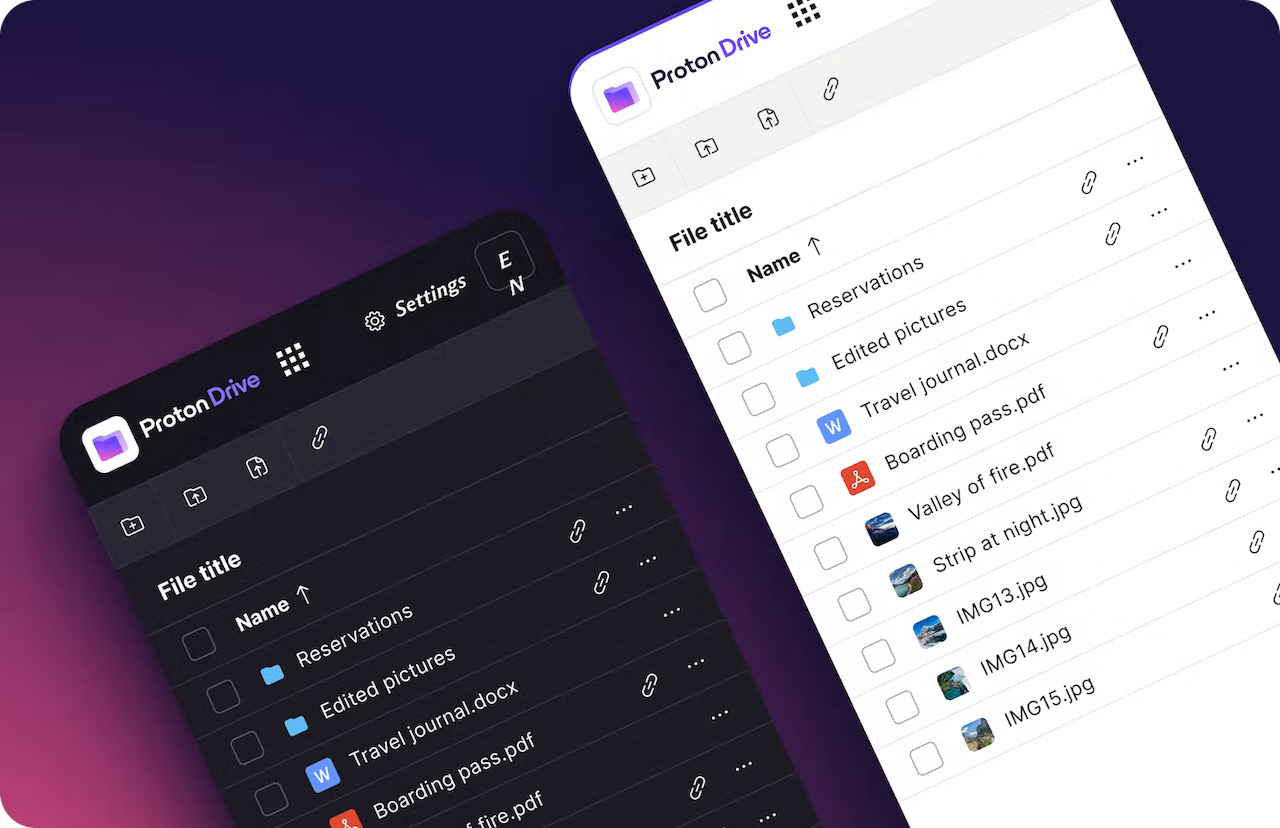
The Proton Drive web app provides access to cloud storage from any browser. Users can find all their stored documents, as well as those backed up from their computer in a dedicated menu, add new items, manage shares, and quickly access other Proton apps such as Contacts and Calendar.
Is there a free Proton Drive offer?
Free plan features and limits
Proton Drive offers a free plan with 2 GB of free space upon signup, expandable to 5 GB by completing 3 setup actions within the first 30 days (adding a file, creating a sharing link, adding a recovery method). Most importantly, even in its free version, Proton Drive encrypts end-to-end all files and folders stored in its solution.
How does the free plan compare to the competition?
In the cloud storage market, it’s common to find offers of 20, 15, or 10 GB for free, such as MEGA or kDrive. Some secure cloud storage services, like Icedrive, offer more free space but without client-side encryption in return.
The different Proton Drive plans
| Plan | Monthly (monthly) | Monthly (annual) | Storage |
| Free | 0,00 € | 0€ | 5 GB |
| Drive Plus | 4,99 €/mo | 3,99 €/mo | 200 GB |
| Proton Unlimited | 12,99 €/mo | 9,99 €/mo | 500 GB |
| Proton Duo | 19,99 €/mo | 14,99 €/mo | 2 TB |
| Proton Family | 29,99 €/mo | 23,99 €/mo | 3 TB |
| Business Drive Professional | 9,99 €/user/mo | 7,99 €/user/mo | 1 TB |
| Business Workspace Standard | 14,99 €/user/mo | 12,99 €/user/mo | 1 TB |
| Business Workspace Premium | 24,99 €/user/mo | 19,99 €/user/mo | 3 TB |
In addition to the free offer, which provides 5 GB of encrypted storage, three paid plans are available. The first, Drive Plus, offers storage only, with 200 GB of total space, version history, a document editor, and end-to-end encryption. It costs 3.99 € per month on an annual plan.
The second plan, Proton Unlimited at 9.99 € per month on annual pricing, provides 500 GB of storage. It grants access to a complete ecosystem including encrypted cloud storage for files, photos, and documents, an online document and spreadsheet editor, previous version recovery, up to 15 custom email addresses, a super-fast VPN, an encrypted password manager, and advanced account protection.
The Proton Duo plan, which includes 2 TB for 14.99 € per month on annual pricing, covers two users with encrypted cloud storage for files, photos, and documents, an online editor for documents and spreadsheets, recovery of previous file versions, up to 30 custom email addresses, a high-speed VPN, an encrypted password manager, and enhanced account protection.
The Proton Family offering, similar to Unlimited, allows adding up to 5 additional users on the account with 3 TB of shared storage for 23.99 € per month (annual pricing). There are also three Proton Drive plans designed for businesses, priced at 7.99, 12.99, and 19.99 euros per user per month on annual pricing. These packages were recently revised to include the Proton Workspace suite.
Performance and transfer speeds
Historically, Proton Drive’s performance has been its Achilles’ heel. The client-side end-to-end encryption, while its main strength, adds computational overhead during transfers, which naturally weighs on measured speeds.
In everyday use (office documents, photos, medium-sized files under 500 MB), Proton Drive feels smooth and responsive. The performance gap is most noticeable when transferring very large files (multiple gigabytes), where the encryption overhead becomes measurable. Users primarily transferring documents, photos, or reasonably sized archives won’t notice a significant difference compared to an unencrypted service.
File synchronization
When you first launch the Windows or Mac app, Proton Drive prompts you to choose which folders on your computer you want to back up and synchronize. If the app suggests typical folders like Documents, Pictures, etc., you can also select any folder you prefer. After making your pick, you must designate the folder that will serve as the Proton Drive folder. By default, the app creates one, but you can also select any empty folder for this purpose.
This is where you can manually add more documents to store, but you’ll also find the documents already in the cloud from other devices. All files and folders stored in the cloud appear in this folder, with no option to exclude items. This is unfortunate and potentially risky for users who have placed confidential data or professional documents in their cloud and now find them on their personal computer, where they weren’t meant to be accessible. This folder is easily accessible from the file explorer via a left-hand shortcut.
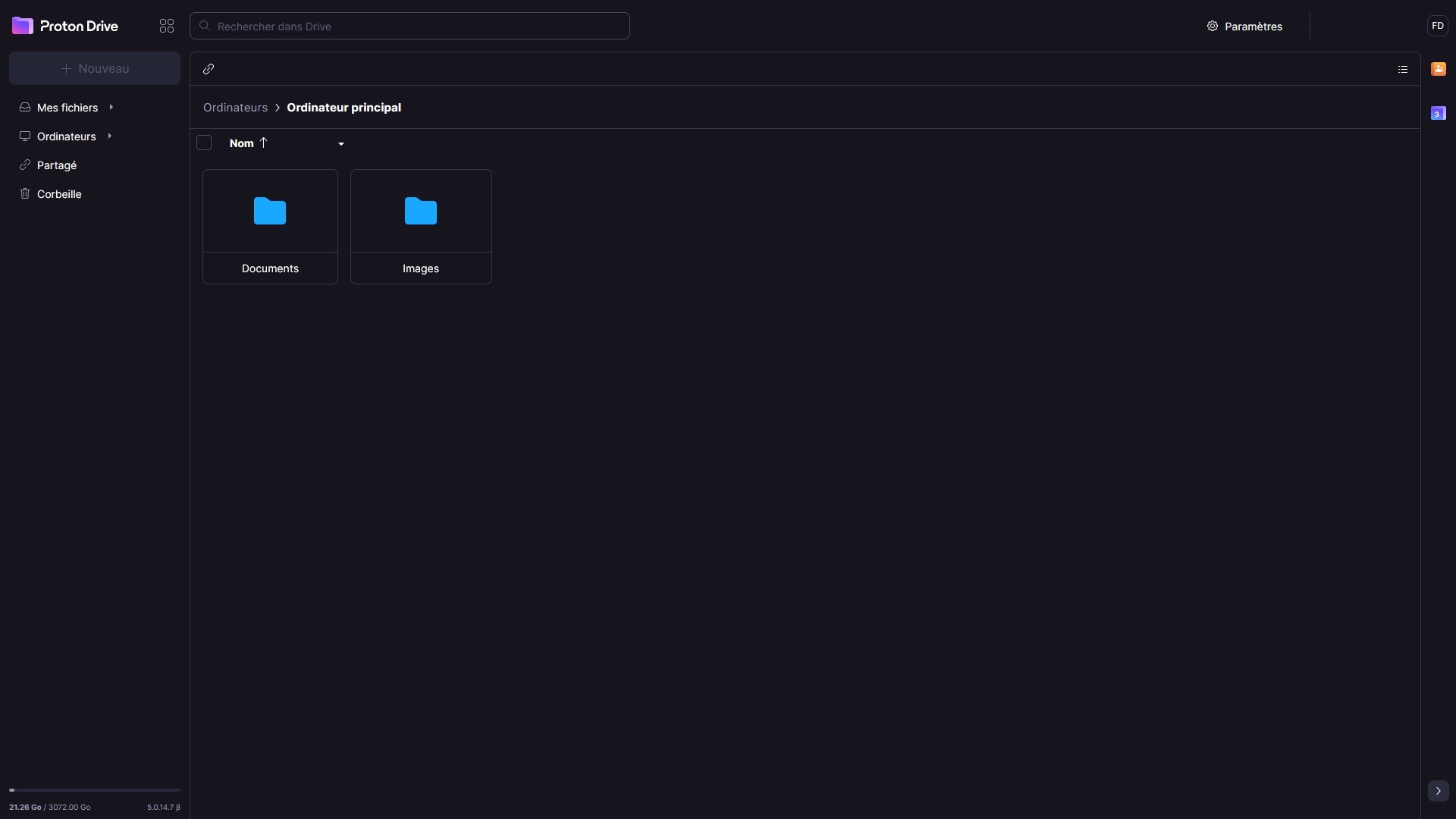
When the initial synchronization of the chosen folders finishes (it can take a while if you have a large number of files), every new change is echoed quickly across all Proton Drive versions. The cloud storage also includes a version history system that lets you restore documents to a previous state if something goes wrong. This feature is available only in the web app and keeps previous versions for 180 days by default, with the duration adjustable in settings.
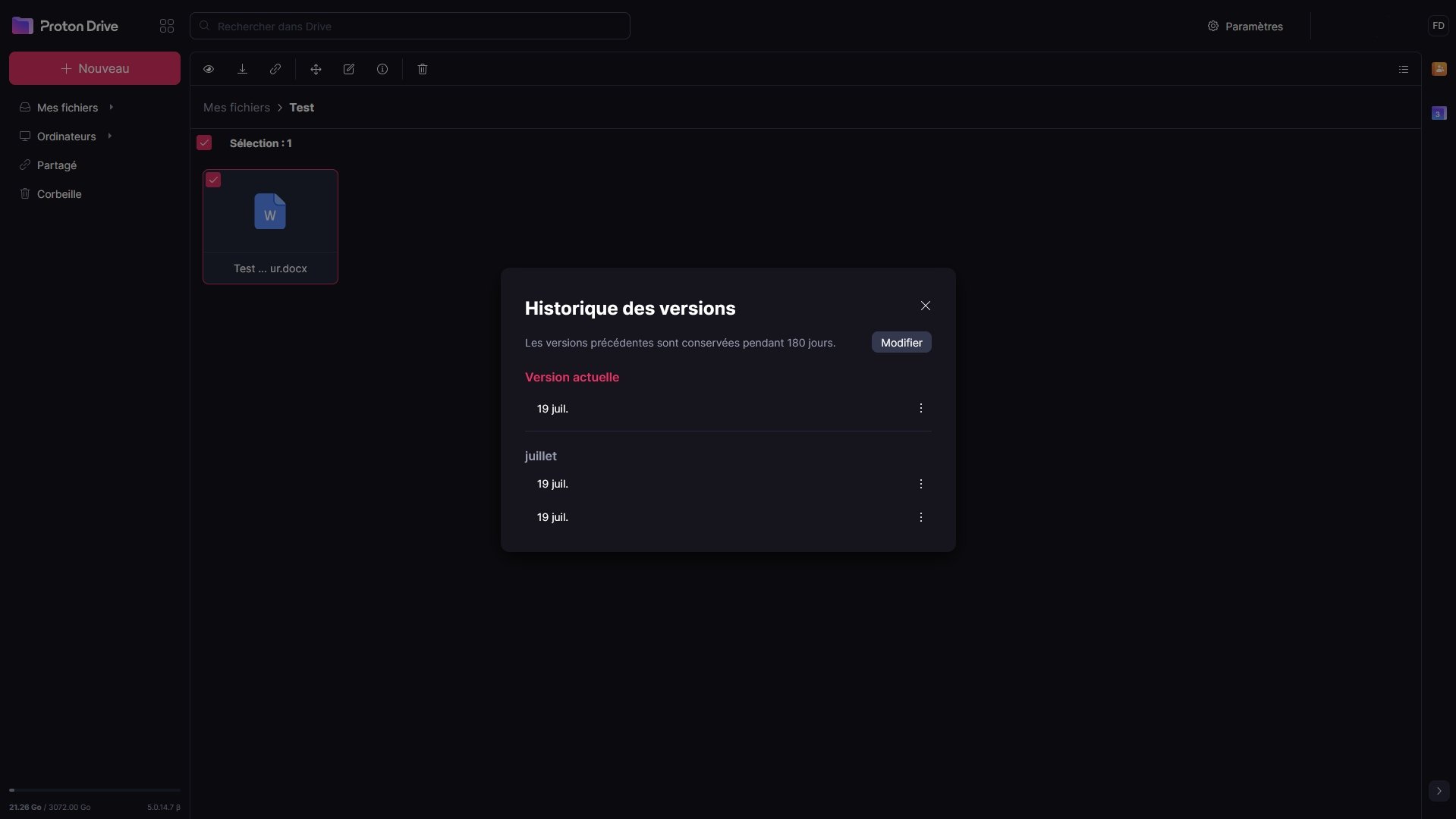
As with the majority of competitors, Proton Drive lets users choose whether files stay stored locally or only in the cloud, with files downloaded when opened on your device. On PC or Mac, this feature is available only for documents inside the Proton Drive folder. On mobile, you can select folders and files for offline availability. Files stay encrypted on the device and can only be viewed via the Proton Drive app.
Reliability of backups
Synchronization is not a backup: the nuance to know
A folder synchronized on Proton Drive is not a true backup system: it’s a mirror. If you delete a file locally, the deletion propagates to the cloud, and vice versa. For real restoration guarantees, rely on the version history, available in the web app, which keeps each version of a file for 180 days (adjustable in settings). This safety net is what truly protects against accidental deletion or unwanted synchronization.
What does Proton say about real service availability?
On the infrastructure side, Proton’s official availability dashboard (status.proton.me) shows Proton Drive as operational continuously in recent weeks. No cloud storage-specific outage has been reported recently. This level of transparency is a real plus, even if Proton has not yet published a public uptime (SLA) rate for the general public, unlike some enterprise competitors.
Our advice
For complete peace of mind with sensitive documents (tax returns, family photos), keep a local unsynced copy on an external drive as part of a 3-2-1 backup rule applied to secure cloud storage.
Sharing and collaboration
How to share a file? A folder?
On Proton Drive, file and folder sharing is done via a link, which you can generate with a click in the web app and mobile apps. For now, the Windows or macOS app does not support this feature. You can protect this share with a password and set an expiration date, with the option to revoke at any time. Proton imposes no limit on the size of files shared or the number of downloads from the link and you can create as many sharing links as you like. All of this is protected by end-to-end encryption to ensure that only authorized people can view your files.
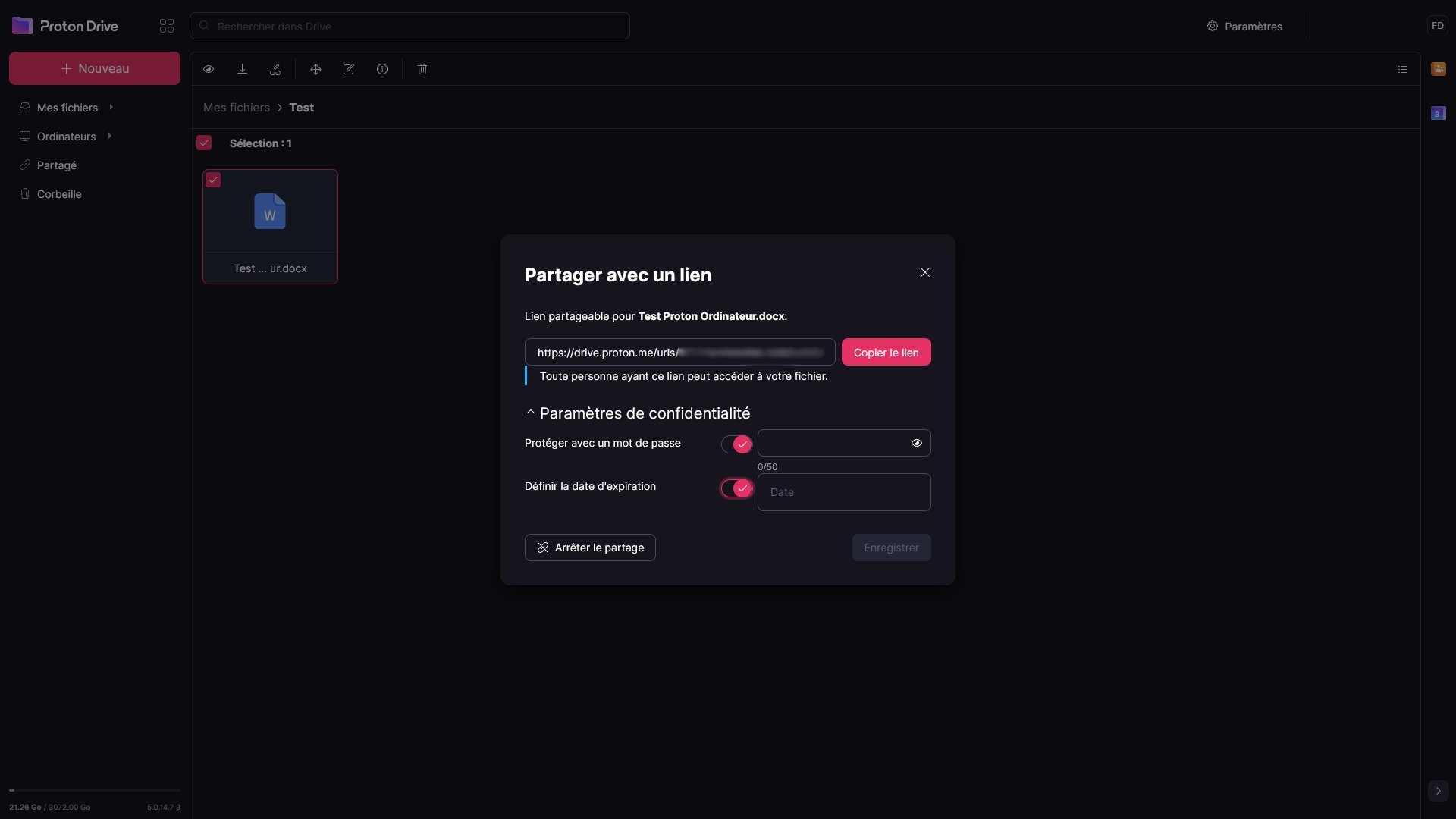
Links can be sent and opened by any of your contacts, even if they don’t use Proton Drive. Double-clicking on shared documents gives recipients a quick preview before deciding to download. Proton even supports sharing of synced folders and files from the Windows app, but you must use the web version to generate the link.
How to make a file public?
Proton Drive does not offer a dedicated feature to publicly publish a private file, but since the number of downloads from a link is unlimited and you can choose not to set an expiration date, simply publish the link publicly and the file will be accessible to everyone, without limits.
How Proton Drive integrates with work tools?
From a developer perspective, Proton does not yet offer an API to integrate with Office or Adobe apps, for example.
However, Proton Drive now includes Proton Docs, a real-time text editor derived from the Standard Notes acquisition, serving as an alternative to Google Docs. This allows collaboration on documents even with people who do not have a Proton account.
Media support
Automatic photo uploads from your smartphone
Like other cloud storage services, Proton offers automatic photo upload from your phone’s gallery. On iPhone, the app must stay in the foreground for this to work. After initial Live Photos issues, the feature now seems operational. This lets you clear space on your phone while securely storing photos in a protected space.
Web gallery
A Photos section is available on Proton’s web interface to view your gallery. Note that, for now, it is only a viewer, with no editing tools, filters, sorting options, or album creation.
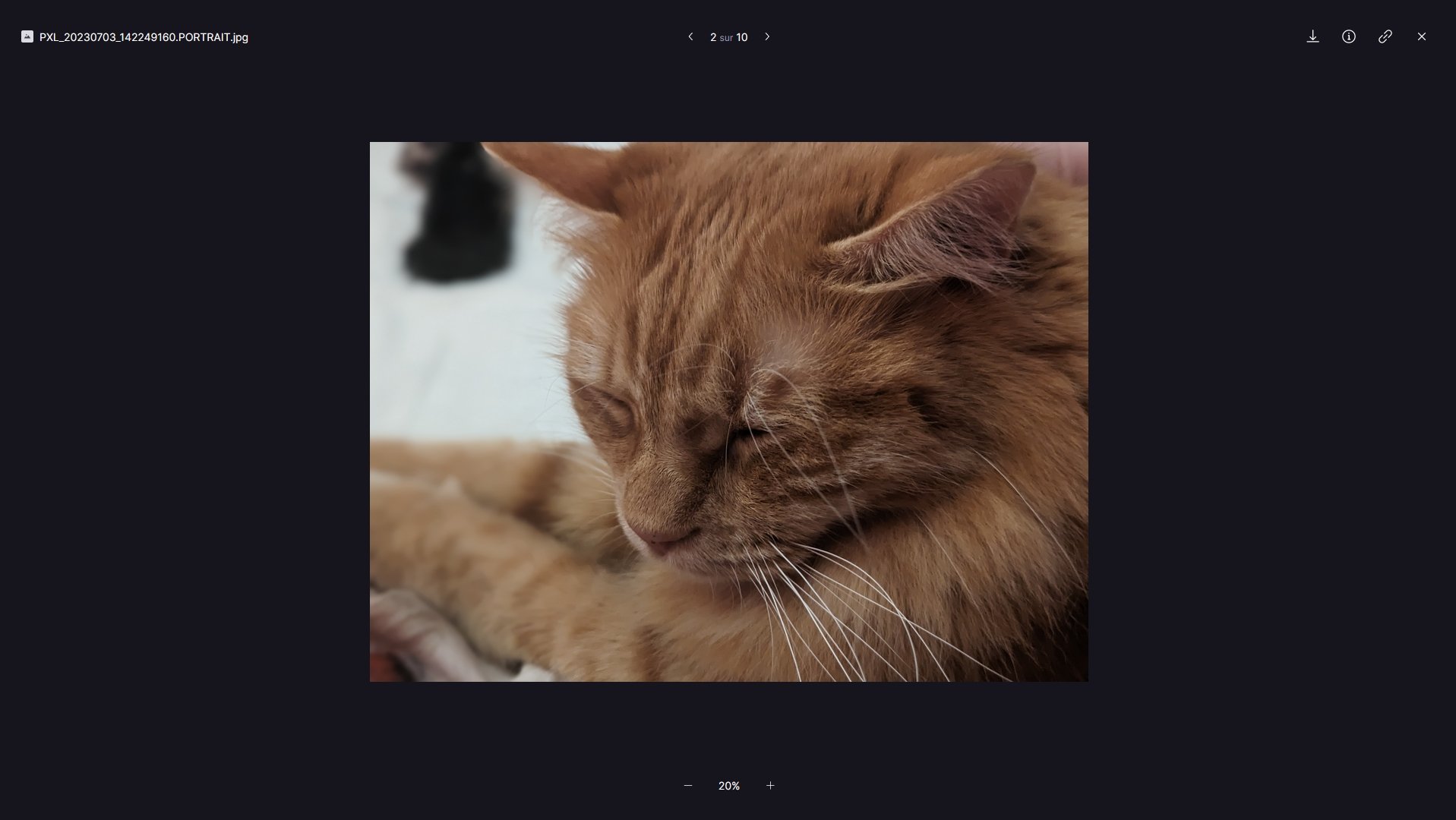
Videos stored can be viewed within the browser or on the mobile app, using a simple video player that suffices for this purpose. It won’t replace your preferred software, but it provides basic viewing so you can quickly watch videos without downloading the file first.
Proton Drive versus the competition: comparison table
| Criteria | Proton Drive | Google Drive | Microsoft OneDrive | pCloud |
| Free storage | 5 GB | 5 to 15 GB | 5 GB | up to 10 GB |
| Starter plan (annual) | 3.99 €/mo (200 GB) | 1.99 €/mo (100 GB) | 2.00 €/mo (100 GB) | 4.99 €/mo (500 GB) |
| Default E2EE | Yes | No | No | Yes (with Encryption option) |
| Zero-knowledge | Yes | No | No | Yes (with Encryption option) |
| Server locations | Switzerland, Norway, Germany | Global (US, EU…) | Global (US, EU…) | Luxembourg or US |
| Cloud Act | No (Swiss law) | Yes | Yes | No (Swiss law) |
| GDPR compliance | Yes | Yes | Yes | Yes |
| Applications | Web, Windows, macOS, Android, iOS | Web, Windows, macOS, Android, iOS | Web, Windows, macOS, Android, iOS | Web, Windows, macOS, Linux, Android, iOS |
| Document editor | Yes | Yes | Yes | No |
| Open Source | Yes | No | No | No |
To sum up, Proton Drive is the only service in this comparison to offer end-to-end encryption by default on all plans, including the free tier, with encrypted metadata and servers outside US jurisdiction. Google Drive and OneDrive provide more free storage and tighter Office integration but do not apply zero-knowledge encryption. pCloud offers a good balance for users sensitive to performance and lifetime value, provided you enable pCloud Encryption.
Support and user assistance
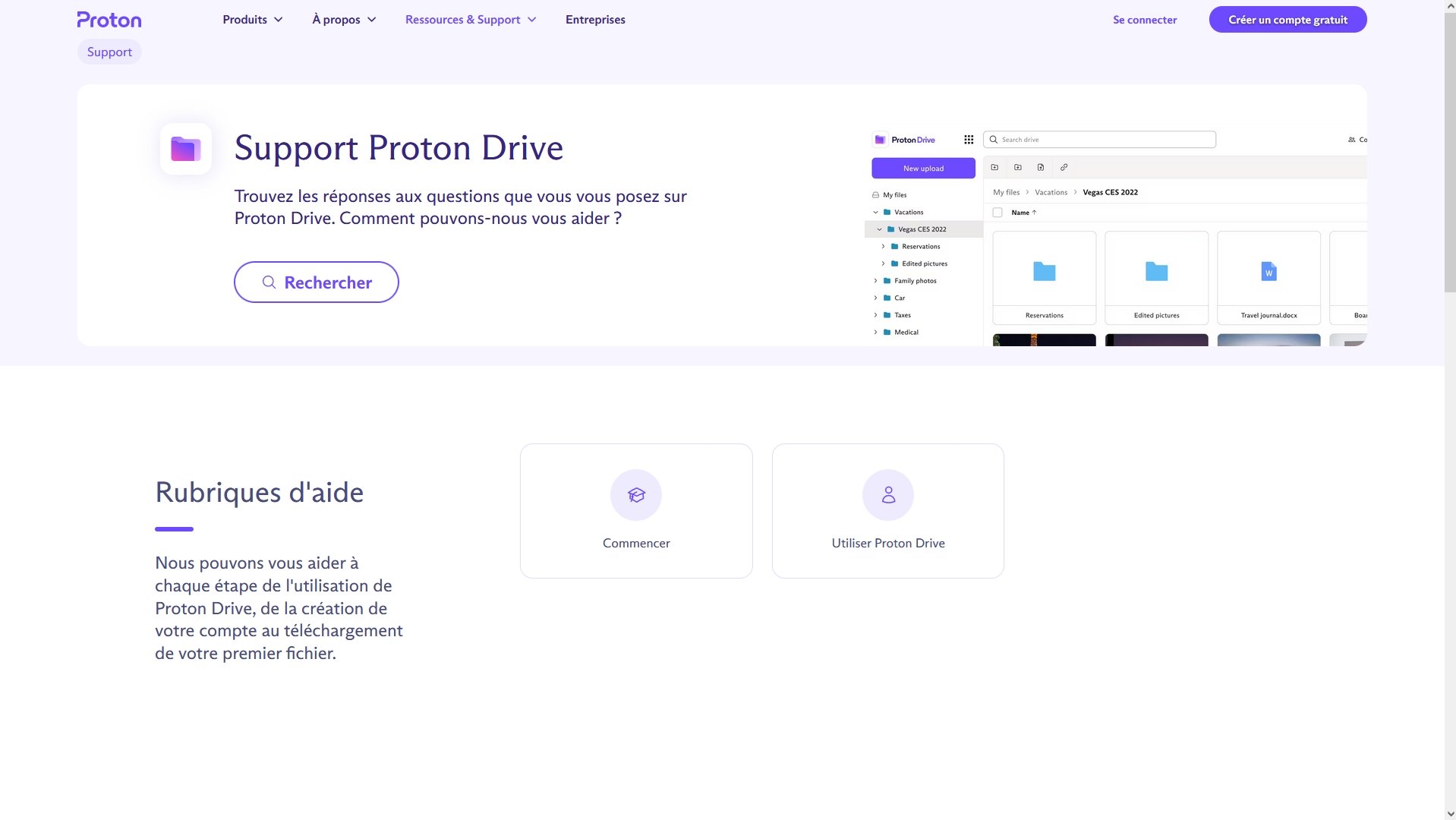
Proton offers a Proton Drive help page reserved for Drive, listing frequently asked questions and help sections that are effectively tutorials for using the solution. For other queries, you’ll need to rely on search, which is responsive and relevant.
Proton states that user support is available 24/7. It can be contacted via a form on the website or directly by email, at the address listed on the site. If you want your email to be end-to-end encrypted, you can also contact them at the Proton Mail address. However, response times may be longer since the address isn’t connected to a dedicated support platform and they cannot prioritize those emails.
Who is Proton Drive for?
Proton Drive isn’t the right choice for everyone, and that is precisely what makes it an excellent option for certain profiles. Here’s a concise guide to help you decide.
| Profile | Is Proton Drive suitable? | Why |
| Private individual concerned about privacy | ✅ Excellent choice | Default E2E encryption, no ads, data outside US Cloud Act |
| Professional / sensitive data | ✅ Very good choice | GDPR-compliant, Swiss servers, third-party security audit, zero-knowledge |
| Proton ecosystem user | ✅ Essential | Shared storage with Proton Mail, VPN/Calendar/Pass integration |
| Former Google Drive user | ⚠️ Good option with caveats | Interface similar, but no native PDF reading, limited Office |
| Photographer / photo management | ⚠️ OK, improving | Encrypted albums available, but gallery lacks editing or sorting AI |
| Linux user | ❌ Not yet (2026) | Web access or official CLI— GUI app still in development |
| Need advanced collaboration (Office 365) | ❌ Not suited | Proton Docs limited to text docs; spreadsheet/presentation on mobile not yet |
Conclusion
After a series of updates, Proton Drive positions itself as a reliable alternative to cloud storage offerings from the web giants. The standout aspects include enhancements to the synchronization clients and the integration of Proton Docs. It still lacks a few features to be used as the primary cloud storage system, notably tools to better manage photos. Still, Proton is expected to continue refining its service. The company has already outlined the groundwork for a Linux-oriented future software.
Proton Drive is a promising cloud storage service that is progressing in the right direction, notably thanks to a run of updates on Windows, macOS, and the Web. Its security is impeccable, but a few elements are still awaited to fully convince us, especially tools for better photo management. In any case, Proton Drive is likely to become a mainstay among the major players.
- Privacy policy that is airtight
- End-to-end encryption
- Simple interface
- No limit on file sharing
- Access to the entire Proton ecosystem with the Proton Unlimited plan
- Only 5 GB for the free plan
Is Proton Drive truly free?
Yes, Proton Drive offers a permanent free tier including 5 GB of end-to-end encrypted storage, with no ads and no file size limit for sending. This storage is shared with your Proton Mail account. To increase capacity, the Drive Plus plan starts at 3.99 €/mo for 200 GB, or Proton Unlimited at 9.99 €/mo for 500 GB with access to the entire Proton ecosystem.
Is Proton Drive subject to the US CLOUD Act?
The US CLOUD Act stipulates that American companies must provide data they control in response to US legal proceedings, regardless of where the data is stored. Its reach follows the company’s control, not geography. For Proton Drive, the answer is no: Proton AG is a Swiss company with no American majority shareholder, placing it outside the CLOUD Act’s scope by design.
Our other reviews on online storage services:
- Dropbox review: the cloud storage staple
- Microsoft OneDrive review: the Windows and Office service
- Google Drive review: a highly comprehensive solution
- iCloud review: cloud for Mac, iPhone and iPad
- Proton Drive review: a secure service that keeps getting better
- kDrive review: an eco-responsible, secure and collaborative alternative
- Icedrive review: a young but promising online service
- Nextcloud review: open-source solution for experts

Daniel Brooks
I cover everyday products with a practical eye, from kitchen tools and home essentials to smart gadgets and consumer trends. My goal is to help readers understand what is genuinely useful, what is worth the price, and what deserves a second look before buying.