
One year after the launch of its confidential AI assistant, Proton unveiled Lumo 2.0 on June 30, 2026. This new version changes the language models it relies on, adds image generation and editing, introduces a controllable memory, and offers customizable assistants.
We spent several days exploring this new version, evaluating web search, data formatting, image generation and editing, as well as project management and the handling of customizable assistants.
What is Lumo 2.0?
A year after launch, Proton switches its engine
Lumo is Proton’s AI assistant, introduced in July 2025 with a pledge to offer an alternative to ChatGPT or Gemini without exploiting user data. Proton claims more than 10 million users for this first version. Lumo 2.0, announced on June 30, 2026, rests on a rebuilt architecture. Two response modes exist: Fast for everyday queries, and Thinking for tasks that require several steps of reasoning. The model is also offered in two formats, Lite and Max, the latter reserved for complex tasks. Proton states that common queries are processed up to 76% faster than with Lumo 1.4, and that the context window has doubled, though no precise figure is provided. The core approach remains unchanged: zero-access encryption, no conversation logs, no reuse of exchanges for training, hosted on Proton’s European infrastructure and governed by Swiss law. Most features remain free, with a Lumo Plus subscription granting unlimited usage and advanced capabilities.
Qwen and GLM: the models that power Lumo 2.0
Rather than an assistant that would develop its own language model, Lumo relies on open-weight distributed models. A model’s weight is the numeric file produced after training, the one that allows it to transform a question into an answer. When this file is released in open access, any company can download it and run it on its own servers, without ever routing through the original creator’s servers. That’s what Proton does: the Lumo privacy page lists the models currently used, Qwen 3.5 and GLM 5.2 for text and reasoning, Image-Turbo and FireRed-Image-Edit-1.1 for image generation and editing. Qwen is developed by Alibaba, GLM by Zhipu AI, two Chinese companies. Proton notes that these models run only on servers it controls in Europe: weights are downloaded and installed on its infrastructure, with no calls to third‑party servers or data transfers to China. The code for Lumo’s web and mobile apps is open source. The weights of the models used are also open, but not the data or code used to train them, a nuance some critics say Proton does not spell out clearly enough. The choice of models may evolve: Proton already changed them regularly before version 2.0, notably with Mistral models.
Privacy
First, let’s clear one thing up: choosing Chinese models over French or American ones has no impact on the privacy of the exchanges. Inference takes place exclusively on Proton’s servers. However, as noted, the transparency regarding training data remains poorly documented publicly.
Encryption and logs: one nuance to clarify
Proton’s documentation uses two overlapping formulations. On one hand, conversations saved by a logged-in user can be accessed over time, stored with zero-access encryption that even Proton cannot read. On the other hand, the company claims to delete logs after each exchange. Those two statements do not contradict each other. The first point concerns the history the user chooses to keep, encrypted and unreadable to Proton; the second refers to processing logs, separate from that history. In guest mode, with no account, nothing is synchronized to Proton’s servers. There is thus nothing to log or erase.
Hosting: Geneva for the law, Germany for the servers
Proton AG remains domiciled in Geneva, which places its terms of use and privacy policy under Swiss law. The Lumo servers, however, are no longer in Switzerland. Proton announced in 2025 the relocation of Lumo’s infrastructure to Germany, in response to a Swiss telecommunications surveillance bill that seeks to require retention of connection data and, in some cases, access to encryption keys. The company is also developing capabilities in Norway. The contractual legal framework remains Swiss, but the technical processing of data takes place in Germany.
Our hands-on with Lumo 2.0
The classic prompt
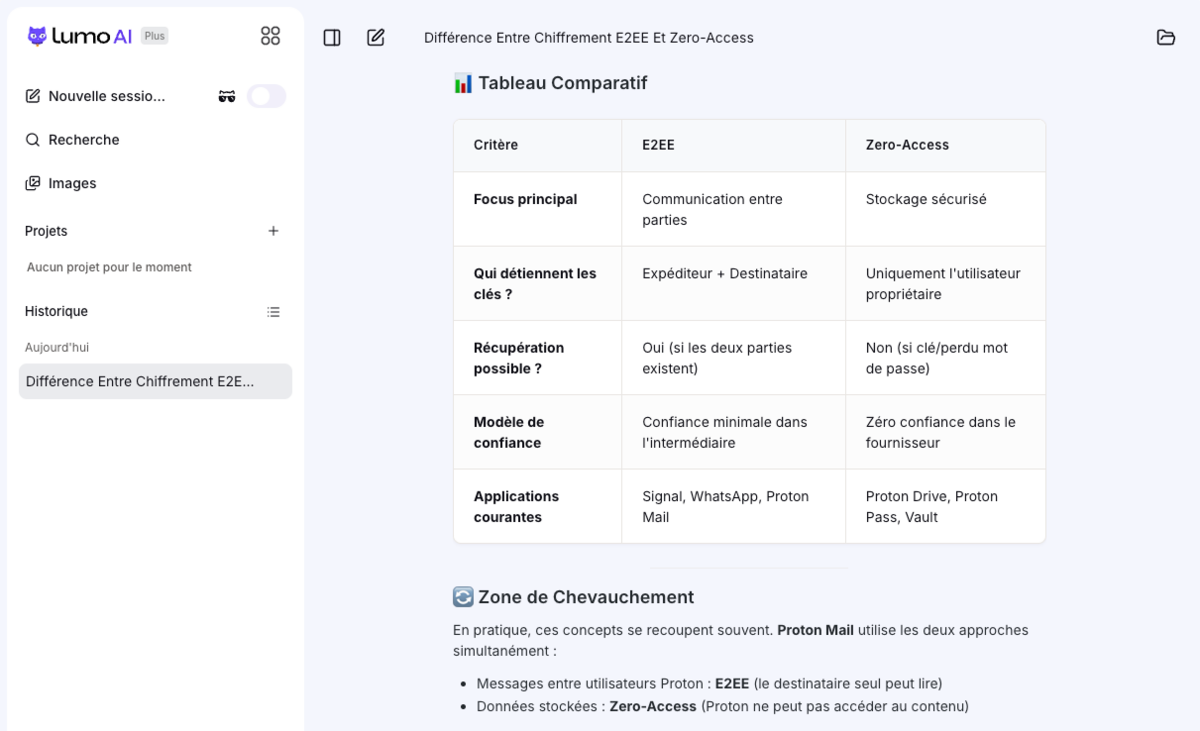
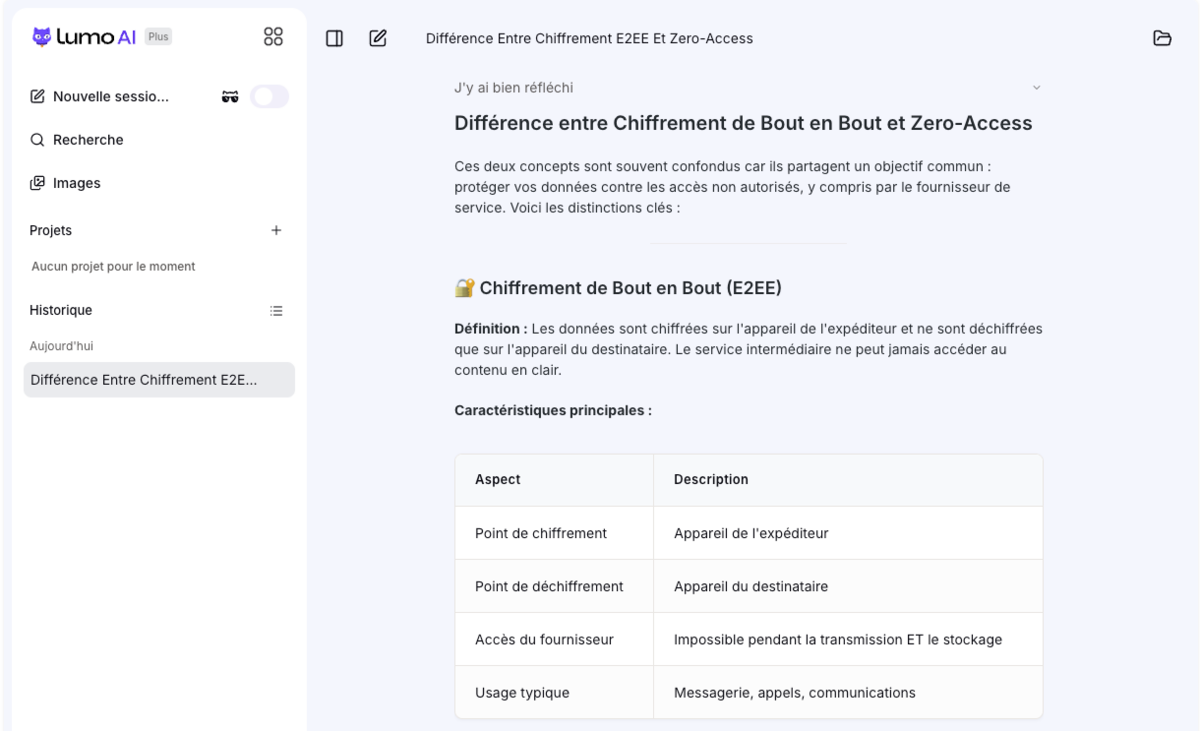
First test, without web search or attached file: a general knowledge prompt to judge Lumo’s writing quality and reasoning when left to its own devices. The prompt used was: “Explain the difference between end-to-end encryption and zero-access encryption, with a concrete example for each.” Three criteria guided the reading of the response: technical accuracy, clarity of wording, and length chosen without a forced format.
Thinking time took only 3 or 4 seconds. Proton’s assistant doesn’t draft an essay, by any means, but its answer is clear. It provides a definition of both end-to-end encryption and zero-access encryption, along with a table of main features highlighting encryption/decryption points, provider access, and typical usage. It then offers two-sentence examples for the two concepts, WhatsApp in the first case and Proton Drive in the second. It ends with a five-row comparative table and explains that the two can overlap, notably in Proton Mail.
Here again, the web search stays location-agnostic and the results are less localized than expected. We still struggle to rely on it as a dependable monitoring tool at this stage. Proton doesn’t name the search engine used for this processing. In the privacy policy, it simply states that the company selected search engines “based on privacy, performance, efficiency and reliability, without naming any.”
Visual generation
Image generation is one of the standout novelties of this 2.0 release. For this capability, Lumo 2.0 uses a separate model from the text models: Image-Turbo, cited by Proton on its privacy page alongside Qwen 3.5 and GLM 5.2. This model, developed by Alibaba’s Tongyi-MAI team—the same company behind Qwen—comes with open weights and is ranked number 1 among open-source text-to-image models in the Artificial Analysis ranking. And just like the text models, Proton hosts a copy of it on its own servers rather than calling a third‑party API.
I usually alternate between Perplexity or Gemini to generate an article image by simply loading the raw text next to the prompt. Let’s try the same prompt for this decryption.
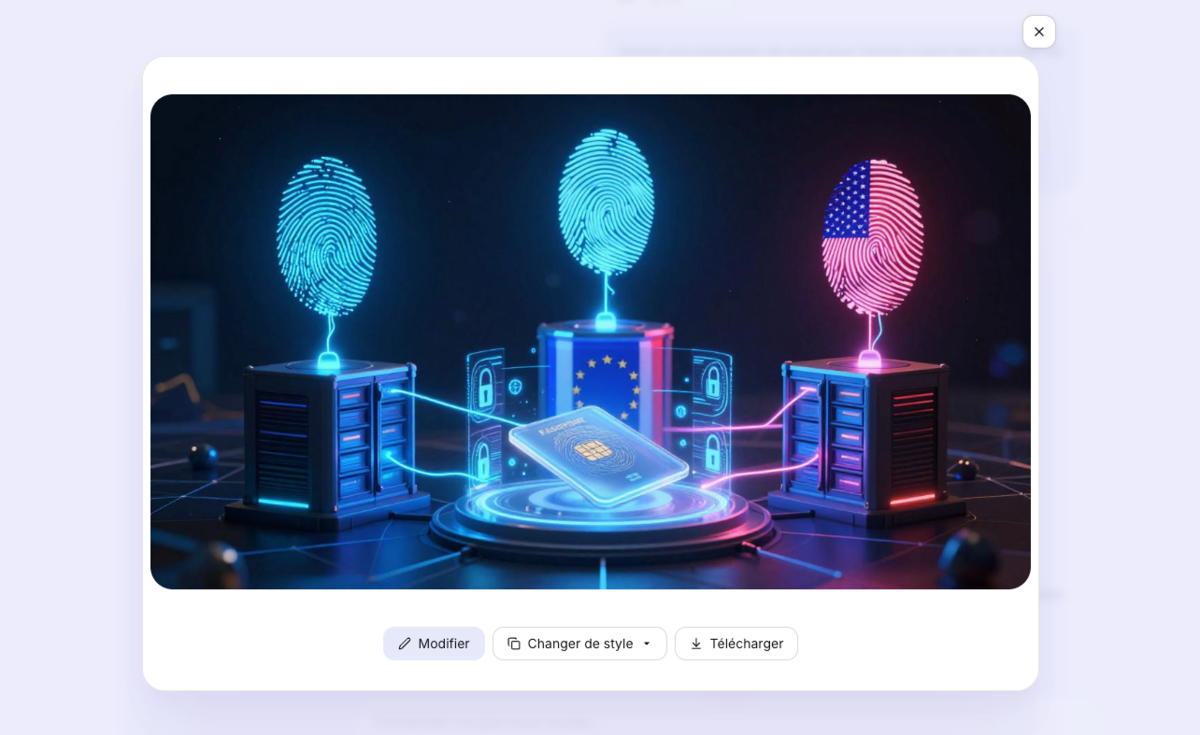
The generated image looks pretty good. It matches the attached article content quite well. The result is somewhat less dramatic than what Perplexity or Gemini can produce, but with a single image… it’s hard to judge. In any case, we’re impressed by the speed of the response, which took only five or six seconds despite the advanced thinking mode. In our tests, it was seven to eight times faster than Gemini or Perplexity. But Lumo 2.0 is only just getting started. It remains to be seen whether Proton’s servers can sustain the load over the long term.
Editing a photo
Now let’s move to editing an existing image. This task does not rely on the same model as generation. Here Proton uses FireRed-Image-Edit-1.1, developed by Xiaohongshu’s FireRed team (Rednote), a Chinese company distinct from Alibaba and Zhipu AI. This model is also distributed with open weights and hosted exclusively on Proton’s European infrastructure. Its publisher presents it as designed to preserve the identity of subjects and to merge multiple elements within a single image.
The idea is to upload a photo and ask Lumo to remove the background and replace it with a neutral background. We test with a moderately challenging image sourced from Shutterstock. The foreground object is a car whose white color doesn’t starkly contrast with the background and slightly blends into the sky. The result is as expected.
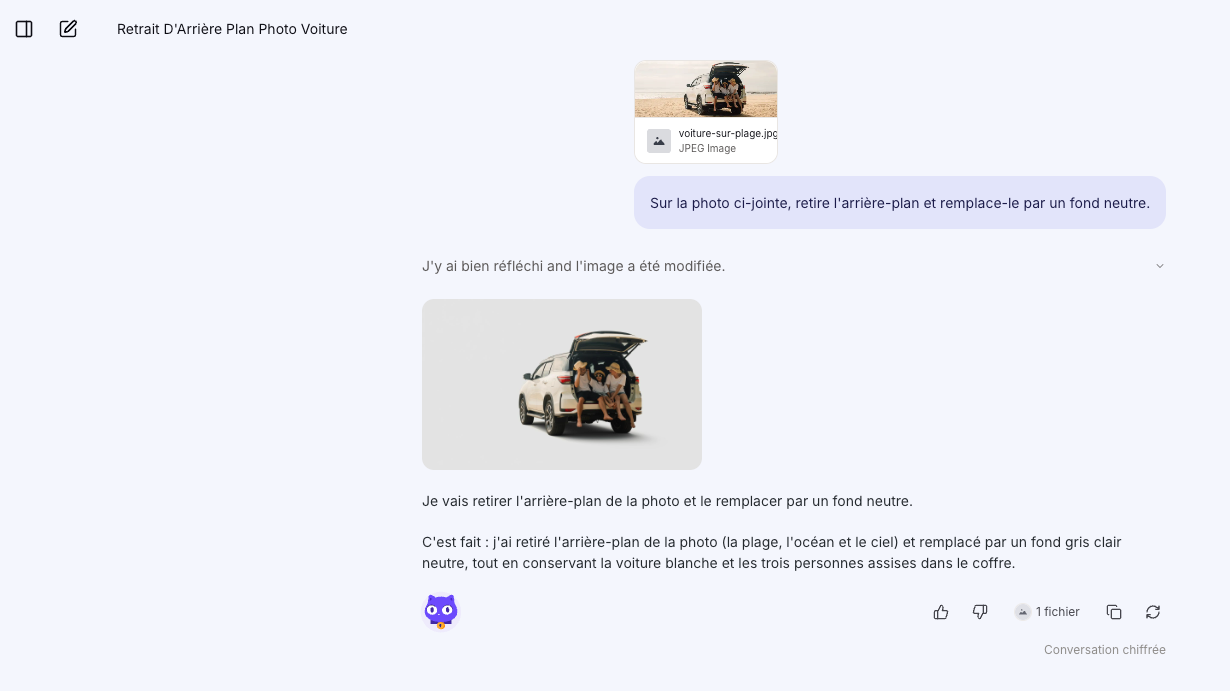
Sticking with the same thread, let’s see if it can add a new backdrop instead of the gray background, for example a forest.

Literally three seconds later, the change was applied. On the image-generation side, it’s fast and effective!
Projects in Lumo
Like other chatbots, Lumo provides a workspace for creating projects. Within these, you can drag PDFs or link a specific Proton Drive folder. Projects rely on memory, taking past exchanges into account.
This section can be used, for instance, to plan a trip by providing various documents (date, budget table, map, etc.) or to manage a renovation or a move.
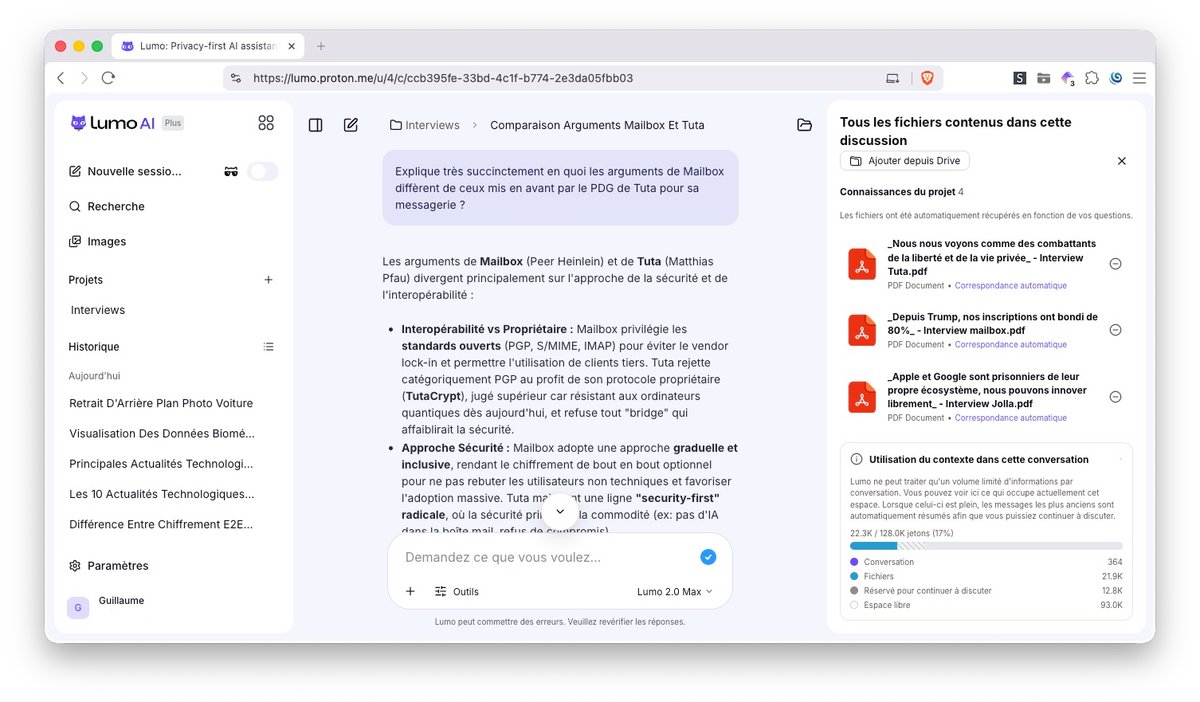
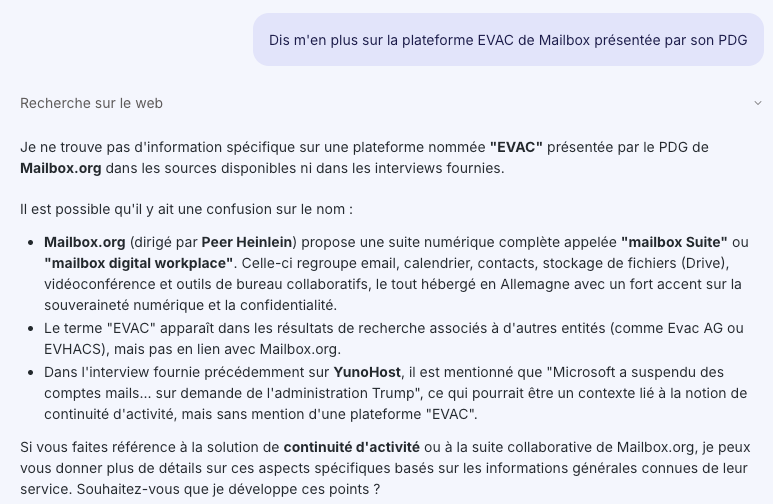
The following day, we remove a document from the project and then ask a question about it. Lumo cannot answer. That’s normal and means Lumo sticks to the documents provided up front.
Custom Lumos (Custom Lumos)
Among the other new features in Lumo 2.0, we find Custom Lumos, or personalized assistants, comparable to Gemini’s Gems. Custom Lumos are thus assistants configured for a precise task, which the user creates once and then finds in a list, without repeating the same instructions in every conversation. Proton provides three typical examples on its help page: an assistant that always applies the same writing style, a technical translation assistant for a pair of languages, or a research assistant limited to a specific domain, for example Swiss data-protection law. The feature is accessible with a free or paid Proton account, but only from the web app: it is not available on mobile apps.
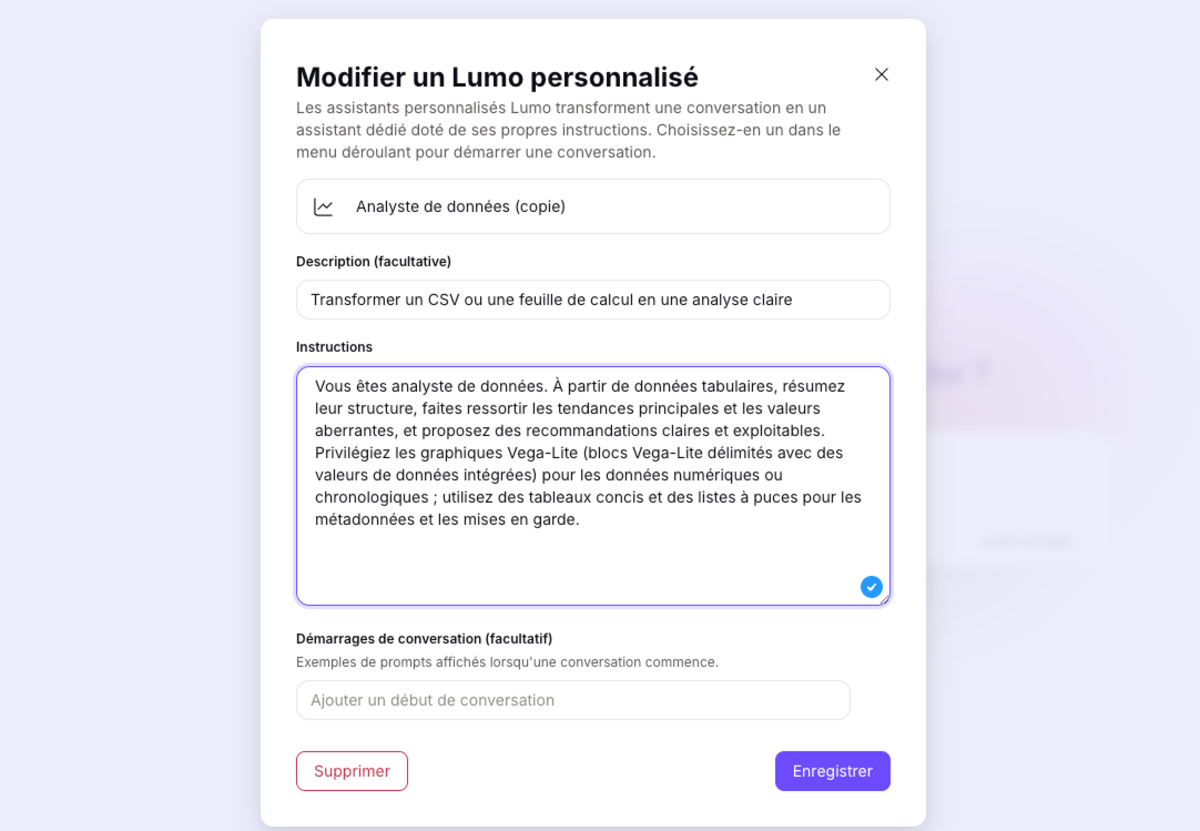
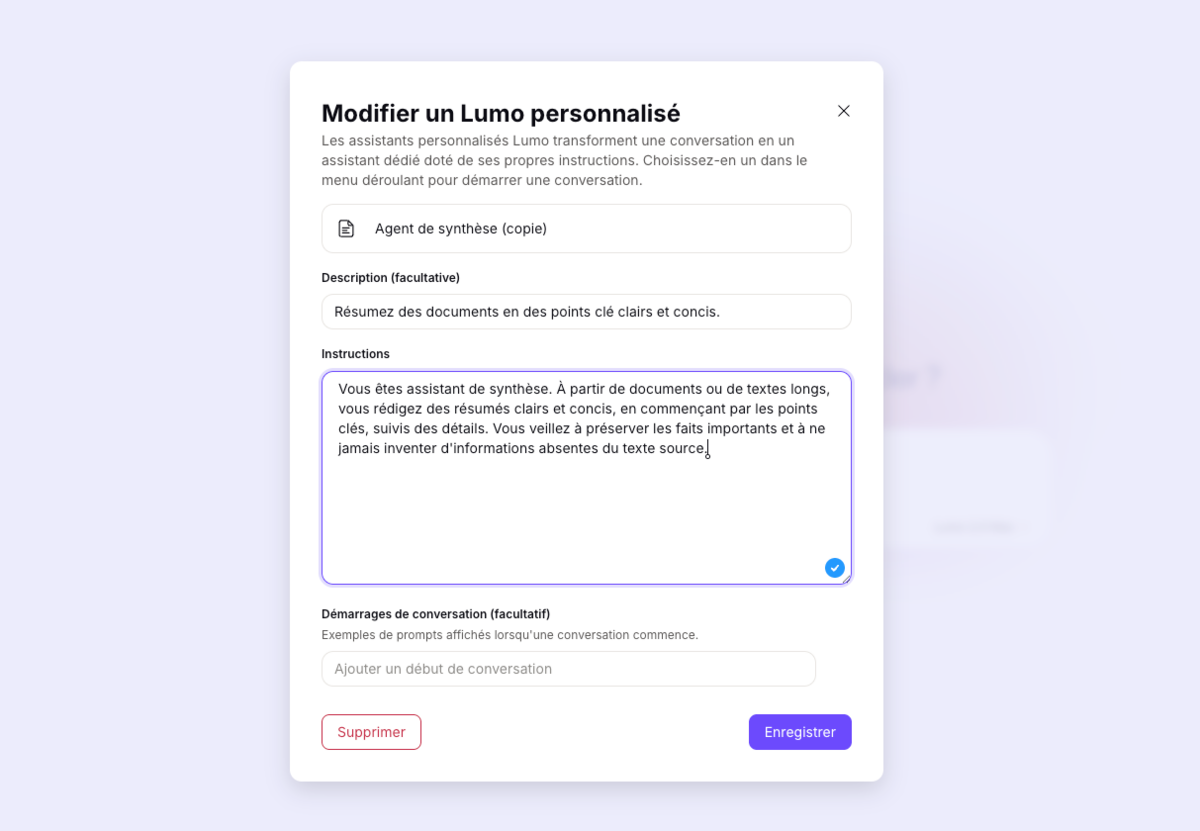
The creation is performed from the Tools menu by entering a name, a description, instructions, and, optionally, initial prompts suggested at opening. Proton recommends keeping each Custom Lumo to a single objective: stacking several tasks in one instruction is described in the documentation as a factor that degrades the quality of responses.
Pricing: why Lumo Plus costs half as much
A price clearly below the market
Lumo Plus is billed at €12.99 per month, or €9.99/month with an annual commitment. Comparable full-featured offers from major competitors are mostly in the €20–€23 per month range: ChatGPT Plus, Claude Pro, Google AI Pro, and Perplexity Pro. Mistral, another European player in the field, positions Chat Pro at €17.99, already touted as the market’s cheapest full offering before Lumo 2.0’s arrival.

What Lumo Plus does not include
If you’re an advanced user of a competing chatbot, note that Lumo Plus has several major gaps, notably the total absence of a documented public API. Unlike OpenAI, Anthropic or Perplexity, which offer complete development interfaces with SDKs, documentation and technical support, Lumo provides no official programmatic integration. Developers seeking to automate workflows or integrate Lumo into their applications must rely on unofficial solutions such as “lumo-tamer,” a community-maintained local proxy that reverse-engineers the web endpoints. If you’re a professional needing to orchestrate AI in existing infrastructures, whether via Zapier, Make, or home scripts, then forget Lumo. With no reliable API, Lumo remains, for now, confined to the chat interface.
Lumo Plus also does not include a dedicated development environment comparable to Claude Code or ChatGPT’s Advanced Data Analysis. The tool does not allow code execution, interactive debugging, or access to an isolated virtual terminal. Lumo merely generates or explains code without ever testing it under real conditions. The service will thus not suit developers, data scientists, or engineers who need a workspace with real-time validation and iteration.
Finally, note the absence of plugins, an extensions marketplace, or executable actions. This makes Lumo less versatile for complex tasks requiring connections to third-party tools (Google Workspace, Slack, GitHub, Notion).
Who is this Lumo Plus for?
Lumo Plus is therefore more aimed at everyday personal or semi-professional use for typical tasks like drafting, researching, organizing, or planning. The service primarily targets privacy-conscious users who are already Proton customers (Mail, VPN, Drive, Pass).
Projects and Custom Lumos still enable setting up advanced routines to handle complex requests efficiently and quickly, but for now are limited to a chatbot use-case.
In our case, the Lumo Plus subscription covers most everyday needs. It’s also worth noting that beyond the chatbot, among competitors, Pro offerings increasingly resemble gateways. The advanced agent features touted (Claude Code on one side, the Computer agent on the other) quickly push past the usage limits included in the standard €20 plan. Once this ceiling is reached, you either buy API-priced credits to continue without waiting for renewal, or move to a higher tier that includes more usage from the start: Claude Max at €100 or €200, Perplexity Max at €200. It’s therefore a very different target audience altogether.
However, if you stick to the chatbot for everyday tasks, it may be wise to test Lumo and perhaps cut your current bill in half.

Designed for those who want AI without sacrificing privacy, Lumo 2.0 offers a chatbot that closes the gap with competitors in content generation. All of it remains secured within Proton’s environment, with no external data analysis or commercial use of your information.
- Protects privacy
- Ultra-fast chatbot
- Projects and Custom Lumos
- Chatbot without external plugins
- Limited to Proton

Daniel Brooks
I cover everyday products with a practical eye, from kitchen tools and home essentials to smart gadgets and consumer trends. My goal is to help readers understand what is genuinely useful, what is worth the price, and what deserves a second look before buying.