
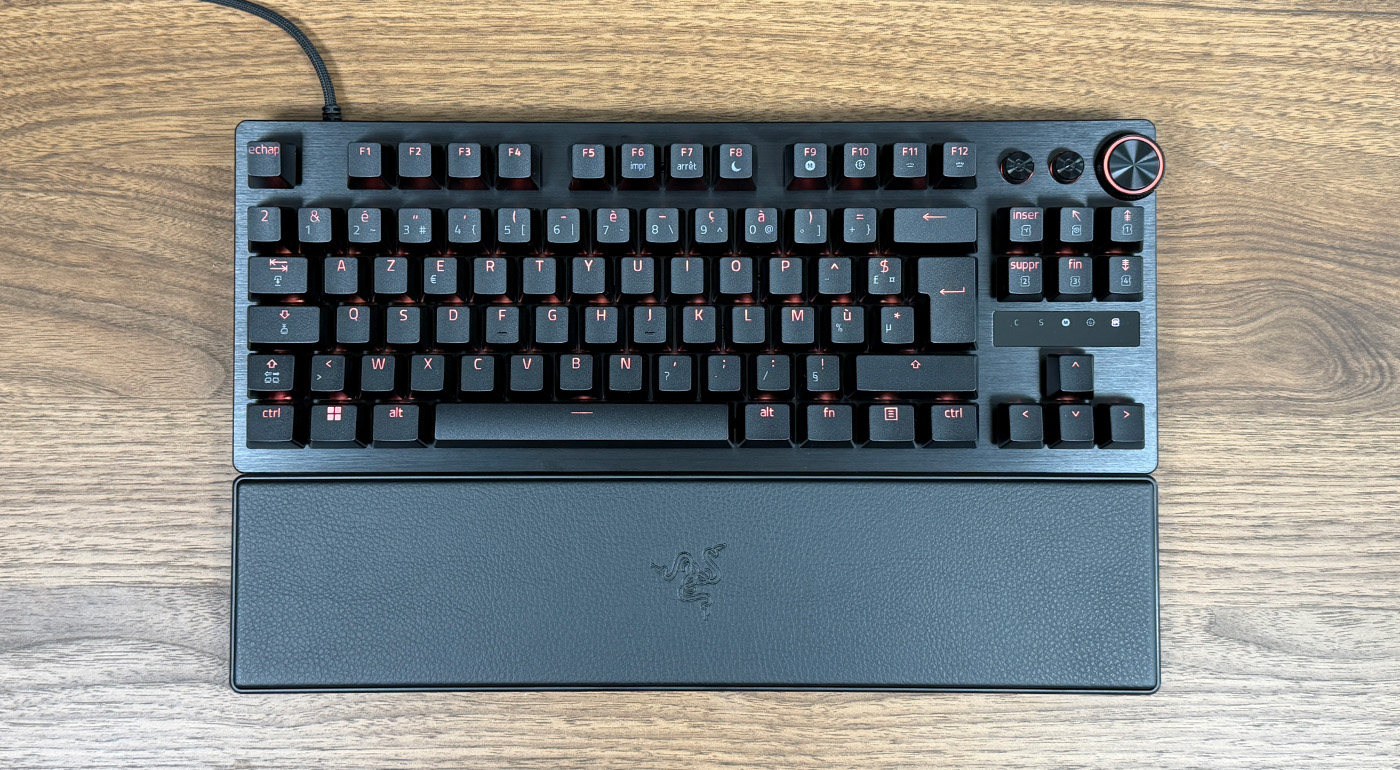
Following a fairly successful Huntsman V3, Razer returns with a renewed push for the Huntsman V3 Pro TKL 8KHz. This keyboard, boasting a refresh rate of 8000 Hz, proves to be highly capable. Pure marketing hype or genuinely useful functionality?
The Razer Huntsman V3 Pro 8KHz is the new top-tier gaming keyboard from the American maker. Equipped with premium Razer Analog Optical Gen 2 switches, the brand promises a plethora of features. The keyboard can even substitute for a controller for some players. But is this 8000 Hz frequency a marketing ploy to push performance, or a genuinely useful feature? In practice, it’s a bit of both, because before being a sales argument, it’s also a necessity for the keyboard to function correctly. We tested it for two weeks; here is our verdict.
9 / 10
- Premium construction
- 0.1 mm switch adjustment range
- 8000 Hz frequency beneficial to keyboard operation
- Backlit PBT keycaps
- Rugged metal knob
- Six internal memory profiles
- 6° or 9° incline feet
- Very hard wrist rest
- Design strictly identical to the previous version
- Two lighting control software
- Despite sound dampening, typing is fairly loud
Design: A Premium Feel
Even before you lay hands on it, you can tell you’re holding a premium product. The brushed aluminum top plate inspires confidence, with a lip that wraps around the edges and minimizes the risk of torsion.
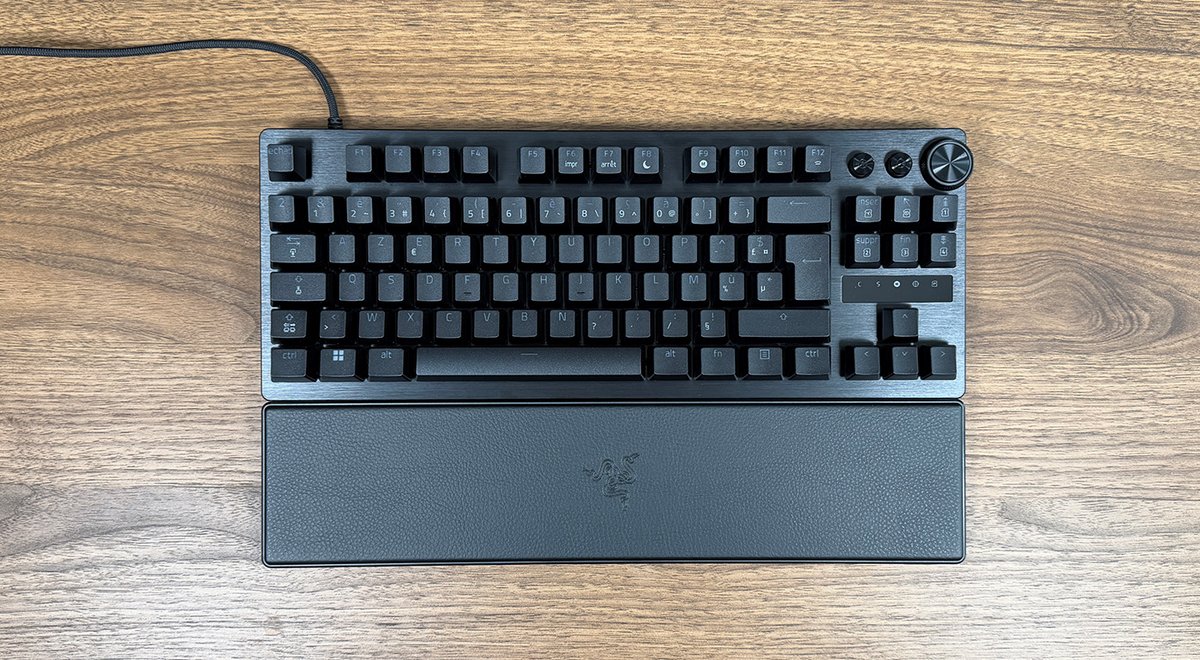
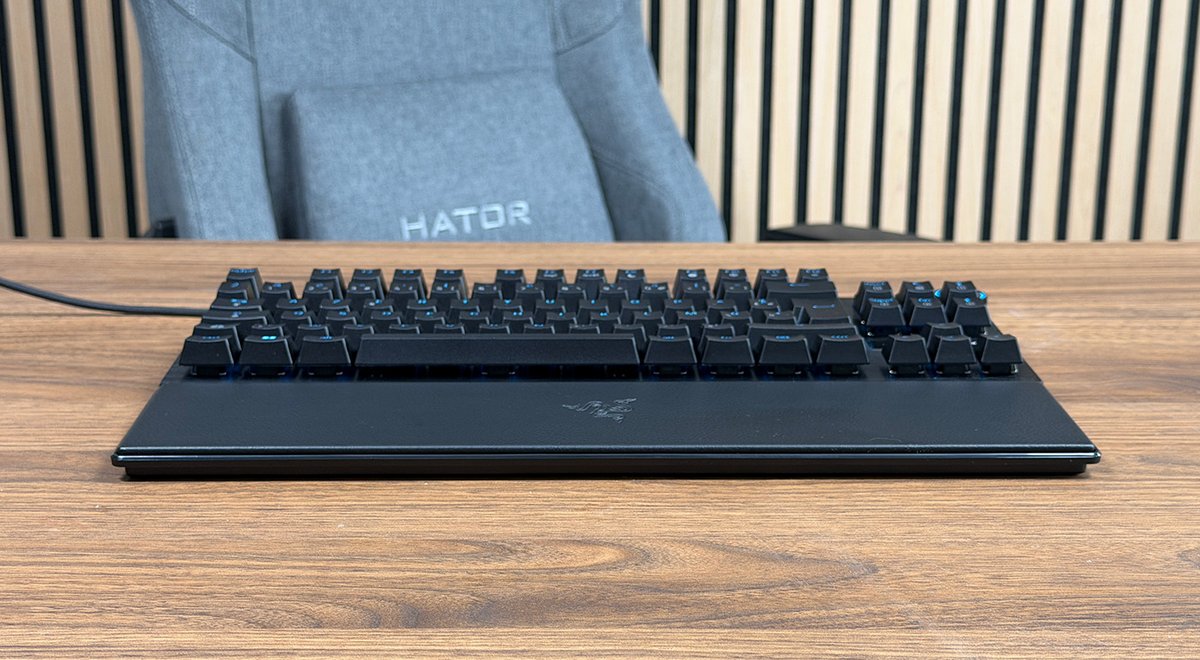
Beneath the surface, the Huntsman V3 Pro 8KHz’s chassis is plastic, yet the overall build gives a genuine impression of solidity. On the scale, the keyboard weighs in at 719.5 grams, which makes it look substantial in hand, though lighter than some even higher-end customizable models.
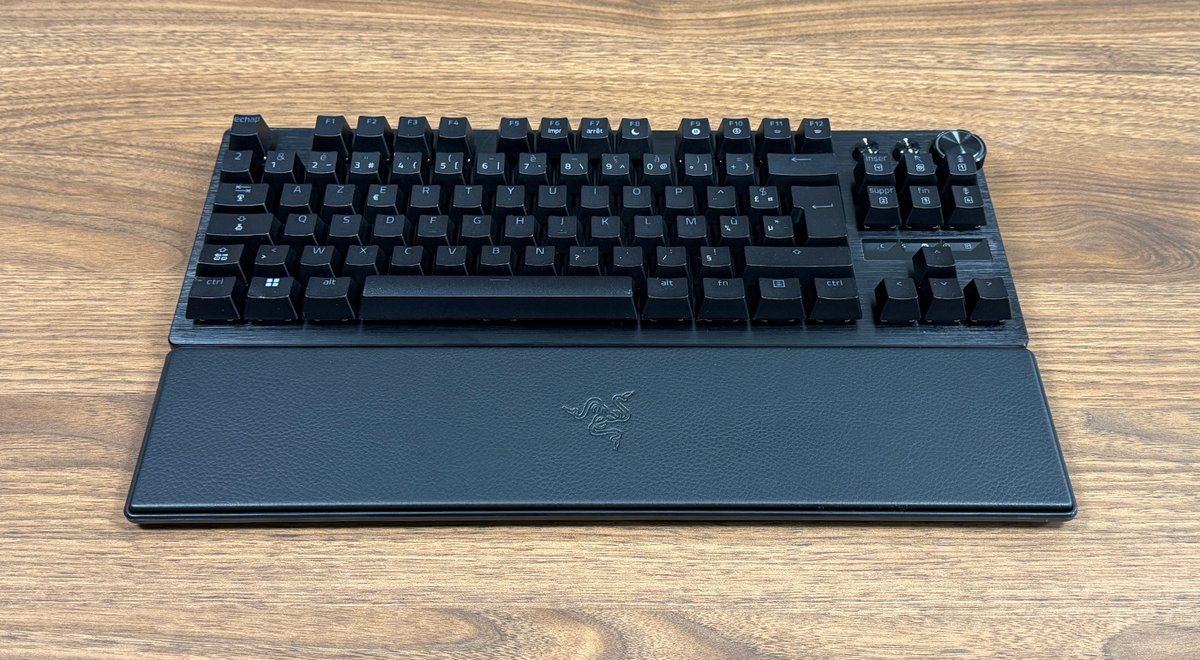
The TKL format frees up desk space for the mouse without sacrificing function keys or directional arrows.
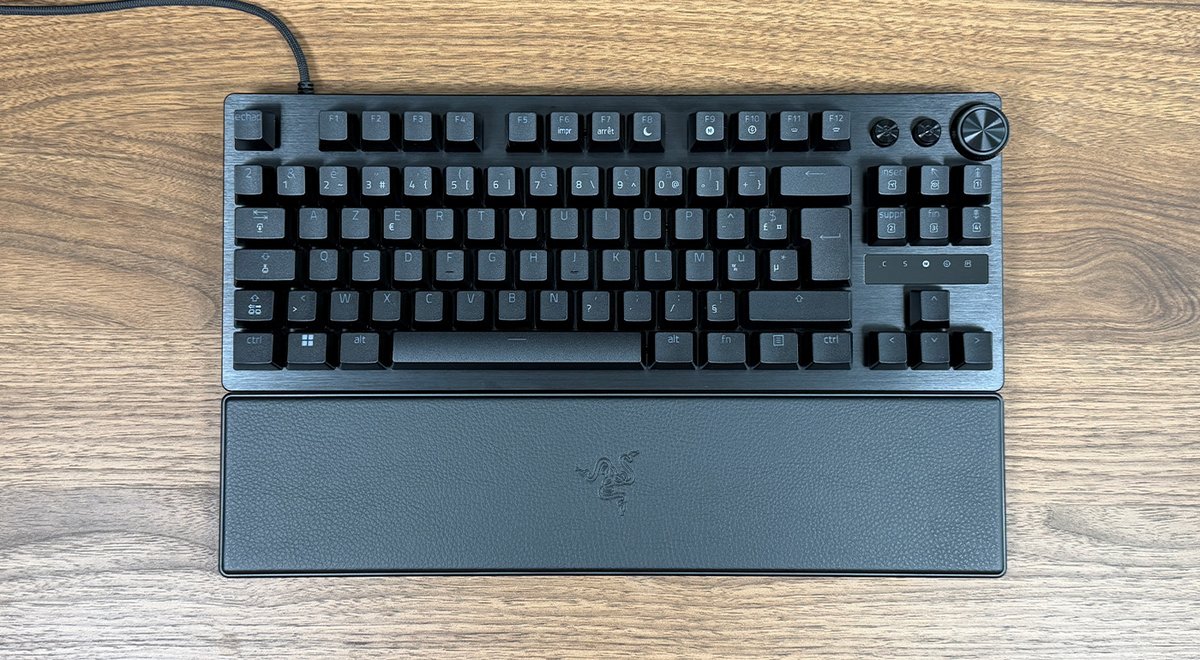
In terms of aesthetics, Razer hasn’t taken any risks with this edition. The chassis is strictly identical to the previous generation, which can be surprising after two years of development. Visually, there is nothing to distinguish this 8K version from the earlier one.
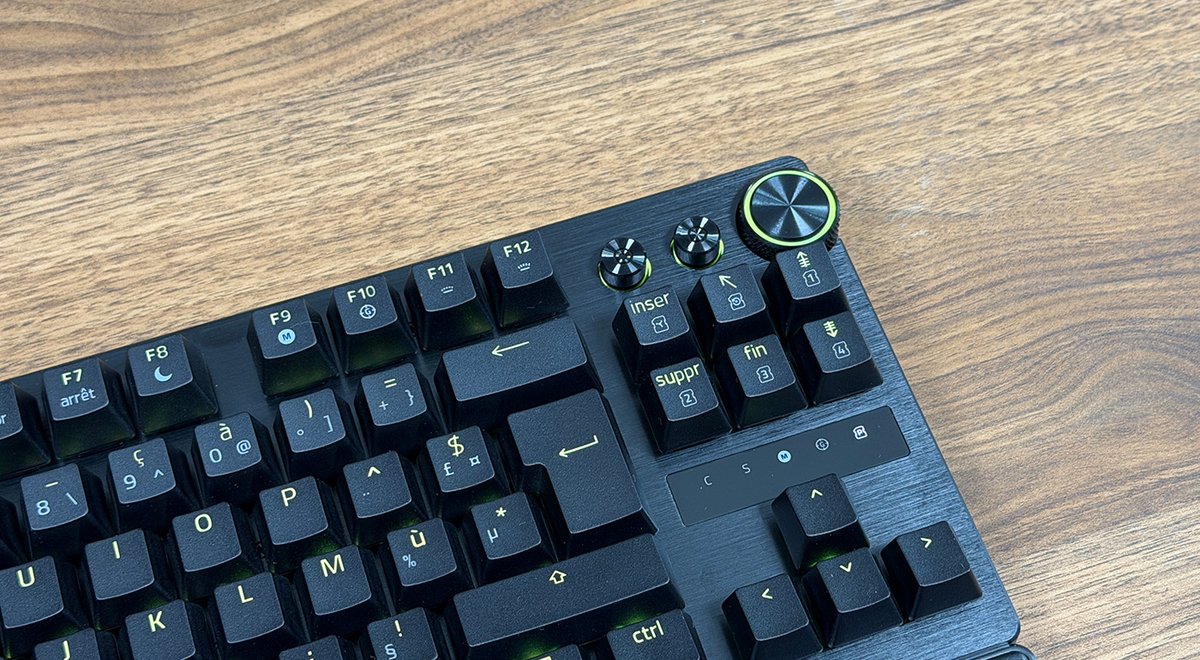
At the top-right, a knurled metal wheel sits, firm and precise, accompanied by two programmable media buttons. By default, this wheel controls volume and can mute sound. It can, however, be reconfigured in Synapse.
Just above the arrow keys, a small LED screen displays in real time the active profile, the actuation level, or Caps Lock activation. A detail that may seem trivial, but proves quite handy in practice for checking your settings at a glance.
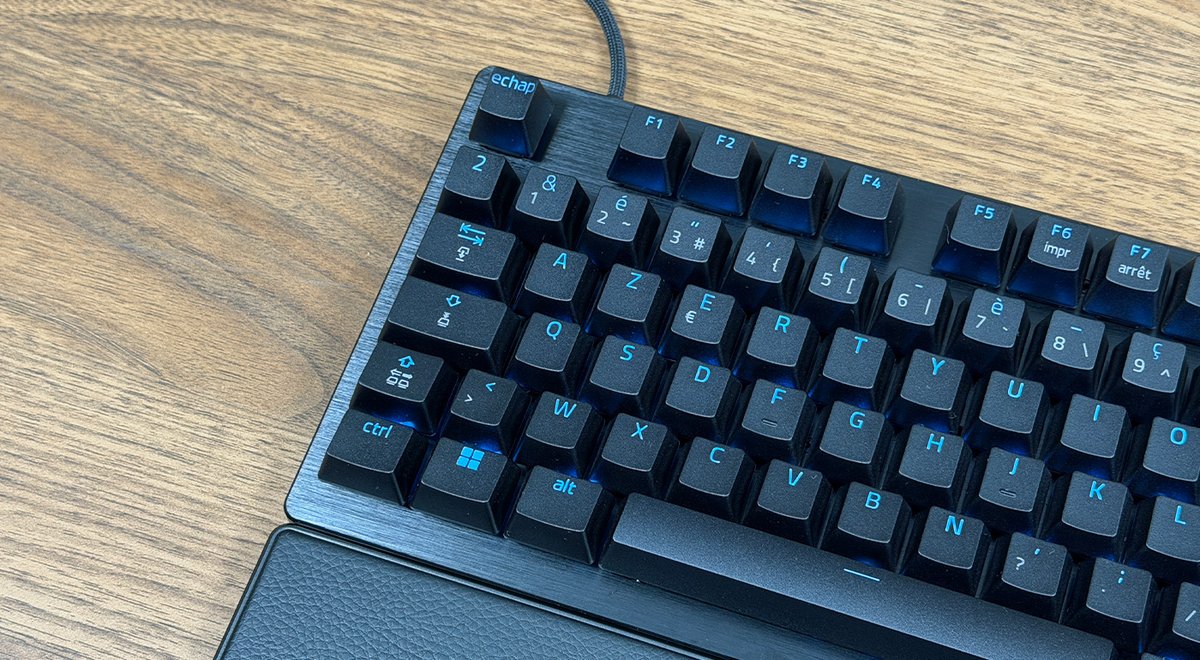
As usual with Razer, the RGB Chroma lighting of this Huntsman V3 Pro 8KHz perfectly shines through the main lettering, but there is a caveat: secondary characters (the digits above, Fn icons) are not backlit, as they are simply printed on the key. A pity for a keyboard at this price.
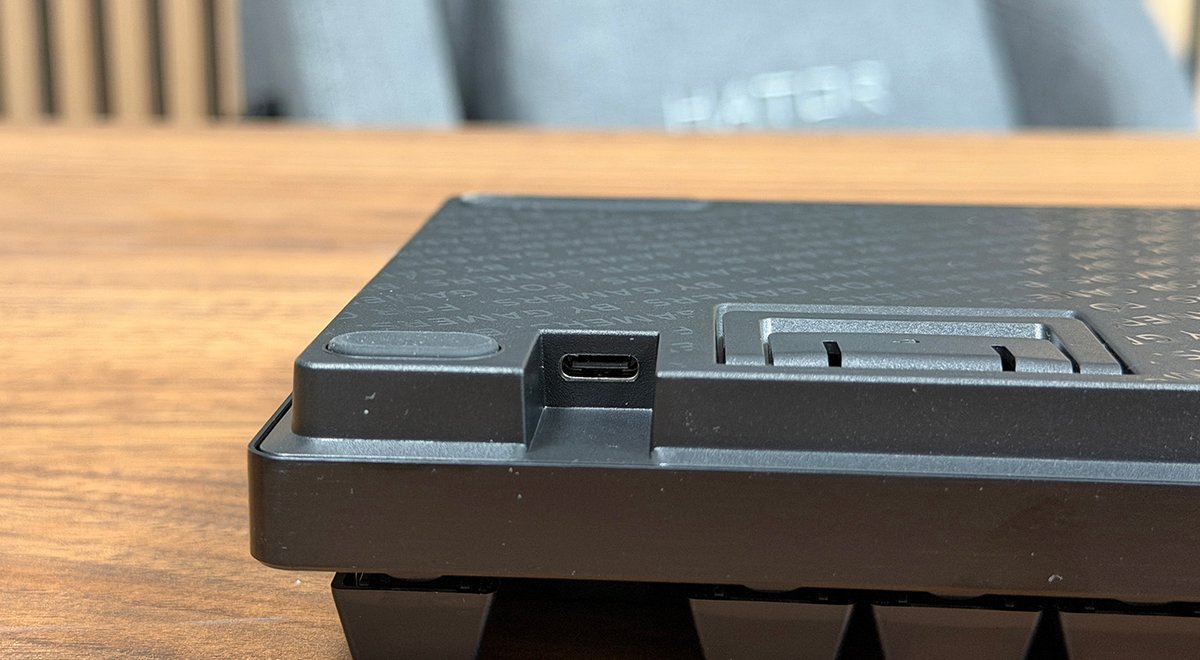
On the connectivity side, there is a USB-C port at the back left of the keyboard, paired with a detachable USB-C to USB-A braided cable. It’s by far the best compromise to avoid replacing the entire keyboard when the cable wears out from moving it around.
A Great Typing Experience, But Loud
The keycaps are double-shot PBT with a rough, sandblasted texture. Finger grip is enhanced, wear resistance is notably better, and the glossy ABS look is gone as hours of use pass.
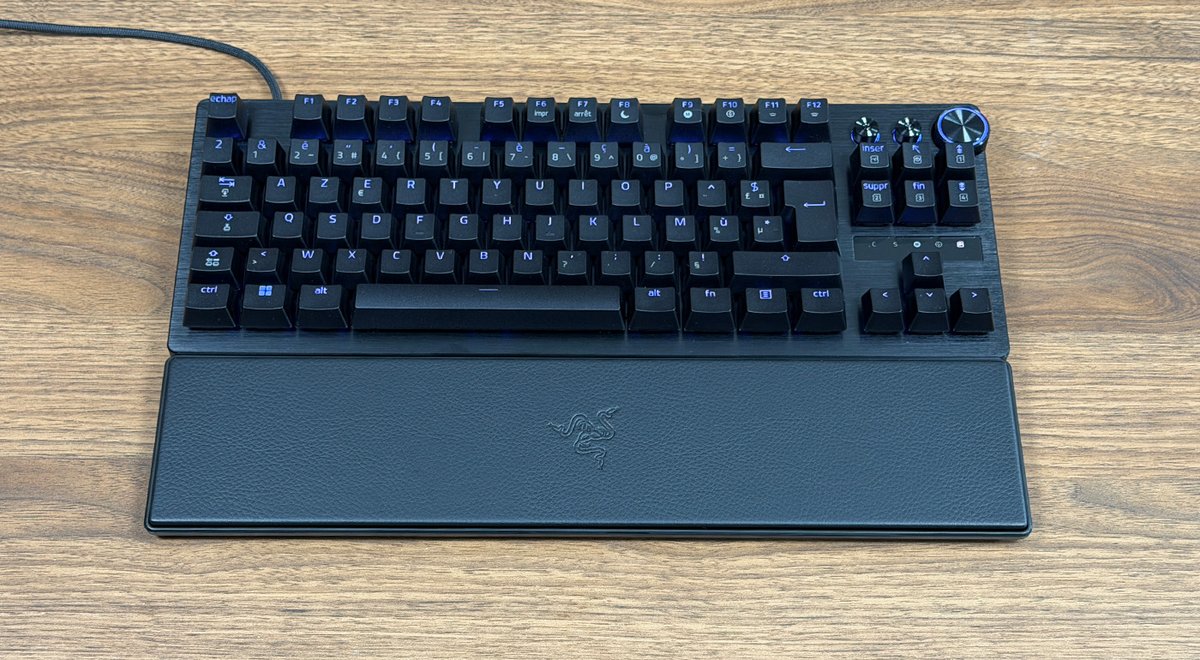
Comfort, however, is the area where this keyboard divides opinions the most. Three tilt positions are available thanks to fold-out feet (flat, first notch, second notch), allowing you to find the angle that suits your hand morphology.
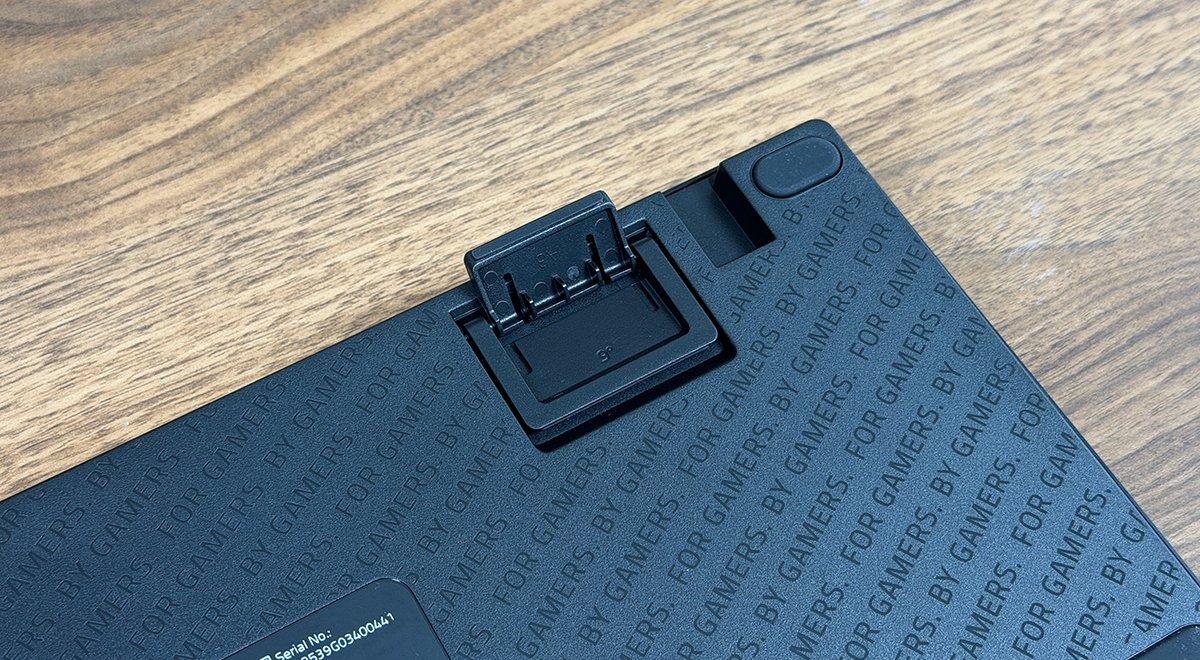
The rubber feet under the keyboard deliver perfect stability on the desk, with no sliding even during intense gaming sessions. Now imagine placing the keyboard on a XXL mouse pad—the unit would feel almost screwed to the surface.
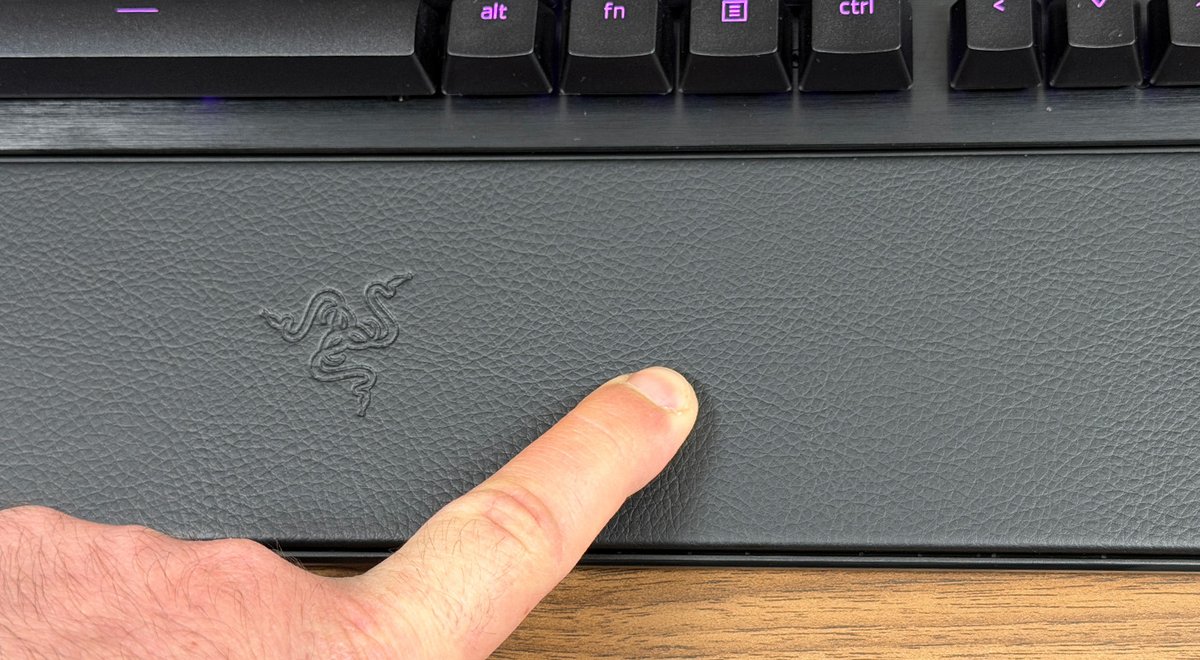
Yet nothing is perfect. Indeed, the magnetic wrist rest is the Huntsman V3 Pro TKL 8K’s weak point. On paper, everything looks fine: faux leather surface, Razer logo in the center, magnetic mount, and it attaches in two seconds flat. But it’s thin, too thin. It quickly feels like resting hands on hard plastic, and over long sessions this becomes tiring. For a keyboard in this premium tier, one would expect a bit more.
Typing comfort, in contrast, is excellent, with a sense of depth thanks to factory-lubricated switches. The keys feel smooth under each press, with a noticeable press and accompanying sound.
Additionally, Razer added two foam layers inside the chassis, along with a rubber sheet. This yields a crisp sound on each keystroke and a notable reduction in noise, though it doesn’t quite match Be Quiet!’s excellent Dark Mount.
Solid Performance
It’s unsurprising that this keyboard dominates on this front. The Razer Analog Optical Gen 2 switches with a per-key adjustable actuation range from 0.1 to 4.0 mm in 0.1 mm steps are among the most precise on the market. A 40 g actuation force, 100 million keystrokes lifespan, and an optical operation that eliminates ghosting timing—Razer hits hard.
Razer has recently adopted 8000 Hz, bringing latency from 1.7 ms to 0.58 ms. To be honest, for the vast majority of players, it’s pointless. It’s partly marketing, and only truly useful for ultra-competitive players.
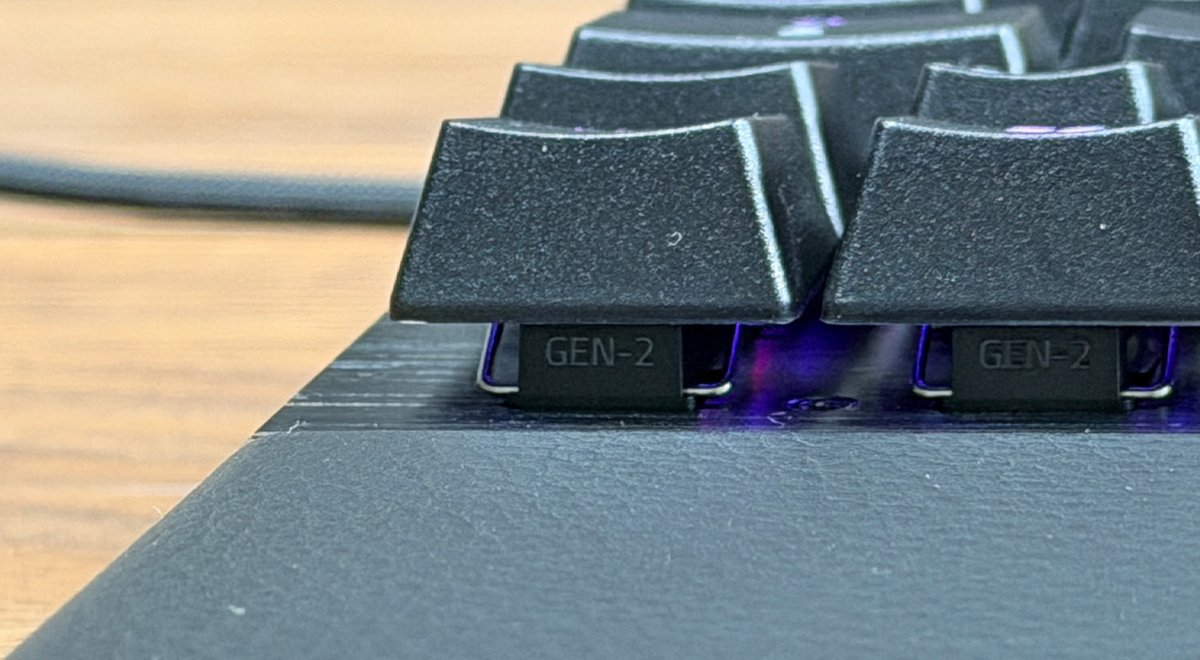
However, this 8000 Hz refresh rate becomes truly useful when configuring a touch activation at 0.1 or 0.2 mm. Without such a rate, the keyboard would miss keystrokes.
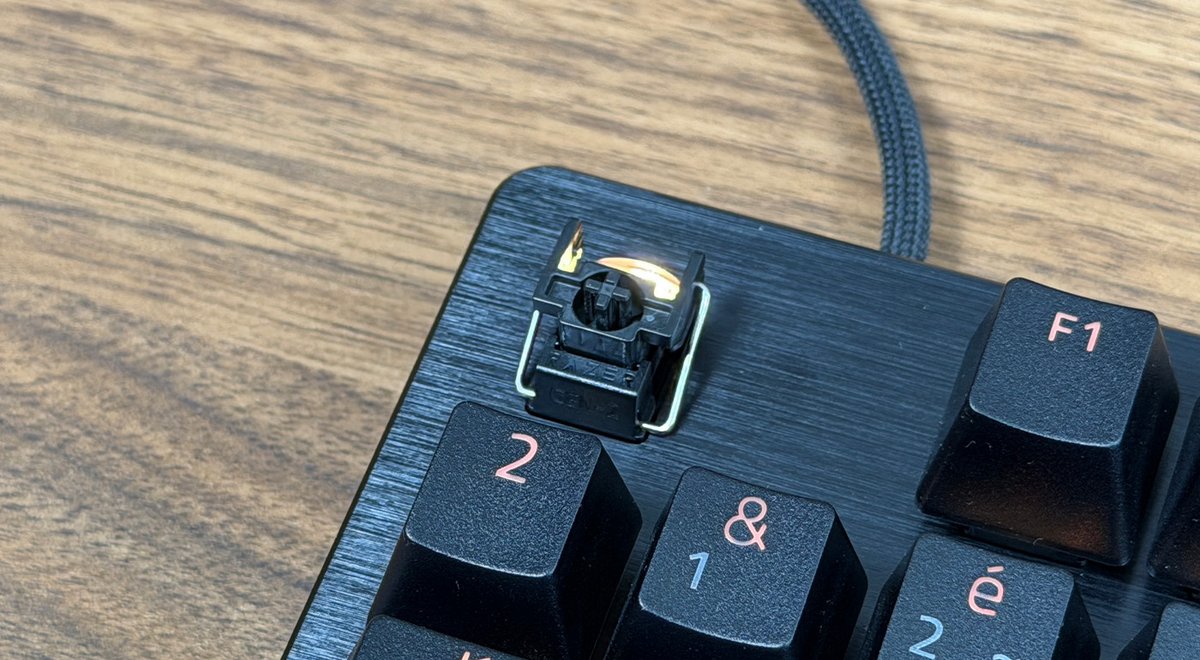
That said, the Rapid Trigger technology is very practical. In short, the key reactivates as soon as it rises by 0.1 mm. For mass activations in certain FPS games, it proves incredibly useful.
Another heavy argument lies in the ability to switch from one profile to another very quickly using the keyboard keys, without any software. The keyboard can store up to six profiles in its internal memory.
Razer Synapse 4 Software
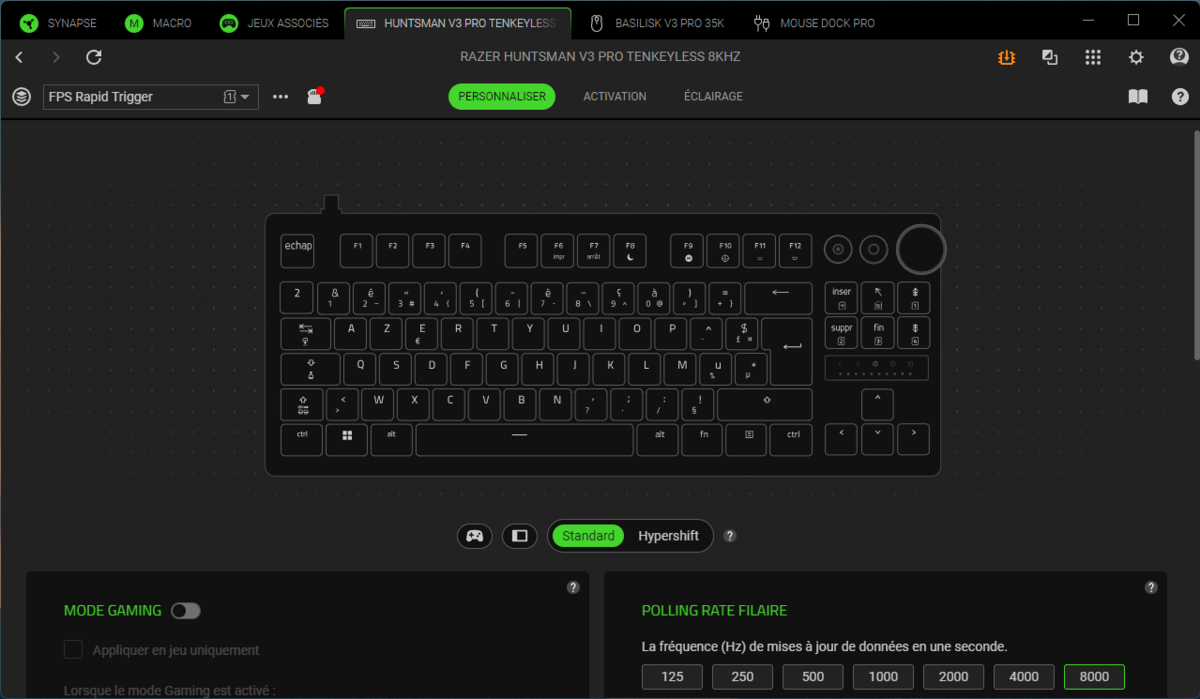
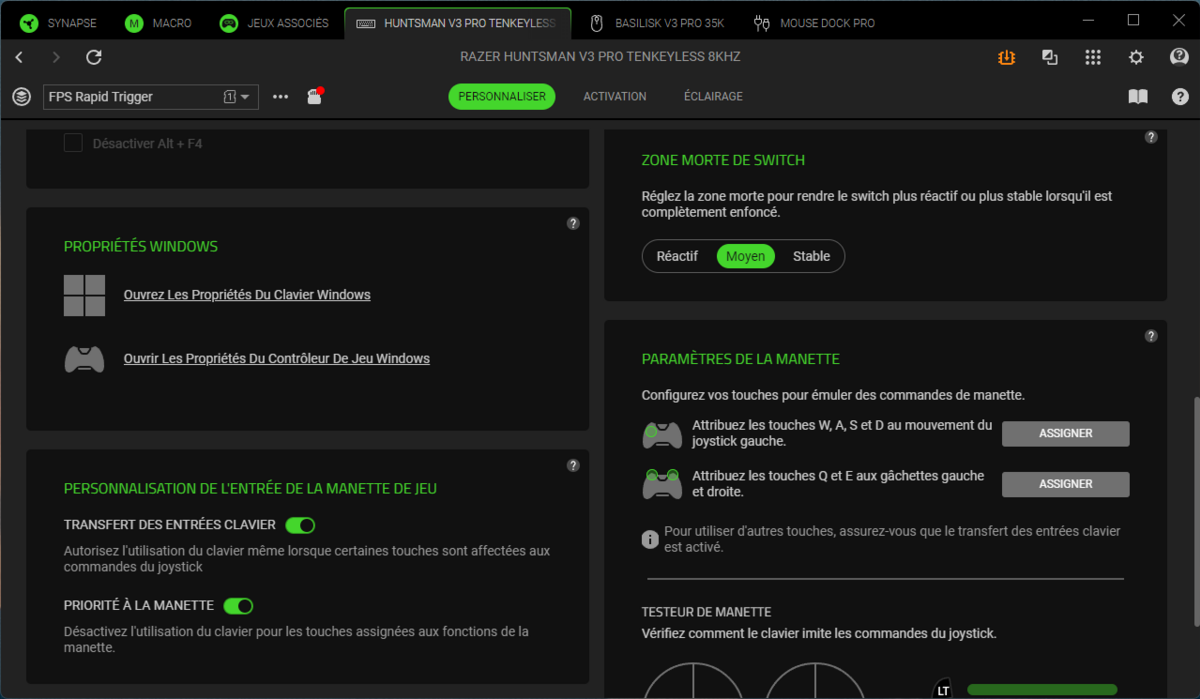
Razer Synapse 4 centralizes keyboard control around three tabs: Personalize, Activation, and Lighting. The first gathers global settings: polling rate selection (with seven levels from 125 Hz to 8000 Hz), Gaming mode to disable Windows shortcuts, a dead zone for the switch (Reactive, Medium, Stable), and a dedicated panel for controller emulation allowing WASD to map to the left joystick and arrow keys to the triggers.
The Activation tab is the focal point for precision adjustments. The key selection is shown visually on a keyboard representation (selected keys appear in orange), making applying group configurations very intuitive.
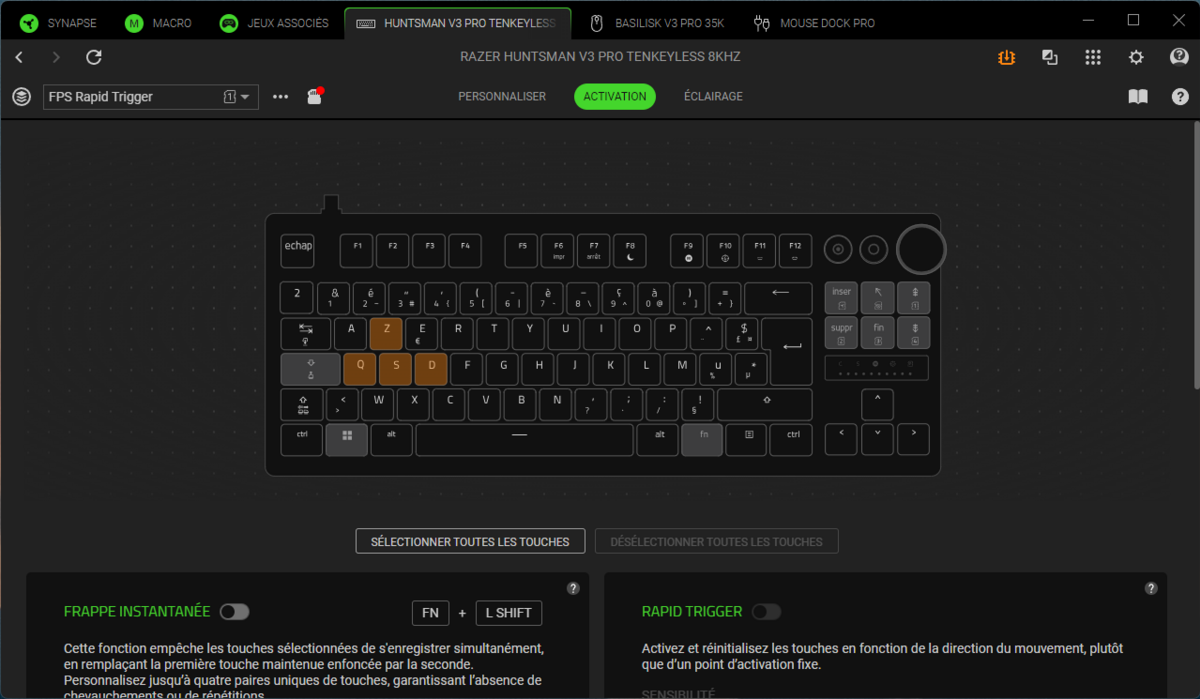
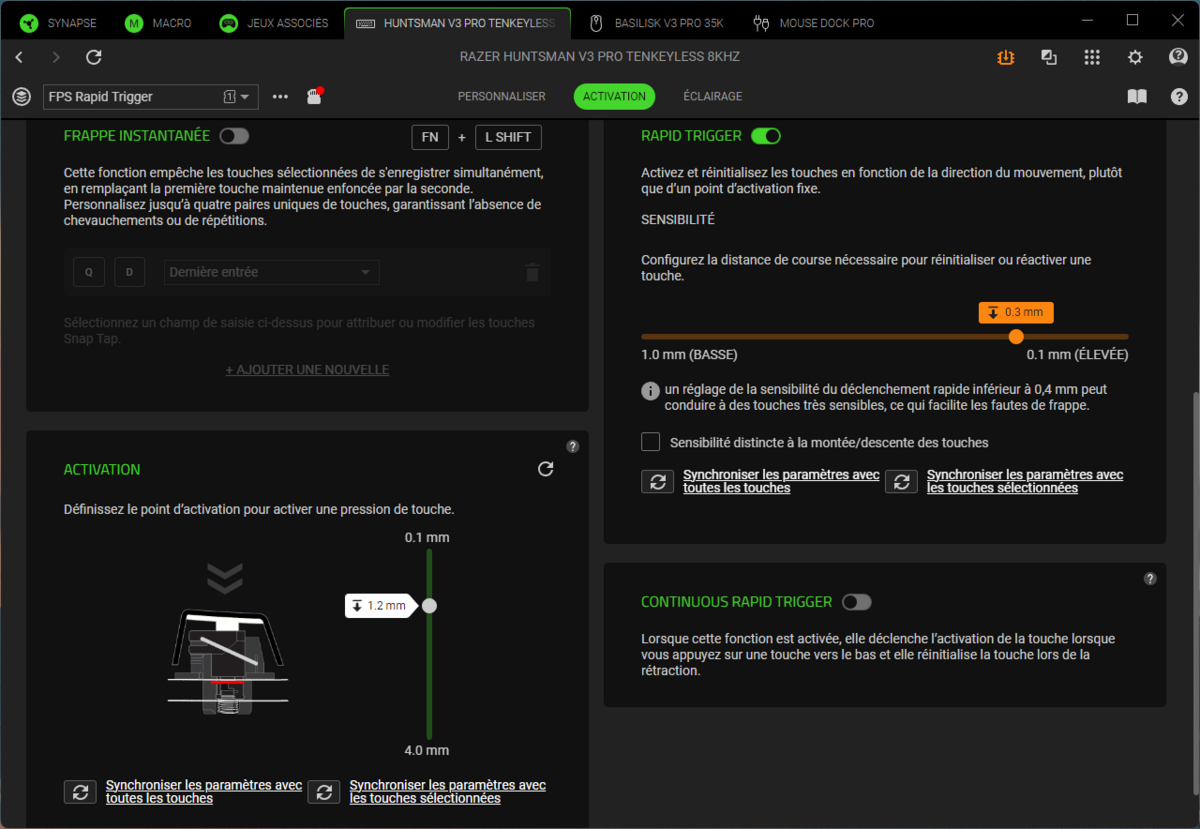
There, you set the actuation point between 0.1 and 4.0 mm via a vertical slider, the Rapid Trigger sensitivity between 0.1 mm (high) and 1.0 mm (low), and the instant strike (Snap Tap) with up to four customizable key pairs. Razer adds an interesting option called “Continuous Rapid Trigger” that forces triggering with each downward motion and resets on release. A clear warning in the interface: lowering sensitivity below 0.4 mm makes the keys highly prone to typos. We strongly confirm this warning.
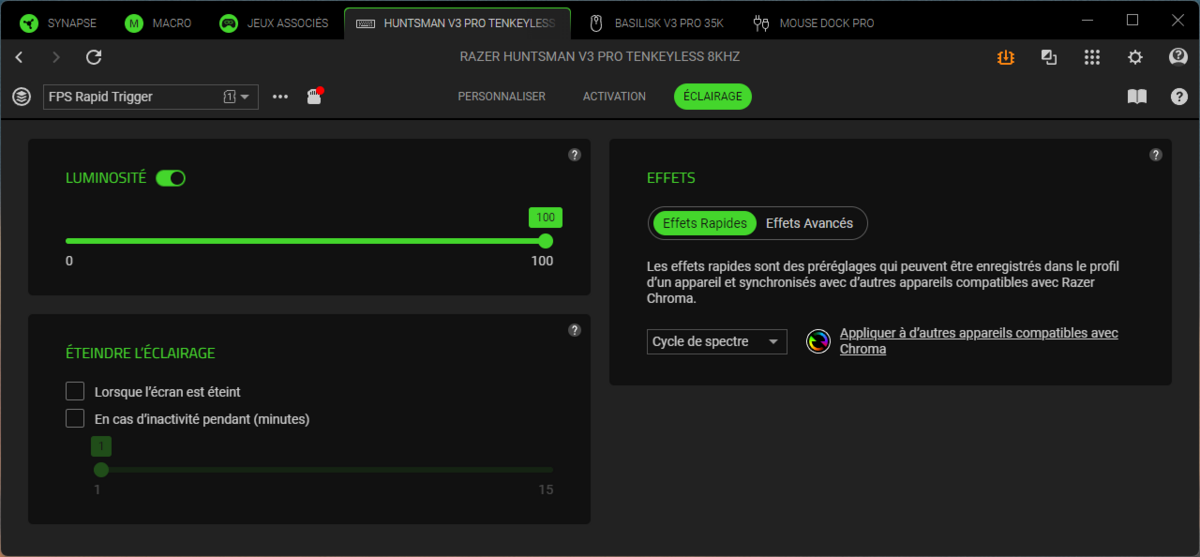
The Lighting tab remains rather basic: brightness, sleep timer, and a dozen quick effects (spectrum cycle, waves, breath, etc.). To customize key-by-key, you must switch to Chroma Studio, a separate application. It’s a pity not to have everything in one place.
Razer Huntsman V3 Pro TKL 8KHz: Clubic’s Verdict
The Huntsman V3 Pro TKL 8KHz does what one expects of a premium keyboard in 2026. The performance is there, but aimed at a specific audience. The Analog Optical Gen 2 switches are among the most precise on the market. The 8000 Hz frequency isn’t just a marketing line; it becomes essential when you set activation at a tenth of a millimeter, and Rapid Trigger works wonders in FPS games. Add to that a solid build, quality PBT keycaps, and a user-friendly Synapse 4 experience with well-thought visual key selection.
That said, this level of refinement isn’t universal. The chassis is strictly identical to the previous generation. The wrist rest is too thin, diminishing comfort during long sessions. The non-backlit secondary characters and the split between Synapse and Chroma Studio for lighting are two details that don’t belong on a product of this tier. The typing feel, while not unpleasant, is also louder than some direct rivals.
Ultimately, the Huntsman V3 Pro TKL 8KHz clearly targets gamers who want the pinnacle of precision and responsiveness, and who will exploit its fine-tuned settings. For others, many of its selling points may remain underutilized. It’s an excellent competitive keyboard, but Razer could have pushed the finish and ergonomic refinement a bit further to fully justify its premium positioning.
- Premium construction
- 0.1 mm switch adjustment range
- 8000 Hz frequency useful for proper keyboard operation
- Backlit PBT keycaps
- Knurled metal knob
- Six internal memory profiles
- 6° or 9° tilt feet
- Very hard wrist rest
- Design strictly identical to the previous version
- Two lighting control programs
- Despite soundproofing, still quite loud

Daniel Brooks
I cover everyday products with a practical eye, from kitchen tools and home essentials to smart gadgets and consumer trends. My goal is to help readers understand what is genuinely useful, what is worth the price, and what deserves a second look before buying.