

Aimed at family usage, the Trend Micro Maximum Security antivirus security suite rests entirely on the cloud. Compatible with major platforms (Windows, macOS, Android and iOS), it offers a minimalist interface that is very easy to grasp and advanced tools for protecting privacy. An effective protection, but it lags behind in terms of features compared to the best antivirus on the market.

- mood30-day trial
- devices1 to 10 devices
- phishingAnti-phishing included
- local_atmAnti-ransomware included
- groupsParental control included
- Simple and didactic interface
- Good general effectiveness
- Few new features
- Basic additional features
- Heavy reliance on the cloud
TÉLÉCHARGER TREND MICRO MAXIMUM SECURITY →
Trend Micro: a well-known enterprise in the fight against cybercrime
Founded in 1988 in the United States, Trend Micro later relocated to Tokyo, Japan, where the company established its headquarters in 1992. It now operates research laboratories across several continents that would neutralize more than 250 million threats per day! Trend Micro collaborates with multiple governmental agencies – Europol, Interpol, the FBI, etc. – to combat cybercrime. In total, the company counts no fewer than 250 million users and 500,000 businesses worldwide. Optimized for family use, its security suite Trend Micro Maximum Security sports very attractive pricing compared with free antivirus options. At the forefront of technology, its detection engines, which rely on artificial intelligence technologies, are entirely cloud-based.
Updated in real time, they are capable of blocking both known and unknown (signature-less) threats as sophisticated as: ransomware, zero-day attacks, Trojans, latest-generation phishing, etc. Special mention for the fully-featured Android version, as well as the particularly rich iOS version. Despite Apple’s restrictions, Trend Micro has managed to integrate more features on iOS than most of its competitors.
According to the latest AV-Comparatives test lab report dated March 2023, the detection capabilities of Trend Micro Maximum Security would no longer sit at the very top among market leaders such as Bitdefender, Avast, or Norton. It also suffers from lacking certain features that ensure comprehensive protection, such as a VPN, identity protection, or a password manager. The publisher will need to evolve its security suite if it hopes to catch up with the best antivirus products available on the market.

Is Trend Micro Maximum Security free?
Trend Micro Maximum Security is not free. A 30-day trial is available for Windows and macOS computers, along with a 7-day trial on Android and iOS smartphones. To continue using the software afterward, purchasing a license is required.
Pricing and cost of Trend Micro Maximum Security
In addition to Maximum Security, two other subscriptions are offered by Trend Micro: Antivirus+ Security and Internet Security. They are more economical, but with fewer features:
- Trend Micro Antivirus+ Security : priced at €9.95 for the first year for 1 Windows computer, and €19.95 for subsequent years. An option to subscribe for 3 computers and pay for two years upfront is also available. This antivirus includes ransomware protection, advanced machine learning, protection against fraudulent emails, and Trend Micro PayGuard.
- Trend Micro Internet Security : priced at €19.95 for the first year for 1 Windows computer, and €49.95 for subsequent years. An option to subscribe for 3 computers and pay two years upfront is also available. This antivirus includes the same protections against malware, viruses and other threats as the Antivirus+ Security version, plus parental web protection, user privacy protection on social networks, and system optimization.
- Trend Micro Maximum Security : priced at €24.95 for the first year for 3 devices (Windows, macOS, Android, iOS and Chromebook), and €69.95 for the following years. An option to subscribe for 5 or 10 devices and pay two years upfront is also available. This antivirus includes the same modules and protections against malware, viruses and other threats as the Internet Security version, and adds protection for mobile devices plus premium support.
Download Trend Micro Maximum Security
Let’s quickly comment on the web interface which is nothing remarkable, Trend Micro providing here the minimum like many of its competitors. We’ll therefore settle for a hub to manage protected devices, download the solution, and access anti-theft features of mobile apps. Few publishers seem willing to follow Bitdefender or Kaspersky, which is indeed a pity. For downloading, after purchasing a license, you can also go to the download center or the publisher’s site help pages to obtain the software.
Regarding mobile apps, however, the impression is much more positive. If they haven’t changed much, the Android and iOS versions of Trend Micro Mobile Security show that the company has strived to offer the maximum of relevant security features for each platform, with consistent ergonomics between the two versions. Obviously, it is on Android that you will find the most features, with antivirus analysis of apps and the system, protection against malicious websites, analysis of Wi‑Fi network security and some original features. It is thus possible to launch banking apps installed on your Android phone in secure mode and analyze your privacy settings on social networks.
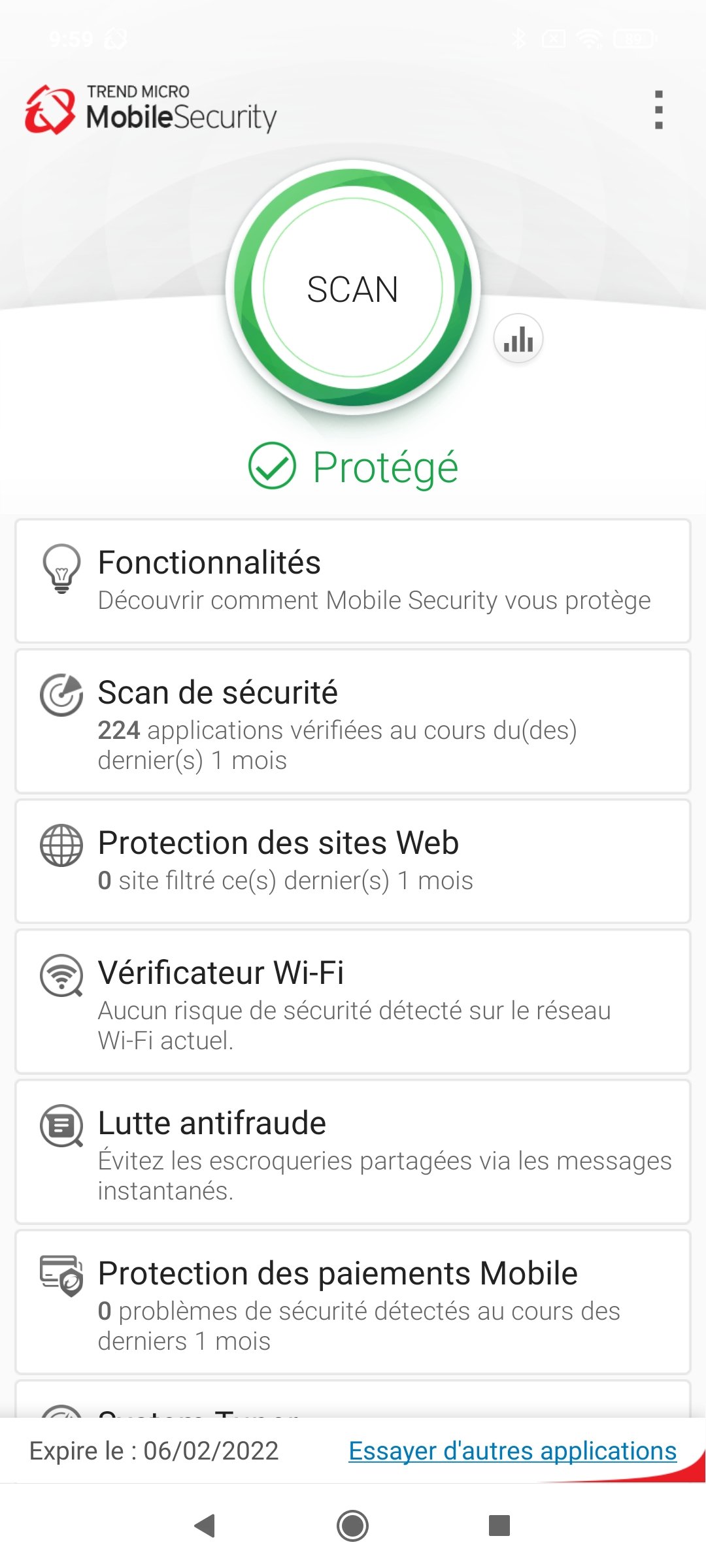
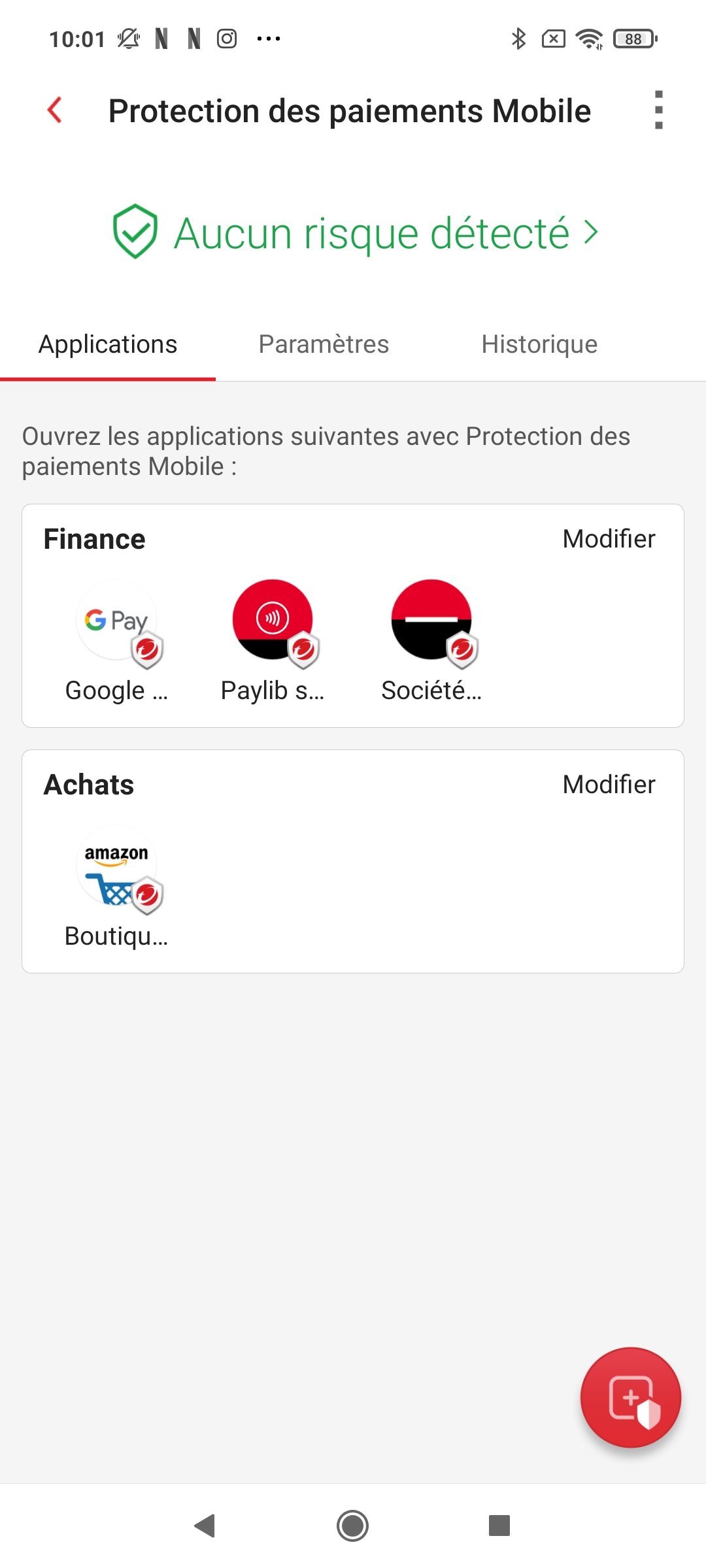
On macOS, Trend Micro cleverly sidesteps the system lock to offer its features through what is available. Thus, Internet browsing protection goes through a VPN, and one might reasonably wonder why the iPhone enjoys exclusivity here, while on Windows the software does not provide this feature. Blocking potentially malicious SMS and calls is also on the program and leverages a little-known option in iOS that allows installing a third-party filter. Finally, on the anti-phishing front, Trend Micro suggests analyzing your image files for QR Codes or texts that display a link to a malicious URL. Why not!


What protection does Trend Micro Maximum Security provide?
Windows
As previously noted, the trend remains largely unchanged. Trend Micro Maximum Security divides opinions a bit among independent labs on the effectiveness of its protection. Overall, the security suite delivers solid performance. Yet, as so often, a closer look reveals cases where one might prefer other security software. Starting with AV-Test. For this first lab, no issues: once again, Trend Micro Maximum Security nails both tests performed by the lab in May and June 2023. And this on both measurement types. The first tests the suites on Internet URLs and emails containing zero-day attacks. All are detected and blocked by the antivirus. The second reviews a set of 16,395 samples collected over four weeks, and again nothing to report—all correctly detected. Nothing to report!
On AV Comparatives, Trend Micro Maximum Security has shown some back-and-forth in recent years, and in the Malware Protection test from February–May 2023, the trend remains somewhat disappointing. To explain this underperformance, AV Comparatives details their testing process: they perform offline and online measurements on about 10,000 samples. And once again, Trend Micro Maximum Security is the solution with the widest gap, though it has narrowed compared to last year. Only 60.9% of samples are detected offline, demonstrating the software’s heavy cloud dependence. Online, it’s better, but still somewhat behind with 91.8%. We are told the important metric is the online protection rate—the ability to actually block a threat even when the signature is not detected. And here, Trend continues to disappoint with 281 infections. That’s more than the 121 previously observed, but far more than all the other tested software.
Nevertheless, this result is again contradicted by AV Comparatives’ other benchmark, the Real World Test, where 520 live malicious URLs are tested under real-world conditions, a scenario that the lab considers closest to what a user might encounter. In that regard, Trend Micro Maximum Security does not cut any corners: it is even the only one along with Bitdefender and Kaspersky to achieve a perfect score. The takeaway from these data is that Trend Micro can generally be trusted, but not in every scenario.
However, this performance comes at the cost of a high number of false positives: AV Comparatives notes 39 on the Real World Test and 10 on the Malware Protection Test. Again, opinions differ, because once more, AV Test did not measure any false positives on its latest benchmark.
In contrast, the software’s impact on Windows performance remains variable: AV-Test reports one of the worst scores in its May–June 2023 Internet navigation test, with websites loading 19% slower. Other measurements are excellent, between 1% and 9%, but this single metric, even on a high-end PC, stands out. AV Comparatives does not show anything abnormal, but nothing extraordinary either in its latest Performance Test. Trend Micro sits in the upper average without being among the best.
Mac
Trend Micro does not diverge from the latest macOS tests, where almost all antivirus products show at least one near flawless result. In June 2023, AV Test notes that Trend Micro Antivirus 11 detected 100% of 491 common malware samples collected in the four months preceding the measurement. The lab reported no false positives during its analyses.
AV Comparatives evaluates the suites on 309 Mac malware samples, 712 potentially unwanted applications for Mac, and 500 Windows-targeted malware samples. Trend Micro Antivirus detects 100% of the Mac malware and 99% of PUAs. Again, the score is excellent, considering none of the tested products manages to block 100% of unwanted applications.
According to AV Test, Trend Micro positions among the top performers for macOS performance impact: downloading and installing software slows by only 4%, local and network file copying by 0%, and installing frequently used software by 4% (the market average is 19%). Remarkable results.
Trend Micro Maximum Security interface and usability
Windows
We’ll keep repeating it: Trend Micro Maximum Security’s interface remains unchanged, and it hasn’t changed much since 2015 in broad strokes. And that’s a good thing, as Trend continues to display tasteful design and a preference for minimalism that many users appreciate. At most, Trend Micro has “flattened” some visual elements that previously had more of a tactile, textured feel, aligning more with Windows 11’s rounded corners. The difference is subtle, but real. The main window shows a prominent SCAN button and a colorful status pictogram that leaves no ambiguity since the label (“Protected”…) is also large. This is what you call refocusing on the essentials. It’s also nice that the window is compact yet optimized for touch usage.
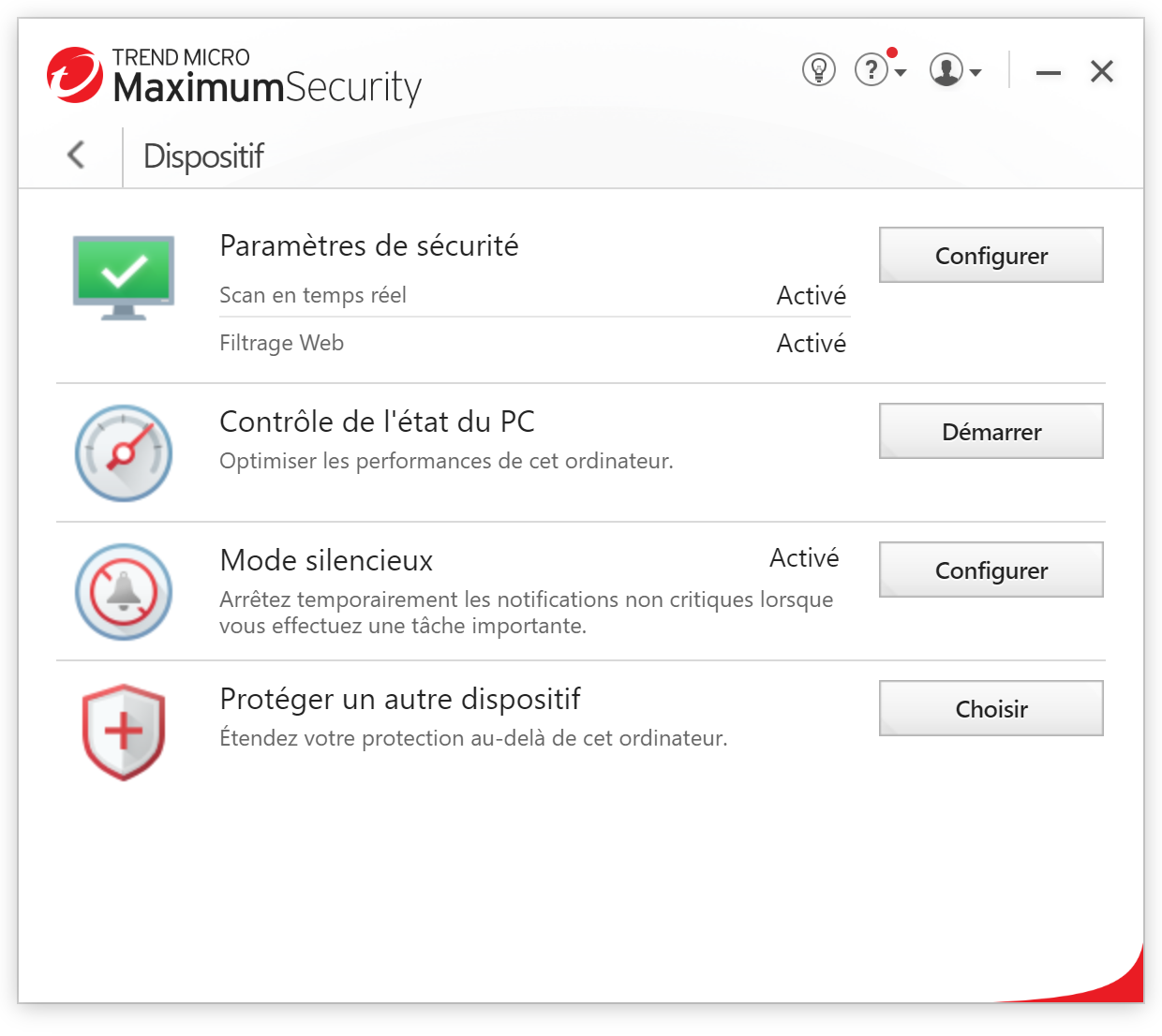
Above these main elements, four icons: Device, Privacy, Data, and Family, which group the core features around these four themes. Behind, you still find well-organized and relevant modules: online payment protection, private data protection, parental controls… For each module, a highly descriptive visual and a sufficiently detailed description explain what it does. With visuals and animations (which can be disabled), everything is designed to welcome the user, and it succeeds. Truly, the only reproach we’ll continue to make to this interface is its tendency to multiply windows, which can sprawl, and its relatively frequent use of the Back button to navigate between sections.
Mac
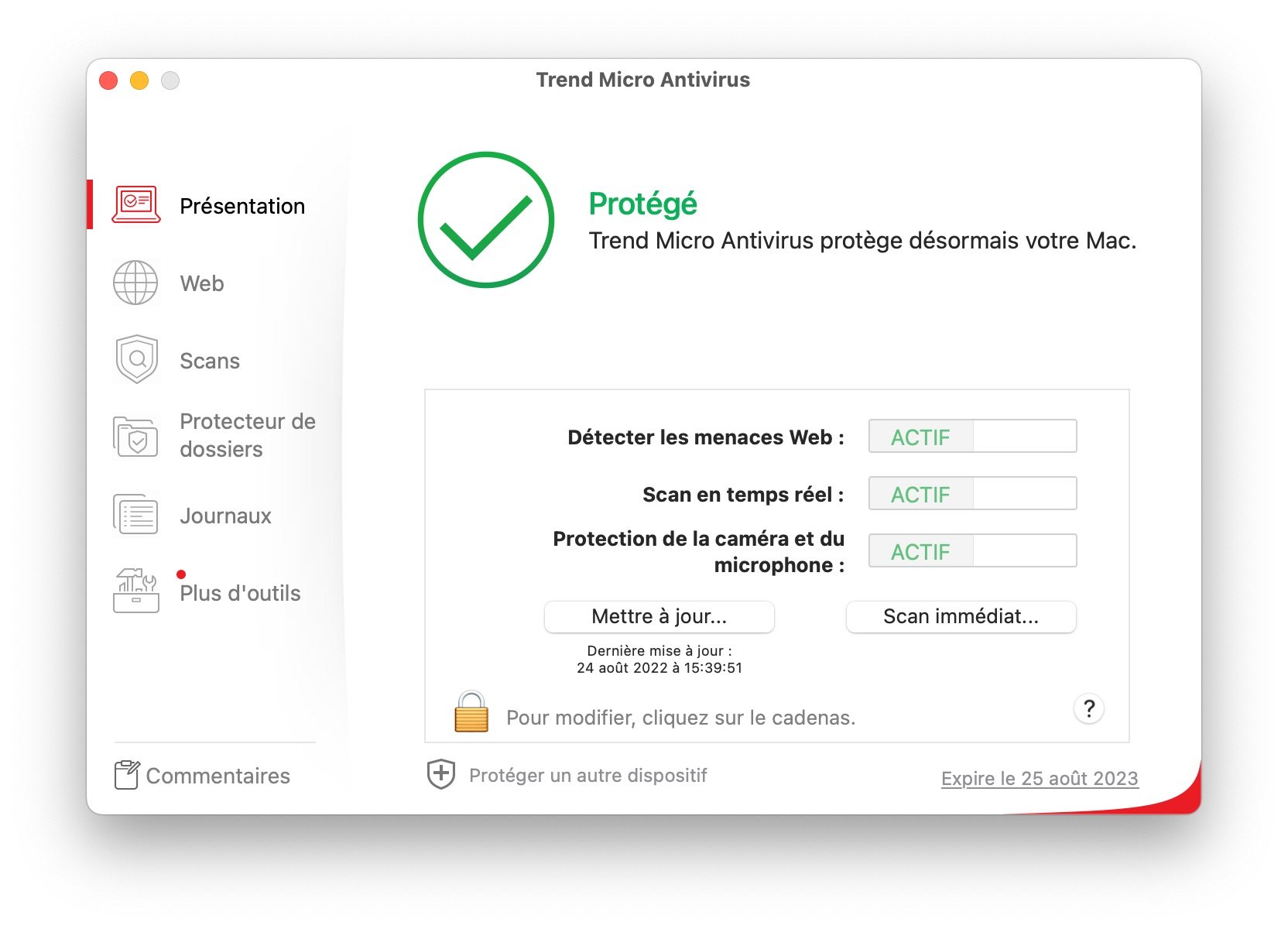
Trend Micro Antivirus on macOS presents a simple, even minimalist interface. Protection on Mac is essentially limited to antivirus features, with few additional tools. Everything is accessible from a side panel: web protection, scans, anti-ransomware protection, and usage logs.
Aside from scheduling scans, there aren’t many parameters, and for users who fear misconfigurations, a radical but effective safeguard exists: by default, any change requires entering the system password, as in macOS security preferences.
Moreover, Trend Micro tends to tailor its interface for English, which can negatively affect readability in French. In the web portion, a tab allows configuring “Protection against the…”. It refers to web threats, but other truncated phrases persist.
Key features of Trend Micro Maximum Security
Windows
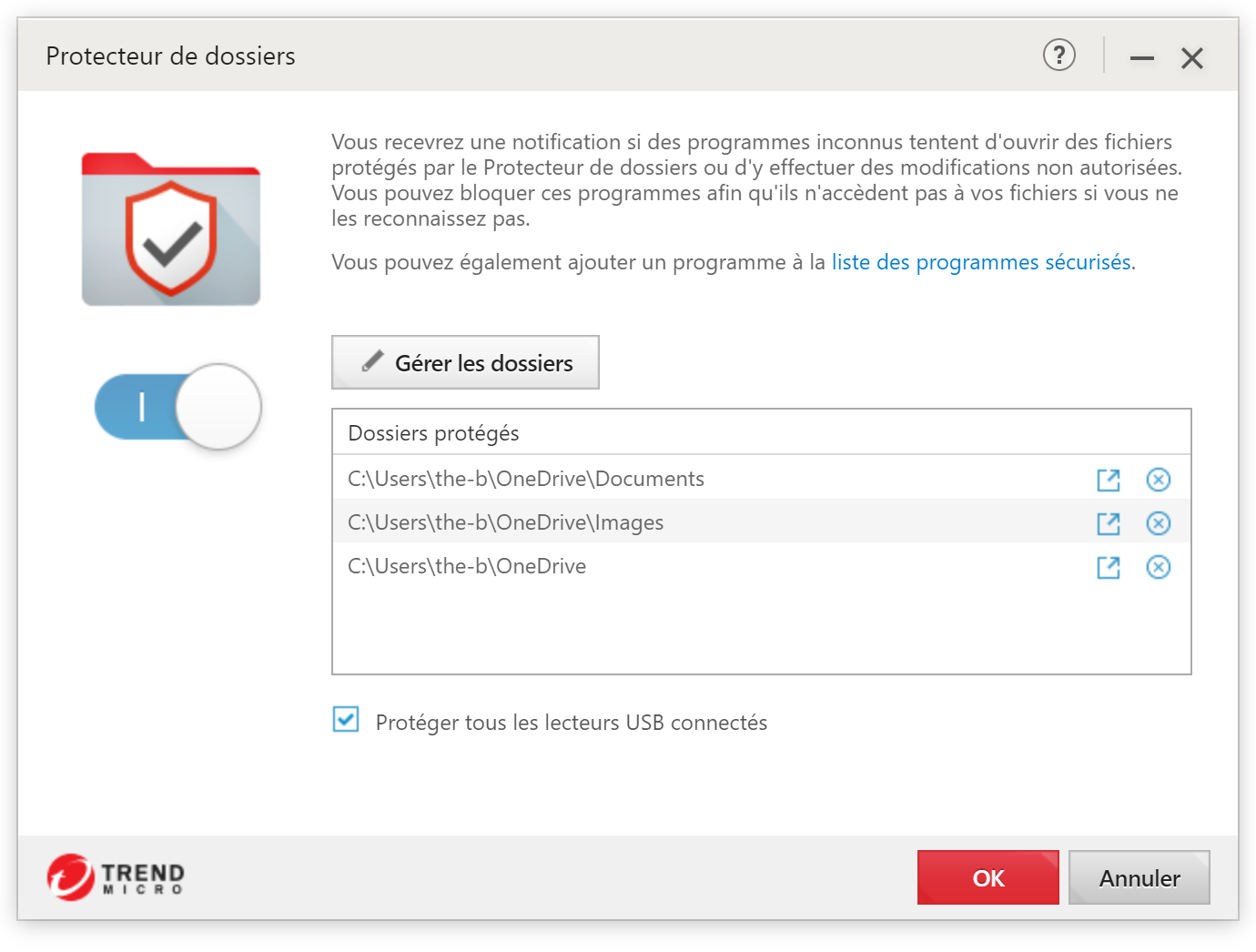
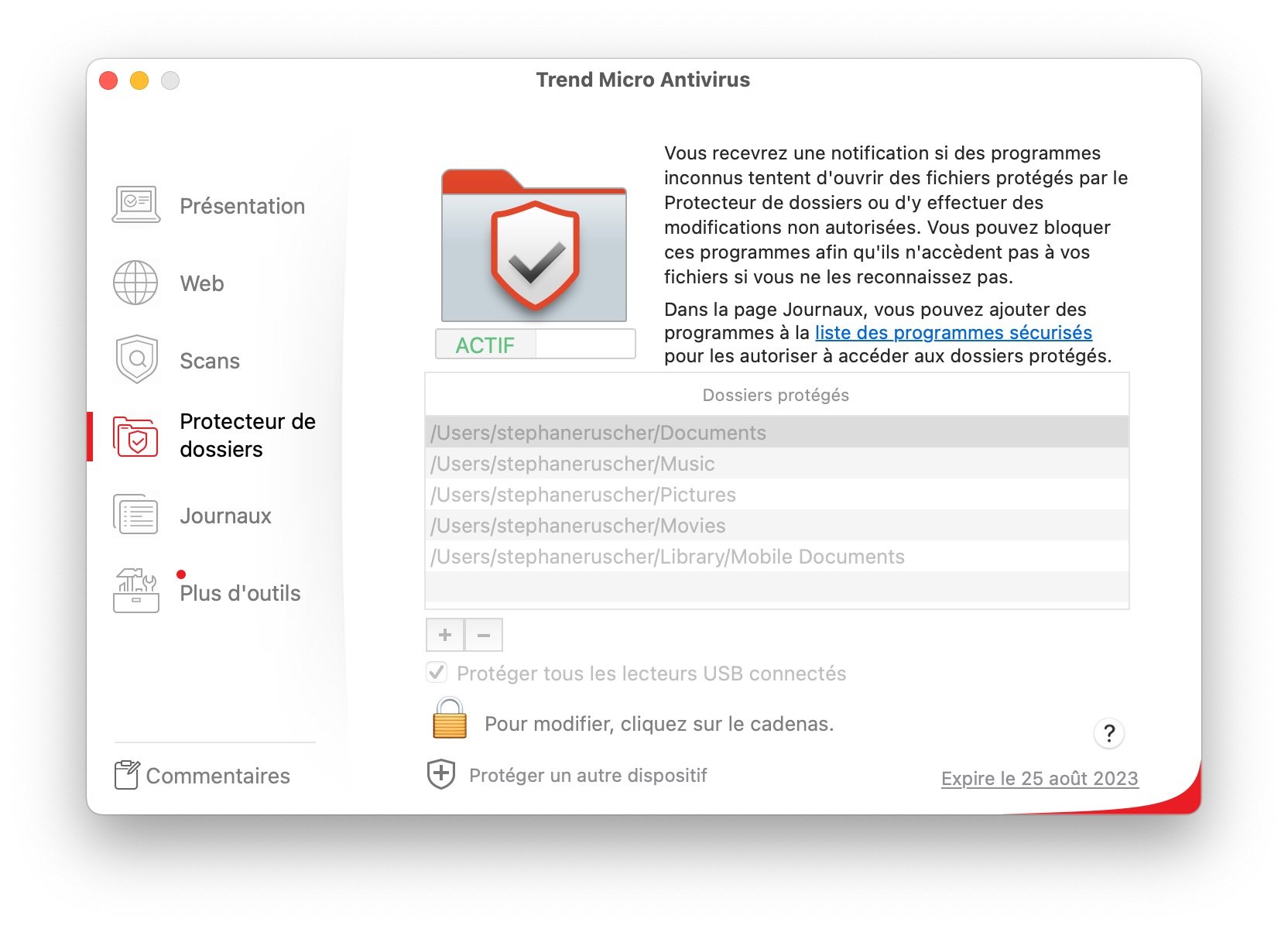
Following a recent update that introduced new protections for banking websites, Trend Micro Maximum Security sticks closely to its core defense approach: cloud-based protection enhanced by artificial intelligence and behavioral protection. A ransomware shield is also offered. By default, it monitors changes to the Documents and Images folders and their files. It is also possible to specify other folders or entire volumes.
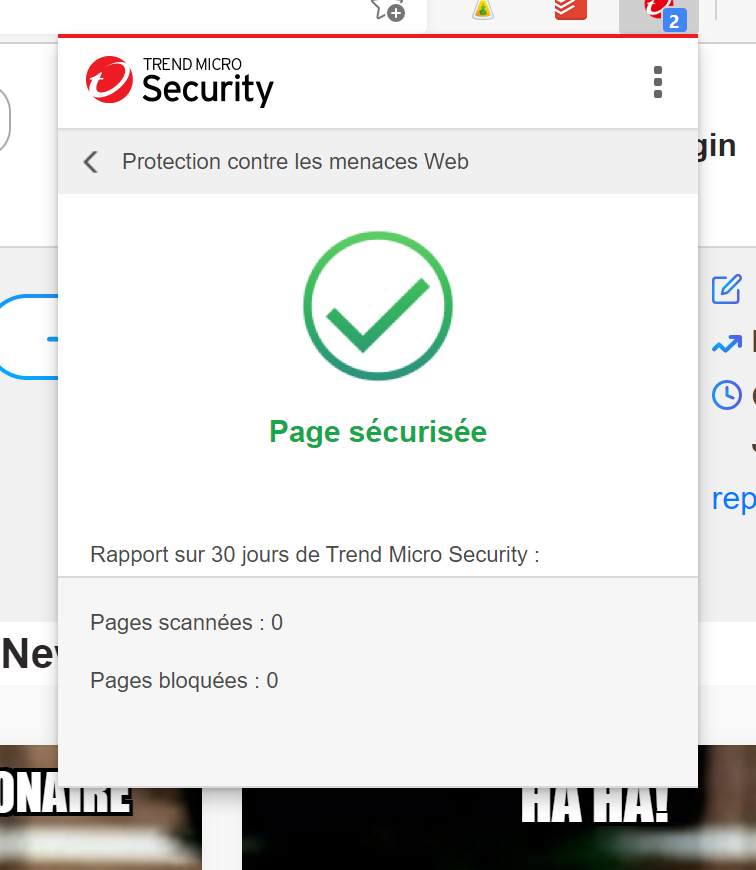
The web protection is quite comprehensive, featuring a browser extension compatible with Google Chrome, Firefox, Microsoft Edge, and even the older Internet Explorer that surprised us by opening by default during a social-network privacy scan. The extension centralizes several features: site security level display, activation of anti-phishing in Gmail or Outlook, online advertisement blocking, privacy scanning, and payment protection. The latter allows launching a browser in a sandbox for consulting banking or shopping sites. It’s a pity, however, that Trend Micro did not include a pre‑existing list of sites that can automatically trigger this when appropriate.
Among the absent features, however, we should mention the firewall. The software does not offer its own firewall, but it does include a “Firewall booster” function that strengthens Windows Firewall defenses against botnets.
Main protection modules:
- Cloud-based protection driven by AI technologies: proactive protection against malware
- Antivirus, anti-adware and anti-spyware
- Advanced ransomware detection engine (protection of folders and documents, including cloud-synced folders)
- Email scanner
- Web protection: browser extensions for Chrome, Firefox and Edge
- Real-time analysis of compressed files
- Advanced machine learning: protection against known and unknown threats
- Online privacy protection on the Internet and social networks
- Anti-spam: protection against fraudulent emails
- Premium 24/7 technical support
Trend Micro Maximum Security offers a feature set that, while not useless, somewhat struggles to evolve. We noted earlier the presence of a VPN in the iOS app. It is surprising not to see such a feature in the Windows version, while most Trend competitors offer a VPN, sometimes even unlimited. There remains a parental control tool that could benefit from cloud and mobile enhancements. Adding more features to extend the list isn’t necessarily the goal for security software, but having access to well-designed and meaningful additional modules is always a plus that is not fully realized here.
Other additional features:
- Vault: digital safe
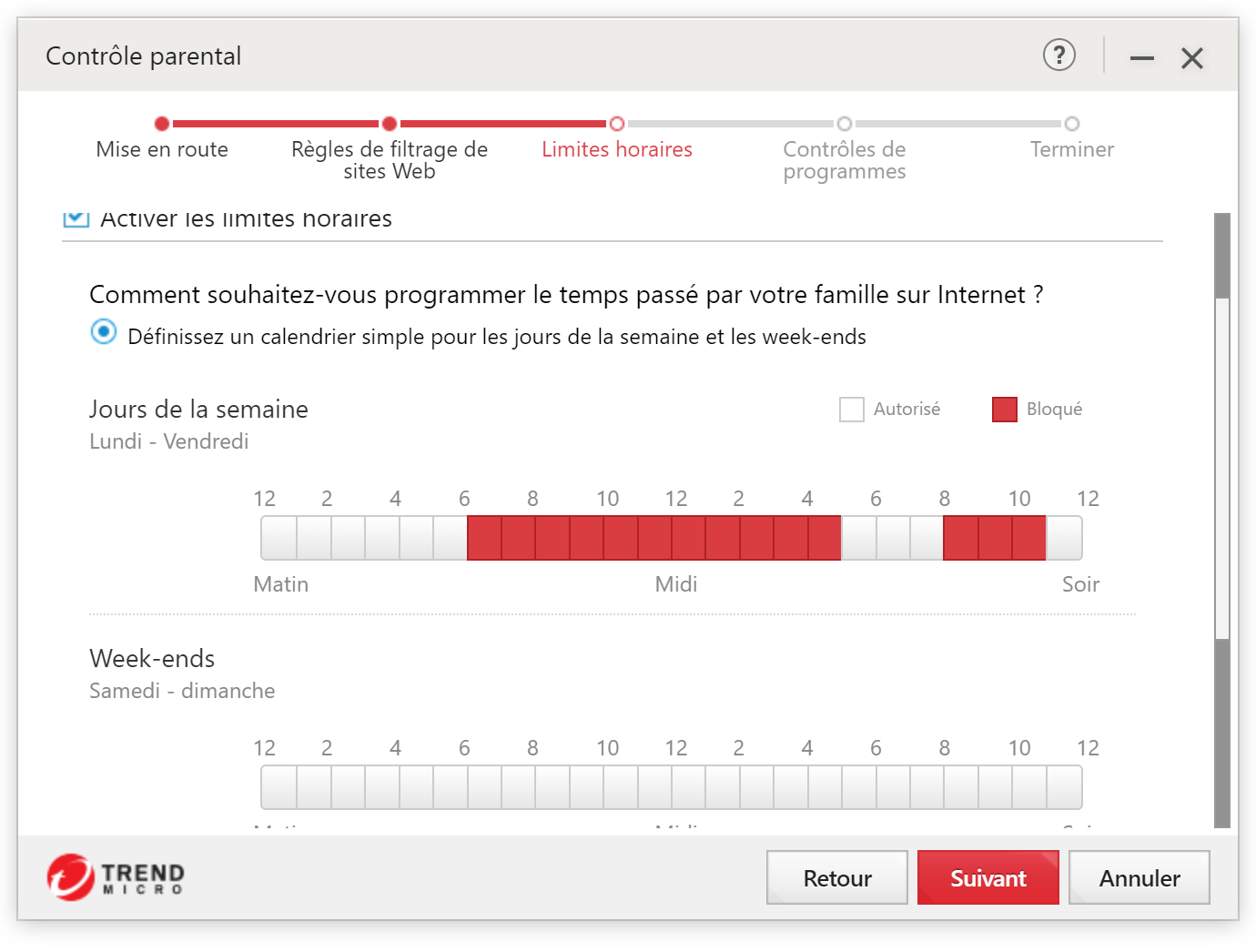
- Parental control
- Secure Erase: file shredder
- Protection of financial transactions and banking operations
- Web Console: centralized license management
- PC status control: system optimization and cleaning tools for Windows
- Anti-theft system
- Webcam protection (macOS only)
- Silent mode
Mac
Trend Micro Antivirus offers a simple interface on macOS, perhaps even minimalist. Protection on Mac is essentially limited to antivirus handling, with very few supplementary features. There is therefore little to allocate, and they are all accessible from a sidebar: web protection, scans, anti-ransomware protection, and usage logs.
Apart from scheduling scans, there aren’t proper parameters, and for less experienced users who fear triggering a wrong setting by mistake, a radical but effective measure is appreciated: by default, any modification is blocked unless the system password is entered, as in macOS security preferences.
On the web side, the interface occasionally suffers from truncation: an option to set “Protection against the…” refers to web threats, but other phrases are cut off.
Conclusion and verdict
Our overall impression of Trend Micro Maximum Security is positive, but the small disappointment we have noted remains: with such a well-executed interface and such a minimalist approach, one would like to recommend this solution to those who don’t want an antivirus that is too complex, or too rich in features and settings. Overall, that could be done. However, the minor detected performance issues of the engine seem to persist in certain scenarios, making it difficult for us to be as categorical as we would like.
Our view on Trend Micro Maximum Security is generally positive, but the small disappointment we’ve already noted remains: with such a well-executed interface and a minimalist approach, one would like to recommend this solution to those who don’t want to deal with a too complex antivirus, or one that is too feature-rich and parameter-heavy. On the whole, we could do so. However, the minor detection engine underperformances still seem to persist in certain scenarios, making it hard for us to be as categorical as we would like.
- Simple and didactic interface
- Good effectiveness in general
- Little novelty
- Basic additional features
- Cloud dependency strong
Download Trend Micro Maximum Security
Click the download link above to obtain Trend Micro Maximum Security. The download process is straightforward after license purchase. The installer guides you through licensing, followed by the installation. The product is available for Windows, macOS, Android, and iOS.
FAQ
Is Trend Micro a good antivirus?
Trend Micro is a divisive antivirus. The two major independent labs, AV-Test and AV Comparatives, have on certain points very different data and opinions. Nevertheless, one can say that, in most cases, Trend Micro is software that will protect your computer against virus, malware, spyware, and data security threats, but it remains highly dependent on being online. For this reason, some users might prefer another security suite.
How to download Trend Micro for free?
Trend Micro is not free but offers a 30-day trial of its antivirus, so users can determine whether protection against threats like viruses, malware, and other malware is suitable for them. To do this, download the software from the company’s website and choose the “Trial Version” option during installation.
Our other antivirus reviews:
- Bitdefender
- Norton 360
- Avast One
- Intego Mac
- McAfee Total Protection
- Kaspersky Premium
- AVG Antivirus
- F-Secure TOTAL

Daniel Brooks
I cover everyday products with a practical eye, from kitchen tools and home essentials to smart gadgets and consumer trends. My goal is to help readers understand what is genuinely useful, what is worth the price, and what deserves a second look before buying.